 [![license][license-image]][license-url] [](https://github.com/nirgn975/generator-jekyll-starter-kit/releases) [](https://github.com/semantic-release/semantic-release)  [![Dependency Status][dependencyci-image]][dependencyci-url] [![codecov][codecov-image]][codecov-url] [![Codacy Badge][codacy-image]][codacy-url] [![Maintenance][maintenance-image]][maintenance-url]
> Jekyll + Google web-starter-kit = best of both worlds
## Installation
First, install [Yeoman](http://yeoman.io) and jekyll-starter-kit using [npm](https://www.npmjs.com/) (we assume you have pre-installed [node.js](https://nodejs.org/)).
```bash
npm install -g yo
npm install -g generator-jekyll-starter-kit
```
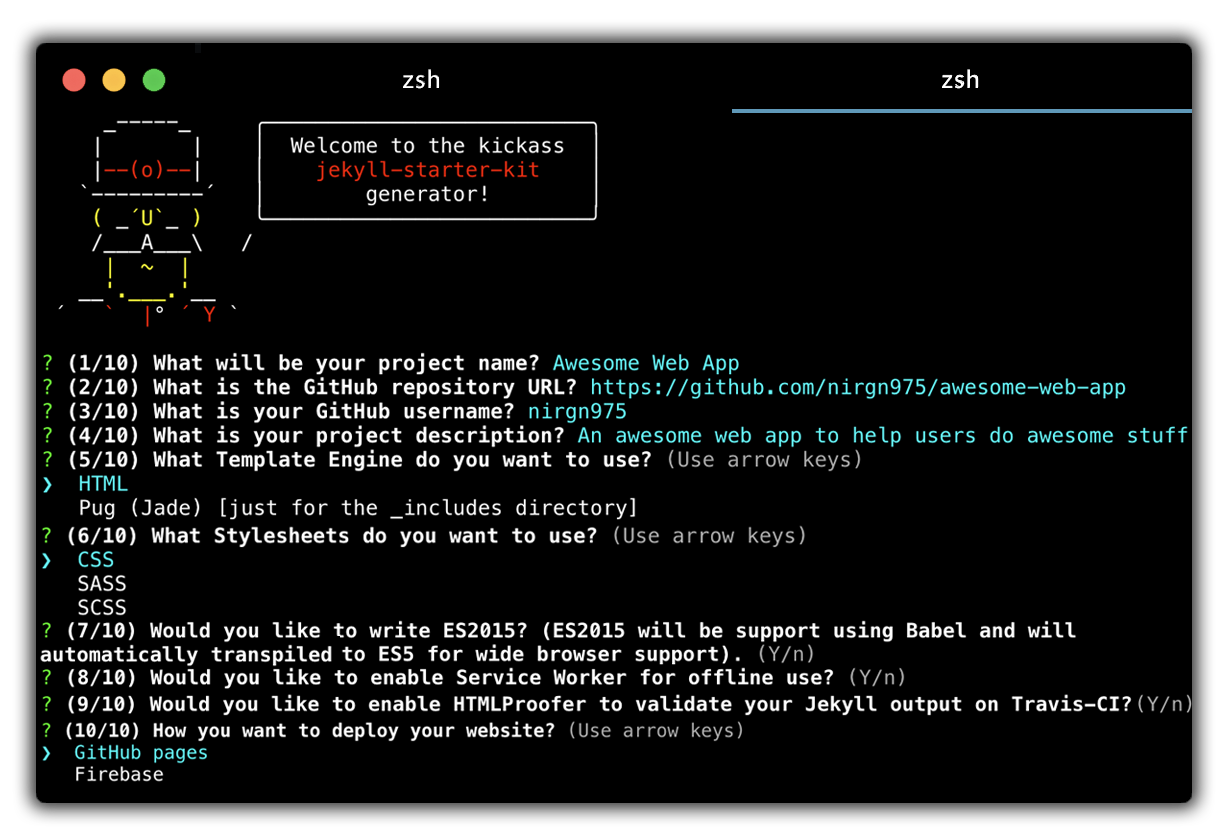
Then generate your new project:
```bash
yo jekyll-starter-kit
```
## Features
* Automagically compile [Pug](https://github.com/pugjs/pug)
* Automagically compile Sass / SCSS
* Minify HTML
* Minify and Autoprefixing CSS
* Awesome image optimization before deploy
* Enable ES2015 features using Babel
* Concatenate and minify JavaScript
* Built-in preview server with BrowserSync
* Automagically create a service worker file for offline caching
* Deploy the project to GitHub pages or Firebase with only one command
* Automagically test your project output on GitHub Actions with [html-proofer](https://github.com/gjtorikian/html-proofer)
* Test your project against [lighthouse](https://github.com/GoogleChrome/lighthouse) and fail GitHub Action with score below 80/100
* Awesome README file with all instructions and badges - like the pros :wink:
## Trouble with running the project?
There's could be an issue with Gem package manager and the gems on your local machine. If so, run:
```
bundle install
```
For more info about bundle go to [Bundler](http://bundler.io/).
## Want to help?
Great! Here is how you can install the local generator to test changes.
1. Git clone your fork locally.
2. `npm install` inside the new directory.
3. `npm link` - This makes your local system sync with the changes you make
4. `mkdir app`
5. Inside the new directory, initiate `yo jekyll-starter-kit`
## Contributors
* [Nir Galon](http://nir.galon.io)
* [Roy Segall](http://twitter.com/roysegalll)
* [Yotam Emergy](http://ydesign.webflow.io)
* [Carol Ng](https://www.carolkng.com)
[![npm][downloads-image]][downloads-url]
[license-image]: https://img.shields.io/badge/license-ISC-blue.svg
[license-url]: https://github.com/nirgn975/generator-jekyll-starter-kit/blob/main/LICENSE
[dependencyci-image]: https://badgen.net/dependabot/nirgn975/generator-jekyll-starter-kit?icon=dependabot
[dependencyci-url]: https://dependabot.com/
[codecov-image]: https://codecov.io/gh/nirgn975/generator-jekyll-starter-kit/branch/main/graph/badge.svg
[codecov-url]: https://codecov.io/gh/nirgn975/generator-jekyll-starter-kit
[codacy-image]: https://api.codacy.com/project/badge/Grade/6dfa47fa71b64497a313cb1ddfcf26f4
[codacy-url]: https://www.codacy.com/app/nirgn975/generator-jekyll-starter-kit?utm_source=github.com&utm_medium=referral&utm_content=nirgn975/generator-jekyll-starter-kit&utm_campaign=Badge_Grade
[maintenance-image]: https://img.shields.io/maintenance/yes/2022.svg
[maintenance-url]: https://github.com/nirgn975
[downloads-image]: https://img.shields.io/npm/dt/generator-jekyll-starter-kit.svg
[downloads-url]: https://www.npmjs.com/package/generator-jekyll-starter-kit
[![license][license-image]][license-url] [](https://github.com/nirgn975/generator-jekyll-starter-kit/releases) [](https://github.com/semantic-release/semantic-release)  [![Dependency Status][dependencyci-image]][dependencyci-url] [![codecov][codecov-image]][codecov-url] [![Codacy Badge][codacy-image]][codacy-url] [![Maintenance][maintenance-image]][maintenance-url]
> Jekyll + Google web-starter-kit = best of both worlds
## Installation
First, install [Yeoman](http://yeoman.io) and jekyll-starter-kit using [npm](https://www.npmjs.com/) (we assume you have pre-installed [node.js](https://nodejs.org/)).
```bash
npm install -g yo
npm install -g generator-jekyll-starter-kit
```
Then generate your new project:
```bash
yo jekyll-starter-kit
```
## Features
* Automagically compile [Pug](https://github.com/pugjs/pug)
* Automagically compile Sass / SCSS
* Minify HTML
* Minify and Autoprefixing CSS
* Awesome image optimization before deploy
* Enable ES2015 features using Babel
* Concatenate and minify JavaScript
* Built-in preview server with BrowserSync
* Automagically create a service worker file for offline caching
* Deploy the project to GitHub pages or Firebase with only one command
* Automagically test your project output on GitHub Actions with [html-proofer](https://github.com/gjtorikian/html-proofer)
* Test your project against [lighthouse](https://github.com/GoogleChrome/lighthouse) and fail GitHub Action with score below 80/100
* Awesome README file with all instructions and badges - like the pros :wink:
## Trouble with running the project?
There's could be an issue with Gem package manager and the gems on your local machine. If so, run:
```
bundle install
```
For more info about bundle go to [Bundler](http://bundler.io/).
## Want to help?
Great! Here is how you can install the local generator to test changes.
1. Git clone your fork locally.
2. `npm install` inside the new directory.
3. `npm link` - This makes your local system sync with the changes you make
4. `mkdir app`
5. Inside the new directory, initiate `yo jekyll-starter-kit`
## Contributors
* [Nir Galon](http://nir.galon.io)
* [Roy Segall](http://twitter.com/roysegalll)
* [Yotam Emergy](http://ydesign.webflow.io)
* [Carol Ng](https://www.carolkng.com)
[![npm][downloads-image]][downloads-url]
[license-image]: https://img.shields.io/badge/license-ISC-blue.svg
[license-url]: https://github.com/nirgn975/generator-jekyll-starter-kit/blob/main/LICENSE
[dependencyci-image]: https://badgen.net/dependabot/nirgn975/generator-jekyll-starter-kit?icon=dependabot
[dependencyci-url]: https://dependabot.com/
[codecov-image]: https://codecov.io/gh/nirgn975/generator-jekyll-starter-kit/branch/main/graph/badge.svg
[codecov-url]: https://codecov.io/gh/nirgn975/generator-jekyll-starter-kit
[codacy-image]: https://api.codacy.com/project/badge/Grade/6dfa47fa71b64497a313cb1ddfcf26f4
[codacy-url]: https://www.codacy.com/app/nirgn975/generator-jekyll-starter-kit?utm_source=github.com&utm_medium=referral&utm_content=nirgn975/generator-jekyll-starter-kit&utm_campaign=Badge_Grade
[maintenance-image]: https://img.shields.io/maintenance/yes/2022.svg
[maintenance-url]: https://github.com/nirgn975
[downloads-image]: https://img.shields.io/npm/dt/generator-jekyll-starter-kit.svg
[downloads-url]: https://www.npmjs.com/package/generator-jekyll-starter-kit