 # Glow
> Make your [Flow](https://flow.org/) errors GLOW
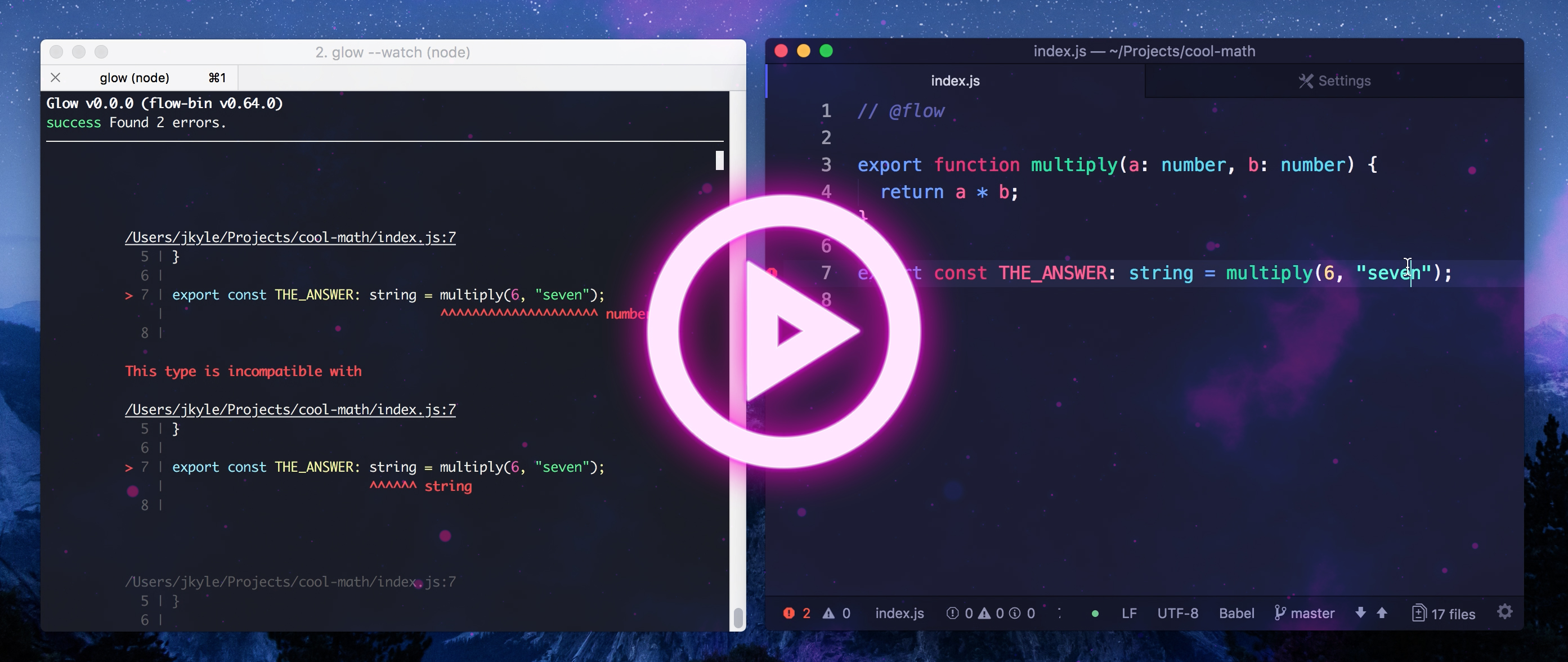
* Pretty-printed, code highlighted type errors
* Interactive watch mode
* Filter through errors using globs
## Installation
```sh
# globally
yarn global add glow
# or in your project
yarn add --dev glow
```
# Glow
> Make your [Flow](https://flow.org/) errors GLOW
* Pretty-printed, code highlighted type errors
* Interactive watch mode
* Filter through errors using globs
## Installation
```sh
# globally
yarn global add glow
# or in your project
yarn add --dev glow
```
 ## Usage
In your existing [Flow](https://flow.org/) project, instead of running:
```sh
flow
```
Simply run:
```sh
glow
```
You can also filter errors down to a specific set of files by running:
```sh
glow path/to/whatever
```
There's even an awesome watch mode:
```sh
glow --watch
```
## Usage
In your existing [Flow](https://flow.org/) project, instead of running:
```sh
flow
```
Simply run:
```sh
glow
```
You can also filter errors down to a specific set of files by running:
```sh
glow path/to/whatever
```
There's even an awesome watch mode:
```sh
glow --watch
```