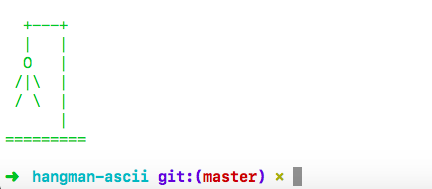
# Hangman ASCII Art
---
## What It Is
This is a module of hangman ascii art that you can use in your simple command line hangman games. I created this module because when I was learning to code a very common exercise that came up in many programming languages was creating a Hangman game.
This module is a super easy way you can draw the hangman board at different levels of the game. It's also fun because you can make it whatever color you want!
## How to Use
### Step One:
In your terminal:
```
npm install hangman-ascii
```
### Step Two:
At the top of your file:
```JavaScript
var hangman = require('hangman-ascii');
```
### Step Three:
Call the drawLevel function at the point in your code when you want to draw a hangman. The drawLevel function takes 2 arguments.
- The first is the level hangman you want to draw. This argument takes a number from 0 to 6. 0 will be the starting point, with no hangman parts drawn. 6 will be the full hangman, meaning the player has lost.
- The second argument is a color. You pass a color in as a string. The viable colors you can pass in are: 'red' 'green' 'yellow' 'blue' 'magenta' 'cyan' 'white' 'gray' 'black'
### See the result:
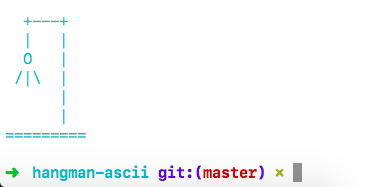
This code will draw level 4 in a cyan blue.
```JavaScript
hangman.drawLevel(4, 'cyan');
```
Depending on your terminal theme settings you will get something that looks like this:
## More examples
```JavaScript
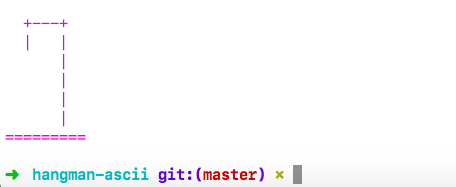
hangman.drawLevel(0, 'magenta')
```
Level 0 in magenta:
```JavaScript
hangman.drawLevel(6, 'green')
```
Level 6 in magenta: