
<div align="right">
  语言:
  <a title="英语" href="../../README.md">🇺🇸</a>
  🇨🇳
  <a title="俄语" href="../ru/README.md">🇷🇺</a>
</div>

<picture>
  <source media="(prefers-color-scheme: dark)" srcset="https://raw.githubusercontent.com/next-theme/theme-next-docs/v8.13.0/source/images/next-schemes-dark.png">
  <source media="(prefers-color-scheme: light)" srcset="https://raw.githubusercontent.com/next-theme/theme-next-docs/v8.13.0/source/images/next-schemes.png">
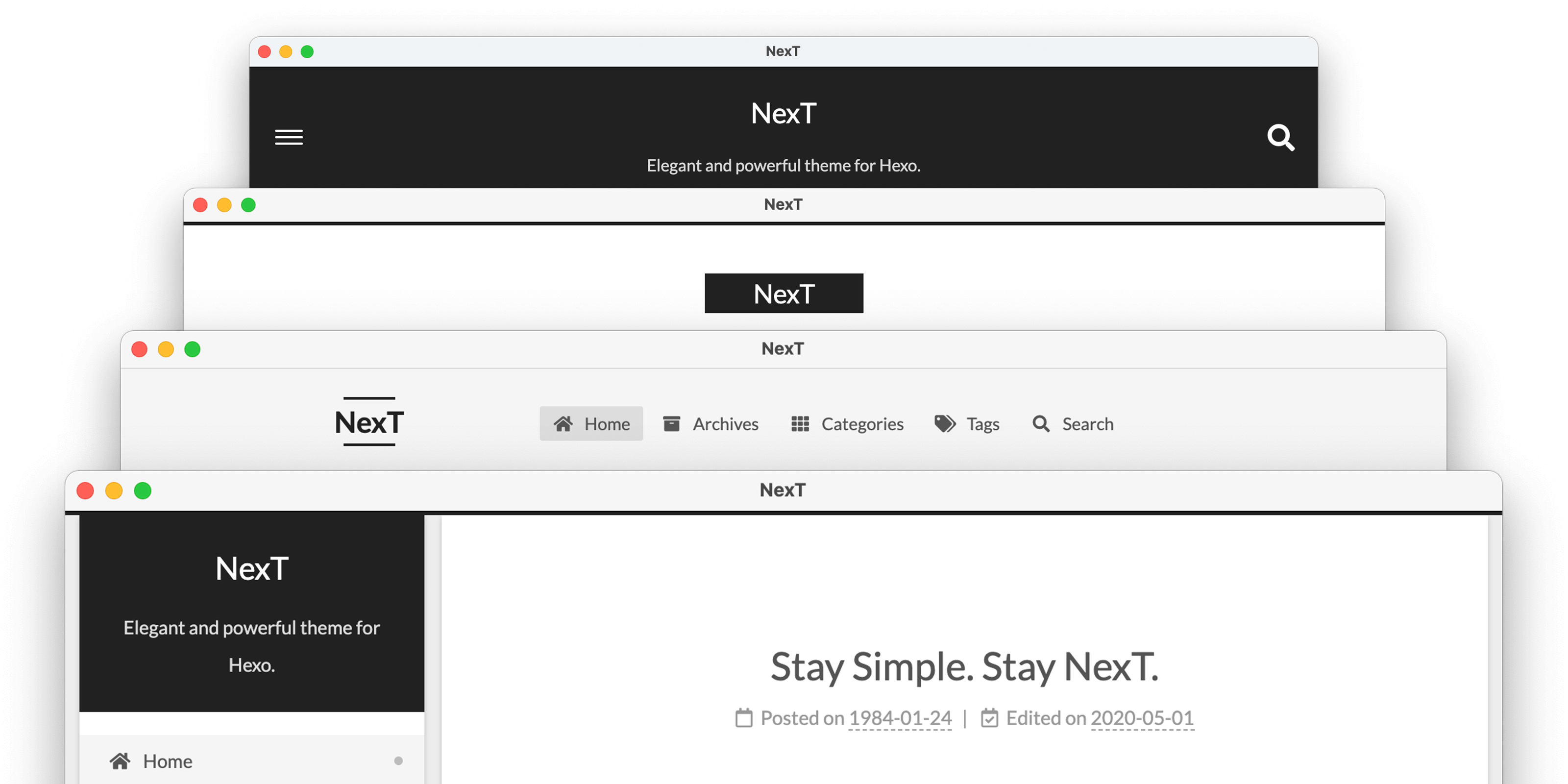
  <img alt="NexT preview" src="https://raw.githubusercontent.com/next-theme/theme-next-docs/v8.13.0/source/images/next-schemes.png">
</picture>

<a title="NexT 网站" href="https://theme-next.js.org"><img align="right" alt="NexT logo" width="100" height="100" src="https://raw.githubusercontent.com/next-theme/hexo-theme-next/master/source/images/logo.svg"></a>

# NexT

> NexT 是一款风格优雅的高质量 [Hexo](https://hexo.io) 主题，自点点滴滴中用爱雕琢而成。

[![NPM version](https://img.shields.io/npm/v/hexo-theme-next?color=red&logo=npm&style=for-the-badge)](https://www.npmjs.com/package/hexo-theme-next)
[![NPM Downloads](https://img.shields.io/npm/dm/hexo-theme-next?logo=npm&style=for-the-badge)](https://www.npmjs.com/package/hexo-theme-next)

[![Required Hexo version](https://img.shields.io/badge/hexo-%3E=5.3.0-blue?style=for-the-badge&logo=hexo)](https://hexo.io)

[![License](https://img.shields.io/badge/license-%20AGPL-orange?style=for-the-badge&logo=gnu)](https://github.com/next-theme/hexo-theme-next/blob/master/LICENSE.md)
[![Build Status](https://img.shields.io/github/actions/workflow/status/next-theme/hexo-theme-next/linter.yml?branch=master&label=test&logo=github&style=for-the-badge)](https://github.com/next-theme/hexo-theme-next/actions?query=workflow%3ALinter)

[![Build Status](https://img.shields.io/github/actions/workflow/status/next-theme/hexo-theme-next/tester.yml?branch=master&logo=github&style=for-the-badge)](https://github.com/next-theme/hexo-theme-next/actions?query=workflow%3ATester)

[![Coverage Status](https://img.shields.io/coveralls/github/next-theme/hexo-theme-next?logo=coveralls&style=for-the-badge)](https://coveralls.io/github/next-theme/hexo-theme-next)

## 即时预览

<p align="center">
  💟 <a href="https://theme-next.js.org/muse/">Muse</a> | 🔯 <a href="https://theme-next.js.org/mist/">Mist</a> | ♓️ <a href="https://theme-next.js.org/pisces/">Pisces</a> | ♊️ <a href="https://theme-next.js.org">Gemini</a>
<br>
<br>
  更多 NexT 的例子参见<a href="https://github.com/next-theme/awesome-next#live-preview">这里</a>。
</p>

## 安装

如果你在使用 Hexo 5.0 或更新版本，最简单的安装方式是通过 npm：

```sh
cd hexo-site
npm install hexo-theme-next
```

你也可以直接克隆整个仓库：

```sh
cd hexo-site
git clone https://github.com/next-theme/hexo-theme-next themes/next
```

此外，如果你想要使用其他方式，请参见[详细安装步骤][docs-installation-url]。

安装完成后，在 Hexo 配置文件中将 `theme` 设置为 `next`。

```yml
theme: next
```

## 配置

我们不推荐直接修改 NexT 主题的文件。因为这可能导致错误（例如 git merge 冲突），并且在升级主题时修改的文件可能丢失。

目前 NexT 鼓励用户使用 [Alternate Theme Config][docs-configuration-url] 进行配置。并且可以轻松地通过 [Custom Files][docs-custom-files-url] 自定义主题的布局和样式。

## 插件

插件丰富和拓展了 NexT 的功能。一些高级功能需要第三方依赖库和额外配置，使你能够灵活地创建一个完全自定义的网站。

配置这些插件非常简单。例如，你想要在你的站点中使用 `pjax` 插件，请进入 NexT 配置文件，启用 `pjax` 配置项：

```yml
# Easily enable fast Ajax navigation on your website.
# For more information: https://github.com/next-theme/pjax
pjax: true
```

### 设置 CDN

第三方插件默认通过 [CDNJS](https://cdnjs.com) CDN 服务加载。我们也提供了其它的 CDN 服务供选择，包括著名的 [UNPKG](https://unpkg.com) 和 [jsDelivr](https://www.jsdelivr.com)。

例如，你想要使用 `unpkg` 代替 `cdnjs` 作为默认的 CDN 提供商，你需要在 NexT 配置文件中进行如下设置：

```yml
vendors:
  # ...
  # Some contents...
  # ...
  plugins: unpkg
```

## 更新

NexT 会不断发布新版本以包含新功能和问题修复。请在更新前阅读[更新说明][docs-release-url]。你可以通过如下命令更新 NexT。

通过 npm 安装最新版本：

```sh
cd hexo-site
npm install hexo-theme-next@latest
```

或者通过 git 更新到最新的 master 分支：

```sh
cd themes/next
git pull
```

**如果你想要从 v5.x / v7.x 更新到最新版本，阅读[这篇文档][docs-upgrade-url]。**

## 社区

与我们联系并成为我们日益壮大的社区的一部分！

* **Telegram 群组（中文）**：[点击此处加入！](https://t.me/theme_next_cn)
* **Discord 服务器**：[加入我们的 Discord！](https://discord.gg/qmkgkY3jaG)
* **Gitter**：[加入我们的 Gitter 聊天！]
* **ChatGPT**: [NexT Mentor][gpt-url]

## 反馈

* 浏览 [Awesome NexT][awesome-next-url] 列表，与其它用户分享插件和教程。
* 加入我们的 [GitHub discussions][discussions-url]。
* 请花几秒钟来[添加或修正翻译][i18n-url]。
* 在 [GitHub Issues][issues-bug-url] 报告Bug。
* 在 [GitHub][issues-feat-url] 请求新的功能。
* 为 [受欢迎的 Feature request][feat-req-vote-url] 投票。

## 贡献你的代码

我们欢迎你加入 NexT 的开发，贡献出你的一份力量。请看[开源贡献指南][contributing-document-url]。 🤗

你也可以随时向我们的[官方插件][official-plugins-url]提交 Issue 或 Pull Request。

## 贡献者

[![Contributors][contributors-image]][contributors-url]

## 鸣谢

NexT 特别感谢这些支持我们核心基础设施的优质服务：

<a href="https://github.com"><img height="40" src="https://github.githubassets.com/images/modules/logos_page/GitHub-Logo.png"></a>

> GitHub 容许我们托管 Git 仓库及运行测试。

<a href="https://www.netlify.com">
  <picture>
    <source media="(prefers-color-scheme: dark)" height="40" srcset="https://www.netlify.com/v3/img/components/full-logo-dark.svg">
    <source media="(prefers-color-scheme: light)" height="40" srcset="https://www.netlify.com/v3/img/components/full-logo-light.svg">
    <img alt="Netlify Logo" height="40" src="https://www.netlify.com/v3/img/components/full-logo-light.svg">
  </picture>
</a>

> Netlify 容许我们发布文档。

<a href="https://crowdin.com">
  <picture>
    <source media="(prefers-color-scheme: dark)" height="40" srcset="https://support.crowdin.com/assets/logos/core-logo/svg/crowdin-core-logo-cWhite.svg">
    <source media="(prefers-color-scheme: light)" height="40" srcset="https://support.crowdin.com/assets/logos/core-logo/svg/crowdin-core-logo-cDark.svg">
    <img alt="Netlify Logo" height="40" src="https://support.crowdin.com/assets/logos/core-logo/svg/crowdin-core-logo-cDark.svg">
  </picture>
</a>

> Crowdin 容许我们方便地翻译文档。

<a href="https://cdnjs.com">
  <picture>
    <source media="(prefers-color-scheme: dark)" height="40" srcset="https://raw.githubusercontent.com/cdnjs/brand/master/logo/source/light-brackets.svg">
    <source media="(prefers-color-scheme: light)" height="40" srcset="https://raw.githubusercontent.com/cdnjs/brand/master/logo/source/dark-brackets.svg">
    <img alt="CDNJS Logo" height="40" src="https://raw.githubusercontent.com/cdnjs/brand/master/logo/source/dark-brackets.svg">
  </picture>
</a>

> 感谢 CDNJS 提供的 CDN 服务。

[docs-installation-url]: https://theme-next.js.org/docs/getting-started/installation.html
[docs-configuration-url]: https://theme-next.js.org/docs/getting-started/configuration.html
[docs-custom-files-url]: https://theme-next.js.org/docs/advanced-settings/custom-files.html
[docs-release-url]: https://github.com/next-theme/hexo-theme-next/releases
[docs-upgrade-url]: https://theme-next.js.org/docs/getting-started/upgrade.html

[awesome-next-url]: https://github.com/next-theme/awesome-next
[discussions-url]: https://github.com/next-theme/hexo-theme-next/discussions
[gitter-url]: https://app.gitter.im/#/room/#next:gitter.im
[gpt-url]: https://chatgpt.com/g/g-68286c2fc1f48191aee3e87c94a89431-next-mentor
[i18n-url]: https://crowdin.com/project/hexo-theme-next

[issues-bug-url]: https://github.com/next-theme/hexo-theme-next/issues/new?assignees=&labels=Bug&template=bug-report.md
[issues-feat-url]: https://github.com/next-theme/hexo-theme-next/issues/new?assignees=&labels=Feature+Request&template=feature-request.md
[feat-req-vote-url]: https://github.com/next-theme/hexo-theme-next/issues?q=is%3Aopen+is%3Aissue+label%3A%22Feature+Request%22

[contributing-document-url]: https://github.com/next-theme/hexo-theme-next/blob/master/docs/zh-CN/CONTRIBUTING.md
[official-plugins-url]: https://github.com/next-theme
[contributors-image]: https://raw.githubusercontent.com/next-theme/contributors/master/contributors.svg
[contributors-url]: https://github.com/next-theme/hexo-theme-next/blob/master/docs/AUTHORS.md