 # homebridge-tado-ac
[](https://www.npmjs.com/package/homebridge-tado-ac)
[](https://www.npmjs.com/package/homebridge-tado-ac)
# homebridge-tado-ac
[](https://www.npmjs.com/package/homebridge-tado-ac)
[](https://www.npmjs.com/package/homebridge-tado-ac)
[](https://github.com/homebridge/homebridge/wiki/Verified-Plugins) [](https://discord.gg/JFhzZcM)
[](https://plugins.hoobs.org?ref=10876) [](https://support.hoobs.org?ref=10876)
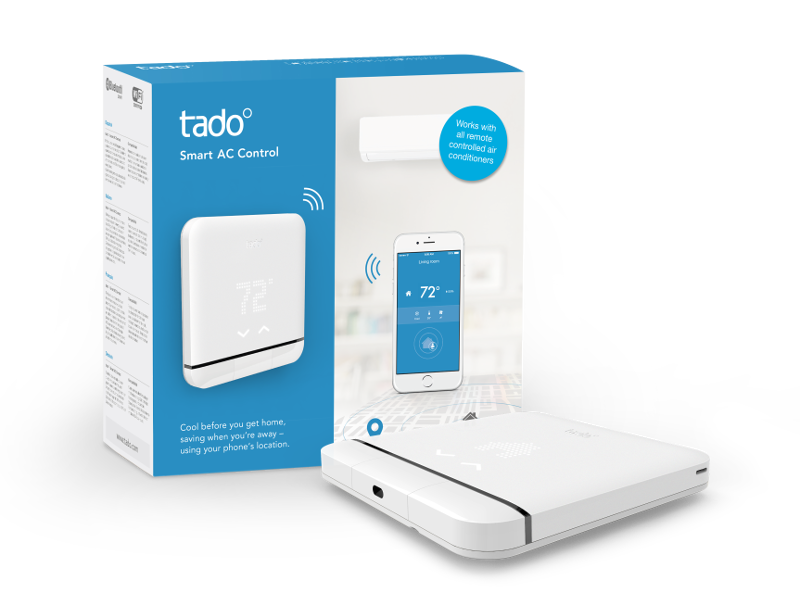
[Homebridge](https://github.com/nfarina/homebridge) Plugin for tado° Smart AC Control.
 ### Requirements


 check with: `node -v` & `homebridge -V` and update if needed
## Version 4 - What's new?
Completely refactored the entire code! that should solve most of the issues the plugin had before + added a few new features.
#### NEW:
- Support for Homebridge Config UI + HOOBS UI
- Latest HomeBridge API - Not delaying Homebridge startup anymore.
- Support for DRY mode
- Support for AUTO fan speed in all modes (when available, 0 fan speed will equal auto fan speed)
#### CHANGES:
- `occupancyPollingInterval` - Always polling (minimum every 3 seconds)
- `weatherPollingInterval` - Always polling (minimum every 1 minute)
- Weather Sensor "Solar Intensity" is now a LightSensor accessory, representing the amount of sunlight between 0 to 100 (show as Lux)
#### DEPRECATED:
- `autoFanOnly`- removed since auto fan speed can be achieved by setting the fan speed to zero.
- `disableHumiditySensor` - no use for that.
- `cachedSettingsOnly` - the plugin is not delaying the Homebridge startup and therefor it will always try to fetch fresh data and will only use cache when live data is not available.
#### FIXES:
- Fahrenheit is finally fixed!
- Fixed homebridge v1+ crash
- Fixed forgetting last target temperature
## Installation
This plugin is Homebridge verified and HOOBS certified and can be easily installed and configured through their UI.
If you don't use Homebridge UI or HOOBS, or if you want to know more about the plugin features and options, keep reading...
1. Install homebridge using: `sudo npm install -g homebridge --unsafe-perm`
2. Install this plugin using: `sudo npm install -g homebridge-tado-ac`
3. Update your configuration file. See `sample-config.json` in this repository for a sample.
\* install from git: `sudo npm install -g git+https://github.com/nitaybz/homebridge-tado-ac.git`
## Config file
#### Easy config
``` json
"platforms": [
{
"platform": "TadoAC",
"username": "user@name.com",
"password": "*************"
}
]
```
#### Advanced config
``` json
"platforms": [
{
"platform": "Tado°AC",
"username": "user@name.com",
"password": "*************",
"tadoMode": "TIMER",
"durationInMinutes": 100,
"manualControlSwitch": true,
"historyStorage": true,
"occupancySensorsEnabled": true,
"occupancyPollingInterval": 10,
"anyoneSensor": true,
"weatherSensorsEnabled": true,
"weatherPollingInterval": 5,
"disableFan": false,
"disableDry": false,
"extraHumiditySensor": true,
"debug": false,
"statePollingInterval": 30,
"homeID": 12345,
"forceThermostat": false,
"forceHeaterCooler": false,
"disableAcAccessory": false
}
]
```
## Configurations
| Parameter | Description | Required | Default | type |
| -------------------------------- | ------------------------------------------------------- |:--------:|:---------:|:---------:|
| `platform` | always "TadoAC" | ✓ | - | String |
| `username` | your tado° account username (something@something.com) | ✓ | - | String |
| `password` | your tado° account password | ✓ | - | String |
| `tadoMode` | default mode for the commands to be sent with. can be "MANUAL" for manual control until ended by the user, "TADO_MODE" for manual control until next schedule change in tado° app OR "TIMER" for manual control until timer ends (duration can be set) | | "MANUAL" |
| `durationInMinutes` | duration in Minutes for the "TIMER" settings | | 90 |
| `manualControlSwitch` | Adds switch for getting Manual control status and turn OFF manual control from HomeKit (turn ON is done by sending any command) | | `false` | Boolean / Array* |
| `historyStorage` ***new | When set to `true`, all measurements (temperature & humidity) will be saved and viewable from the Eve app | | `false` | Boolean |
| `occupancySensorsEnabled` | Enable **Occupancy Sensors** -*more details below* | | `false` | Boolean |
| `occupancyPollingInterval` | Time in **Seconds** to check for changes in occupancy. Default is `10` for polling every 10 seconds. minimum is `3`, *it can't be set to `false`!* | | `10` | Number |
| `anyoneSensor` | Adds 1 **Occupancy Sensor** named "Anyone" to represent the state of someone at home | | `true` | Boolean |
| `weatherSensorsEnabled` | Enable **Outside Temperature** sensor and **Solar Intensity** light Sensor -*more details below* | | `false` | Boolean |
| `weatherPollingInterval` | Time in **Minutes** to check for changes in weather. Default is `5` for polling every 5 minutes. minimum is `1`, *it can't be set to `false`!* | | `5` | Number |
| `disableFan` | When set to `true`, it will disable the FAN accessory | | `false` | Boolean |
| `disableDry` | When set to `true`, it will disable the DRY accessory | | `false` | Boolean |
| `extraHumiditySensor` | When set to `true`, it will add extra separate humidity sensor | | `false` | Boolean |
| `debug` | When set to `true`, the plugin will produce extra logs for debugging purposes | | `false` | Boolean |
| `statePollingInterval` | Time in seconds between each status polling of the tado° devices (set to 0 for no polling) | | `false` | `false` / Number |
| `homeID` | if not used, the plugin will automatically search for your home ID and store it locally | | auto Fetch | Number |
| `forceThermostat` | When set to `true`, it will force Homebridge to create Thermostat accessory instead of the HeaterCooler(AC) | | `false` | Boolean / Array* |
| `forceHeaterCooler` | When set to `true`, it will force Homebridge to create HeaterCooler(AC) accessory instead of Thermostat | | `false` | Boolean / Array* |
| `disableAcAccessory` | When set to `true`, it will ignore the main AC devices and will only show other options like occupancy sensors/extra humidity sensor/weather sensors | | `false` | Boolean / Array* |
check with: `node -v` & `homebridge -V` and update if needed
## Version 4 - What's new?
Completely refactored the entire code! that should solve most of the issues the plugin had before + added a few new features.
#### NEW:
- Support for Homebridge Config UI + HOOBS UI
- Latest HomeBridge API - Not delaying Homebridge startup anymore.
- Support for DRY mode
- Support for AUTO fan speed in all modes (when available, 0 fan speed will equal auto fan speed)
#### CHANGES:
- `occupancyPollingInterval` - Always polling (minimum every 3 seconds)
- `weatherPollingInterval` - Always polling (minimum every 1 minute)
- Weather Sensor "Solar Intensity" is now a LightSensor accessory, representing the amount of sunlight between 0 to 100 (show as Lux)
#### DEPRECATED:
- `autoFanOnly`- removed since auto fan speed can be achieved by setting the fan speed to zero.
- `disableHumiditySensor` - no use for that.
- `cachedSettingsOnly` - the plugin is not delaying the Homebridge startup and therefor it will always try to fetch fresh data and will only use cache when live data is not available.
#### FIXES:
- Fahrenheit is finally fixed!
- Fixed homebridge v1+ crash
- Fixed forgetting last target temperature
## Installation
This plugin is Homebridge verified and HOOBS certified and can be easily installed and configured through their UI.
If you don't use Homebridge UI or HOOBS, or if you want to know more about the plugin features and options, keep reading...
1. Install homebridge using: `sudo npm install -g homebridge --unsafe-perm`
2. Install this plugin using: `sudo npm install -g homebridge-tado-ac`
3. Update your configuration file. See `sample-config.json` in this repository for a sample.
\* install from git: `sudo npm install -g git+https://github.com/nitaybz/homebridge-tado-ac.git`
## Config file
#### Easy config
``` json
"platforms": [
{
"platform": "TadoAC",
"username": "user@name.com",
"password": "*************"
}
]
```
#### Advanced config
``` json
"platforms": [
{
"platform": "Tado°AC",
"username": "user@name.com",
"password": "*************",
"tadoMode": "TIMER",
"durationInMinutes": 100,
"manualControlSwitch": true,
"historyStorage": true,
"occupancySensorsEnabled": true,
"occupancyPollingInterval": 10,
"anyoneSensor": true,
"weatherSensorsEnabled": true,
"weatherPollingInterval": 5,
"disableFan": false,
"disableDry": false,
"extraHumiditySensor": true,
"debug": false,
"statePollingInterval": 30,
"homeID": 12345,
"forceThermostat": false,
"forceHeaterCooler": false,
"disableAcAccessory": false
}
]
```
## Configurations
| Parameter | Description | Required | Default | type |
| -------------------------------- | ------------------------------------------------------- |:--------:|:---------:|:---------:|
| `platform` | always "TadoAC" | ✓ | - | String |
| `username` | your tado° account username (something@something.com) | ✓ | - | String |
| `password` | your tado° account password | ✓ | - | String |
| `tadoMode` | default mode for the commands to be sent with. can be "MANUAL" for manual control until ended by the user, "TADO_MODE" for manual control until next schedule change in tado° app OR "TIMER" for manual control until timer ends (duration can be set) | | "MANUAL" |
| `durationInMinutes` | duration in Minutes for the "TIMER" settings | | 90 |
| `manualControlSwitch` | Adds switch for getting Manual control status and turn OFF manual control from HomeKit (turn ON is done by sending any command) | | `false` | Boolean / Array* |
| `historyStorage` ***new | When set to `true`, all measurements (temperature & humidity) will be saved and viewable from the Eve app | | `false` | Boolean |
| `occupancySensorsEnabled` | Enable **Occupancy Sensors** -*more details below* | | `false` | Boolean |
| `occupancyPollingInterval` | Time in **Seconds** to check for changes in occupancy. Default is `10` for polling every 10 seconds. minimum is `3`, *it can't be set to `false`!* | | `10` | Number |
| `anyoneSensor` | Adds 1 **Occupancy Sensor** named "Anyone" to represent the state of someone at home | | `true` | Boolean |
| `weatherSensorsEnabled` | Enable **Outside Temperature** sensor and **Solar Intensity** light Sensor -*more details below* | | `false` | Boolean |
| `weatherPollingInterval` | Time in **Minutes** to check for changes in weather. Default is `5` for polling every 5 minutes. minimum is `1`, *it can't be set to `false`!* | | `5` | Number |
| `disableFan` | When set to `true`, it will disable the FAN accessory | | `false` | Boolean |
| `disableDry` | When set to `true`, it will disable the DRY accessory | | `false` | Boolean |
| `extraHumiditySensor` | When set to `true`, it will add extra separate humidity sensor | | `false` | Boolean |
| `debug` | When set to `true`, the plugin will produce extra logs for debugging purposes | | `false` | Boolean |
| `statePollingInterval` | Time in seconds between each status polling of the tado° devices (set to 0 for no polling) | | `false` | `false` / Number |
| `homeID` | if not used, the plugin will automatically search for your home ID and store it locally | | auto Fetch | Number |
| `forceThermostat` | When set to `true`, it will force Homebridge to create Thermostat accessory instead of the HeaterCooler(AC) | | `false` | Boolean / Array* |
| `forceHeaterCooler` | When set to `true`, it will force Homebridge to create HeaterCooler(AC) accessory instead of Thermostat | | `false` | Boolean / Array* |
| `disableAcAccessory` | When set to `true`, it will ignore the main AC devices and will only show other options like occupancy sensors/extra humidity sensor/weather sensors | | `false` | Boolean / Array* |
# Advanced Control
### Auto Detect Configurations
The plugin will scan for all your devices and retrieve each device capabilities separately. that means, that in HomeKit you will see only the things that the tado° app allows you to control.
In practice:
- Minimum and Maximum temperatures are taken from tado° api.
- Temperature unit (Celsius/Fahrenheit) is taken from tado° api.
- COOL/HEAT/AUTO modes are available in the AC states in HomeKit only if it is available in tado° app.
- Modes "FAN" and "DRY" (dehumidifier) will create their own accessories only if you have this ability inside tado° app.
- Fan Speed ("Rotation Speed" in Home app) And Swing ("Oscillate" in Home app) will show in the accessory settings, but only if you have this capability in tado° app.
- Installation type Thermostatic/Non-Thermostatic will create the proper accessory Thermostat/Heater-Cooler.
### State Polling
The accessory state will be updated in the background every 30 seconds, this will allow you to create automations based on room temperature or humidity you get from the tado° device.
The state will also refresh every time you open the "Home" app or any related HomeKit app.
Ro change the time between each state polling, modify `statePollingInterval` in the config. to prevent Homebridge from polling the state in the background, set to 0.
### Fan Mode
If your tado° app can control your AC **FAN** mode, this plugin will create extra fan accessory in HomeKit to control the FAN mode of your device.
it will also include all the fan speeds and swing possibilities you have for FAN mode.
To disable the extra fan accessory, add `"disableFan": true` to your config.
### Dry Mode
If your tado° app can control your AC **DRY** mode, this plugin will create extra dehumidifier accessory in HomeKit to control the DRY mode of your device.
it will also include all the fan speeds and swing possibilities you have for DRY mode.
To disable the extra dehumidifier accessory, add `"disableDry": true` to your config.
### Fan speeds & "AUTO" speed
Fan speed steps are determined by the steps you have available in the tado° app. Since HomeKit control over fan speed is with a slider between 0-100, the plugin converts the steps you have in the tado° app to values between 1 to 100, when 100 is highest and 1 is lowest. if "AUTO" speed is available in your setup, setting the fan speed to 0, should actually set it to "AUTO" speed.
### History Storage
Enabling this feature will keep all measurements of temperature and humidity and will store them. Then, all the historic data will be viewable in Eve app under the accessory in a nice graph.
**To enable the history storage feature**, add
`"enableHistoryStorage": true` to your config.
### Specific Device Custom Settings
Some of the config fields allow to set settings for specific devices.
This can be achieved in the config settings ONLY and not through the UI (using the UI plugin settings will erase the custom configurations).
To customize specific device, you'll need to add the device/zone ID or name to the desired config field in an **array**, see the following examples:
`"disableFan": ["Living Room"]` (disable fan in single zone with name)
`"disableFan": [1, 2]` (disable fan in 2 zones with ids)
`"disableFan": [1, "Kids Room"]` (disable fan in 2 zones mixed id and name)
`"disableFan": true` (disable fan in for All)
`"disableFan": false` (disable fan in for None)
Supported fields:
- `manualControlSwitch`
- `disableFan`
- `disableDry`
- `extraHumiditySensor`
- `forceThermostat`
- `forceHeaterCooler`
- `disableAcAccessory`
### Thermostatic Control
When the plugin recognize that your device is on thermostatic control it will create a thermostat accessory in HomeKit instead of the HeaterCooler(AC) Service, thermostatic control will disable the fan, dry, fan speed & swing abilities but give you easier control over the device.
If you're interested in thermostat accessory even in non-thermostatic control, it can be achieved by adding `"forceThermostat": true` to your config.
### Weather Sensors
Enabling this feature will add 2 sensors to your home:
- **Outside Temperature** - Temperature sensor that will show you the temperature outside, in your home location.
- **Solar Intensity** - Light Sensor that will show you the relative(%) brightness of the sun in your home area. Due to HomeKit limitation, it will be presented as "lux" with values between 0 to 100
***All data is gathered from tado° API and is related specifically to your home location.***
Those sensors are great for setting automation based on the weather condition, for example:
- When the first person arrive, If **Outside Temperature** is lower than 18ºC, Then, Turn on the heat.
- When **Solar Intensity** is 0, Then, Turn on the Hall Lights & close Blinds.
- When **Solar Intensity** is lower then 20, Then, Turn on the Garden Lights.
If not set otherwise, the plugin will check for weather changes every 5 minutes.
### Occupancy Sensors
Enabling this feature will add **Occupancy Sensors** for each user signed up to your tado° home (and enabled location services on their device).
If not set otherwise, the plugin will check for the occupancy status every 10 seconds.
**"Anyone Sensor"** will be added automatically to easily automate actions when the first person arrives home or the last person leaves. this is a better alternative to Home App Arrive/Leave automations since this will not require approval for triggering automation. to remove this accessory, set `anyoneSensor` to false
-----------------------
## Troubleshooting
- Auto mode in the home app - because tado° app does not support temperature for Auto mode, changing the temperature will not change anything in tado°.
- HomeKit Cooling or Heating mode while in Auto Mode is set by evaluation I'm making with the room temperature so no promises there.
- If the plugin can't detect your AC installation properly (**Thermostatic/Non-Thermostatic**), that is probably because the tado° API is not updated with your recent change. you can force it to be the type oif device you want by using `forceHeaterCooler` or `forceThermostat`.
- You might see errors like
```Initializing platform accessory 'Living Room tado°'... HAP Warning: Characteristic 00000025-0000-1000-8000-0026BB765291 not in required or optional characteristics for service 0000004A-0000-1000-8000-0026BB765291. Adding anyway...```
You can ignore these errors as those are cause by adding unnatural Characteristics like the humidity sensor to the HeaterCooler or the On Characteristic to the Thermostat.
### Report Issues & Debug
If you experience any issues with the plugins please refer to the [Issues](https://github.com/nitaybz/homebridge-tado-ac/issues) tab or [Tado-AC Discord channel](https://discord.gg/JFhzZcM) and check if your issue is already described there, if it doesn't, please create a new issue with as much detailed information as you can give (logs are crucial).
if you want to even speed up the process, you can add `"debug": true` to your config, which will give me more details on the logs and speed up fixing the issue.
-----------------------
## Support homebridge-tado-ac
**homebridge-tado-ac** is a free plugin under the MIT license. it was developed as a contribution to the homebridge/hoobs community with lots of love and thoughts.
Creating and maintaining Homebridge plugins consume a lot of time and effort and if you would like to share your appreciation, feel free to "Star" or donate.


