



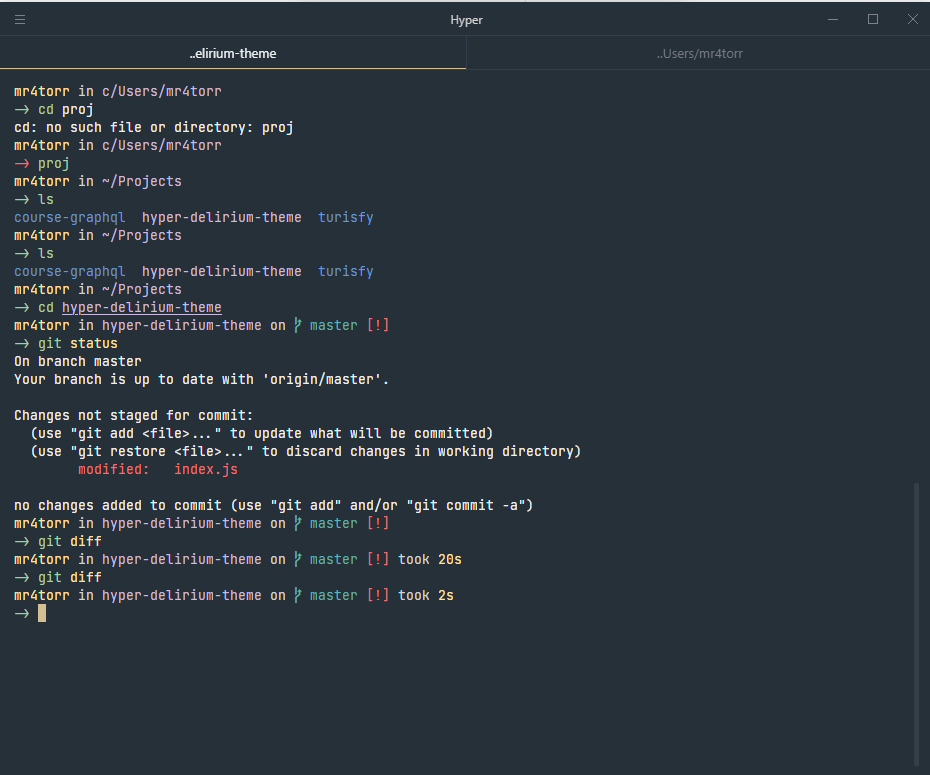
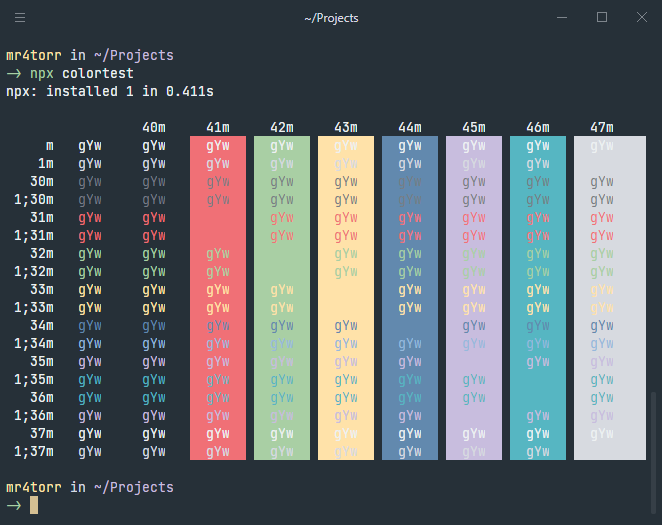
 ### 🚀 Installation
- Use the following command to install the theme.
```bash
$ hyper install hyper-delirium-theme
```
### Manual installation
1. Open Hyper preferences with `Cmd +` or using the menu `File/Edit/Preferences`.
2. Update your list of plugins to include `hyper-delirium-theme`, like this:
```javascript
plugins: ["hyper-delirium-theme"];
```
3. Fully reload Hyper (`Cmd + Shift + R`)
## Configuration
Delirium Hyper Theme is meant to be used as is, but if you feel like you want to
customize it even further you can use the following configurations.
```javascript
config: {
delirium: {
// true will hide all borders; false will display them.
noBorder: boolean
// true will display the tab border; false will hide them.
// on macOS, this is the opposite of noBorder.
showTabBorder: boolean,
// Windows only
// true will display the header border; false will hide it.
showHeaderBorder: boolean,
// Windows only
// controls the background color of the header
// e.g #FF00DD, rgb(254, 254, 254), red
headerBackgroundColor: 'string',
// Windows only
// controls the foreground color of the header (title and windows controls)
// e.g #FF00DD, rgb(254, 254, 254), red
headerForegroundColor: 'string'
}
}
```
### 🤝 Contributing
Contributions, issues and feature requests are welcome!
### 🚀 Installation
- Use the following command to install the theme.
```bash
$ hyper install hyper-delirium-theme
```
### Manual installation
1. Open Hyper preferences with `Cmd +` or using the menu `File/Edit/Preferences`.
2. Update your list of plugins to include `hyper-delirium-theme`, like this:
```javascript
plugins: ["hyper-delirium-theme"];
```
3. Fully reload Hyper (`Cmd + Shift + R`)
## Configuration
Delirium Hyper Theme is meant to be used as is, but if you feel like you want to
customize it even further you can use the following configurations.
```javascript
config: {
delirium: {
// true will hide all borders; false will display them.
noBorder: boolean
// true will display the tab border; false will hide them.
// on macOS, this is the opposite of noBorder.
showTabBorder: boolean,
// Windows only
// true will display the header border; false will hide it.
showHeaderBorder: boolean,
// Windows only
// controls the background color of the header
// e.g #FF00DD, rgb(254, 254, 254), red
headerBackgroundColor: 'string',
// Windows only
// controls the foreground color of the header (title and windows controls)
// e.g #FF00DD, rgb(254, 254, 254), red
headerForegroundColor: 'string'
}
}
```
### 🤝 Contributing
Contributions, issues and feature requests are welcome!