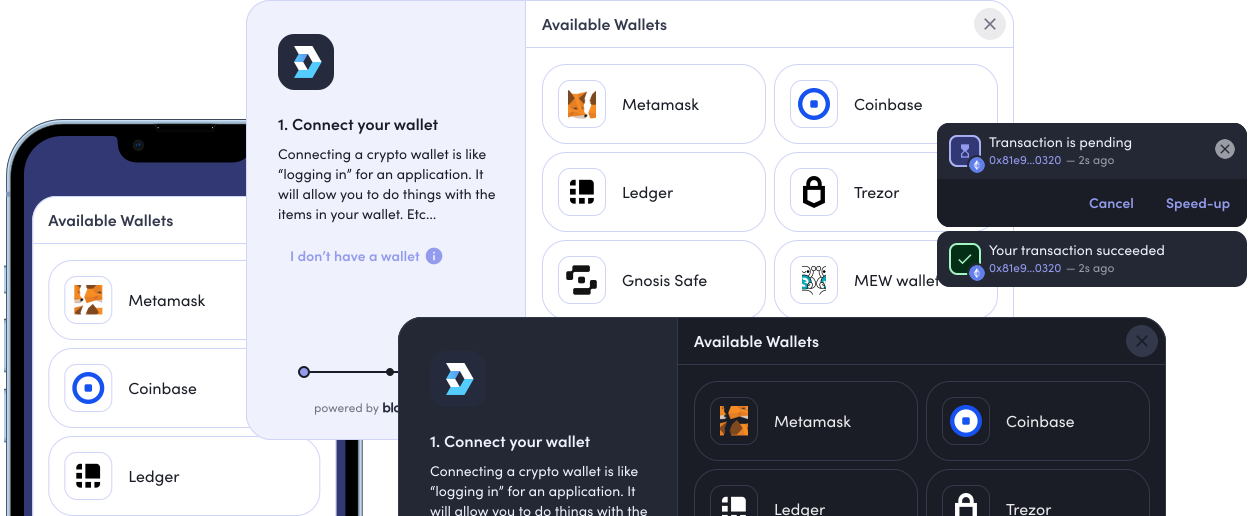
# @web3-onboard/solid
A collection of composable functions for implementing web3-onboard in to a Solid project;
## Install Modules
**NPM**
`npm i @web3-onboard/solid @web3-onboard/injected-wallets ethers`
**PNPM**
`pnpm i @web3-onboard/solid @web3-onboard/injected-wallets ethers`
## Quickstart
```typescript
import { init } from '@web3-onboard/solid'
import injectedModule from '@web3-onboard/injected-wallets'
const injected = injectedModule()
// Only one RPC endpoint required per chain
const rpcAPIKey = '' || ''
const rpcUrl =
`https://eth-mainnet.g.alchemy.com/v2/${rpcAPIKey}` ||
`https://mainnet.infura.io/v3/${rpcAPIKey}`
const web3Onboard = init({
wallets: [injected],
chains: [
{
id: '0x1',
token: 'ETH',
label: 'Ethereum Mainnet',
rpcUrl
},
{
id: '0x2105',
token: 'ETH',
label: 'Base',
rpcUrl: 'https://mainnet.base.org'
}
]
})
const { wallets, connectWallet, disconnectConnectedWallet, connectedWallet } =
useOnboard()
if (connectedWallet) {
// if using ethers v6 this is:
// ethersProvider = new ethers.BrowserProvider(wallet.provider, 'any')
const ethersProvider = new ethers.providers.Web3Provider(
connectedWallet.provider,
'any'
)
// ..... do stuff with the provider
}
```
## Functions
## `init`
The `init` function initializes `web3-onboard` and makes it available to the `useOnboard()` composable. For references check out the [initialization docs for `@web3-onboard/core`](../core/README.md#initialization)
### Example usage
```typescript
import { init } from '@web3-onboard/solid'
import injectedModule from '@web3-onboard/injected-wallets'
const injected = injectedModule()
const infuraKey = ''
const rpcUrl = `https://mainnet.infura.io/v3/${infuraKey}`
const web3Onboard = init({
wallets: [injected],
chains: [
{
id: '0x1',
token: 'ETH',
label: 'Ethereum Mainnet',
rpcUrl
}
]
})
```
## `useOnboard`
`useOnboard` must be used after the `init` function has been called - it will return an object that can be destructured to obtain the following reactive variables and functions:
### Example usage
```typescript
import { useOnboard } from '@web3-onboard/solid'
// Use the composable
const onboard = useOnboard()
// Or destructure it
const {
wallets,
connectedWallet,
connectedChain,
connectWallet,
disconnectConnectedWallet
} = useOnboard()
// do stuff
```
### `connectWallet`
Function to open the onboard modal and connect to a wallet provider. For reference check out the [connecting a wallet for `@web3-onboard/core`](../core/README.md#connecting-a-wallet)
### Example usage
```tsx
function SampleConnect() {
const { connectWallet } = useOnboard()
return
}
```
### `connectedChain`
Property that contains the current chain to which `connectedChain` is connected
### Example usage
```tsx
function SampleConnect() {
const { connectedChain } = useOnboard()
return Connected Chain: { connectedChain() }
```
### `connectedWallet`
Property that contains the latest connected wallet
### Example usage
```tsx
function SampleConnect() {
const { connectedWallet } = useOnboard()
return Connected Wallet: {connectedWallet()?.label}
}
```
### `disconnectConnectedWallet`
Function to disconnect the `connectedWallet`
### Example usage
```tsx
import { useOnboard } from '@web3-onboard/solid'
function SampleConnect() {
const { disconnectConnectedWallet } = useOnboard()
return (
)
}
```
### `getChain`
Function that returns the current chain a wallet is connected to
### Example usage
```tsx
import { useOnboard } from '@web3-onboard/solid'
function SampleConnect() {
const { getChain } = useOnboard()
return MetaMask is connected to: {getChain('MetaMask')}
}
```
### `setChain`
Function to set the chain of a wallet
### Example usage
```tsx
import { useOnboard } from '@web3-onboard/solid'
function SampleConnect() {
const { setChain } = useOnboard()
const set = () => setChain({ wallet: 'MetaMask', chainId: '0x1' })
return (
)
}
```
### `settingChain`
Readonly boolean ref that tracks the status of setting the chain
### Example usage
```tsx
import { useOnboard } from '@web3-onboard/solid'
function SampleConnect() {
const { settingChain } = useOnboard()
return { settingChain }
}
```
### `wallets`
Readonly ref that contains every wallet that has been connected
### Example usage
```tsx
import { useOnboard } from '@web3-onboard/solid'
function SampleConnect() {
const { wallets } = useOnboard()
return(
{wallet=>{
return
{wallet.label}
}}
)
}
}
```
### `lastConnectedTimestamp`
Readonly ref that contains the last time that the user connected a wallet in milliseconds
### Example usage
```tsx
import { useOnboard } from '@web3-onboard/solid'
function SampleConnect() {
const { lastConnectedTimestamp } = useOnboard()
return (
Your last connection timestamp was: {lastConnectedTimestamp}
)
}
```