# TinaX Framework - X Component.
 [-blue.svg)](https://github.com/996icu/996.ICU/blob/master/LICENSE)
[-blue.svg)](https://github.com/996icu/996.ICU/blob/master/LICENSE)
 [](https://github.com/yomunsam/TinaX/blob/master/LICENSE)
让Unity Component脱离对MonoBehaviour的直接依赖。
Remove Unity Component from its direct dependency on MonoBehaviour.
[](https://github.com/yomunsam/TinaX/blob/master/LICENSE)
让Unity Component脱离对MonoBehaviour的直接依赖。
Remove Unity Component from its direct dependency on MonoBehaviour.
## Install this package
### Install via git UPM:
您可以使用Unity Package Manager来安装使用该包。
You can use the Unity Package Manager to install and use this package.
```
git://github.com/yomunsam/TinaX.XComponent.git
```
package name: `io.nekonya.tinax.xcomponent`
If you want to set a target version, you can use release tag like `#6.6.0-preview`. for detail you can see this page: [https://github.com/yomunsam/TinaX.XComponent/releases](https://github.com/yomunsam/TinaX.XComponent/releases)
### Install via npm (UPM)
Modify `Packages/manifest.json` file in your project, and add the following code before "dependencies" node of this file:
``` json
"scopedRegistries": [
{
"name": "TinaX",
"url": "https://registry.npmjs.org",
"scopes": [
"io.nekonya"
]
}
],
```
------
## Dependencies
This package does not depend on other packages.
-------
The following documents are written in the author's native language. English documentation will be completed later.
> The editor UI will automatically switch between Chinese and English based on the system language.
>
> 编辑器UI会根据系统语言自动切换中英语言。
无论是C#还是Lua, 在热更新项目中,我们是无法直接编写Component的。
一方面,Unity的编辑器不可能在Lua或者C#热更新Dll中读取组件来, 另一方面,对原生代码中的`MonoBehaviour`进行热修补也是所有热更新方案中不推荐的做法。
`XComponent` 将组件在编辑器上的部分和代码逻辑部分相互分离,为各种热更新方案提供便利。
> TinaX.XComponent 虽然是TinaX Framework的一部分,但它没有依赖任何其他Package,甚至没有依赖`TinaX.Core`包。这意味着,任何人可以很轻易的把它放进各自不同的项目中,而不需要引入整套TinaX Framework的解决方案。
### 编辑器中的XComponent
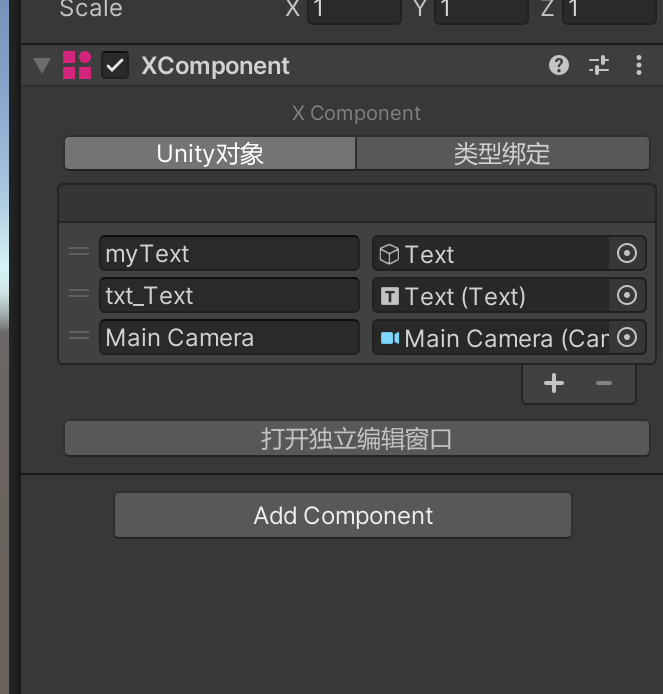
XCompoent组件用于绑定各种Unity对象和基础类型数据,以代替MonoBehaviour中通过`public`变量的方式在编辑器进行对象绑定。
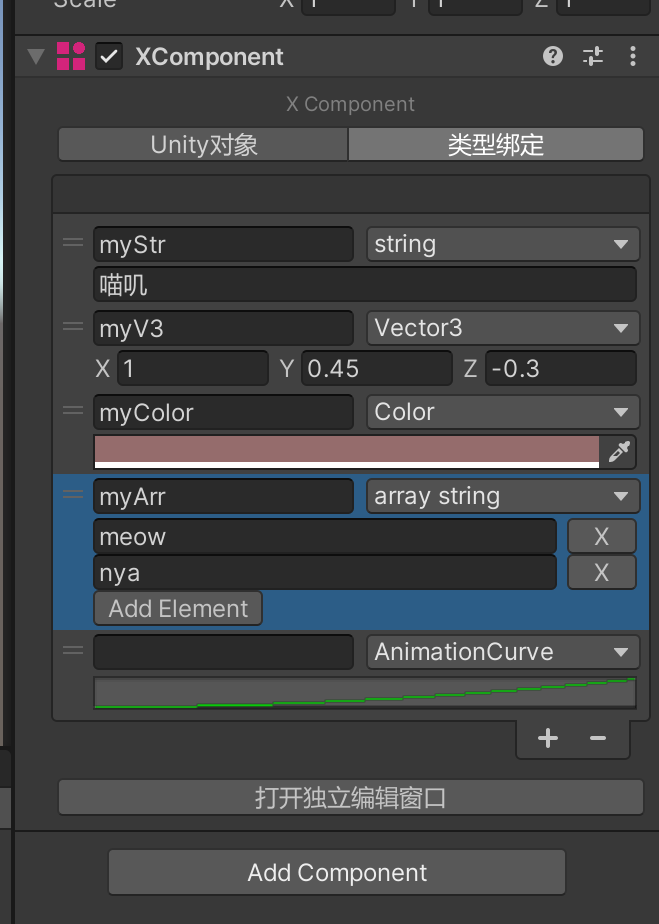
除了`UnityEngine.Object`对象之外,XComponent还可以绑定各种基础类型数据。并且这部分支持哪些数据是可以自由扩展的。
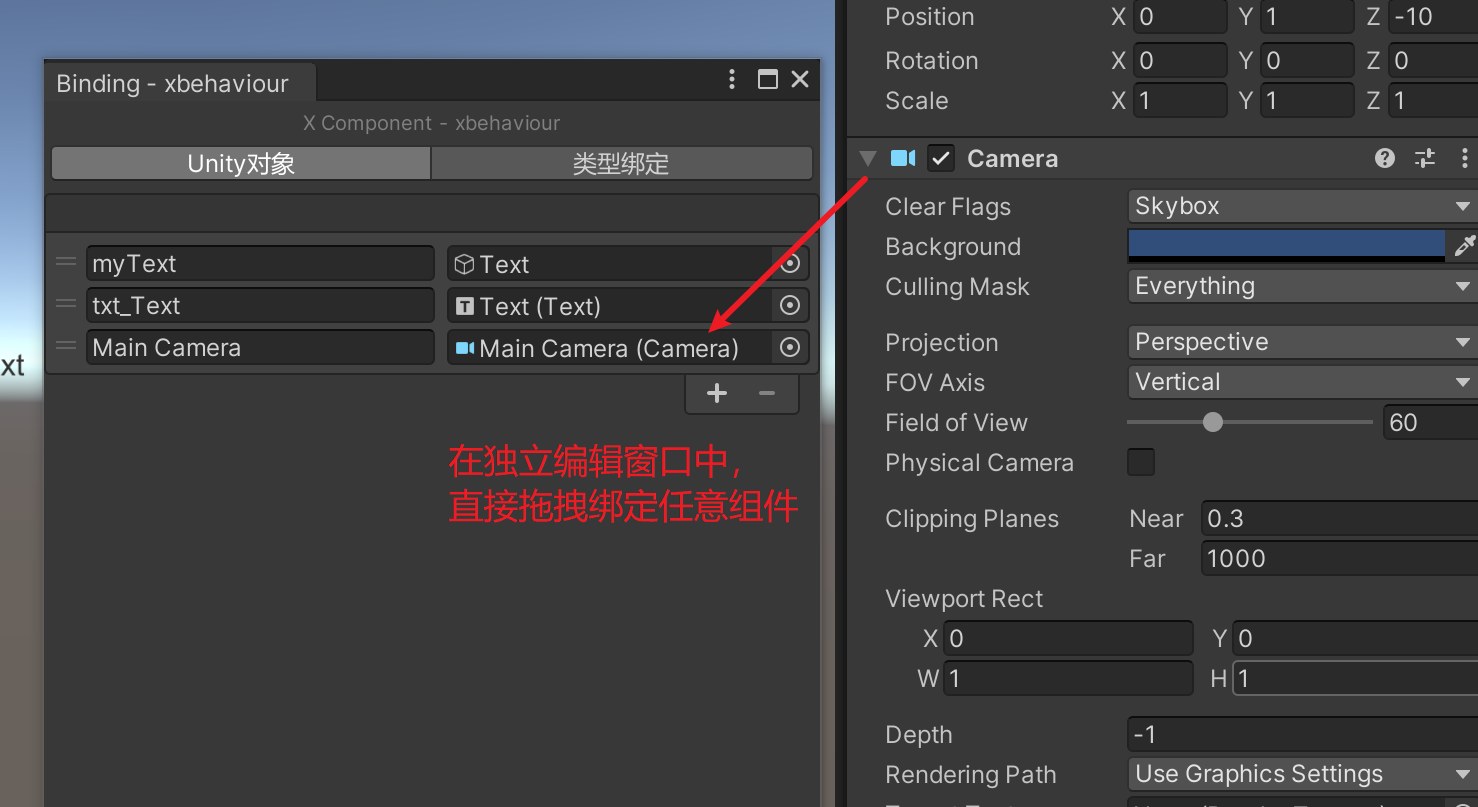
打开独立编辑窗口,我们可以精确的直接拖拽任何Unity对象进行绑定,而不是只能绑定GameObject和Prefab.
### 用于Lua方案
直接新建一个类,继承自`TinaX.XComponent.XComponentScriptBase`类,添加个TextAssets的Field,它就成了一个典型的`MonoBehaviour`了。
### 用于C#方案
代码和数据绑定是分开在不同的类中的:XComponent为C#提供了`XBehaviour`类来编写逻辑代码,`XBehaviour`是独立的抽象类,没有继承自`MonoBehaviour`.
使用C#做热更新的话,直接在热更新工程中继承`XBehaviour`即可。
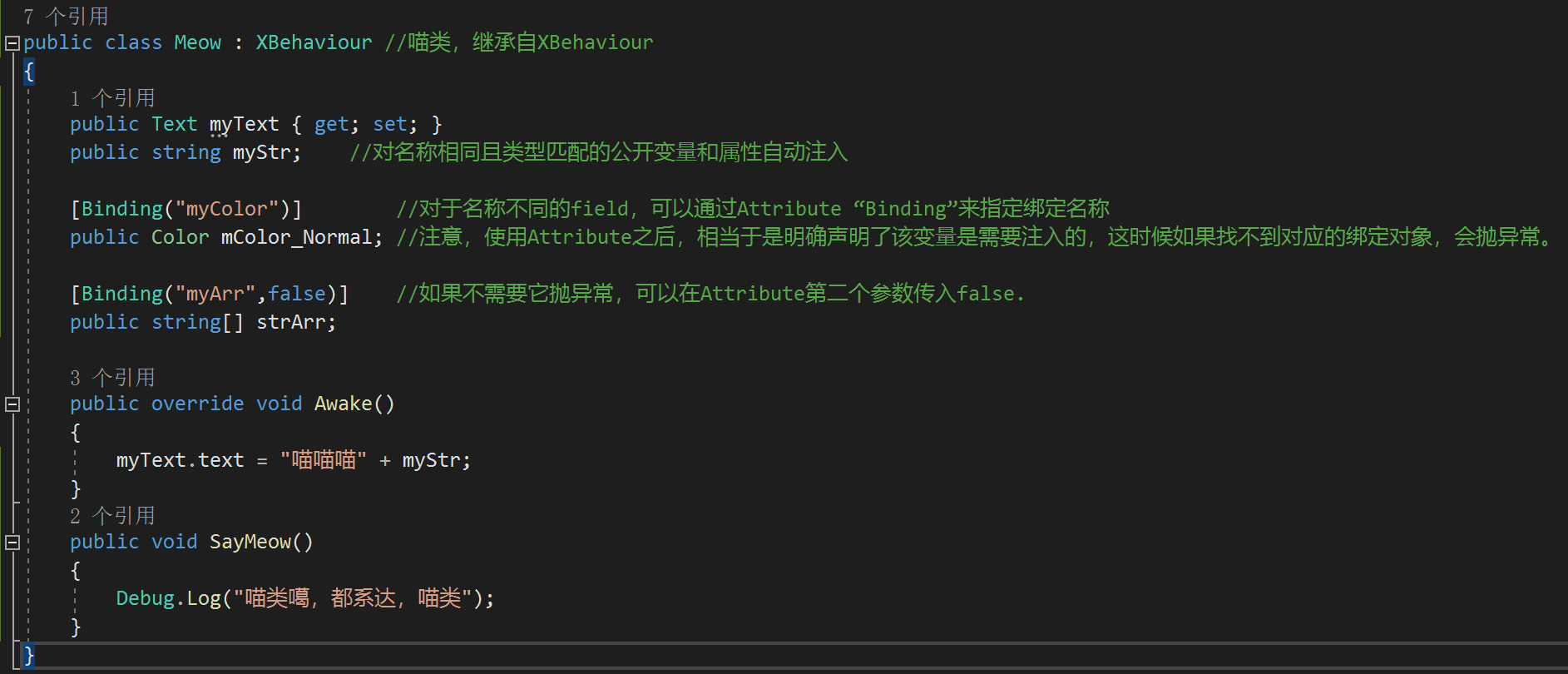
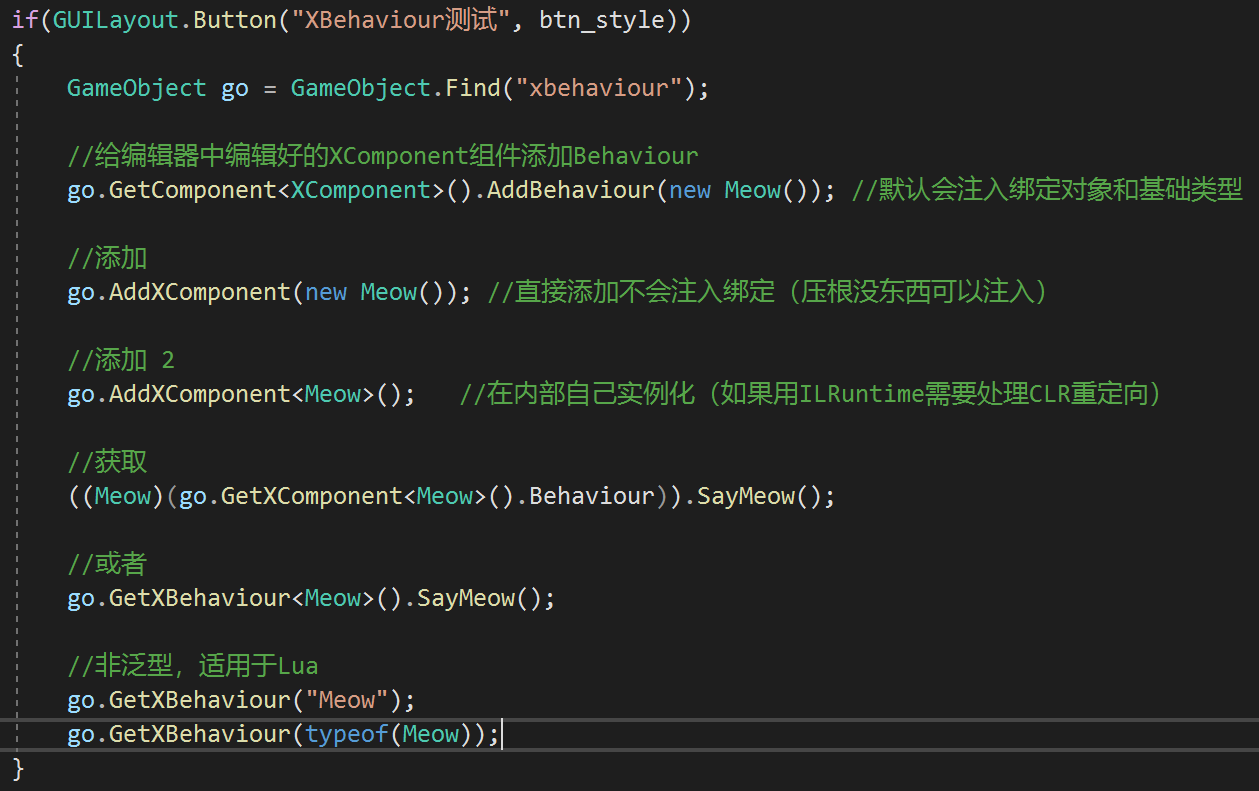
GetComponent和AddComponent,也都很方便。