# jodit-ui-themes
[](https://www.npmjs.com/package/jodit-ui-themes)
[](https://www.npmjs.com/package/jodit-ui-themes)
[](https://www.jsdelivr.com/package/npm/jodit-ui-themes)
[](https://github.com/TimurSeyidov/jodit-ui-themes/actions/workflows/build.yml)
[](https://github.com/TimurSeyidov/jodit-ui-themes/blob/main/LICENSE)
Themes for the [Jodit](https://xdsoft.net/jodit/) editor: the editor itself, the free file browser and the Jodit PRO finder. Each theme is a plain stylesheet loaded after the Jodit styles; no Jodit rebuild is needed.
**[Live demo](https://timurseyidov.github.io/jodit-ui-themes/)**: try every theme with Jodit and Jodit PRO, including the file browsers.
## Themes
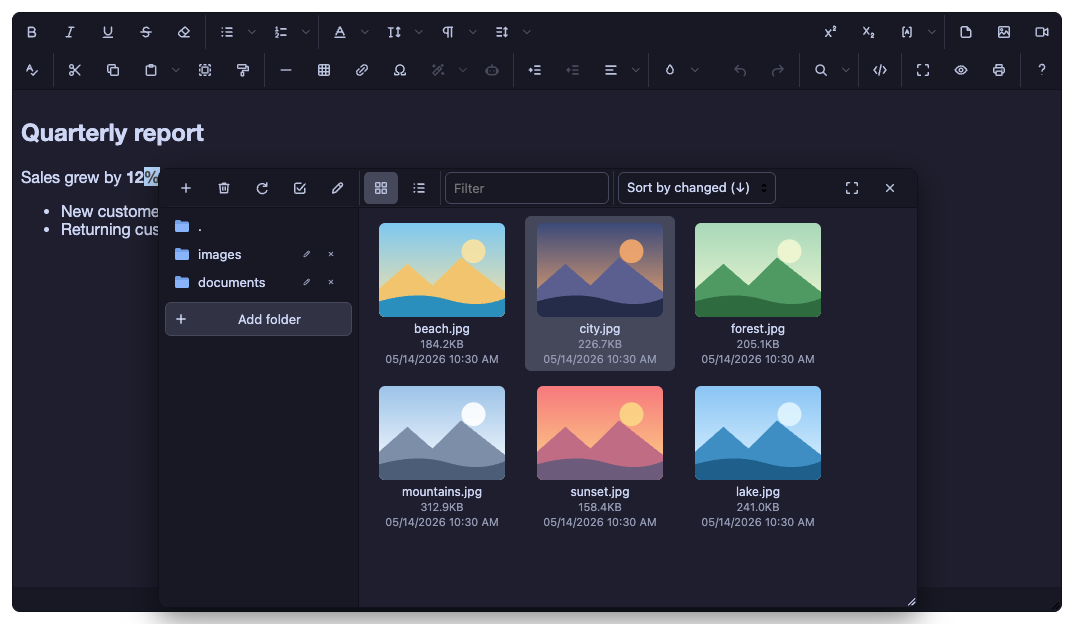
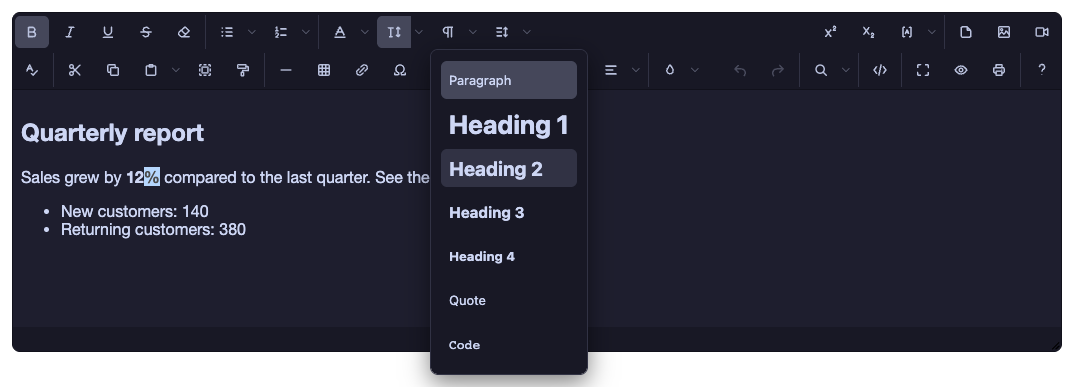
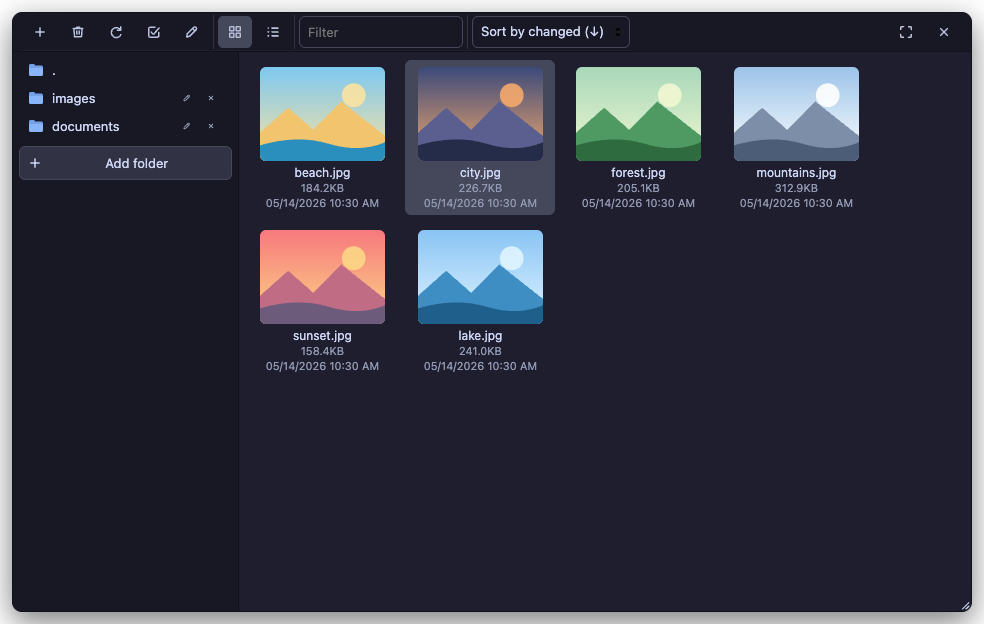
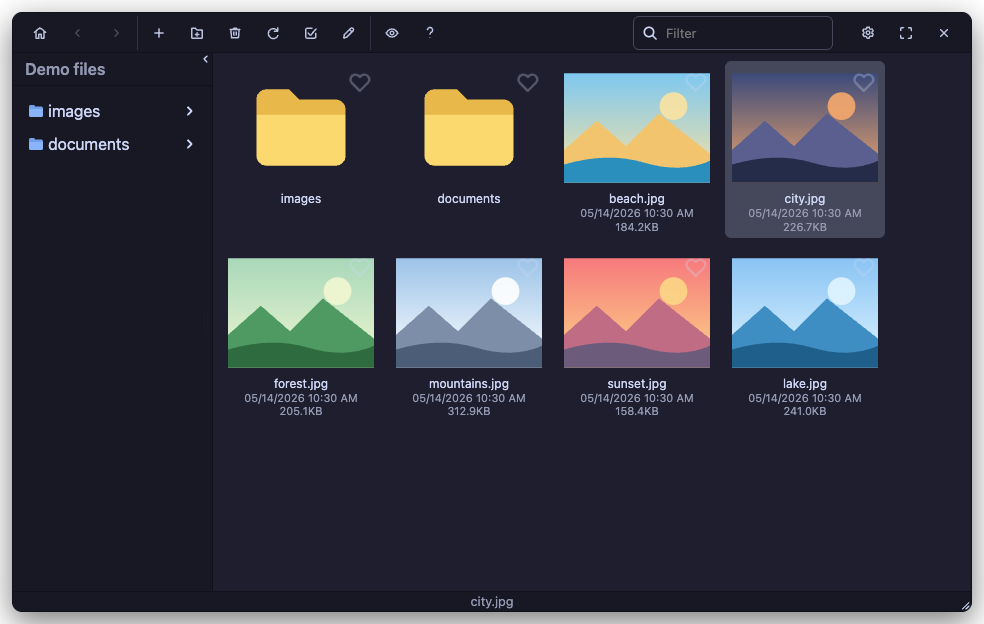
### catppuccin
Catppuccin (Mocha): soothing dark pastel palette with mauve accents, blue links and folders, rounded 8px surfaces.
```html
```
| Editor | Finder | Finder (Jodit PRO) |
|---|---|---|
| | | |
### chrome
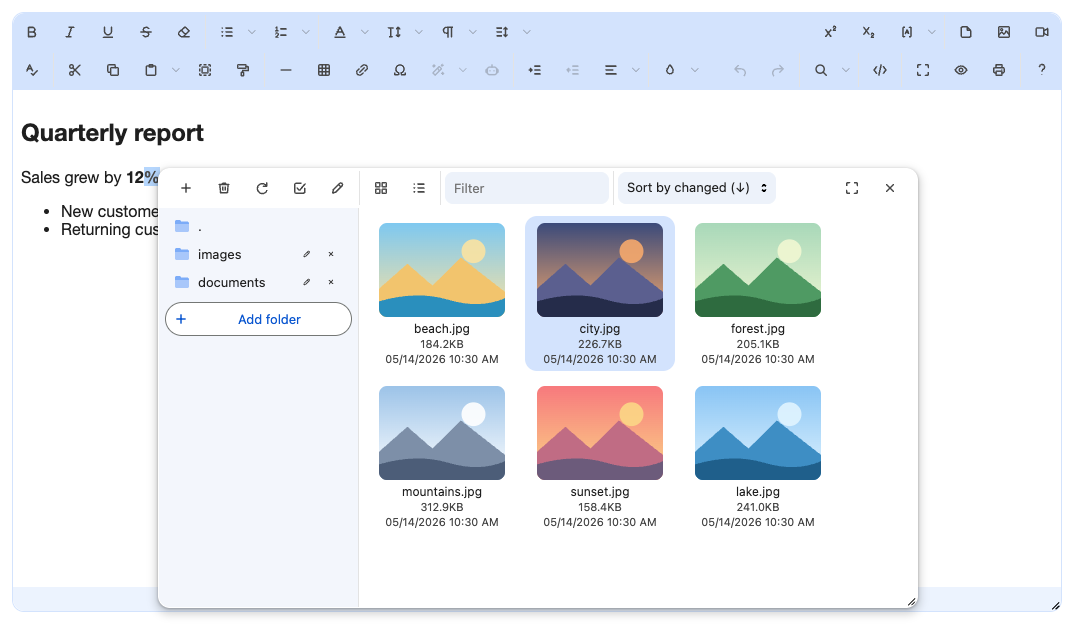
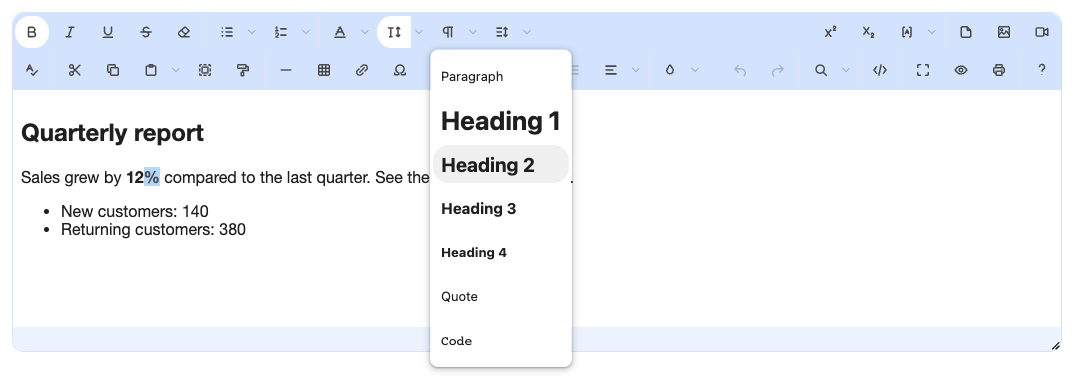
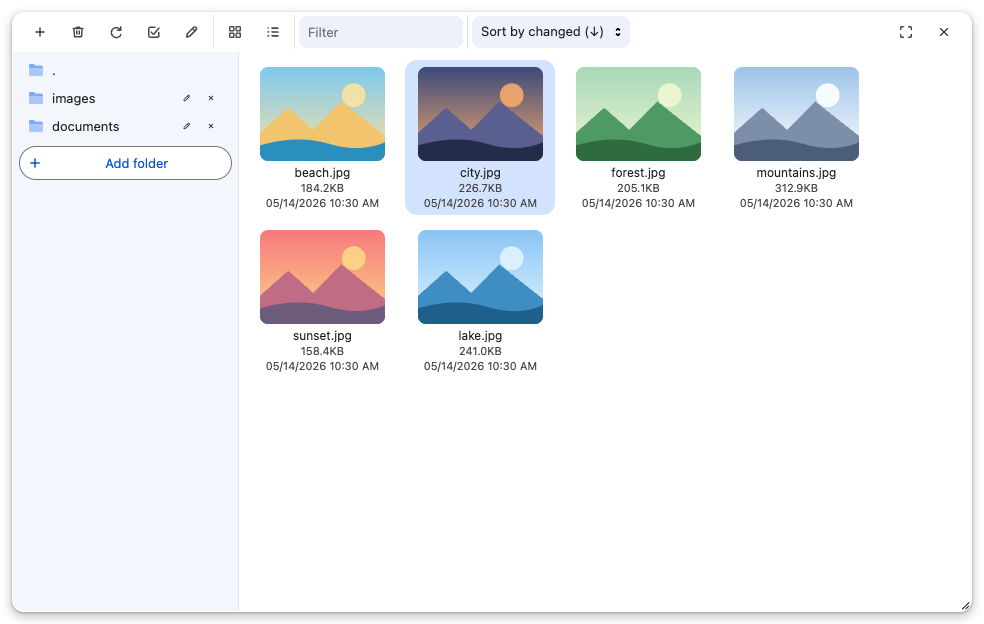
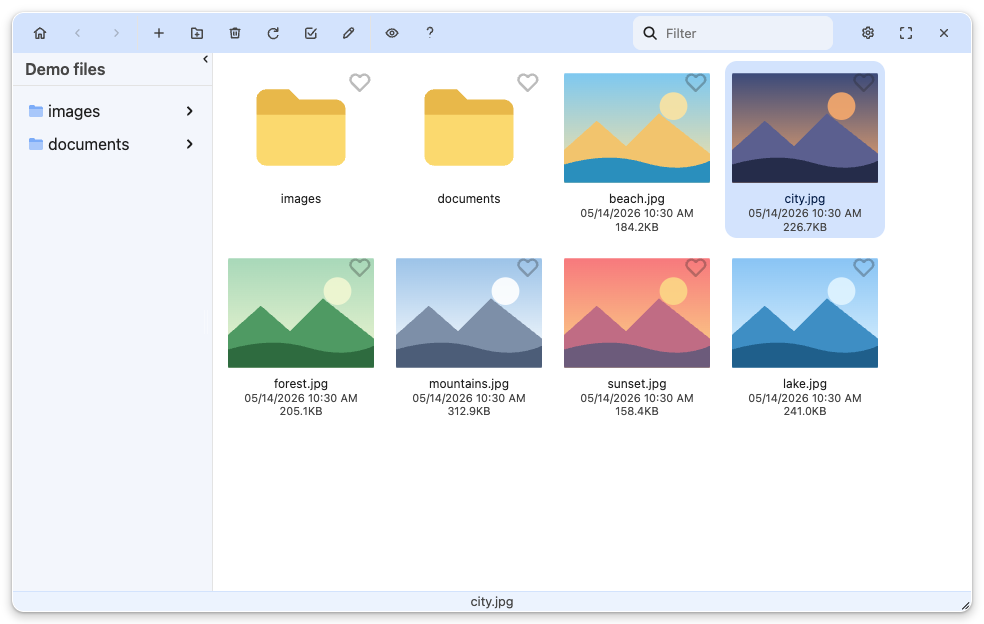
Chrome (2023 refresh, light): light blue tab-strip toolbar, white active-tab pressed buttons, omnibox-style fields, Chrome blue #0B57D0 accent, pill buttons and rounded menus.
```html
```
| Editor | Finder | Finder (Jodit PRO) |
|---|---|---|
| | | |
### chrome-dark
Chrome (2023 refresh, dark): dark grey tab-strip toolbar, #3C3C3C active-tab pressed buttons, omnibox-style fields, light blue #A8C7FA accent, tonal blue selection, pill buttons and rounded menus.
```html
```
| Editor | Finder | Finder (Jodit PRO) |
|---|---|---|
| | | |
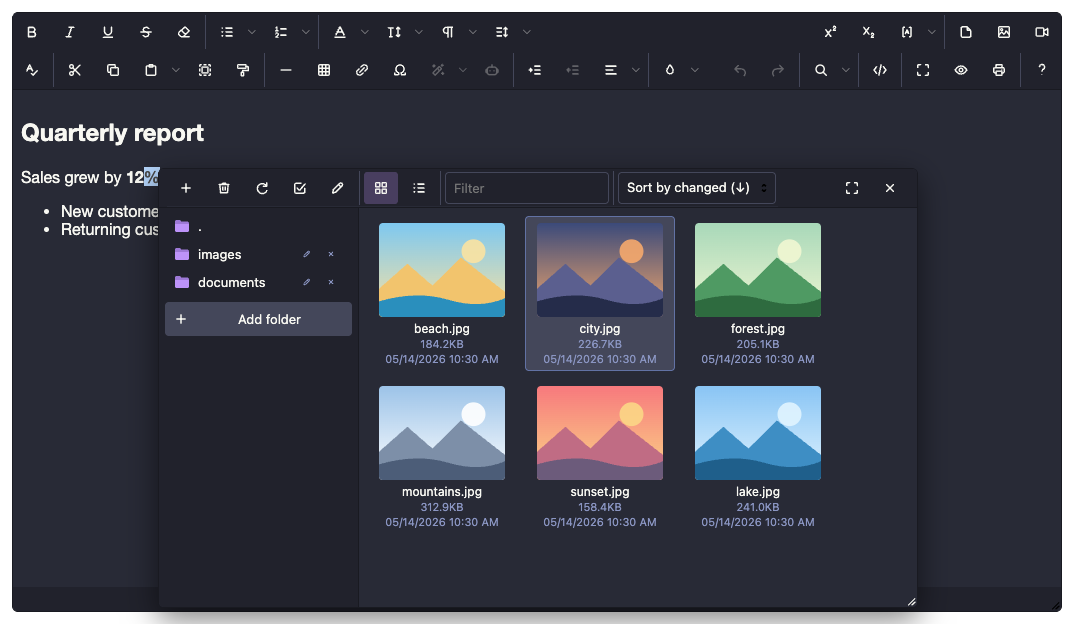
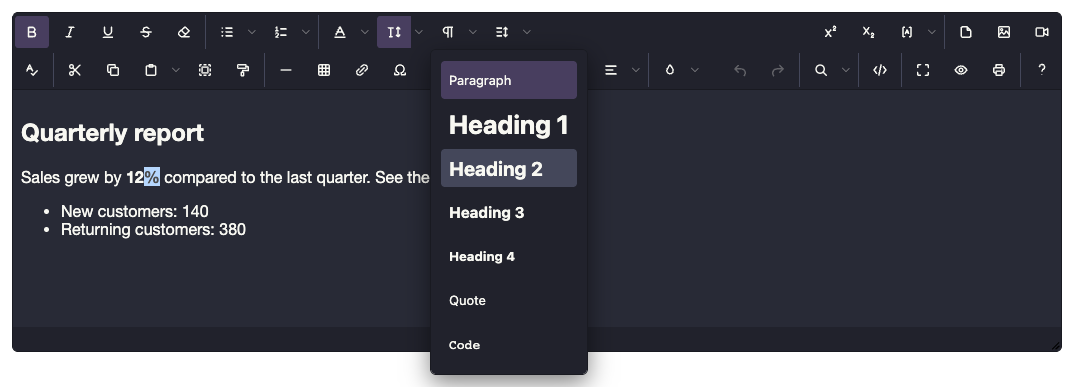
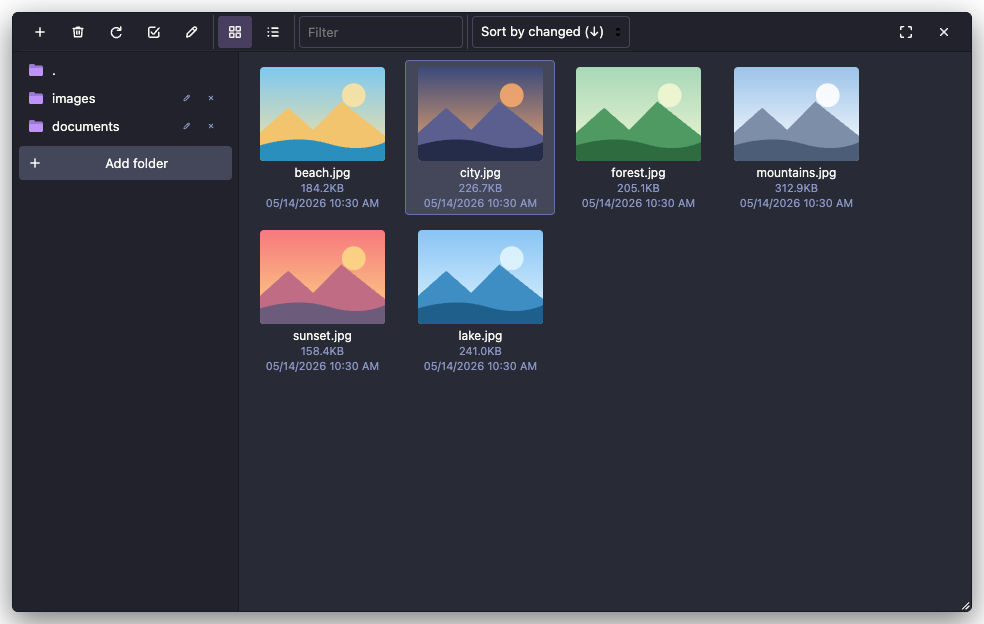
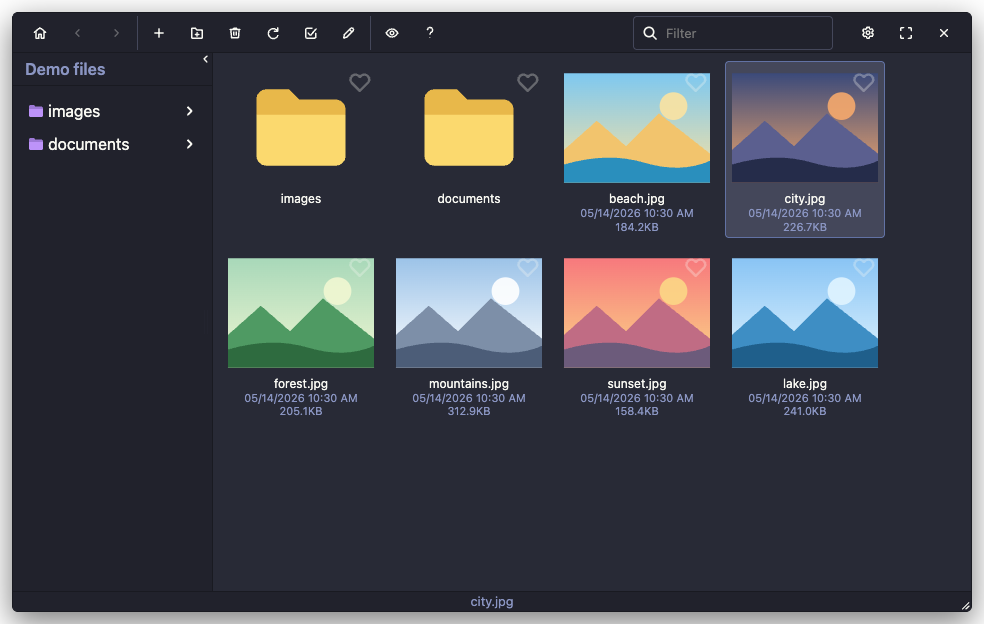
### dracula
Dracula: the dark charcoal-purple palette with purple accents, cyan links, red close button and purple folders.
```html
```
| Editor | Finder | Finder (Jodit PRO) |
|---|---|---|
| | | |
### macos
macOS: unified light toolbar, 6px and 10px corners, blue menu highlight with white text, focus rings, Finder sidebar with blue folders and a blue pill under the selected file name.
```html
```
| Editor | Finder | Finder (Jodit PRO) |
|---|---|---|
| | | |
### material3
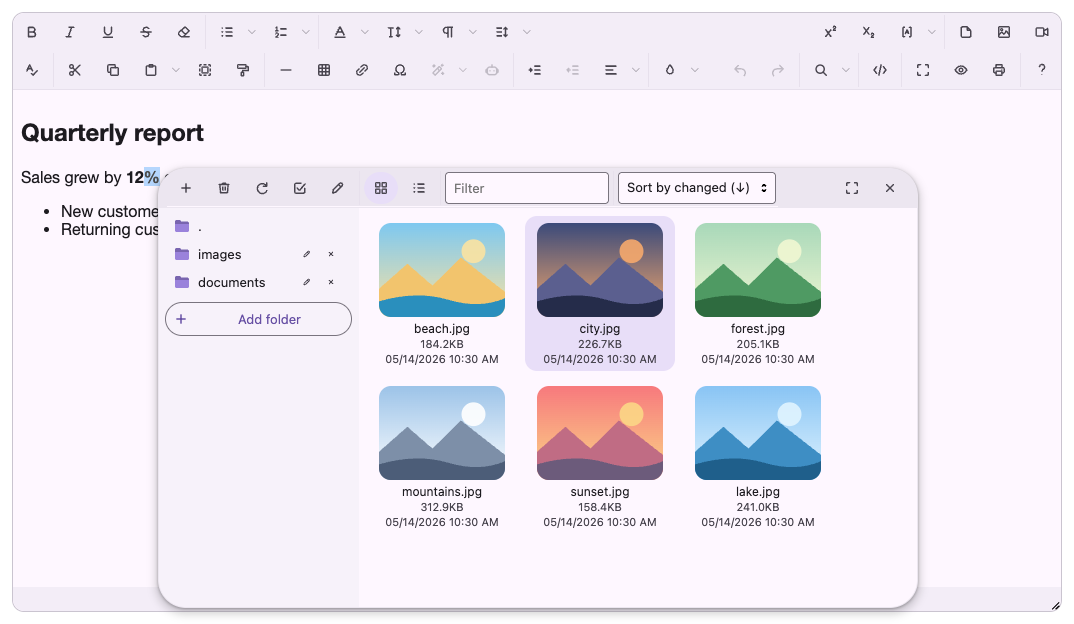
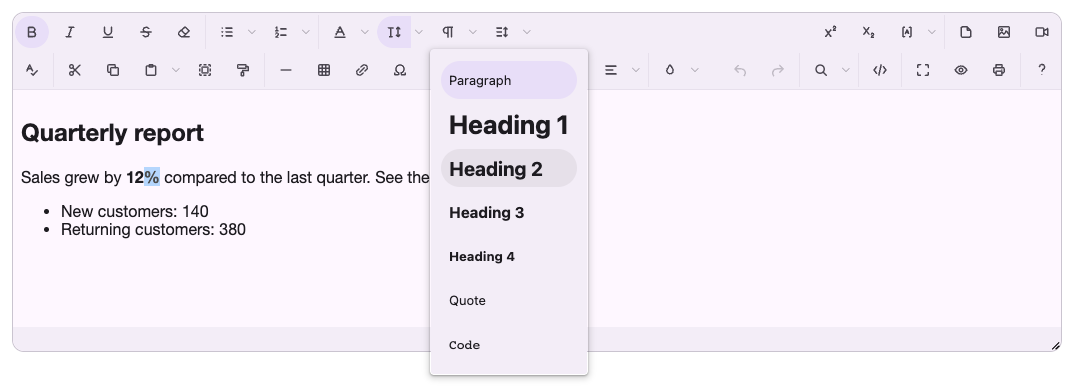
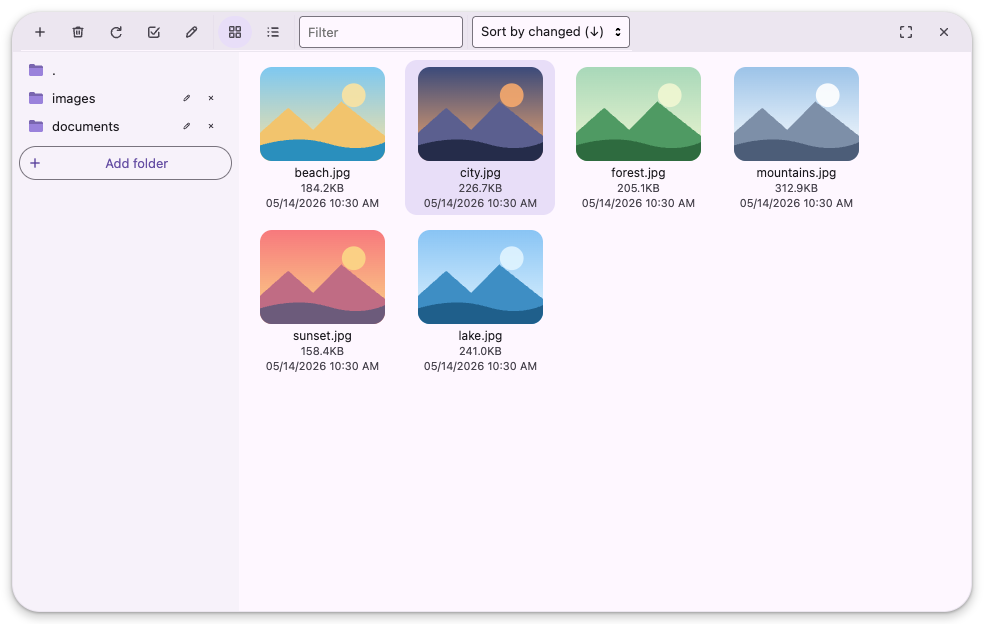
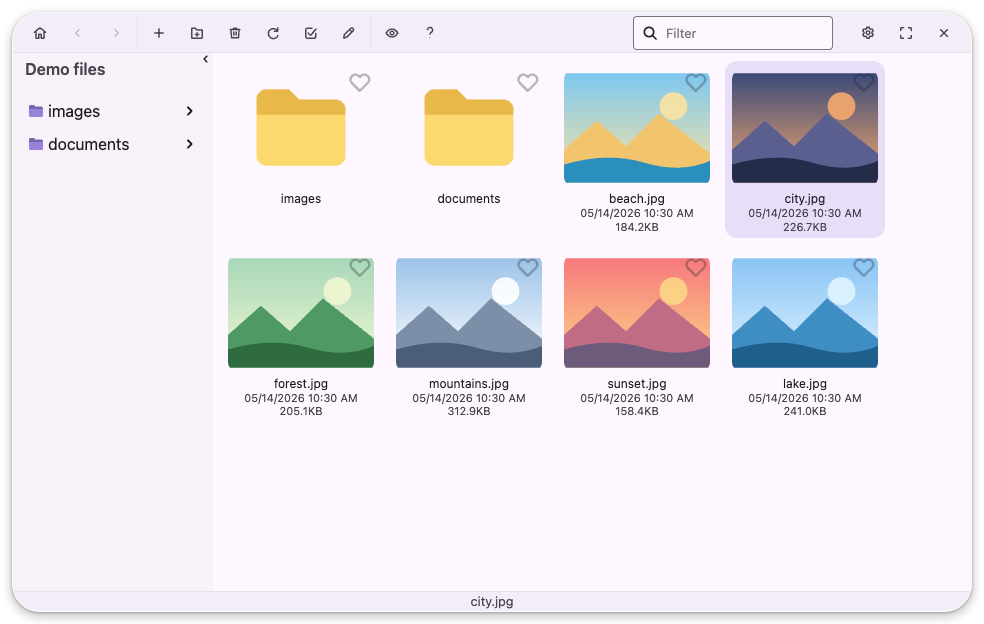
Material 3 (baseline light): tonal surfaces, pill-shaped buttons and navigation items, secondary-container selection, outlined fields, 28px dialogs.
```html
```
| Editor | Finder | Finder (Jodit PRO) |
|---|---|---|
| | | |
### moono
Moono (CKEditor 4): light grey gradient toolbar and status bar, bevelled buttons with a dark pressed state, grey dialog title bar with the green OK button, light blue menu highlight.
```html
```
| Editor | Finder | Finder (Jodit PRO) |
|---|---|---|
| | | |
### nord
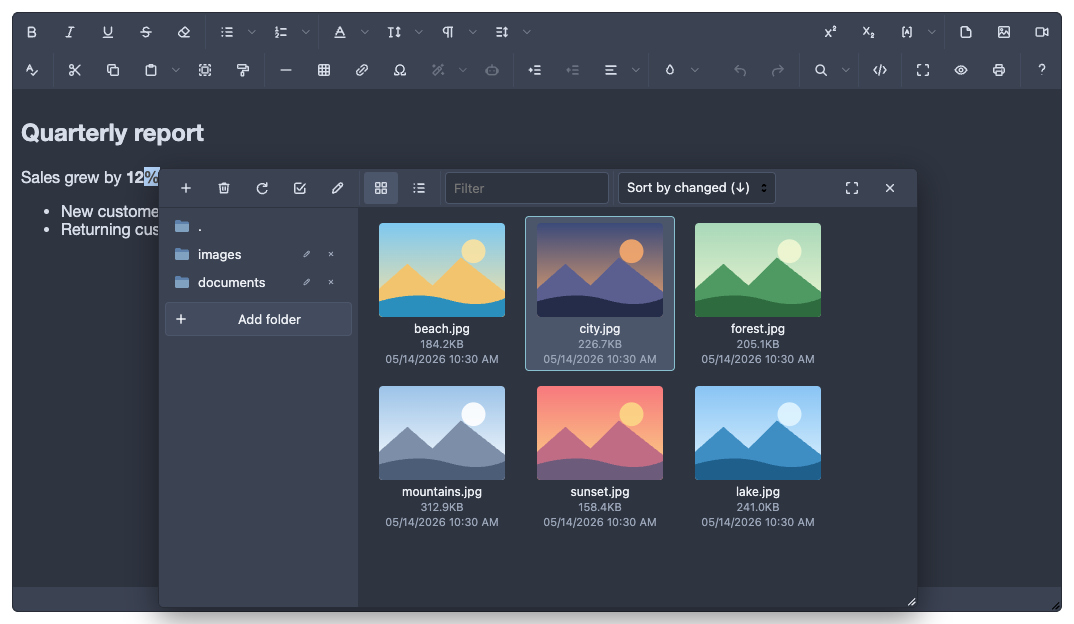
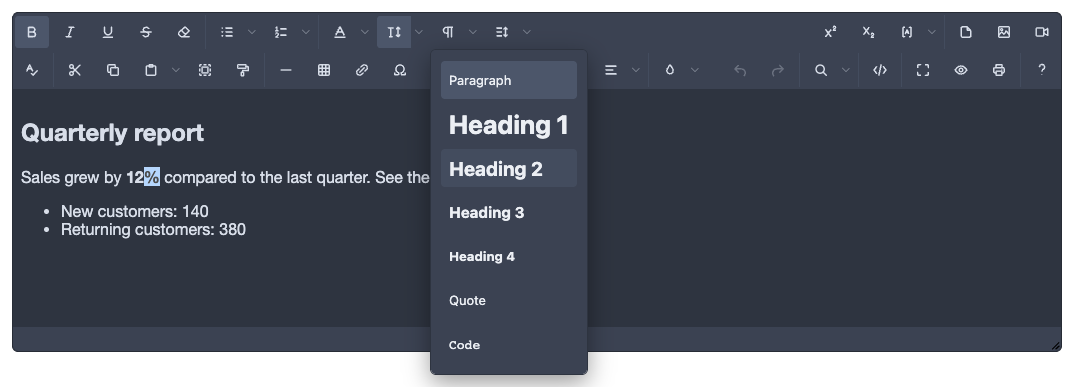
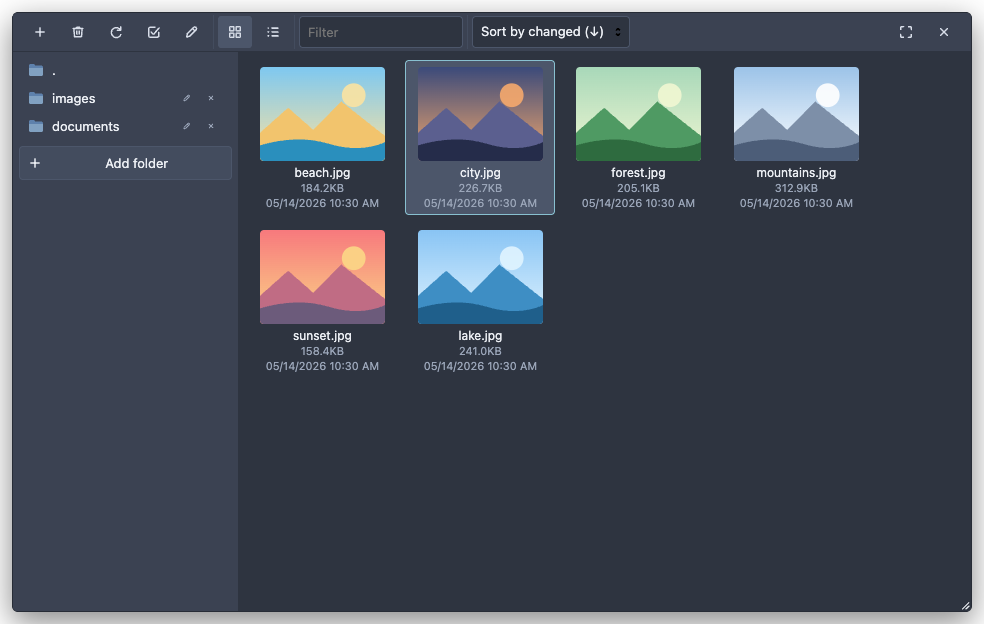
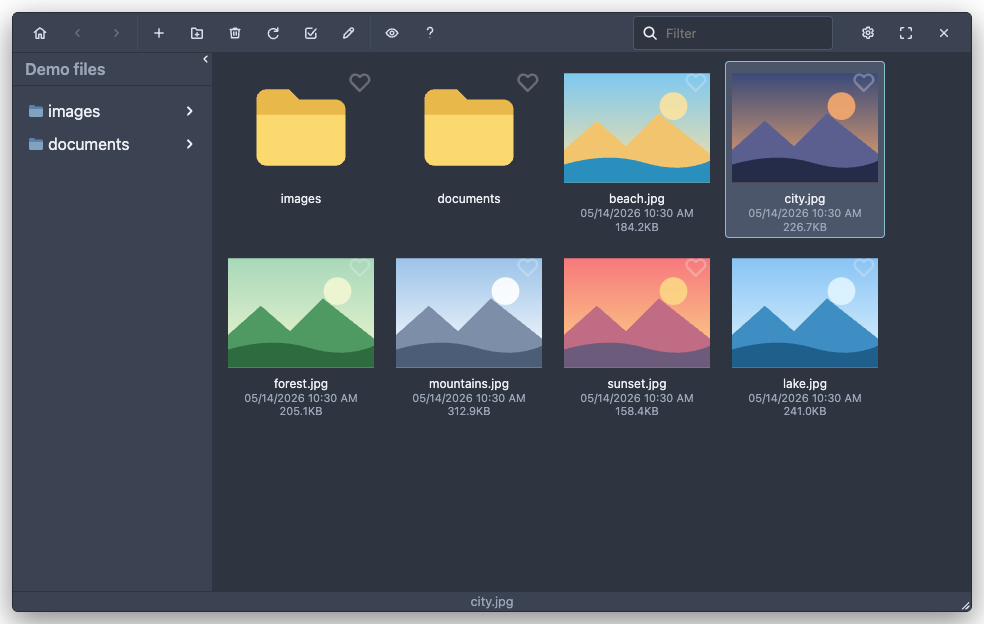
Nord: the arctic Polar Night background with Snow Storm text, Frost blue accents and folders, Aurora red close button.
```html
```
| Editor | Finder | Finder (Jodit PRO) |
|---|---|---|
| | | |
### office2010
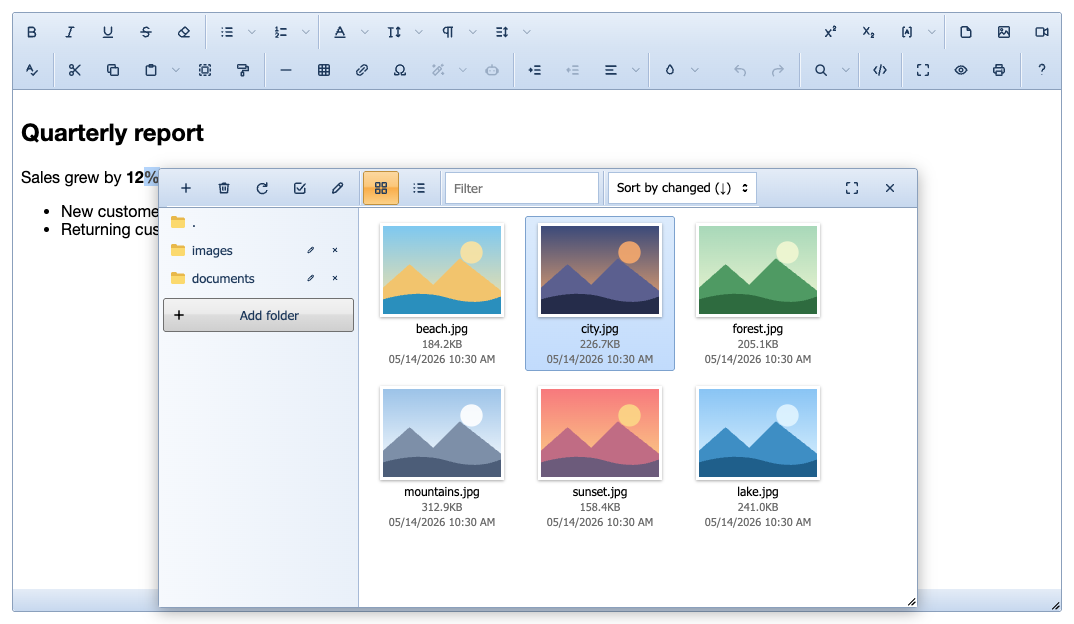
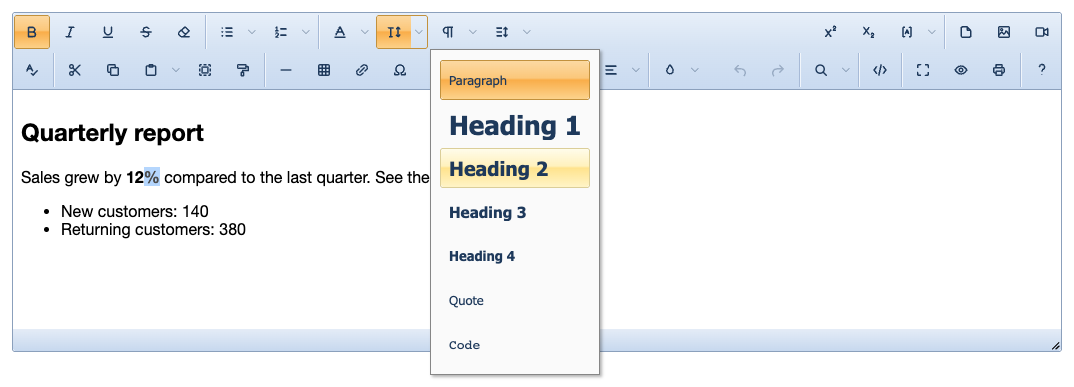
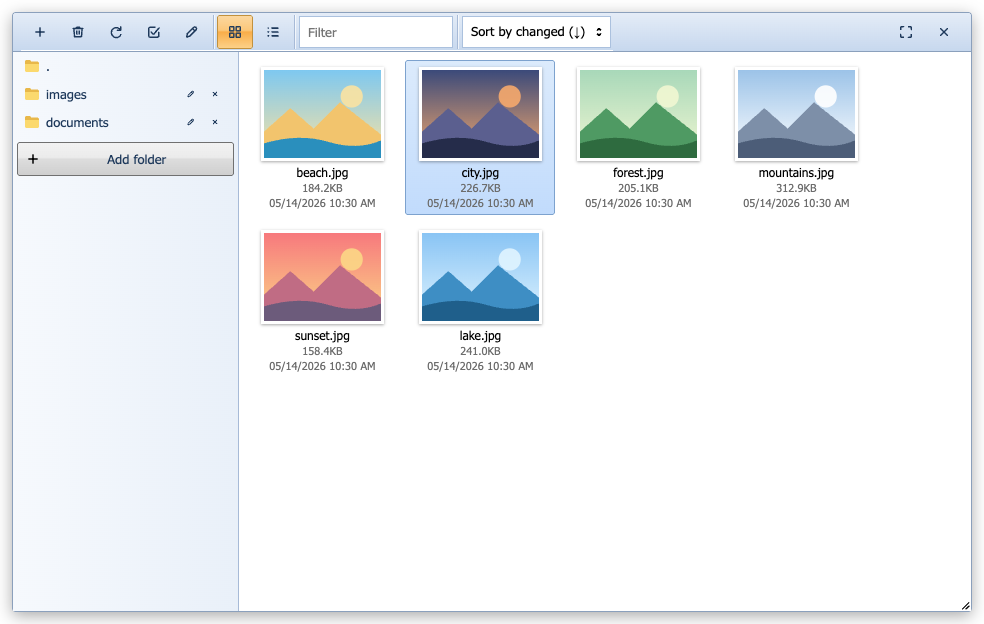
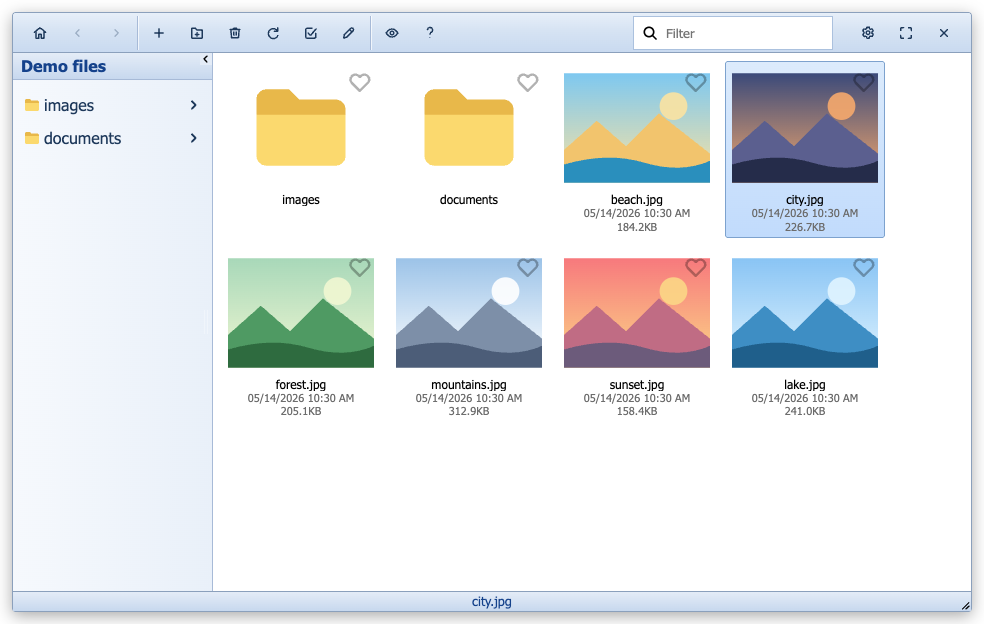
Microsoft Office 2010 look: blue ribbon gradients, golden hover and orange pressed buttons, Windows 7 dialogs, menus and form fields, Explorer-style file browsers with yellow folders and captions under the thumbnails.
```html
```
| Editor | Finder | Finder (Jodit PRO) |
|---|---|---|
| | | |
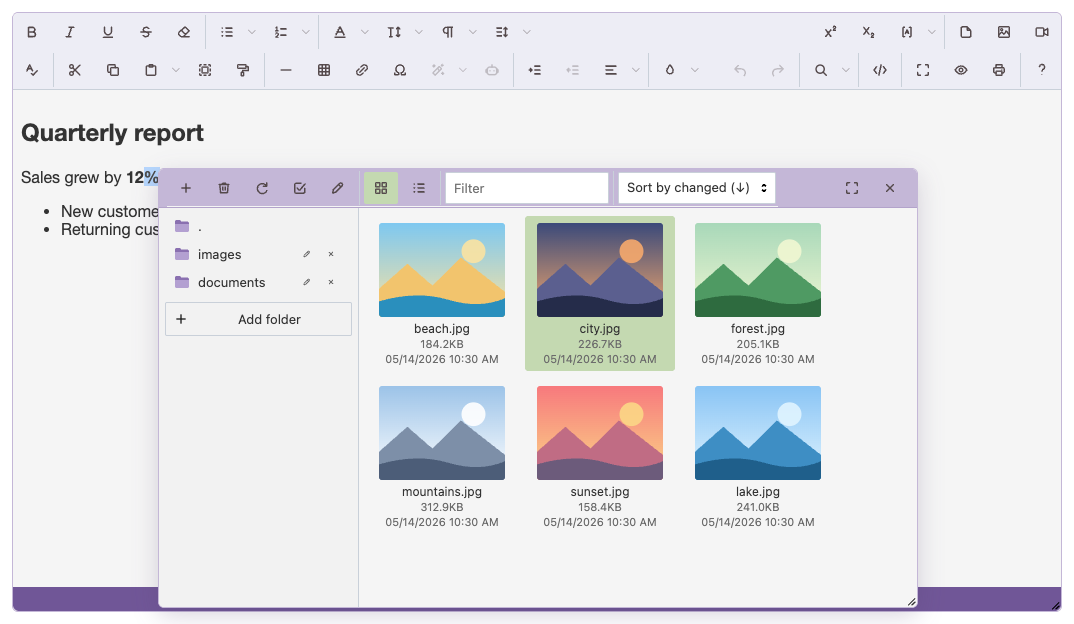
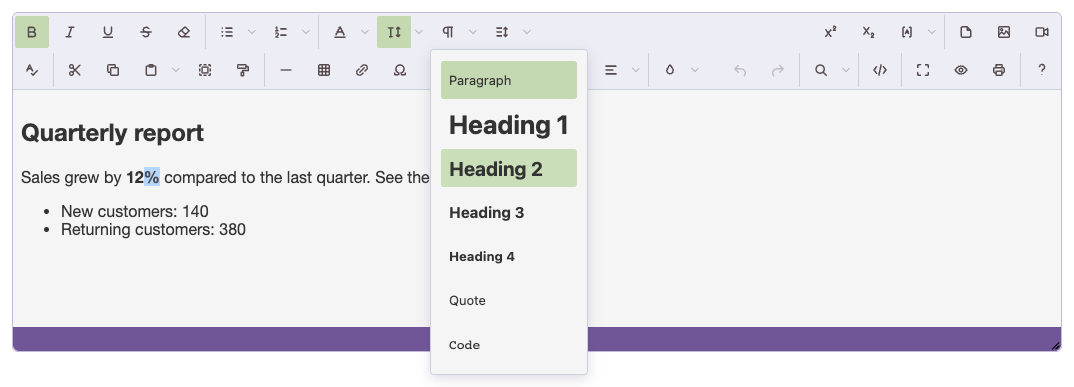
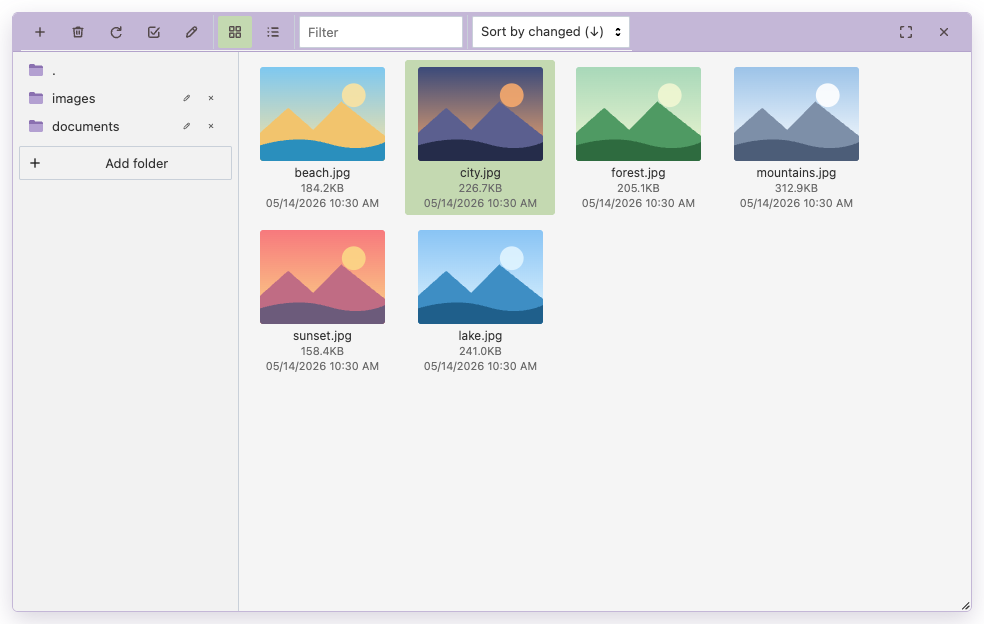
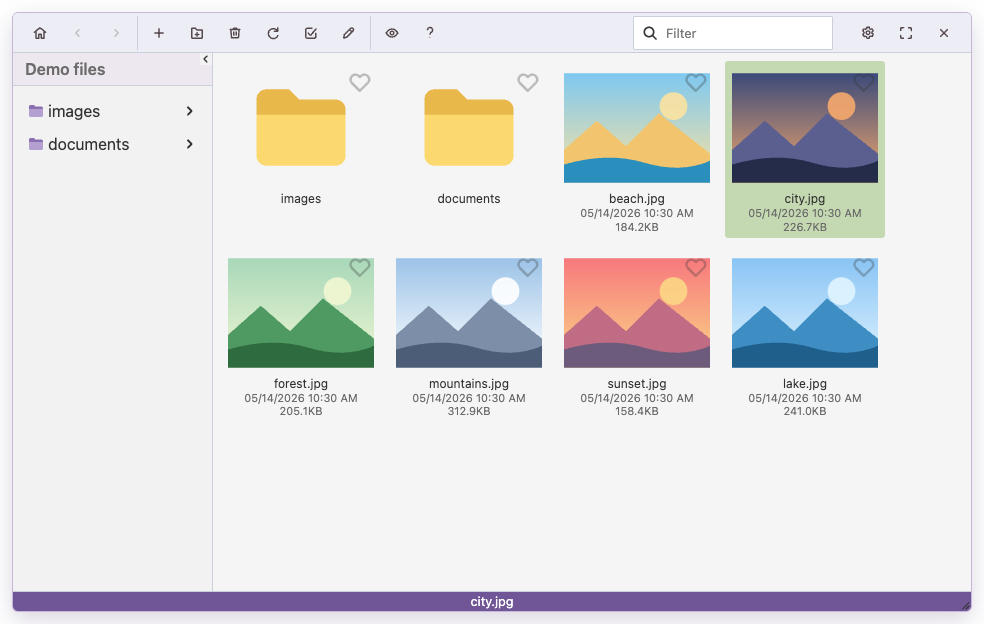
### quietlight
Quiet Light (VS Code): lavender toolbar, lilac title bars, purple status bar, light green selection, purple accents and folders.
```html
```
| Editor | Finder | Finder (Jodit PRO) |
|---|---|---|
| | | |
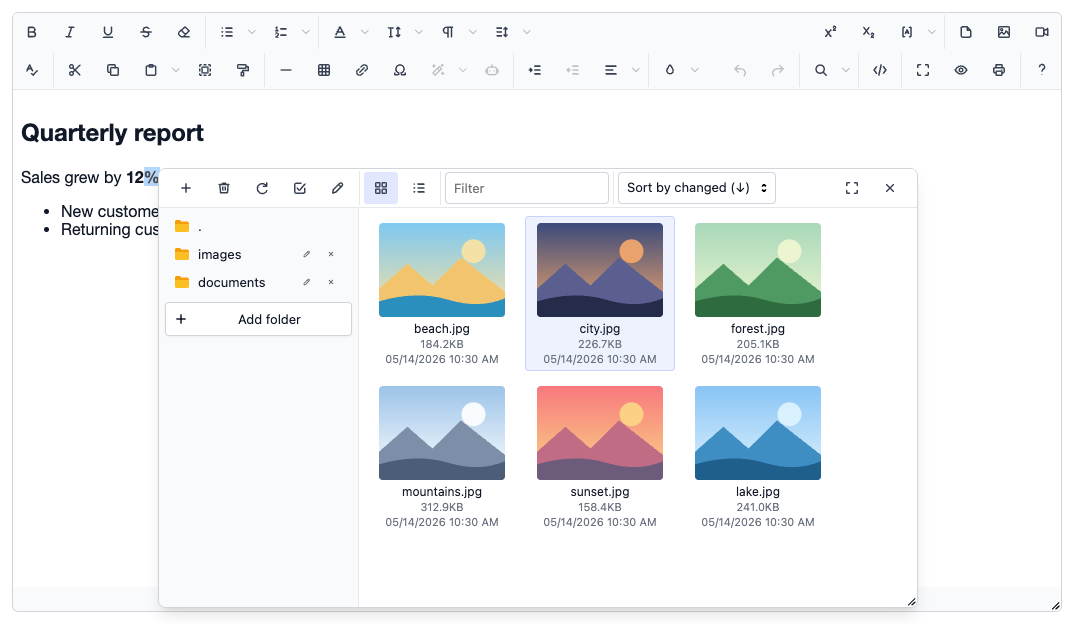
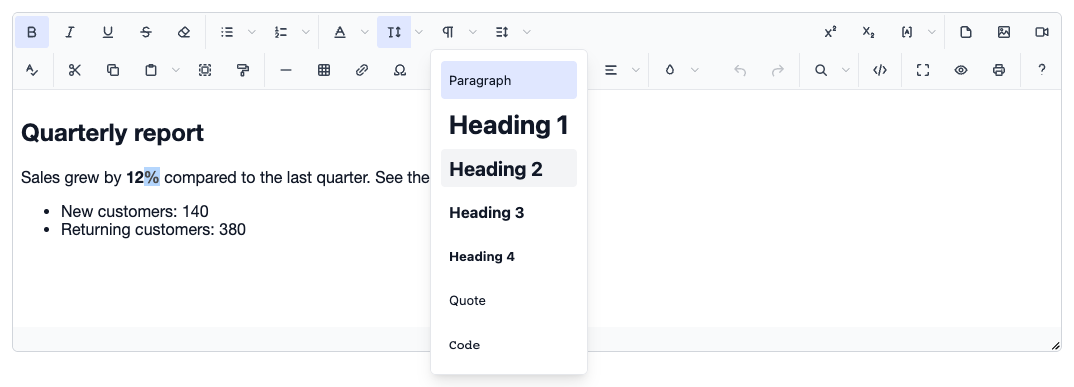
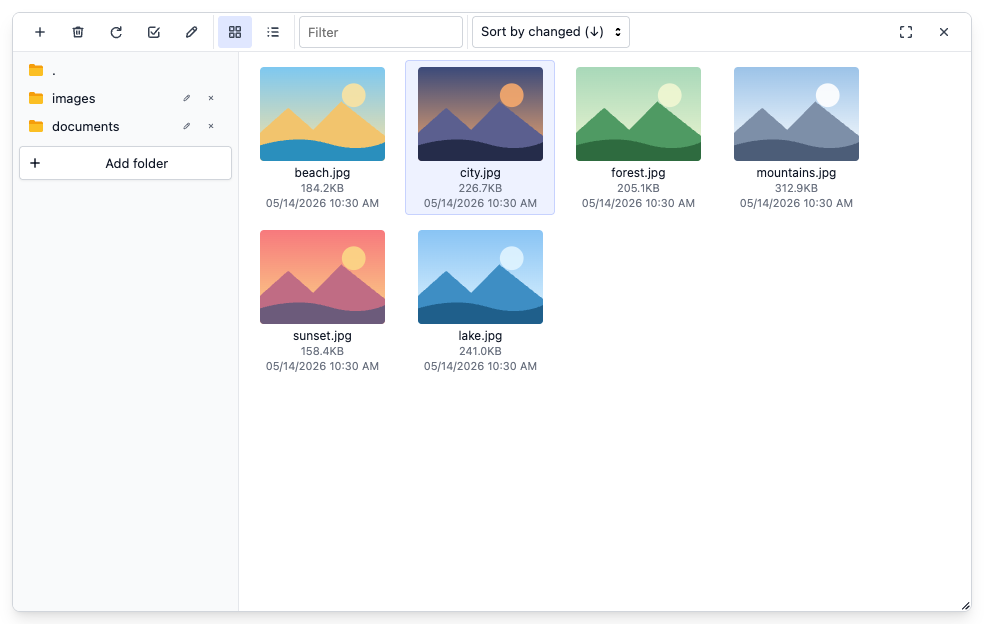
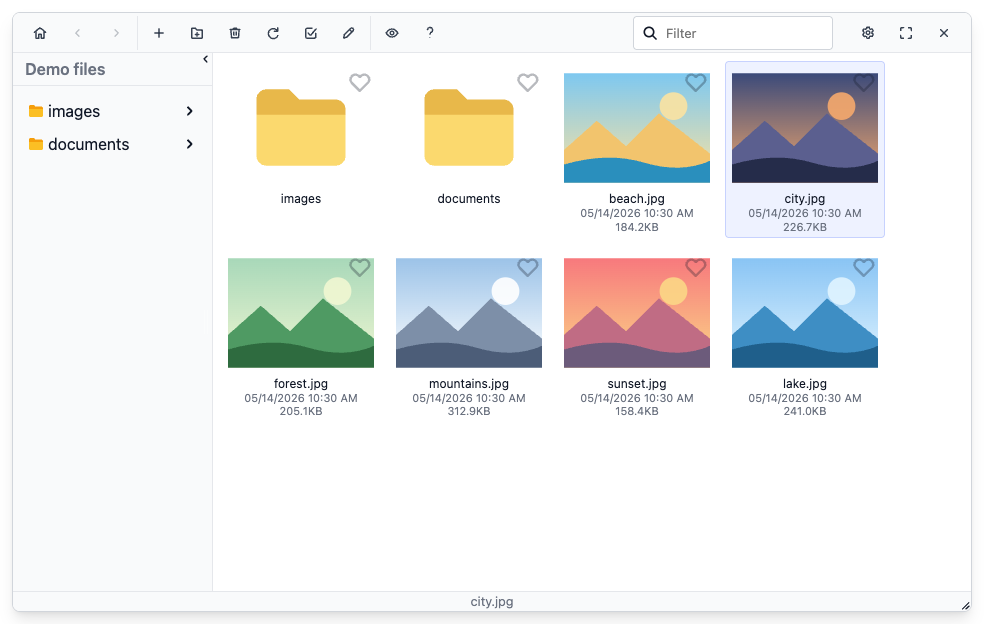
### syncfusion
Syncfusion (Tailwind 3 style): cool grey surfaces, indigo accent, soft shadows, rounded fields with a focus ring, indigo-tinted selection, amber folders.
```html
```
| Editor | Finder | Finder (Jodit PRO) |
|---|---|---|
| | | |
### windows10
Windows 10 look: flat white surfaces with a thin blue window frame, square corners, light blue hover and selection, Windows 10 push buttons, fields and context menus with a red close button in dialogs, Explorer-style file browsers with flat yellow folders.
```html
```
| Editor | Finder | Finder (Jodit PRO) |
|---|---|---|
| | | |
### windows11
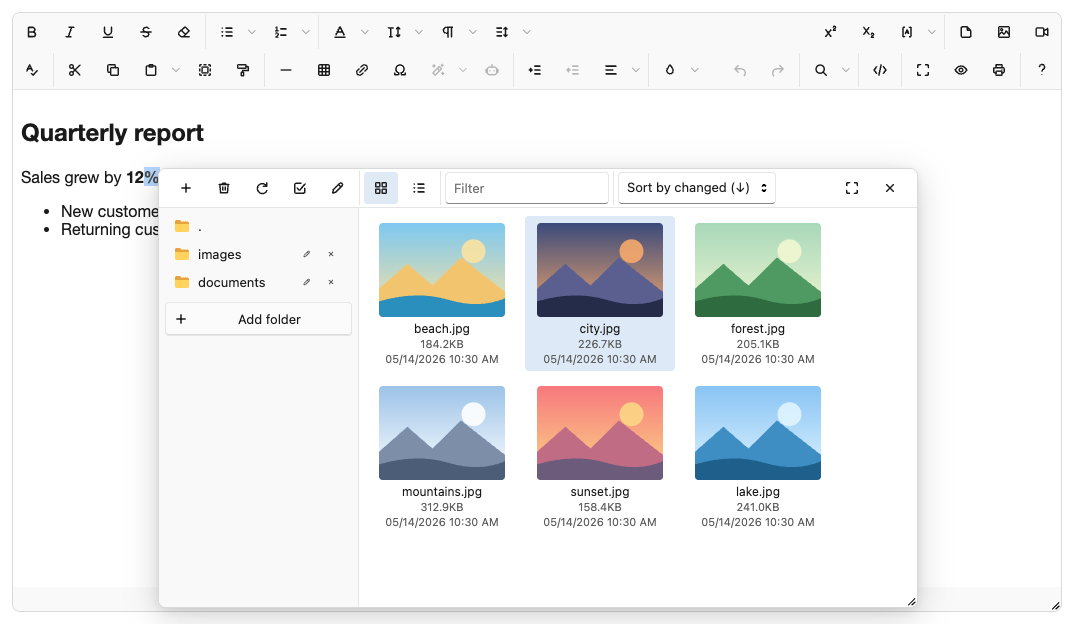
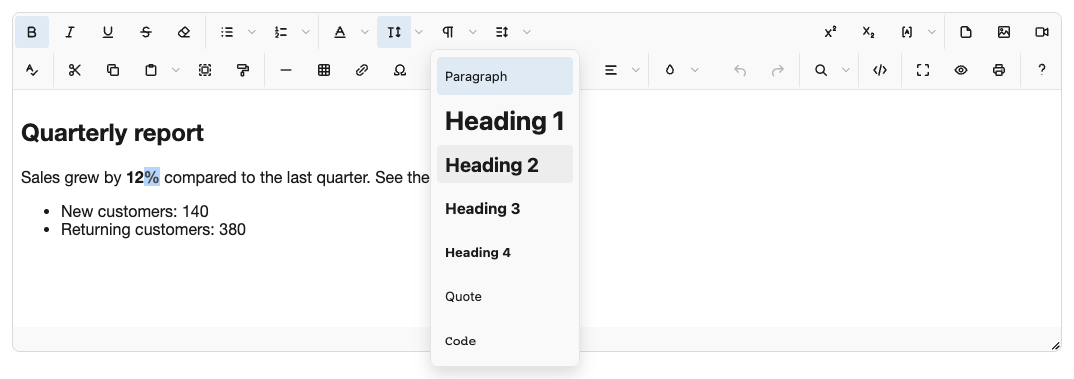
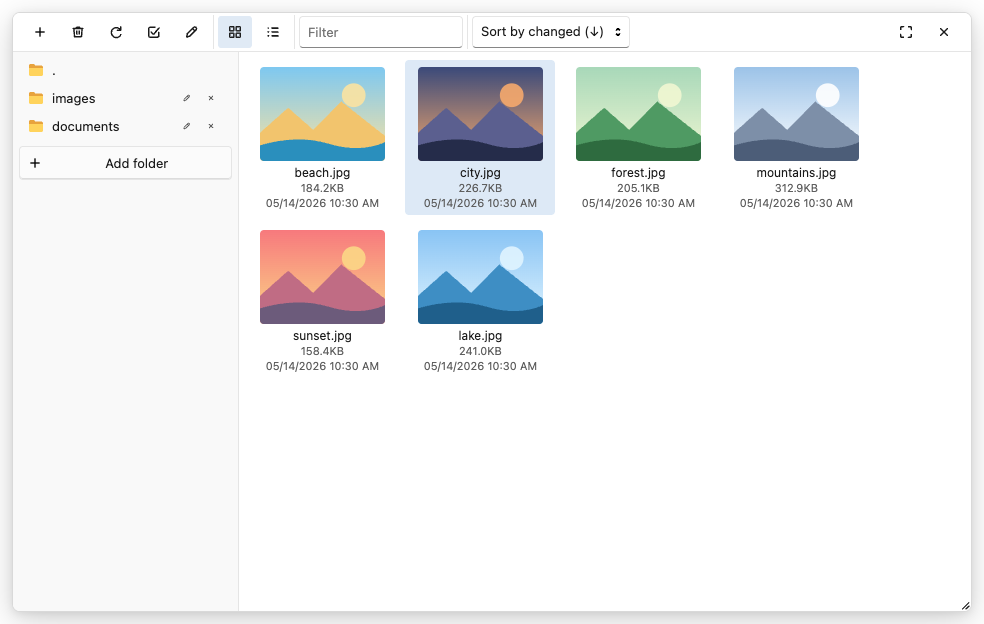
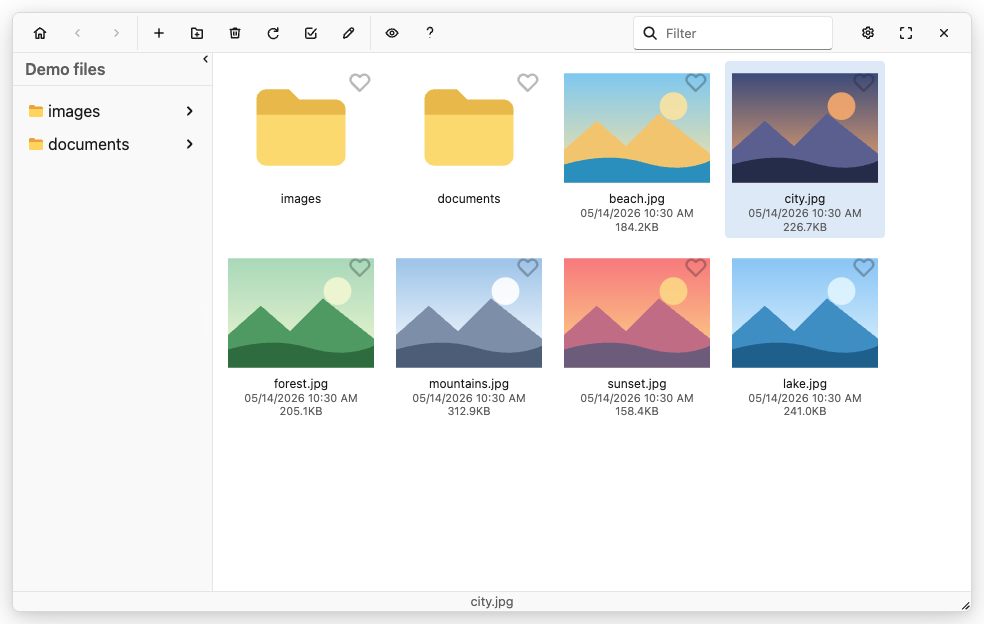
Windows 11 (Fluent 2): light Mica surfaces, 4px and 8px corners, subtle grey hover, accent #005fb8, fields with an accent underline, File Explorer navigation with an accent pill.
```html
```
| Editor | Finder | Finder (Jodit PRO) |
|---|---|---|
| | | |
## Files
Every theme lives in `themes//`:
| File | Contents |
|---|---|
| `.all.css` | everything: editor and both file browsers |
| `.editor.css` | editor: toolbar, buttons, popups and menus, dialogs, form fields, status bar |
| `.finder.css` | file browsers: the free Jodit file browser and the Jodit PRO finder |
| `_theme.less` | palette and theme-specific rules (themes built on the shared base) |
| `README.md` | theme description, shown in the theme list above |
| `screenshots/` | `main.png`, `editor.png`, `finder.png`, `finder-pro.png` from `npm run screenshots` |
Each stylesheet comes as `.css`, `.min.css` and the `.less` source. The finder part relies on the editor part for buttons, inputs and menus inside the file browser window, so load either `all` or both `editor` and `finder`.
## Creating a theme
Most themes are built on the shared base in `themes/_base/`: `editor.less` and `finder.less` style everything from `--ui-*` custom properties, and `tokens.less` holds their defaults. A new theme only needs a palette:
1. Copy a theme folder close to the look you want (for example `themes/syncfusion/`) and rename the folder and the files.
2. Replace the old name with the new one inside `.editor.less`, `.finder.less` and `.all.less`.
3. Set the colours, radii and fonts in `.theme-tokens()` in `_theme.less`; the available tokens and their defaults are listed in `themes/_base/tokens.less`. Rules that the tokens cannot express go to `.theme-editor()` and `.theme-finder()`.
4. Describe the theme in `README.md`, then run `npm run build` and `npm run screenshots`.
Names starting with `_` are partials: they are imported by the themes and are not compiled on their own. `office2010` and `windows10` are standalone stylesheets that do not use the base.
## Usage
### From a CDN
```html
```
Every file of the package is on [jsDelivr](https://www.jsdelivr.com/package/npm/jodit-ui-themes) and [unpkg](https://unpkg.com/browse/jodit-ui-themes/): `https://cdn.jsdelivr.net/npm/jodit-ui-themes@/themes//..min.css` or `https://unpkg.com/jodit-ui-themes@/themes//..min.css`. Pin an exact version (`@0.1.0`) in production; `@0` follows the latest compatible release. Each theme above has a ready-to-copy ``.
### From npm
```
npm install jodit-ui-themes
```
```js
import 'jodit/es2021/jodit.min.css';
import 'jodit-ui-themes/themes/office2010/office2010.all.min.css';
import { Jodit } from 'jodit';
Jodit.make('#editor', { theme: 'office2010' });
```
The package also ships the `.less` sources, so a theme can be compiled into your own build.
### Notes
- Load the theme **after** the Jodit stylesheets.
- The same stylesheet works with Jodit and Jodit PRO.
- Switching `theme` on a live editor leaves the previous theme class in place; recreate the editor instead.
- The Jodit PRO finder keeps the last used theme in `localStorage` and prefers it over the `theme` option. Clear that value if the theme does not apply.
- The settings panel of the Jodit PRO finder resets every theme except `default` and `dark` to `default` when it opens. The themes hide its theme switch; to keep the theme, restore it when the finder changes it:
```js
const editor = Jodit.make('#editor', { theme: 'nord' });
const finder = editor.filebrowser;
finder.state.on('change.theme', () => {
if (finder.state.theme !== 'nord') {
// after the current change event, so the finder updates its classes
queueMicrotask(() => (finder.state.theme = 'nord'));
}
});
```
- If the editor lives in a shadow root, put the theme `` inside the shadow root.
## Compatibility
Checked with Jodit 4.17.1 and Jodit PRO 4.15.13. Themes style Jodit's internal class names, which may change between Jodit versions.
## Building
```
npm install
npm run build # compile every themes/*/*.less into .css and .min.css
npm run watch # rebuild on every .less change
npm run screenshots # screenshots of every theme + README theme list
npm run screenshots -- office2010 # only the given themes
npm run site # assemble the live demo into _site/
```
`npm run screenshots` opens Jodit and Jodit PRO in a headless browser, saves `themes//screenshots/{main,editor,finder,finder-pro}.png` and rewrites the list between the `themes` markers in this README: for every theme its name, the description from `themes//README.md` and the screenshots. The file browsers use a built-in fake connector with fixed files, so the pictures are the same on every run. It uses the Playwright Chromium (`npx playwright install chromium`) or, when that is missing, the installed Google Chrome. Fonts come from the operating system, so take screenshots on the same machine to keep them comparable.
The generated `.css` and `.min.css` files are committed together with their `.less` sources, so a theme can be used straight from the repository. After changing a `.less` file, run `npm run build` and commit the result: CI rebuilds the themes and fails if the committed CSS is out of date.
## Live demo
`site/` holds the demo pages; `npm run site` assembles them with the built themes into `_site/` (serve it with any static server, e.g. `python3 -m http.server -d _site`). The Pages workflow deploys it on every push to `main`. Jodit and Jodit PRO come from jsDelivr in the versions listed in `devDependencies`. The file browsers read the public Jodit demo connector; actions that would change files are answered by `site/mock.js` and never reach the server.
## Releasing
```
npm version patch # or minor / major: bumps package.json, updates the CDN links in README.md, commits and tags
git push --follow-tags
```
Pushing the `v*` tag runs the Publish workflow: it checks that the tag matches `package.json`, rebuilds the themes, verifies the committed CSS and publishes the package to npm through [trusted publishing](https://docs.npmjs.com/trusted-publishers/) (no token, provenance attached). Within minutes the new version is on jsDelivr and unpkg.
## License
MIT, see [LICENSE](LICENSE).
 | Editor | Finder | Finder (Jodit PRO) |
|---|---|---|
|
| Editor | Finder | Finder (Jodit PRO) |
|---|---|---|
|  |
|  |
|  |
### chrome
Chrome (2023 refresh, light): light blue tab-strip toolbar, white active-tab pressed buttons, omnibox-style fields, Chrome blue #0B57D0 accent, pill buttons and rounded menus.
```html
```
|
### chrome
Chrome (2023 refresh, light): light blue tab-strip toolbar, white active-tab pressed buttons, omnibox-style fields, Chrome blue #0B57D0 accent, pill buttons and rounded menus.
```html
```
 | Editor | Finder | Finder (Jodit PRO) |
|---|---|---|
|
| Editor | Finder | Finder (Jodit PRO) |
|---|---|---|
|  |
|  |
|  |
### chrome-dark
Chrome (2023 refresh, dark): dark grey tab-strip toolbar, #3C3C3C active-tab pressed buttons, omnibox-style fields, light blue #A8C7FA accent, tonal blue selection, pill buttons and rounded menus.
```html
```
|
### chrome-dark
Chrome (2023 refresh, dark): dark grey tab-strip toolbar, #3C3C3C active-tab pressed buttons, omnibox-style fields, light blue #A8C7FA accent, tonal blue selection, pill buttons and rounded menus.
```html
```
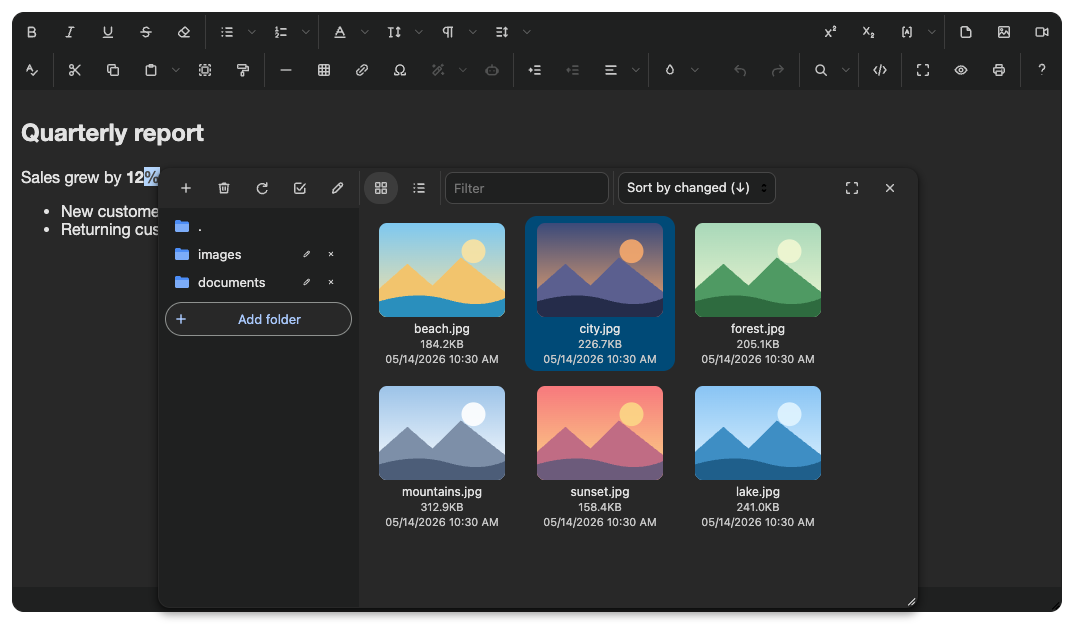 | Editor | Finder | Finder (Jodit PRO) |
|---|---|---|
|
| Editor | Finder | Finder (Jodit PRO) |
|---|---|---|
| 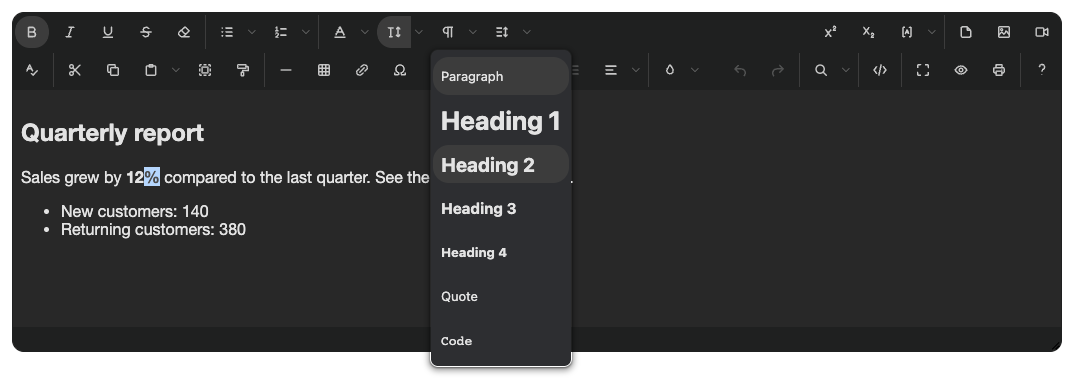 |
| 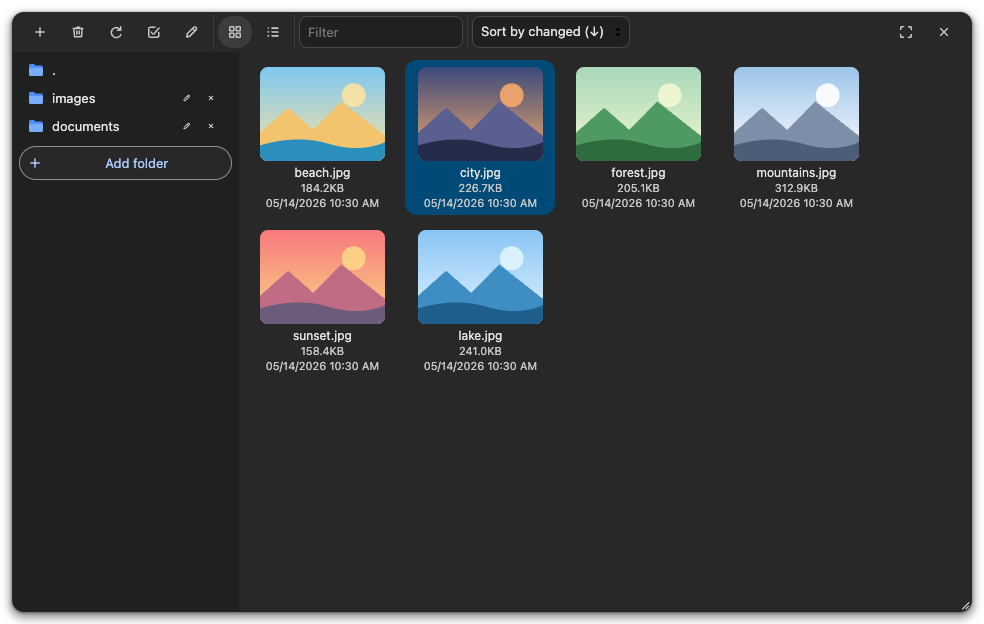 |
| 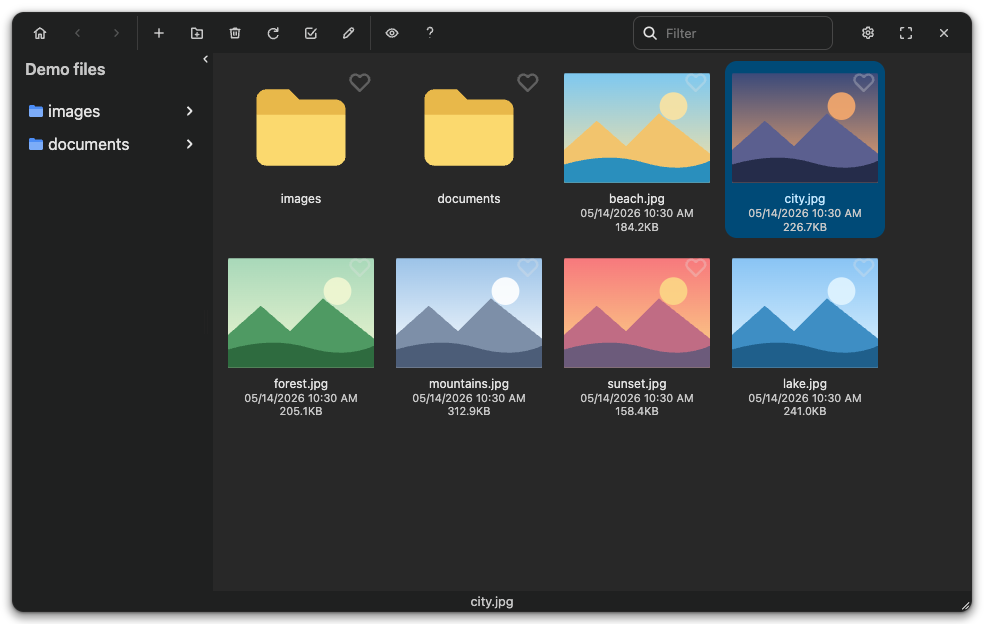 |
### dracula
Dracula: the dark charcoal-purple palette with purple accents, cyan links, red close button and purple folders.
```html
```
|
### dracula
Dracula: the dark charcoal-purple palette with purple accents, cyan links, red close button and purple folders.
```html
```
 | Editor | Finder | Finder (Jodit PRO) |
|---|---|---|
|
| Editor | Finder | Finder (Jodit PRO) |
|---|---|---|
|  |
|  |
|  |
### macos
macOS: unified light toolbar, 6px and 10px corners, blue menu highlight with white text, focus rings, Finder sidebar with blue folders and a blue pill under the selected file name.
```html
```
|
### macos
macOS: unified light toolbar, 6px and 10px corners, blue menu highlight with white text, focus rings, Finder sidebar with blue folders and a blue pill under the selected file name.
```html
```
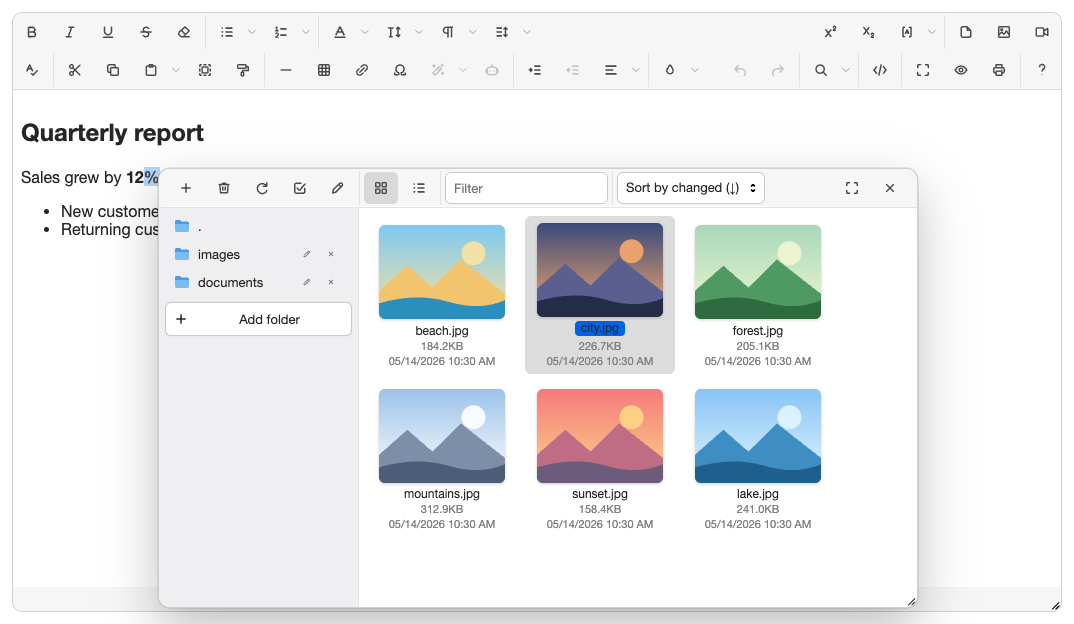 | Editor | Finder | Finder (Jodit PRO) |
|---|---|---|
|
| Editor | Finder | Finder (Jodit PRO) |
|---|---|---|
| 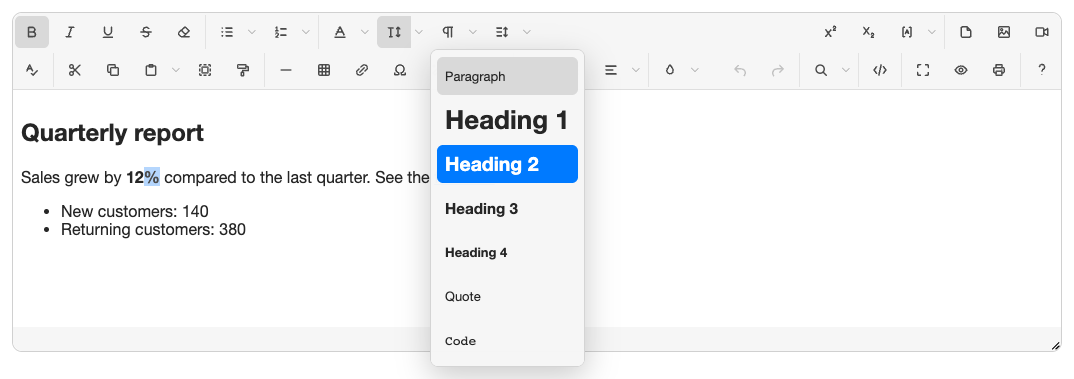 |
| 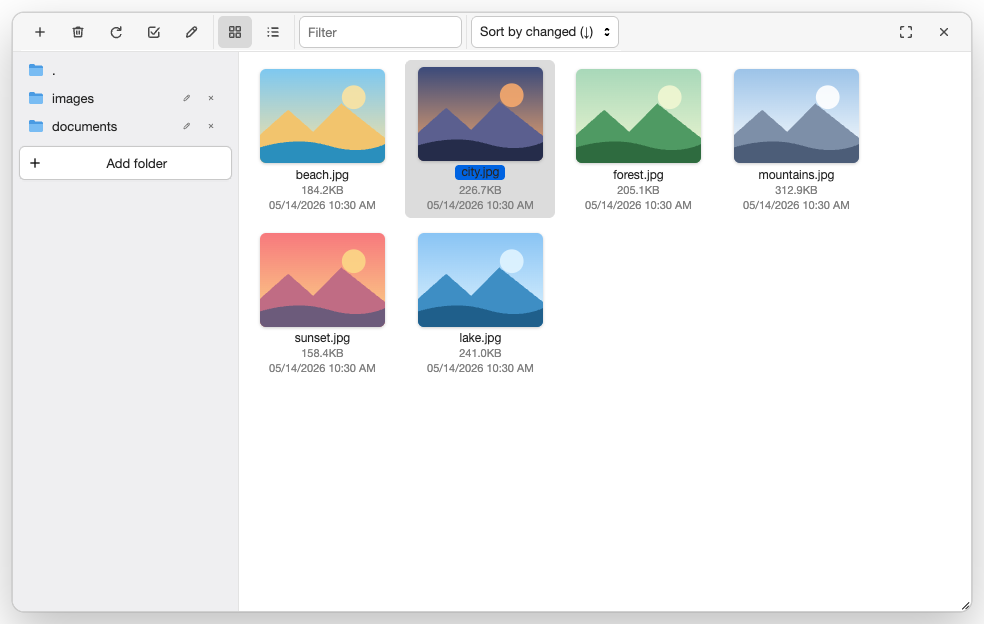 |
| 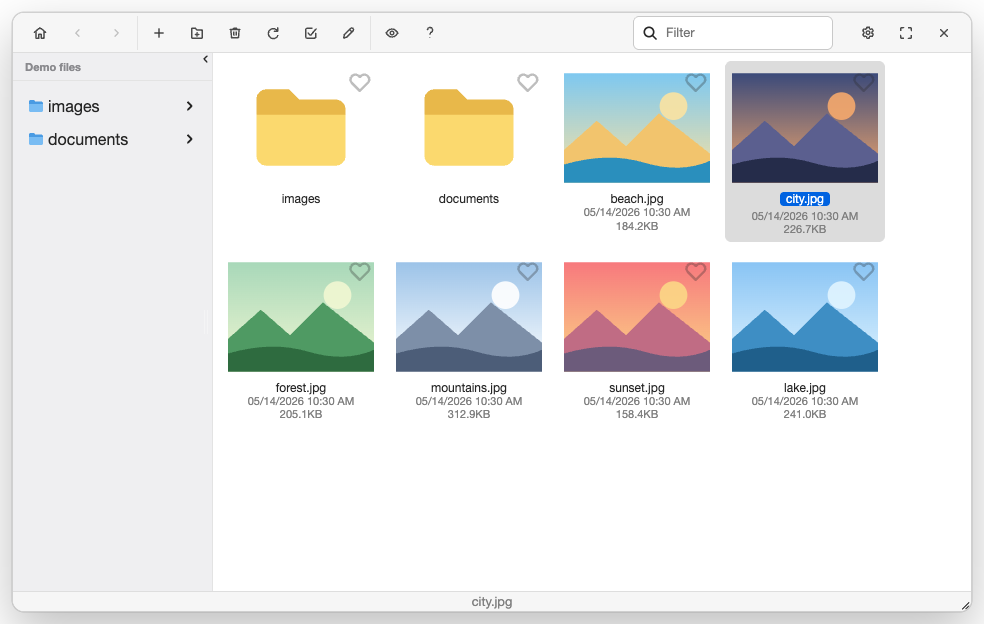 |
### material3
Material 3 (baseline light): tonal surfaces, pill-shaped buttons and navigation items, secondary-container selection, outlined fields, 28px dialogs.
```html
```
|
### material3
Material 3 (baseline light): tonal surfaces, pill-shaped buttons and navigation items, secondary-container selection, outlined fields, 28px dialogs.
```html
```
 | Editor | Finder | Finder (Jodit PRO) |
|---|---|---|
|
| Editor | Finder | Finder (Jodit PRO) |
|---|---|---|
|  |
|  |
|  |
### moono
Moono (CKEditor 4): light grey gradient toolbar and status bar, bevelled buttons with a dark pressed state, grey dialog title bar with the green OK button, light blue menu highlight.
```html
```
|
### moono
Moono (CKEditor 4): light grey gradient toolbar and status bar, bevelled buttons with a dark pressed state, grey dialog title bar with the green OK button, light blue menu highlight.
```html
```
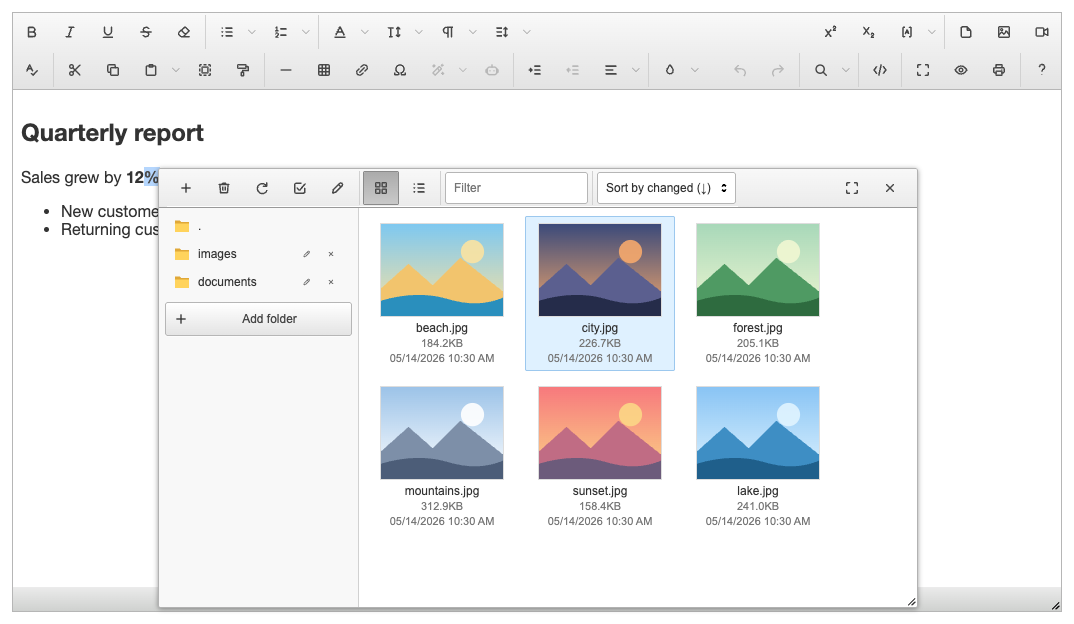 | Editor | Finder | Finder (Jodit PRO) |
|---|---|---|
|
| Editor | Finder | Finder (Jodit PRO) |
|---|---|---|
| 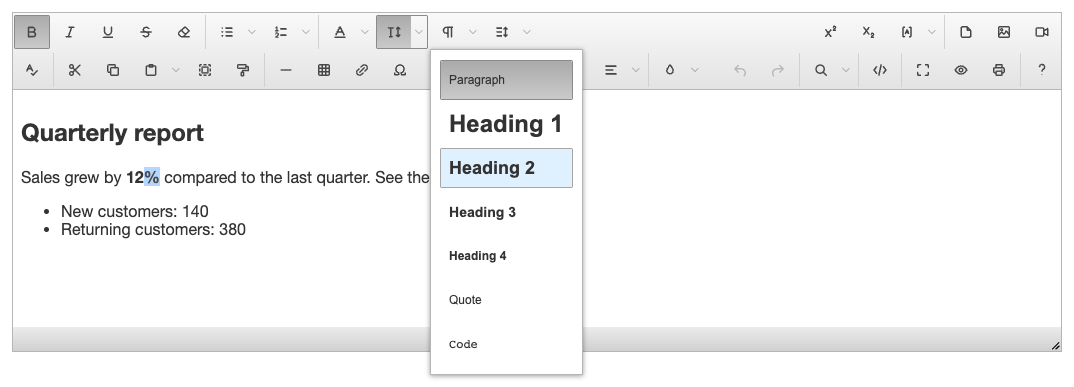 |
| 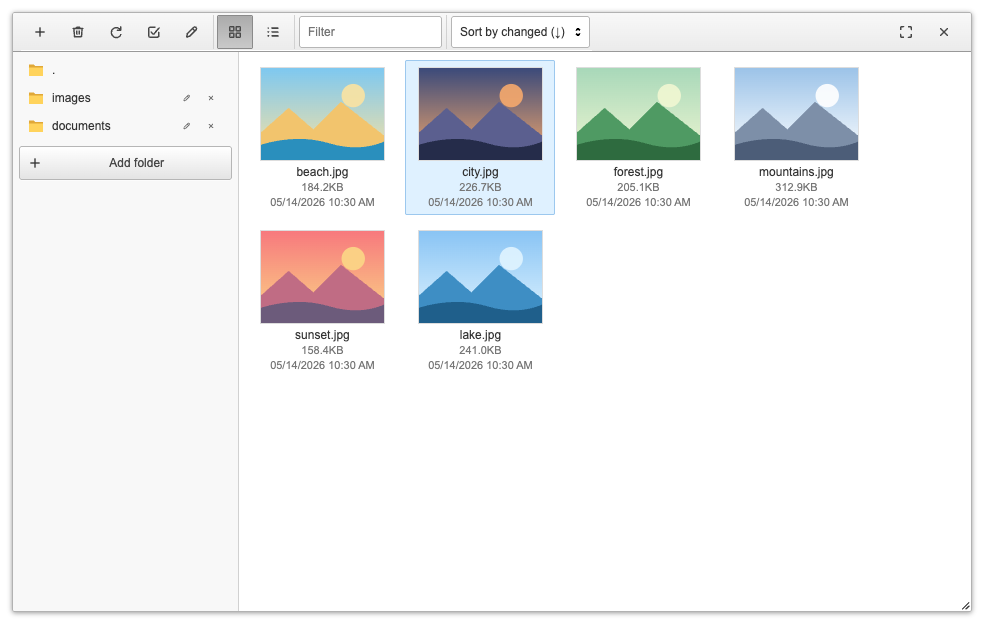 |
| 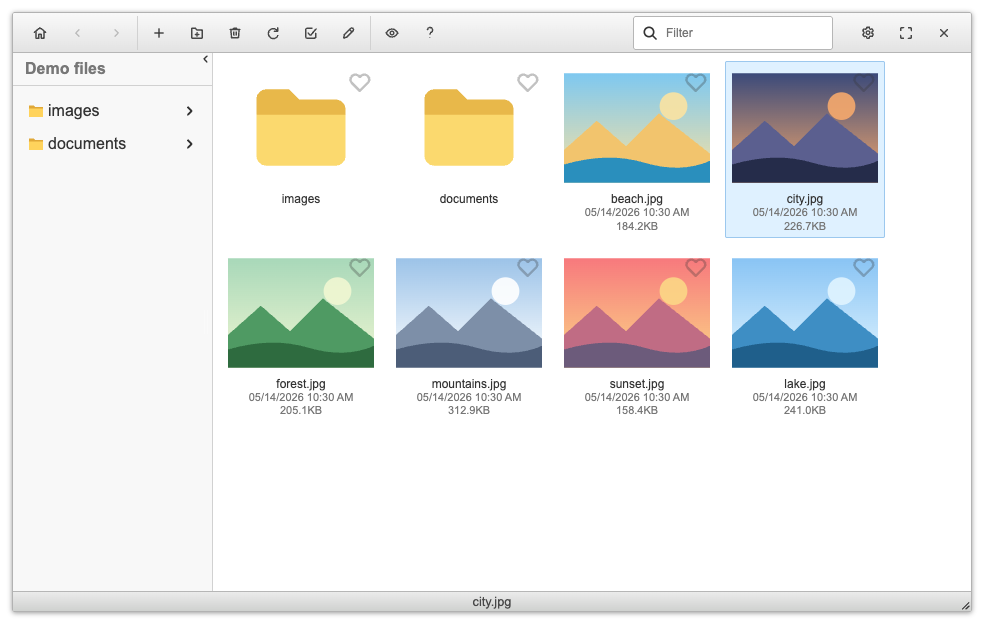 |
### nord
Nord: the arctic Polar Night background with Snow Storm text, Frost blue accents and folders, Aurora red close button.
```html
```
|
### nord
Nord: the arctic Polar Night background with Snow Storm text, Frost blue accents and folders, Aurora red close button.
```html
```
 | Editor | Finder | Finder (Jodit PRO) |
|---|---|---|
|
| Editor | Finder | Finder (Jodit PRO) |
|---|---|---|
|  |
|  |
|  |
### office2010
Microsoft Office 2010 look: blue ribbon gradients, golden hover and orange pressed buttons, Windows 7 dialogs, menus and form fields, Explorer-style file browsers with yellow folders and captions under the thumbnails.
```html
```
|
### office2010
Microsoft Office 2010 look: blue ribbon gradients, golden hover and orange pressed buttons, Windows 7 dialogs, menus and form fields, Explorer-style file browsers with yellow folders and captions under the thumbnails.
```html
```
 | Editor | Finder | Finder (Jodit PRO) |
|---|---|---|
|
| Editor | Finder | Finder (Jodit PRO) |
|---|---|---|
|  |
|  |
|  |
### quietlight
Quiet Light (VS Code): lavender toolbar, lilac title bars, purple status bar, light green selection, purple accents and folders.
```html
```
|
### quietlight
Quiet Light (VS Code): lavender toolbar, lilac title bars, purple status bar, light green selection, purple accents and folders.
```html
```
 | Editor | Finder | Finder (Jodit PRO) |
|---|---|---|
|
| Editor | Finder | Finder (Jodit PRO) |
|---|---|---|
|  |
|  |
|  |
### syncfusion
Syncfusion (Tailwind 3 style): cool grey surfaces, indigo accent, soft shadows, rounded fields with a focus ring, indigo-tinted selection, amber folders.
```html
```
|
### syncfusion
Syncfusion (Tailwind 3 style): cool grey surfaces, indigo accent, soft shadows, rounded fields with a focus ring, indigo-tinted selection, amber folders.
```html
```
 | Editor | Finder | Finder (Jodit PRO) |
|---|---|---|
|
| Editor | Finder | Finder (Jodit PRO) |
|---|---|---|
|  |
|  |
|  |
### windows10
Windows 10 look: flat white surfaces with a thin blue window frame, square corners, light blue hover and selection, Windows 10 push buttons, fields and context menus with a red close button in dialogs, Explorer-style file browsers with flat yellow folders.
```html
```
|
### windows10
Windows 10 look: flat white surfaces with a thin blue window frame, square corners, light blue hover and selection, Windows 10 push buttons, fields and context menus with a red close button in dialogs, Explorer-style file browsers with flat yellow folders.
```html
```
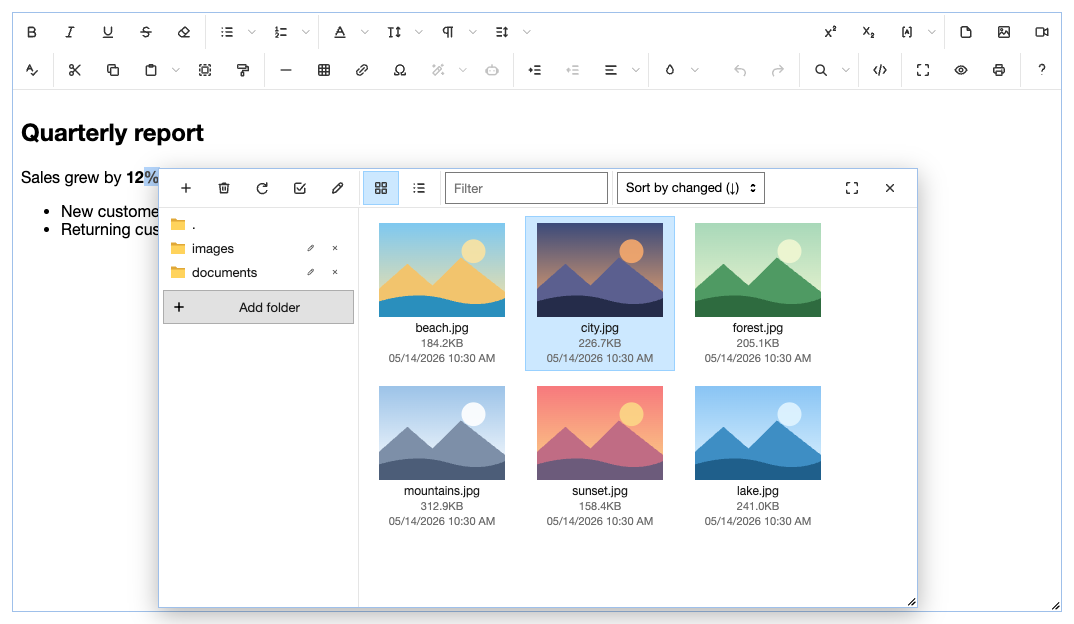 | Editor | Finder | Finder (Jodit PRO) |
|---|---|---|
|
| Editor | Finder | Finder (Jodit PRO) |
|---|---|---|
| 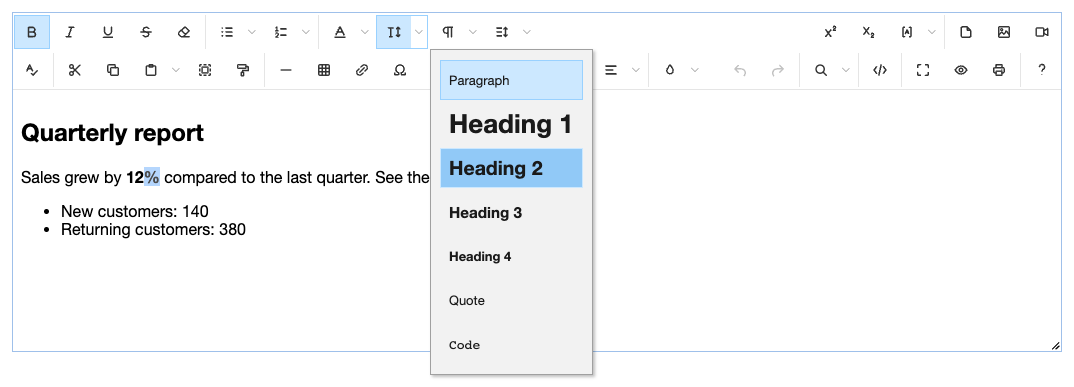 |
| 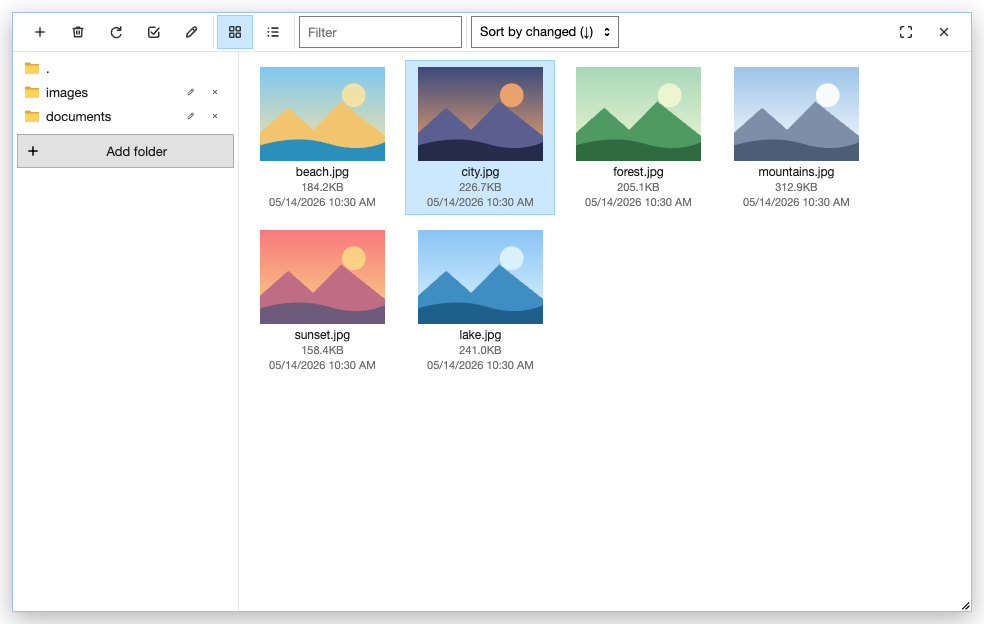 |
| 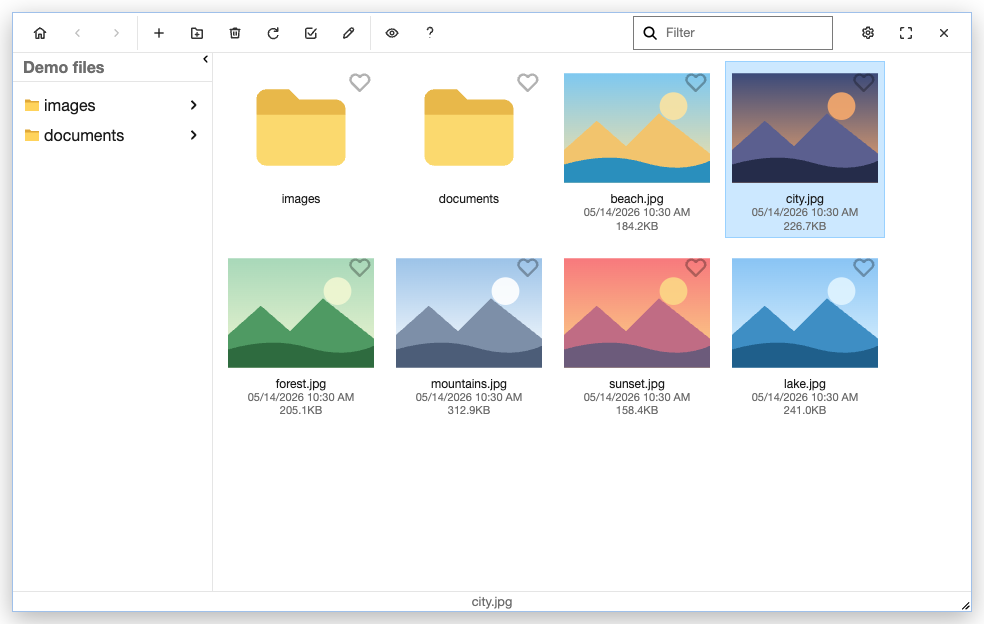 |
### windows11
Windows 11 (Fluent 2): light Mica surfaces, 4px and 8px corners, subtle grey hover, accent #005fb8, fields with an accent underline, File Explorer navigation with an accent pill.
```html
```
|
### windows11
Windows 11 (Fluent 2): light Mica surfaces, 4px and 8px corners, subtle grey hover, accent #005fb8, fields with an accent underline, File Explorer navigation with an accent pill.
```html
```
 | Editor | Finder | Finder (Jodit PRO) |
|---|---|---|
|
| Editor | Finder | Finder (Jodit PRO) |
|---|---|---|
|  |
|  |
|  |
## Files
Every theme lives in `themes/
|
## Files
Every theme lives in `themes/