<?PHP

include "../index.php";

$shell['title3'] = "hashchange » jQuery UI Tabs";

$shell['h2'] = 'Multiple jQuery UI Tabs + fragment + history + bookmarking = Tasty!';

$shell['jquery'] = 'jquery-1.3.2.js';

// ========================================================================== //
// SCRIPT
// ========================================================================== //

ob_start();
?>
$(function(){
  
  // The "tab widgets" to handle.
  var tabs = $('.tabs'),
    
    // This selector will be reused when selecting actual tab widget A elements.
    tab_a_selector = 'ul.ui-tabs-nav a';
  
  // Enable tabs on all tab widgets. The `event` property must be overridden so
  // that the tabs aren't changed on click, and any custom event name can be
  // specified. Note that if you define a callback for the 'select' event, it
  // will be executed for the selected tab whenever the hash changes.
  tabs.tabs({ event: 'change' });
  
  // Define our own click handler for the tabs, overriding the default.
  tabs.find( tab_a_selector ).click(function(){
    var state = {},
      
      // Get the id of this tab widget.
      id = $(this).closest( '.tabs' ).attr( 'id' ),
      
      // Get the index of this tab.
      idx = $(this).parent().prevAll().length;
    
    // Set the state!
    state[ id ] = idx;
    $.bbq.pushState( state );
  });
  
  // Bind an event to window.onhashchange that, when the history state changes,
  // iterates over all tab widgets, changing the current tab as necessary.
  $(window).bind( 'hashchange', function(e) {
    
    // Iterate over all tab widgets.
    tabs.each(function(){
      
      // Get the index for this tab widget from the hash, based on the
      // appropriate id property. In jQuery 1.4, you should use e.getState()
      // instead of $.bbq.getState(). The second, 'true' argument coerces the
      // string value to a number.
      var idx = $.bbq.getState( this.id, true ) || 0;
      
      // Select the appropriate tab for this tab widget by triggering the custom
      // event specified in the .tabs() init above (you could keep track of what
      // tab each widget is on using .data, and only select a tab if it has
      // changed).
      $(this).find( tab_a_selector ).eq( idx ).triggerHandler( 'change' );
    });
  })
  
  // Since the event is only triggered when the hash changes, we need to trigger
  // the event now, to handle the hash the page may have loaded with.
  $(window).trigger( 'hashchange' );
  
});
<?
$shell['script'] = ob_get_contents();
ob_end_clean();

// ========================================================================== //
// HTML HEAD ADDITIONAL
// ========================================================================== //

ob_start();
?>
<script type="text/javascript" src="../../shared/jquery-ui-1.7.2/js/jquery-ui-1.7.2.js"></script>
<link rel="stylesheet" href="../../shared/jquery-ui-1.7.2/css/benalman/jquery-ui-1.7.2.css" type="text/css" media="all" />

<script type="text/javascript" src="../../jquery.ba-bbq.js"></script>
<script type="text/javascript" language="javascript">

<?= $shell['script']; ?>

$(function(){
  
  // Syntax highlighter.
  SyntaxHighlighter.highlight();
  
});

</script>
<style type="text/css" title="text/css">

/*
bg: #FDEBDC
bg1: #FFD6AF
bg2: #FFAB59
orange: #FF7F00
brown: #913D00
lt. brown: #C4884F
*/

ul li {
  list-style: none !important;
}

.tabs h1 {
  margin: 0;
  font-size: 180%;
}

.tabs p {
  font-size: 150%;
  margin: 5px 0 0;
}

.tabs img {
  border: 1px solid #913D00;
  float: right;
  margin-left: 10px;
  width: 200px;
  height: 150px;
}

.tabs .shim {
  clear: both;
  padding-bottom: 1em;
}

#page {
  width: 700px;
}

</style>
<?
$shell['html_head'] = ob_get_contents();
ob_end_clean();

// ========================================================================== //
// HTML BODY
// ========================================================================== //

ob_start();
?>
<?= $shell['donate'] ?>

<p>
  With <a href="http://benalman.com/projects/jquery-bbq-plugin/">jQuery BBQ</a> you can keep track of state, history and allow bookmarking multiple <a href="http://jqueryui.com/demos/tabs/">jQuery UI tab</a> widgets simultaneously.. just click some tabs, use your browser's back and next buttons, reload the page.. and when you're done playing, check out the code!
</p>

<p>
  Like the <a href="../fragment-advanced/">advanced window.onhashchange</a> example, window.location.hash is used to store a serialized data object representing the state of multiple tab boxes. Due to the flexibility of $.bbq.pushState(), each tab box doesn't need to know the state of any other tab box to push a state change onto the history, only their state needs to be specifed and it will be merged in, creating a new history entry and a page state that is bookmarkable. Of course, if you only want to keep track of a single item on the page, you might want to check out the <a href="../fragment-basic/">basic window.onhashchange</a> example.
</p>

<h3>This jQuery UI Tabs widget has id "some_tabs"</h3>

<div id="some_tabs" class="tabs">
  <ul>
    <li><a href="#some_tabs_0">jQuery BBQ</a></li>
    <li><a href="#some_tabs_1">Burgers</a></li>
    <li><a href="#some_tabs_2">Chicken</a></li>
    <li><a href="#some_tabs_3">Kebabs</a></li>
  </ul>
  <div id="some_tabs_0">
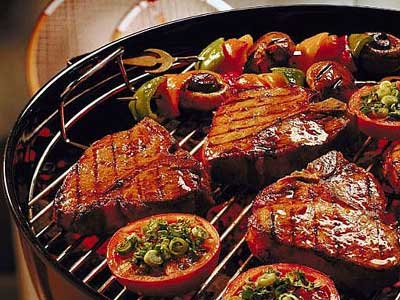
    <img src="bbq.jpg" width="200" height="150">
    <h1>jQuery BBQ</h1>
    <p>Click a tab above to display some delicious content!</p>
  </div>
  <div id="some_tabs_1">
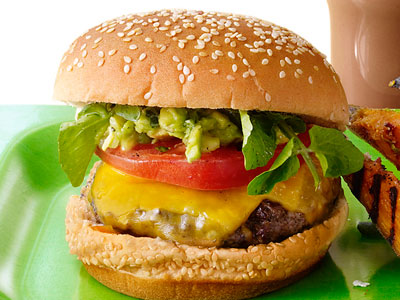
    <img src="burger.jpg" width="200" height="150">
    <h1>Delicious Burgers</h1>
    <p>It might look like more food than you can eat, but trust me, you'll finish 
    this burger.</p>
  </div>
  <div id="some_tabs_2">
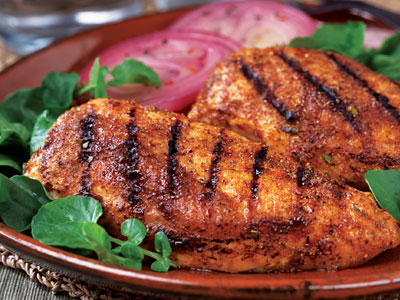
    <img src="chicken.jpg" width="200" height="150">
    <h1>Mesquite Rub Chicken</h1>
    <p>This spicy meal might have you begging for "cerveza" but you'll be coming back for 
    seconds!</p>
  </div>
  <div id="some_tabs_3">
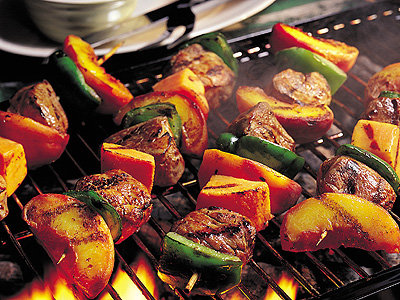
    <img src="kebabs.jpg" width="200" height="150">
    <h1>Savory Shish-Kebabs</h1>
    <p>Who doesn't like kebabs? Nobody! That's why this meat and veggie combo is sure
    to blow your mind!</p>
  </div>
  <div class="shim"></div>
</div>

<h3>This jQuery UI Tabs widget has id "more_tabs"</h3>

<div id="more_tabs" class="tabs">
  <ul>
    <li><a href="#more_tabs_0">jQuery BBQ</a></li>
    <li><a href="#more_tabs_1">Kielbasa</a></li>
    <li><a href="#more_tabs_2">Ribs</a></li>
    <li><a href="#more_tabs_3">Steak</a></li>
  </ul>
  <div id="more_tabs_0">
    <img src="bbq.jpg" width="200" height="150">
    <h1>jQuery BBQ</h1>
    <p>And there's plenty more where that came from! Don't forget to click
      here for some more down-home content.</p>
  </div>
  <div id="more_tabs_1">
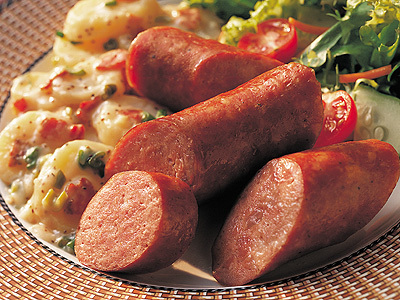
    <img src="kielbasa.jpg" width="200" height="150">
    <h1>Sweet Kielbasa</h1>
    <p>One bite of this kielbasa will have you asking for the recipe, and that's a fact.</p>
  </div>
  <div id="more_tabs_2">
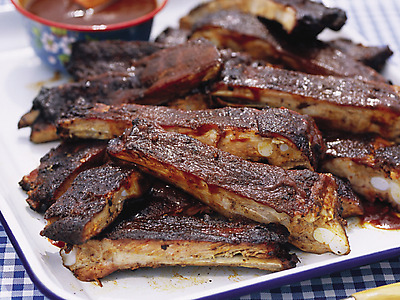
    <img src="ribs.jpg" width="200" height="150">
    <h1>Baby-Back Ribs</h1>
    <p>What's better than a half-rack of ribs? A full rack!</p>
  </div>
  <div id="more_tabs_3">
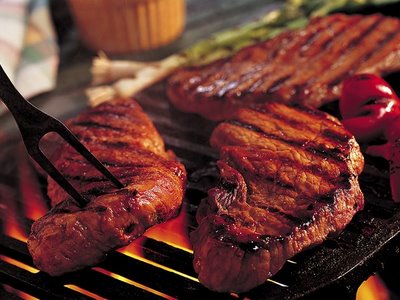
    <img src="steak.jpg" width="200" height="150">
    <h1>Flame-Broiled Steak</h1>
    <p>Seasoned and cooked perfectly, this amazing steak aims to please!</p>
  </div>
  <div class="shim"></div>
</div>

<h3>The code</h3>

<p>Note that a lot of the following code is very similar to the <a href="../fragment-advanced/">advanced window.onhashchange</a> example. That's intentional! They're functionally very similar, but this example is much less complicated due to jQuery UI Tabs' built-in functionality.</p>

<pre class="brush:js">
<?= htmlspecialchars( $shell['script'] ); ?>
</pre>

<?
$shell['html_body'] = ob_get_contents();
ob_end_clean();

// ========================================================================== //
// DRAW SHELL
// ========================================================================== //

draw_shell();

?>