# JSON Editor
[](https://www.npmjs.com/package/jsoneditor)
[](https://www.npmjs.com/package/jsoneditor)

[](https://github.com/josdejong/jsoneditor/blob/master/LICENSE)
[](https://app.fossa.io/projects/git%2Bgithub.com%2Fjosdejong%2Fjsoneditor?ref=badge_shield)
JSON Editor is a web-based tool to view, edit, format, and validate JSON.
It has various modes such as a tree editor, a code editor, and a plain text
editor.
The editor can be used as a component in your own web application. The library
can be loaded as CommonJS module, AMD module, or as a regular javascript file.
Supported browsers: Chrome, Firefox, Safari, Opera, Edge, Internet Explorer 11.
Cross browser testing for JSONEditor is generously provided by BrowserStack
## Features
### Tree editor
- Change, add, move, remove, and duplicate fields and values.
- Sort arrays and objects.
- Transform JSON using [JMESPath](http://jmespath.org/) queries.
- Colorized code.
- Color picker.
- Search & highlight text in the tree view.
- Undo and redo all actions.
- JSON schema validation (powered by [ajv](https://github.com/epoberezkin/ajv)).
### Code editor
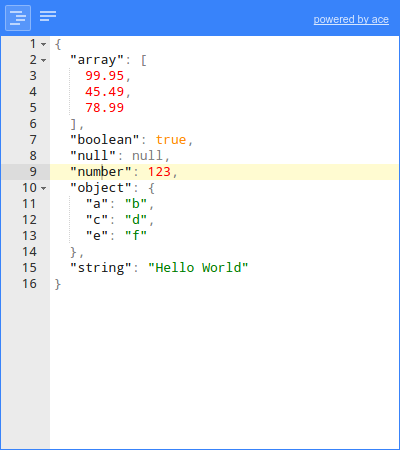
- Colorized code (powered by [Ace](https://ace.c9.io)).
- Inspect JSON (powered by [Ace](https://ace.c9.io)).
- Format and compact JSON.
- Repair JSON.
- JSON schema validation (powered by [ajv](https://github.com/epoberezkin/ajv)).
### Text editor
- Format and compact JSON.
- Repair JSON.
- JSON schema validation (powered by [ajv](https://github.com/epoberezkin/ajv)).
## Documentation
- Documentation:
- [API](https://github.com/josdejong/jsoneditor/tree/master/docs/api.md)
- [Usage](https://github.com/josdejong/jsoneditor/tree/master/docs/usage.md)
- [Shortcut keys](https://github.com/josdejong/jsoneditor/tree/master/docs/shortcut_keys.md)
- [Examples](https://github.com/josdejong/jsoneditor/tree/master/examples)
- [Source](https://github.com/josdejong/jsoneditor)
- [History](https://github.com/josdejong/jsoneditor/blob/master/HISTORY.md)
## Install
with npm (recommended):
npm install jsoneditor
with bower:
bower install jsoneditor
> Note that to use JSONEditor in Internet Explorer 11, it is necessary
> to load a polyfill for `Promise` in your application.
## Use
```html
```
## Build
The code of the JSON Editor is located in the folder `./src`. To build
jsoneditor:
- Install dependencies:
```
npm install
```
- Build JSON Editor:
```
npm run build
```
This will generate the files `./jsoneditor.js`, `./jsoneditor.css`, and
minified versions in the dist of the project.
- To automatically build when a source file has changed:
```
npm run watch
```
This will update `./jsoneditor.js` and `./jsoneditor.css` in the dist folder
on every change, but it will **NOT** update the minified versions as that's
an expensive operation.
## Custom builds
The source code of JSONEditor consists of CommonJS modules. JSONEditor can be bundled in a customized way using a module bundler like [browserify](http://browserify.org/) or [webpack](http://webpack.github.io/). First, install all dependencies of jsoneditor:
npm install
To create a custom bundle of the source code using browserify:
browserify ./index.js -o ./jsoneditor.custom.js -s JSONEditor
The Ace editor, used in mode `code`, accounts for about one third of the total
size of the library. To exclude the Ace editor from the bundle:
browserify ./index.js -o ./jsoneditor.custom.js -s JSONEditor -x brace -x brace/mode/json -x brace/ext/searchbox
To minify the generated bundle, use [uglifyjs](https://github.com/mishoo/UglifyJS2):
uglifyjs ./jsoneditor.custom.js -o ./jsoneditor.custom.min.js -m -c


 Cross browser testing for JSONEditor is generously provided by BrowserStack