lamina
🍰 An extensible, layer based shader material for ThreeJS




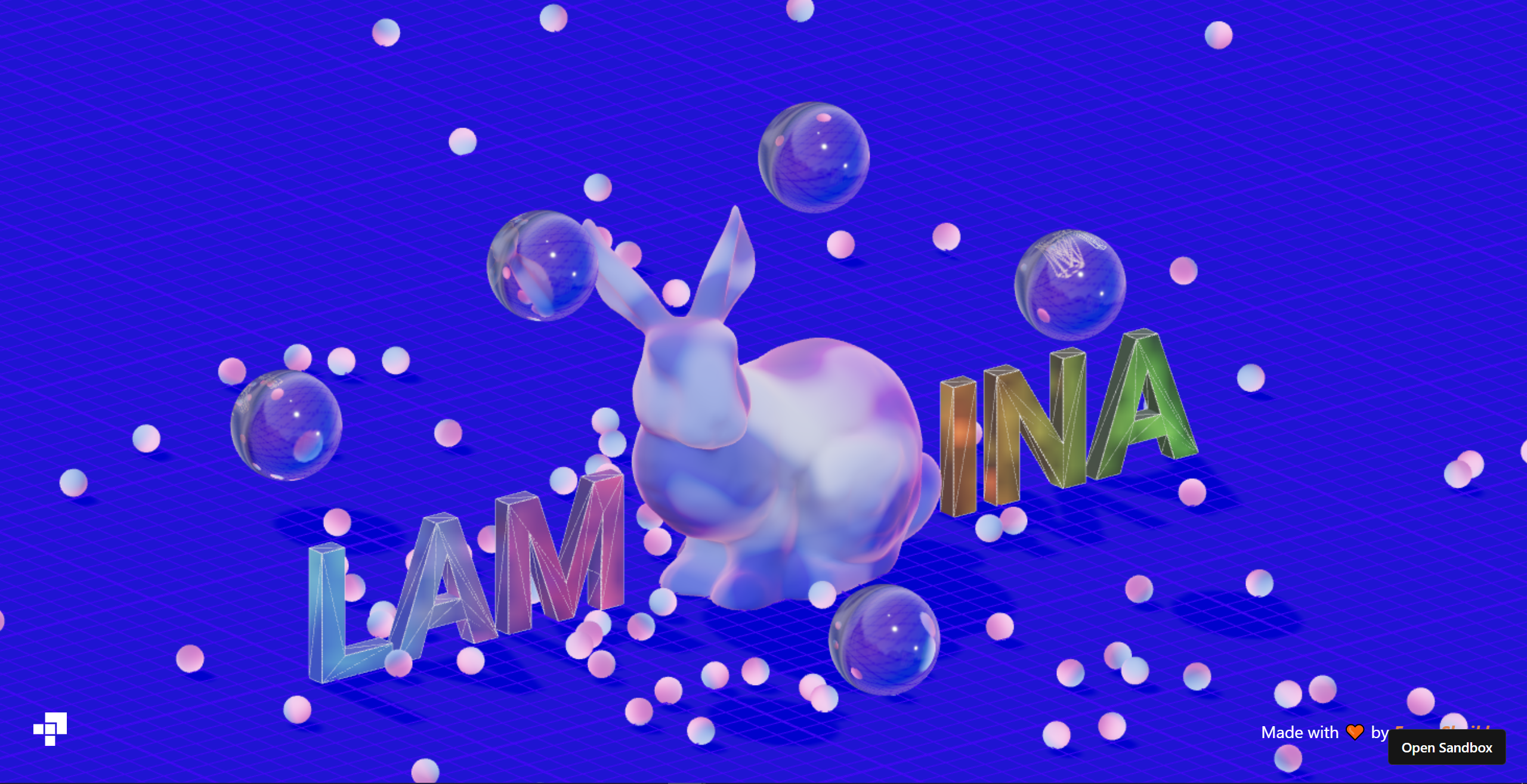

These demos are real, you can click them! They contain the full code, too. 📦 More examples here
`lamina` lets you create materials with a declarative, system of layers. Layers make it incredibly easy to stack and blend effects. This approach was first made popular by the [Spline team](https://spline.design/).
```jsx
import { LayerMaterial, Depth } from 'lamina'
function GradientSphere() {
return (
)
}
```
Show Vanilla example
Lamina can be used with vanilla Three.js. Each layer is just a class.
```js
import { LayerMaterial, Depth } from 'lamina/vanilla'
const geometry = new THREE.SphereGeometry(1, 128, 64)
const material = new LayerMaterial({
color: '#d9d9d9',
lighting: 'physical',
transmission: 1,
layers: [
new Depth({
colorA: '#002f4b',
colorB: '#f2fdff',
alpha: 0.5,
mode: 'multiply',
near: 0,
far: 2,
origin: new THREE.Vector3(1, 1, 1),
}),
],
})
const mesh = new THREE.Mesh(geometry, material)
```
Note: To match the colors of the react example, you must convert all colors to Linear encoding like so:
```js
new Depth({
colorA: new THREE.Color('#002f4b').convertSRGBToLinear(),
colorB: new THREE.Color('#f2fdff').convertSRGBToLinear(),
alpha: 0.5,
mode: 'multiply',
near: 0,
far: 2,
origin: new THREE.Vector3(1, 1, 1),
}),
```
## Layers
### `LayerMaterial`
`LayerMaterial` can take in the following parameters:
| Prop | Type | Default |
| ---------- | ----------------------------------------------------------------------- | ----------------- |
| `name` | `string` | `"LayerMaterial"` |
| `color` | `THREE.ColorRepresentation \| THREE.Color` | `"white"` |
| `alpha` | `number` | `1` |
| `lighting` | `'phong' \| 'physical' \| 'toon' \| 'basic' \| 'lambert' \| 'standard'` | `'basic'` |
| `layers`\* | `Abstract[]` | `[]` |
The `lighting` prop controls the shading that is applied on the material. The material then accepts all the material properties supported by ThreeJS of the material type specified by the `lighting` prop.
\* Note: the `layers` prop is only available on the `LayerMaterial` class, not the component. Pass in layers as children in React.
### Built-in layers
Here are the layers that lamina currently provides
| Name | Function |
| ----------------------- | -------------------------------------- |
| Fragment Layers | |
| [`Color`](#color) | Flat color. |
| [`Depth`](#depth) | Depth based gradient. |
| [`Fresnel`](#fresnel) | Fresnel shading (strip or rim-lights). |
| [`Gradient`](#gradient) | Linear gradient. |
| [`Matcap`](#matcap) | Load in a Matcap. |
| [`Noise`](#noise) | White, perlin or simplex noise . |
| [`Normal`](#normal) | Visualize vertex normals. |
| [`Texture`](#texture) | Image texture. |
| Vertex Layers | |
| [`Displace`](#displace) | Displace vertices using. noise |
See the section for each layer for the options on it.
### Debugger
Lamina comes with a handy debugger that lets you tweek parameters till you're satisfied with the result! Then, just copy the JSX and paste!
Replace `LayerMaterial` with `DebugLayerMaterial` to enable it.
```jsx
```
Any custom layers are automatically compatible with the debugger. However, for advanced inputs, see the [Advanced Usage](#advanced-usage) section.
### Writing your own layers
You can write your own layers by extending the `Abstract` class. The concept is simple:
> Each layer can be treated as an isolated shader program that produces a `vec4` color.
The color of each layer will be blended together using the specified blend mode. A list of all available blend modes can be found [here](#blendmode)
```ts
import { Abstract } from 'lamina/vanilla'
// Extend the Abstract layer
class CustomLayer extends Abstract {
// Define stuff as static properties!
// Uniforms: Must begin with prefix "u_".
// Assign them their default value.
// Any unifroms here will automatically be set as properties on the class as setters and getters.
// There setters and getters will update the underlying unifrom.
static u_color = 'red' // Can be accessed as CustomLayer.color
static u_alpha = 1 // Can be accessed as CustomLayer.alpha
// Define your fragment shader just like you already do!
// Only difference is, you must return the final color of this layer
static fragmentShader = `
uniform vec3 u_color;
uniform float u_alpha;
// Varyings must be prefixed by "v_"
varying vec3 v_Position;
vec4 main() {
// Local variables must be prefixed by "f_"
vec4 f_color = vec4(u_color, u_alpha);
return f_color;
}
`
// Optionally Define a vertex shader!
// Same rules as fragment shaders, except no blend modes.
// Return a non-projected vec3 position.
static vertexShader = `
// Varyings must be prefixed by "v_"
varying vec3 v_Position;
void main() {
v_Position = position;
return position * 2.;
}
`
constructor(props) {
// You MUST call `super` with the current constructor as the first argument.
// Second argument is optional and provides non-uniform parameters like blend mode, name and visibility.
super(CustomLayer, {
name: 'CustomLayer',
...props,
})
}
}
```
👉 Note: The vertex shader must return a vec3. You do not need to set `gl_Position` or transform the model view. lamina will handle this automatically down the chain.
👉 Note: You can use lamina's noise functions inside of your own layer without any additional imports: `lamina_noise_perlin()`, `lamina_noise_simplex()`, `lamina_noise_worley()`, `lamina_noise_white()`, `lamina_noise_swirl()`.
If you need a specialized or advance use-case, see the [Advanced Usage](#advanced-usage) section
### Using your own layers
Custom layers are Vanilla compatible by default.
To use them with React-three-fiber, you must use the `extend` function to add the layer to your component library!
```jsx
import { extend } from "@react-three/fiber"
extend({ CustomLayer })
// ...
const ref = useRef();
// Animate uniforms using a ref.
useFrame(({ clock }) => {
ref.current.color.setRGB(
Math.sin(clock.elapsedTime),
Math.cos(clock.elapsedTime),
Math.sin(clock.elapsedTime),
)
})
```
## Advanced Usage
For more advanced custom layers, lamina provides the `onParse` event.
> This event runs after the layer's shader and uniforms are parsed.
This means you can use it to inject functionality that isn't by the basic layer extension syntax.
Here is a common use case - Adding non-uniform options to layers that directly sub out shader code.
```ts
class CustomLayer extends Abstract {
static u_color = 'red'
static u_alpha = 1
static vertexShader = `...`
static fragmentShader = `
// ...
float f_dist = lamina_mapping_template; // Temp value, will be used to inject code later on.
// ...
`
// Get some shader code based off mapping parameter
static getMapping(mapping) {
switch (mapping) {
default:
case 'uv':
return `some_shader_code`
case 'world':
return `some_other_shader_code`
}
}
// Set non-uniform defaults.
mapping: 'uv' | 'world' = 'uv'
// Non unifrom params must be passed to the constructor
constructor(props) {
super(
CustomLayer,
{
name: 'CustomLayer',
...props,
},
// This is onParse callback
(self: CustomLayer) => {
// Add to Leva (debugger) schema.
// This will create a dropdown select component on the debugger.
self.schema.push({
value: self.mapping,
label: 'mapping',
options: ['uv', 'world'],
})
// Get shader chunk based off selected mapping value
const mapping = CustomLayer.getMapping(self.mapping)
// Inject shader chunk in current layer's shader code
self.fragmentShader = self.fragmentShader.replace('lamina_mapping_template', mapping)
}
)
}
}
```
In react...
```jsx
// ...
```
## Layers
Every layer has these props in common.
| Prop | Type | Default |
| --------- | ------------------------- | ------------------------- |
| `mode` | [`BlendMode`](#blendmode) | `"normal"` |
| `name` | `string` | `` |
| `visible` | `boolean` | `true` |
All props are optional.
### `Color`
Flat color.
| Prop | Type | Default |
| ------- | ------------------------------------------ | ------- |
| `color` | `THREE.ColorRepresentation \| THREE.Color` | `"red"` |
| `alpha` | `number` | `1` |
### `Normal`
Visualize vertex normals
| Prop | Type | Default |
| ----------- | ----------------------------------------- | ----------- |
| `direction` | `THREE.Vector3 \| [number,number,number]` | `[0, 0, 0]` |
| `alpha` | `number` | `1` |
### `Depth`
Depth based gradient. Colors are lerp-ed based on `mapping` props which may have the following values:
- `vector`: distance from `origin` to fragment's world position.
- `camera`: distance from camera to fragment's world position.
- `world`: distance from fragment to center (0, 0, 0).
| Prop | Type | Default |
| --------- | ------------------------------------------ | ----------- |
| `colorA` | `THREE.ColorRepresentation \| THREE.Color` | `"white"` |
| `colorB` | `THREE.ColorRepresentation \| THREE.Color` | `"black"` |
| `alpha` | `number` | `1` |
| `near` | `number` | `2` |
| `far` | `number` | `10` |
| `origin` | `THREE.Vector3 \| [number,number,number]` | `[0, 0, 0]` |
| `mapping` | `"vector" \| "camera" \| "world"` | `"vector"` |
### `Fresnel`
Fresnel shading.
| Prop | Type | Default |
| ----------- | ------------------------------------------ | --------- |
| `color` | `THREE.ColorRepresentation \| THREE.Color` | `"white"` |
| `alpha` | `number` | `1` |
| `power` | `number` | `0` |
| `intensity` | `number` | `1` |
| `bias` | `number` | `2` |
### `Gradient`
Linear gradient based off distance from `start` to `end` in a specified `axes`. `start` and `end` are points on the `axes` selected. The distance between `start` and `end` is used to lerp the colors.
| Prop | Type | Default |
| ---------- | ------------------------------------------ | --------- |
| `colorA` | `THREE.ColorRepresentation \| THREE.Color` | `"white"` |
| `colorB` | `THREE.ColorRepresentation \| THREE.Color` | `"black"` |
| `alpha` | `number` | `1` |
| `contrast` | `number` | `1` |
| `start` | `number` | `1` |
| `end` | `number` | `-1` |
| `axes` | `"x" \| "y" \| "z"` | `"x"` |
| `mapping` | `"local" \| "world" \| "uv"` | `"local"` |
### `Noise`
Various noise functions.
| Prop | Type | Default |
| --------- | ------------------------------------------- | ----------- |
| `colorA` | `THREE.ColorRepresentation \| THREE.Color` | `"white"` |
| `colorB` | `THREE.ColorRepresentation \| THREE.Color` | `"black"` |
| `colorC` | `THREE.ColorRepresentation \| THREE.Color` | `"white"` |
| `colorD` | `THREE.ColorRepresentation \| THREE.Color` | `"black"` |
| `alpha` | `number` | `1` |
| `scale` | `number` | `1` |
| `offset` | `THREE.Vector3 \| [number, number, number]` | `[0, 0, 0]` |
| `mapping` | `"local" \| "world" \| "uv"` | `"local"` |
| `type` | `"perlin' \| "simplex" \| "cell" \| "curl"` | `"perlin"` |
### `Matcap`
Set a Matcap texture.
| Prop | Type | Default |
| ------- | --------------- | ----------- |
| `map` | `THREE.Texture` | `undefined` |
| `alpha` | `number` | `1` |
### `Texture`
Set a texture.
| Prop | Type | Default |
| ------- | --------------- | ----------- |
| `map` | `THREE.Texture` | `undefined` |
| `alpha` | `number` | `1` |
### `BlendMode`
Blend modes currently available in lamina
| `normal` | `divide` |
| ---------- | ----------- |
| `add` | `overlay` |
| `subtract` | `screen` |
| `multiply` | `softlight` |
| `lighten` | `reflect` |
| `darken` | `negation` |
## Vertex layers
Layers that affect the vertex shader
### `Displace`
Displace vertices with various noise.
| Prop | Type | Default |
| ---------- | ------------------------------------------- | ----------- |
| `strength` | `number` | `1` |
| `scale` | `number` | `1` |
| `mapping` | `"local" \| "world" \| "uv"` | `"local"` |
| `type` | `"perlin' \| "simplex" \| "cell" \| "curl"` | `"perlin"` |
| `offset` | `THREE.Vector3 \| [number,number,number]` | `[0, 0, 0]` |