# leaflet-measure (Extended edition)
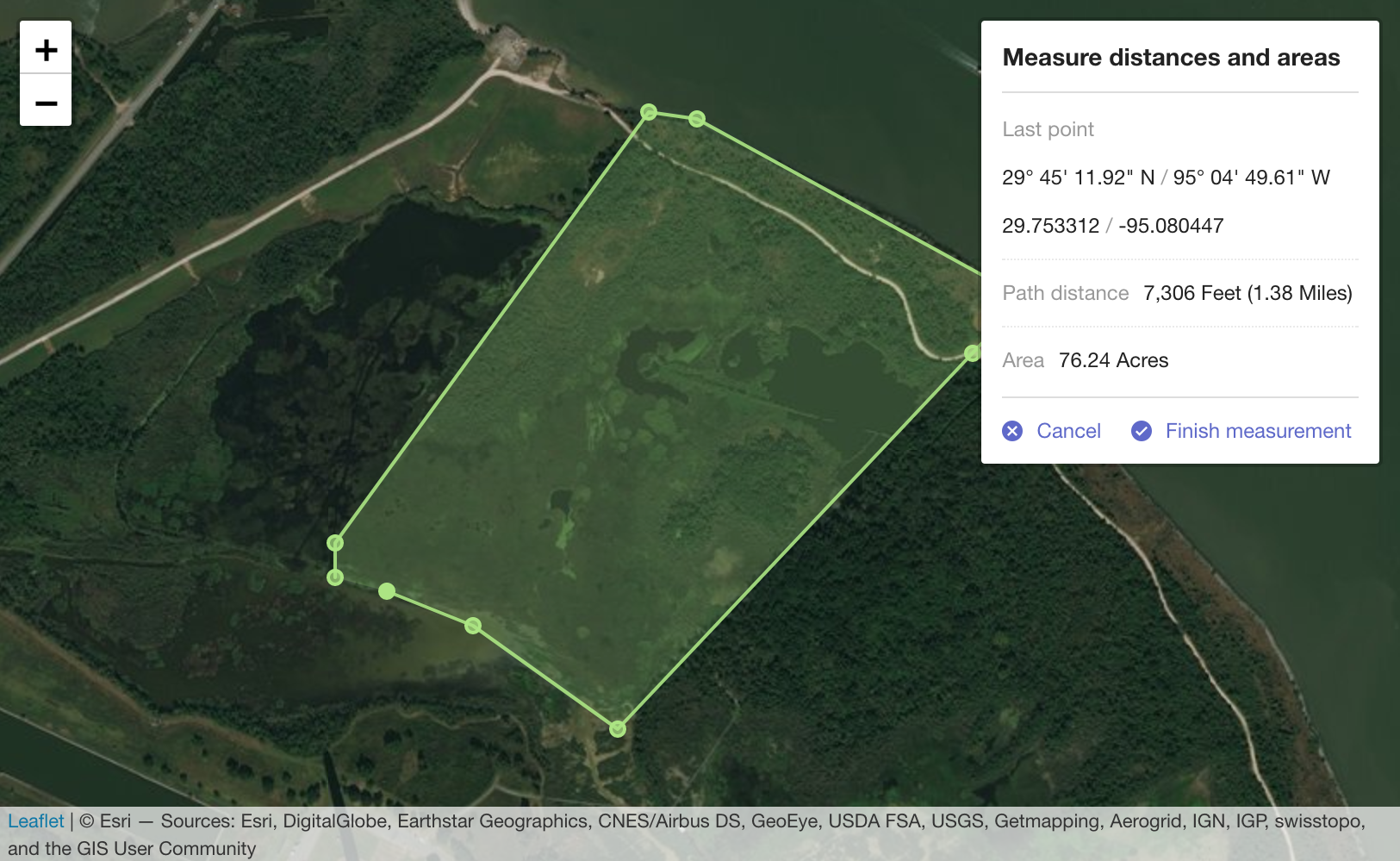
Coordinate, linear, and area measure control for [Leaflet](http://leafletjs.com) maps. Extends [L.Control](http://leafletjs.com/reference.html#control).
## Installation
You can download and build the repository (see bellow) or install it from `npm` by typing:
npm install leaflet-measure-ext
## Demo
To see how it looks please check the official [Demo](http://ljagis.github.io/leaflet-measure).
## Add control to a Leaflet map
`leaflet-measure` adds `L.Control.Measure`. This control may be used with the
standard Leaflet control work flows [described in the Leaflet docs](http://leafletjs.com/reference.html#control).
The measure control can be instantiated directly and added to a map:
```javascript
var myMap = L.map('mapElementId', options);
var measureControl = new L.Control.Measure(options);
measureControl.addTo(myMap);
```
or instantiated via the factory:
```javascript
var myMap = L.map('mapElementId', options);
var measureControl = L.control.measure(options);
measureControl.addTo(myMap);
```
or added to a map using map options:
```javascript
var myMap = L.map('mapElementId', {
measureControl: true
});
```
## Control options
### position
`{ position: 'topright' }`
Standard Leaflet control [position options](http://leafletjs.com/reference.html#control-positions)
### primaryLengthUnit | secondaryLengthUnit
`{ primaryLengthUnit: 'feet', secondaryLengthUnit: 'miles' }`
Units used to display length results. `secondaryLengthUnit` is optional.
Valid values are `feet`, `meters`, `miles`, and `kilometers`
### primaryAreaUnit | secondaryAreaUnit
`{ primaryAreaUnit: 'acres', secondaryAreaUnit: undefined }`
Units used to display area results. `secondaryAreaUnit` is optional.
Valid values are `acres`, `hectares`, `sqfeet`, `sqmeters`, and `sqmiles`
### activeColor
`{ activeColor: '#ABE67E' }`
Base color to use for map features rendered while actively performing a measurement. Value should be a color represented as a hexadecimal string.
### completedColor
`{ completedColor: '#C8F2BE' }`
Base color to use for features generated from a completed measurement. Value should be a color represented as a hexadecimal string.
### popupOptions
`popupOptions: { className: 'leaflet-measure-resultpopup', autoPanPadding: [10, 10] }`
Options applied to the popup of the resulting measure feature. Properties may be any standard Leaflet [popup options](http://leafletjs.com/reference.html#popup-options).
### units
Custom units to make available to the measurement calculator. Packaged units are `feet`, `meters`, `miles`, and `kilometers` for length and `acres`, `hectares`, `sqfeet`, `sqmeters`, and `sqmiles` for areas. Additional unit definitions can be added to the packaged units using this option.
Define units as
```javascript
{
someNewUnit: {
factor: 0.001, // Required. Factor to apply when converting to this unit. Length in meters or area in sq meters will be multiplied by this factor.
display: 'My New Unit', // Required. How to display in results, like.. "300 Meters (0.3 My New Unit)".
decimals: 2 // Number of decimals to round results when using this unit. `0` is the default value if not specified.
},
myOtherNewUnit: {
factor: 1234,
display: 'My Other Unit',
decimals: 0
}
}
```
### captureZIndex
`{ captureZIndex: 10000 }`
Z-index of the marker used to capture measure clicks. Set this value higher than the z-index of all other map layers to disable click events on other layers while a measurement is active.
### decPoint | thousandsSep
`{ decPoint: '.', thousandsSep: ',' }`
Decimal point and thousands separator used when displaying measurements. If not specified, values are defined by the localization.
### labels
`{ labels: { "label": "Label translation" }}`
Enables to set user custom translations.
## Events
You can subscribe to the following events on the [Map](http://leafletjs.com/reference.html#map-class) using [these methods](http://leafletjs.com/reference.html#events)
### measurestart
Fired when measurement starts
### measurefinish
Fired when measurement finishes with results of the measurement. Results data includes:
- `area`: Area of a polygon measurement in sq meters. 0 for measurements with less than 3 points.
- `areaDisplay`: Area formatted as displayed in the popup.
- `lastCoord`: Last point clicked in both decimal degrees and degress/min/seconds.
- `length`: Length of the measurement in meters. 0 for measurements with less than 2 points.
- `lengthDisplay`: Length formatted as displayed in the popup.
- `pointCount`: Number of points directly added by the user.
- `points`: Array of points as [`LatLng`](http://leafletjs.com/reference.html#latlng) used to calculate the measurement. Number of items in the array may differ from `pointCoint` because an additional point is added to close polygons during polygon measurements.
## Customizing map feature styles
Map features may be styled using CSS SVG style attributes. Features generated from `leaflet-measure` measurements are given the following class names:
- **layer-measurearea**: Feature displaying area of an active measurement
- **layer-measureboundary**: Feature displaying the linear path of an active measurement
- **layer-measurevertex**: Feature added at each vertex (measurement click) of an active measurement
- **layer-measuredrag**: Symbol following cursor while moving during an active measurement
- **layer-measure-resultarea**: Feature added to the map as a permanent layer resulting from an area (3+ points) measurement
- **layer-measure-resultline**: Feature added to the map as a permanent layer resulting from a linear (2 point) measurement
- **layer-measure-resultpoint**: Featured added to the map as a permanent layer resulting from a point (single click) measurement
## Internationalization
### Build-in translations
To use any of the translated versions you can load any of the available translated
build at `dist/leaflet-measure.{locale}.js`. Currently there are more than 20
build-in translations including en_us (default), en_gb, cz, de, fr, es, hu, pl,
pt, hu, ru, etc. (check at dist).
### Using custom translations
You can use your custom translations by adding the `label` option when adding the control:
```
L.control.measure({
labels: {
measureDistancesAndAreas: 'Hello World!'
}
}).addTo(map);
```
All available labels with its default value are listed bellow:
```
labels = {
"measure": "Measure",
"measureDistancesAndAreas": "Measure distances and areas",
"createNewMeasurement": "Create a new measurement",
"startCreating": "Start creating a measurement by adding points to the map",
"finishMeasurement": "Finish measurement",
"lastPoint": "Last point",
"area": "Area",
"perimeter": "Perimeter",
"pointLocation": "Point location",
"areaMeasurement": "Area measurement",
"linearMeasurement": "Linear measurement",
"pathDistance": "Path distance",
"centerOnArea": "Center on this area",
"centerOnLine": "Center on this line",
"centerOnLocation": "Center on this location",
"cancel": "Cancel",
"delete": "Delete",
"acres": "Acres",
"feet": "Feet",
"kilometers": "Kilometers",
"hectares": "Hectares",
"meters": "Meters",
"miles": "Miles",
"sqfeet": "Sq Feet",
"sqmeters": "Sq Meters",
"sqmiles": "Sq Miles",
"decPoint": ".",
"thousandsSep": ","
};
```
## Development
The build process uses npm (Node Package Management) which comes with Node.js. **Note that Node 15+ is not supported**.
After you have Node.js installed you can do ```npm install``` to install dependencies and ```npm run-script start:dev``` to initialize a local server (localhost:8080) for leaflet-measure assets.
It detects modifications on source files and re-compiles to `/leaflet-measure.css` and `/leaflet-measure.js`.
## Distribuition Build
With npm installed do ```npm install``` to install dependencies and ```npm run-script build``` to generate `dist/leaflet-measure.css` and `dist/leaflet-measure.js`.
It will also generate dist/leaflet-measure.{locale}.js files for each localization available.