# Leaflet.SmoothMarkerBouncing
[](http://npm.im/leaflet.smooth_marker_bouncing)
[](https://github.com/hosuaby/Leaflet.SmoothMarkerBouncing/actions/workflows/ci.yml)
[](https://coveralls.io/github/hosuaby/Leaflet.SmoothMarkerBouncing?branch=master)
Plugin for [Leaflet](http://leafletjs.com/) that will make you markers bounce!
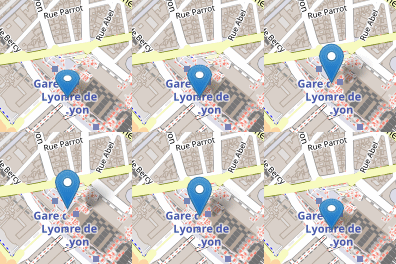
It provides smooth, lightweight and customizable animation of marker bouncing.
Allows the bouncing of multiple markers on the map, without loss of performance.
### Older browsers
Starting from version `v3.0.0`, plugin is based on CSS3 keyframes to make animation. If you need support older browsers,
it will be better to stick to `v2.0.x`.
## Demo
Check out the [demo](http://hosuaby.github.io/Leaflet.SmoothMarkerBouncing/).
## Install
Add Javascript file on your page:
```html
```
Or install it as `npm` module:
```shell script
npm install leaflet.smooth_marker_bouncing
```
### ES module
Since `v3.1.0` plugin provides ES module, that can be imported in your code as following:
```javascript
import L from 'leaflet';
import SmoothMarkerBouncing from 'leaflet.smooth_marker_bouncing';
SmoothMarkerBouncing(L); // <-- adds plugins code to the global L variable
```
Check the example of how it is used with `Angular` and `Typescript`: [AngularLeafletExample](https://github.com/hosuaby/angular-leaflet-example).
### Content Security Policy (CSP)
If **Content Security Policy** (CSP) is enabled on the page, you must include the hash of
dynamically injected styles in the `style-src` directive. This ensures that the inline styles comply
with the CSP without compromising security.
The right hash code could be found in the file [dist/bouncing.css.sha256](./dist/bouncing.css.sha256).
Example CSP Meta Tag::
```html
```
## Usage
Plugin provides additional methods to `Marker`:
```javascript
/* Methods of L.Marker class */
L.Marker.setBouncingOptions({..}); // sets options of bouncing of all markers
L.Marker.getBouncingMarkers(); // gets all bouncing markers
L.Marker.stopAllBouncingMarkers(); // asks all markers to stop bouncing
L.Marker.stopAllBouncingMarkers(true); // stops bouncing of all markers abruptly
/* Methods of marker instances */
const marker = L.marker([lat, lng]);
marker.setBouncingOptions({..}); // sets options of bouncing for this marker
marker.isBouncing(); // checks if marker is bouncing
marker.bounce(); // starts the bouncing
marker.bounce(n); // makes marker bounce "n" times
marker.stopBouncing(); // stops bouncing of the marker
marker.stopBouncing(true); // stops bouncing of the marker abruptly
marker.toggleBouncing(); // starts/stops bouncing of the marker
```
Plugin respects fluent API. All marker instance methods (except `isBouncing`) return the marker object.
Some usage examples:
```javascript
/* Create a marker and make it bounce immediately */
const marker = L.marker([lat, lng]).addTo(map).bounce();
/* Create a marker and make it bounce 2 times when clicked.
* Do something when the bouncing is stopped, like open a popup.
*/
const marker = L.marker([lat, lng])
.addTo(map)
.on('click', function() {
this.bounce(2) // bounce 2 times
.on('bounceend',function() {
console.log('bounce end');
});
});
/* Create a marker and set its bouncing options.
* Bouncing can be started/stopped by the click on the marker.
*/
const marker = L.marker([lat, lng])
.setBouncingOptions({
bounceHeight : 60, // height of the bouncing
bounceSpeed : 54, // bouncing speed coefficient
exclusive : true, // if this marker is bouncing all others must stop
})
.addTo(map)
.on('click', function() {
this.toggleBouncing();
});
/* Define options of bouncing for all markers */
L.Marker.setBouncingOptions({
bounceHeight : 60, // height of the bouncing
bounceSpeed : 54, // bouncing speed coefficient
});
/* Create 10 markers and each of them will bounce 3 times when clicked */
for (let i = 0; i < 10; i++) {
const marker = L.marker([lat, lng])
.addTo(map)
.on('click', function() {
this.bounce(3); // bounce 3 times
});
}
```
## Options of bouncing
You can easily customize bouncing animation supplying options in method `setBouncingOptions`.
This method available on the marker class `L.Marker` and on each of marker instances.
It's highly recommended define options for all markers via `L.Marker.setBouncingOptions` instead of define them on each
marker individually.
The animation performance highly increases when all markers have the same options.
Method `setBouncingOptions` accepts an object with options as parameters.
Animation can be customized with following properties:
- **bounceHeight** - how high marker will bounce (px), *default: 15*
- **contractHeight** - how much marker will contract when it touches the ground (px), *default: 12*
- **bounceSpeed** - bouncing speed coefficient, value used to calculate the speed of bounce animation,
more it becomes high, more animation becomes slow, *default: 52*
- **contractSpeed** - contracting speed coefficient, *default: 52*
- **shadowAngle** - shadow inclination angle, if set to `null` shadow animation disabled (radians), *default:* -𝜋÷4
- **elastic** - activate contract animation when marker touches the ground, *default: true*
- **exclusive** - when it's true, stops the bouncing of other markers when this one starts to bounce.
If another marker start to bounce after, this marker stops. *default: false*
- **immediateStop** - when it's true, when marker stops, it does not execute animation until its end, but instead stops
abruptly. *default: false*
## Events
|Event|Description|
|---|---|
|bounceend|Fired when the animation is done|