<p align="center">
    <a href="#" target="_blank">
      <img alt="Litepie Datepicker" width="100" style="border-radius: 100%;" src="https://scontent.fcgk25-1.fna.fbcdn.net/v/t1.0-9/22281628_485014348533434_6964733013244745390_n.png?_nc_cat=100&ccb=3&_nc_sid=09cbfe&_nc_eui2=AeFPh0ZaX75opOYLZ_0XkEfD6fapV0TUimDp9qlXRNSKYC_E1nO4VqI9_mOQl_k7XrHF02aqGUdTU9CnhlgaETgY&_nc_ohc=BA2LGeQXOGIAX966oAc&_nc_ht=scontent.fcgk25-1.fna&oh=aed478f71f4f4cce98453c74e0ca9703&oe=60669475">
    </a><br><br>
    Litepie Datepicker is a date range picker component for Vue.js and Tailwind CSS, dependent to day.js.
</p>

---

## Documentation

For full documentation, visit [litepie.com](https://litepie.com).

## Simple Usage

How it works,

```vue
<template>
  <div>
    <litepie-datepicker
      ref="myRef"
      :formatter="formatter"
      v-model="dateValue"
    />
  </div>
</template>

<script>
import { ref } from 'vue';
import LitepieDatepicker from 'litepie-datepicker';

export default {
  components: {
    LitepieDatepicker
  },
  setup() {
    const myRef = ref(null);
    const dateValue = ref([]);
    const formatter = ref({
      date: 'DD MMM YYYY',
      month: 'MMM'
    });

    return {
      myRef,
      dateValue,
      formatter
    };
  }
};
</script>
```

## Theming options
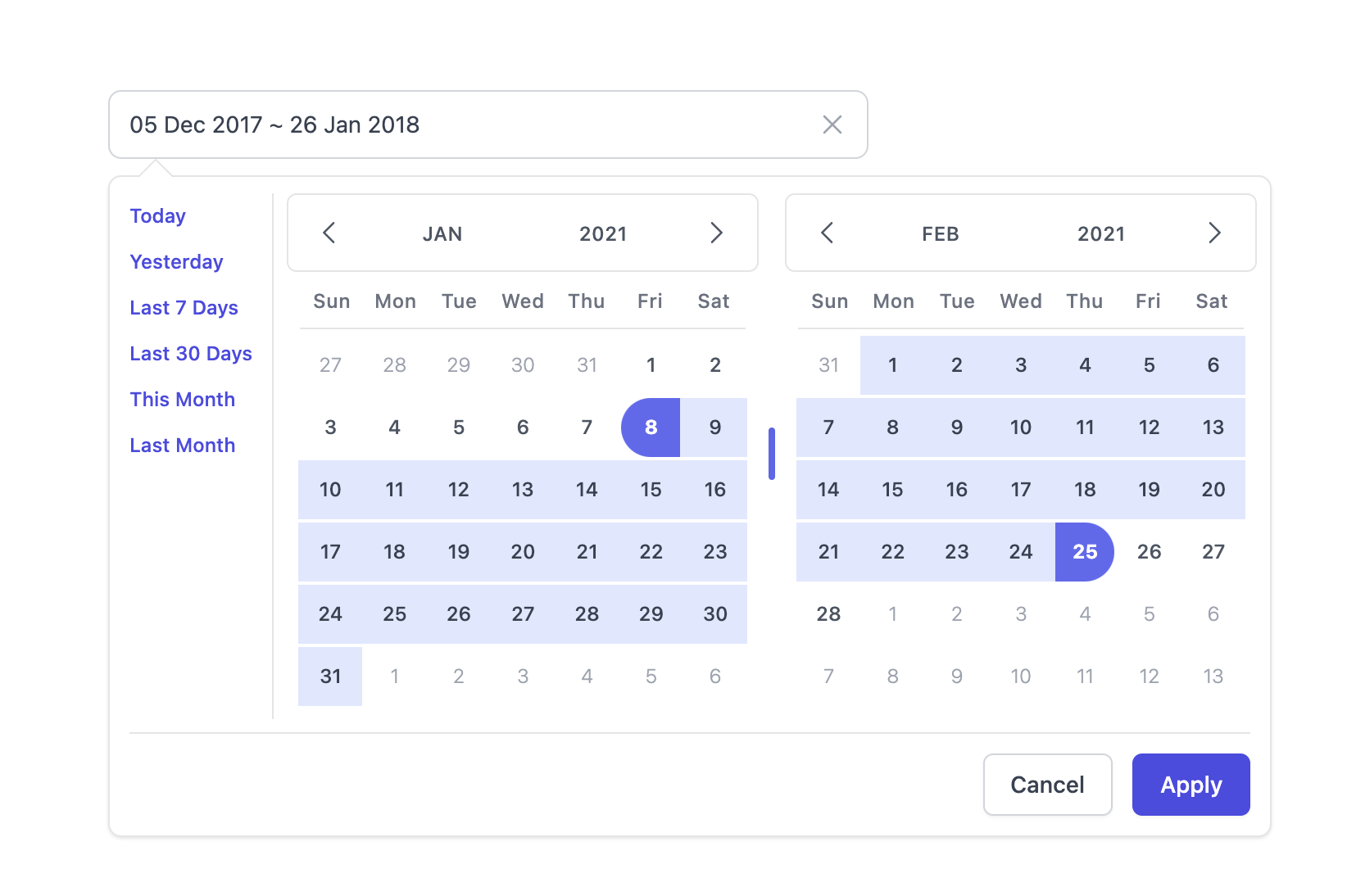
- Light mode

  <p align="center">
      <img src="https://raw.githubusercontent.com/kenhyuwa/litepie-datepicker/main/assets/light-mode.png" alt="Light mode" />
  </p>

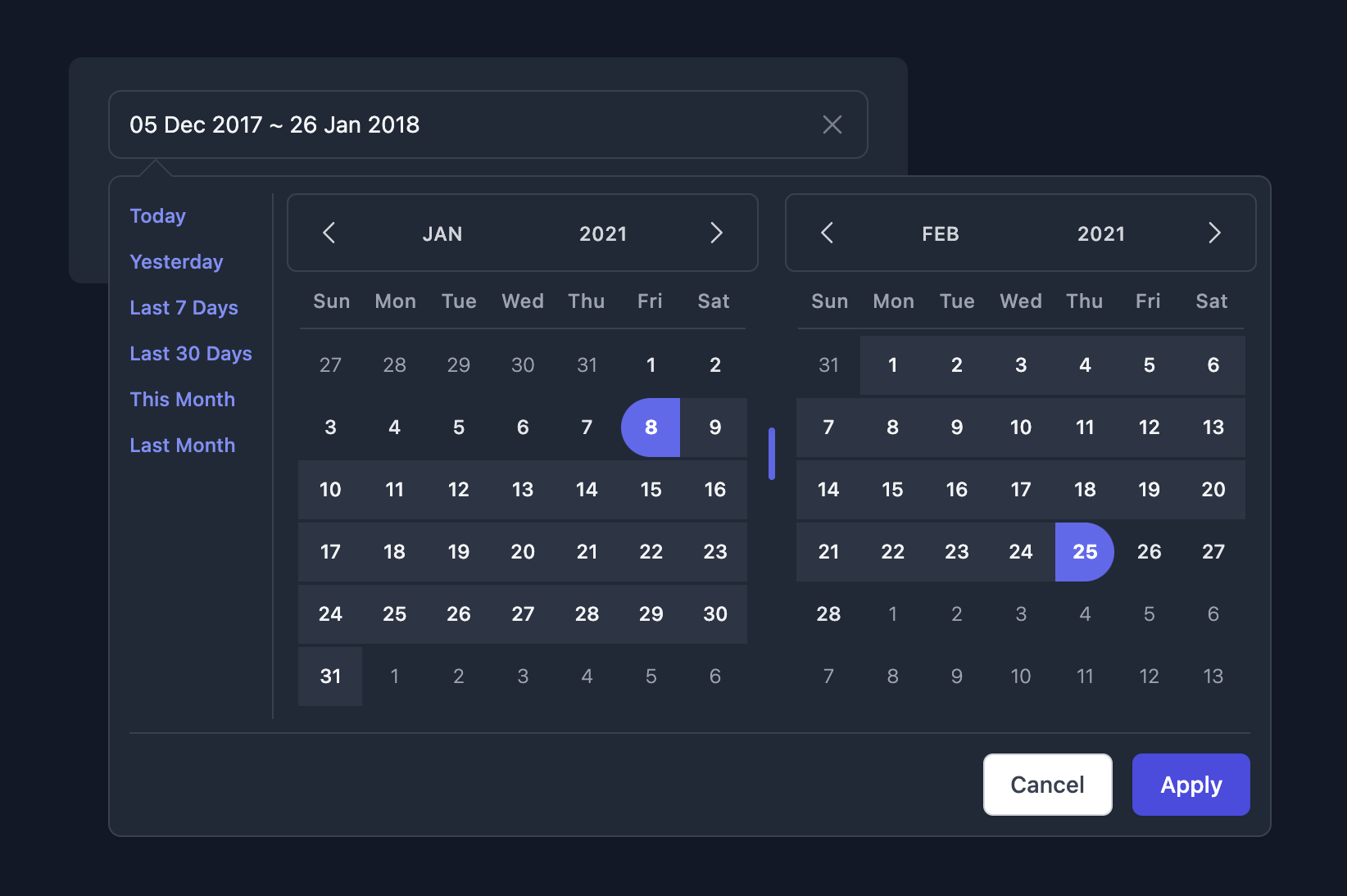
- Dark mode
  <p align="center">
      <img src="https://raw.githubusercontent.com/kenhyuwa/litepie-datepicker/main/assets/dark-mode.png" alt="Dark mode" />
  </p>

## Changelog
All notable changes to this project will be documented in this file, [Read](CHANGELOG.md).

## License
The [MIT](LICENSE) License. Please [see](http://opensource.org/licenses/MIT) for more information.

## Thanks to
- [Vue](https://v3.vuejs.org/)
- [Tailwind CSS](https://tailwindcss.com/)
- [day.js](https://day.js.org/)
- and other support...