
> The CLI now works with Local Lightning! 🎉
## 🚀 Getting Started!
Use the following command to install `local-wpcli` globally.
```node
npm install -g local-wpcli
```
## ✅ Usage
To use `local-wpcli`,
1. Open terminal and go to the root of the website folder.
`cd ~/local-sites/wordpress/`
2. Type `local-wpcli` & press Enter (⏎).
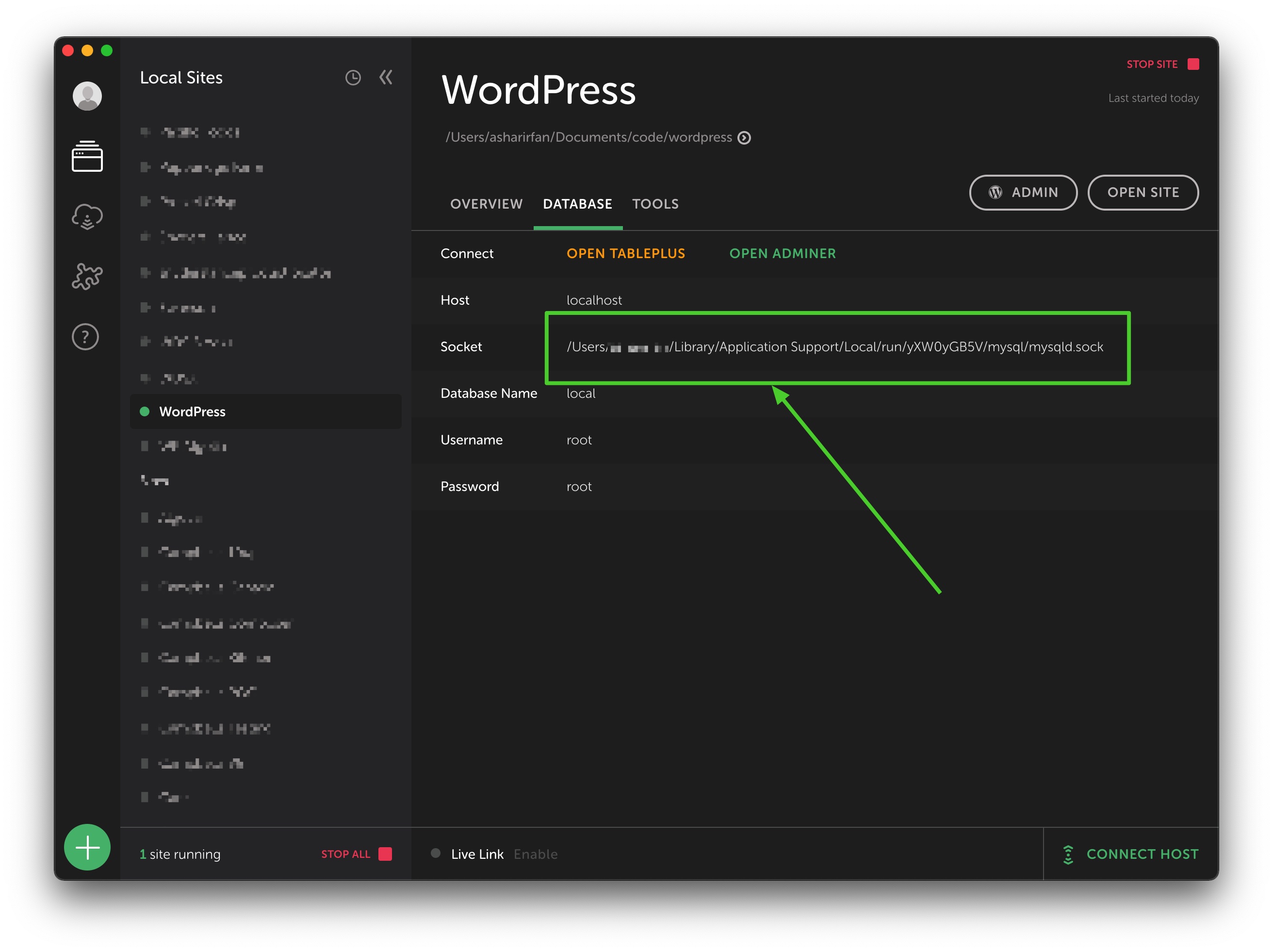
3. Enter path to **Socket** file of the website & press Enter (⏎).
> 👉 *Note: You can find `Socket` in the `DATABASE` tab of the website in Local by Flywheel's desktop app. Please refer to the following screenshot below for help.*
4. At this point, you can run `wp` as you normally would.
## 🎩 License & Attribution
MIT © [Ashar Irfan](https://asharirfan.com).
This project is inspired by [Create Guten Block](https://github.com/ahmadawais/create-guten-block).