# Mapbox-GL Draw Snap Mode
[](https://www.npmjs.com/package/mapbox-gl-draw-snap-mode)
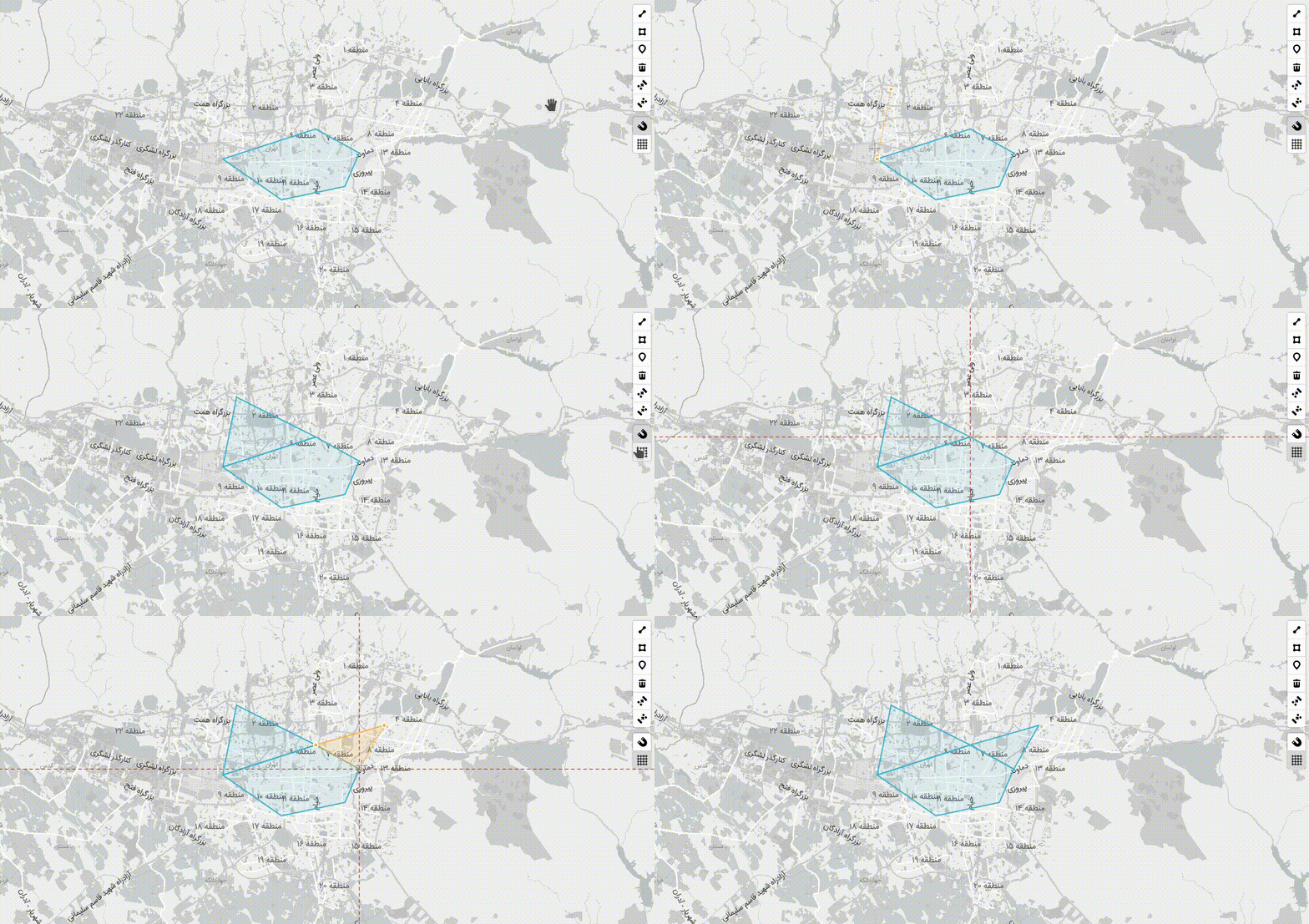
Custom mode for [Mapbox GL Draw](https://github.com/mapbox/mapbox-gl-draw) that adds snapping ability while drawing features.
It provides options to show guiding lines, control snapping sensibility, and whether to snap to midpoints on each segment.
## Demo
See a full example in the docs folder, or check at the [**Demo**](https://mhsattarian.github.io/mapbox-gl-draw-snap-mode).
## Install
```shell
npm i mapbox-gl-draw-snap-mode
```
or use CDN:
```html
```
## Usage
```js
import {
SnapPolygonMode,
SnapPointMode,
SnapLineMode,
SnapModeDrawStyles,
SnapDirectSelect,
} from "mapbox-gl-draw-snap-mode";
// or global variable mapboxGlDrawSnapMode when using script tag
const draw = new MapboxDraw({
modes: {
...MapboxDraw.modes,
draw_point: SnapPointMode,
draw_polygon: SnapPolygonMode,
draw_line_string: SnapLineMode,
direct_select: SnapDirectSelect,
},
// Styling guides
styles: SnapModeDrawStyles,
userProperties: true,
// Config snapping features
snap: true,
snapOptions: {
snapPx: 15, // defaults to 15
snapToMidPoints: true, // defaults to false
snapVertexPriorityDistance: 0.0025, // defaults to 1.25
snapGetFeatures: (map, draw) => [
...map.queryRenderedFeatures({ layers: ["not-editable-layer-name"] }),
...draw.getAll().features,
], // defaults to all features from the draw layer (draw.getAll().features)
},
guides: false,
});
map.addControl(draw, "top-right");
draw.changeMode("draw_polygon");
```
### options
#### `snapPx`
The min distance (in pixels) where snapping to the line/segments would take effect.
#### `snapToMidPoints`
Controls whether to snap to line/segments midpoints (an imaginary point in the middle of each segment) or not.
#### `snapVertexPriorityDistance`
The min distance (in Kilometers) from each vertex, where snapping to that vertex would take priority over snapping to line/segments.
#### `overlap`
Defaults to `true`. When creating polygons, if `false`, will use `turf.difference` on all overlapping polygons to create a polygon that does not overlap existing ones.
### Changing settings
Changing settings would take effect while snapping immediately, so you can control snapping behavior using `draw.options.snap`, like so:
```js
// turn snapping off
draw.options.snap = false;
// and back on
draw.options.snap = true;
```
> Snapping can also be disabled holding `Alt (Option)` key.
You can also create a [custom mapbox-gl draw toolbar](https://github.com/mapbox/mapbox-gl-draw/issues/874#issuecomment-470591089) to control this, take a look at the [example in the `docs` directory](/docs/index.html#L122).
## Developing and testing
Install dependencies, start the dev server:
```bash
npm install
npm start
```
to preview, change `docs/index.html` as so:
```diff
-
+
```
> Remember to revert this change before `git push`.
## Publishing
To GitHub and NPM:
```
npm version (major|minor|patch)
git push --tags
git push
npm publish
```
## Acknowledgement
This project is heavily inspired by [this work](https://github.com/mapbox/mapbox-gl-draw/issues/865) by [@davidgilbertson](https://github.com/davidgilbertson) and [`leaflet-geoman` project](https://github.com/geoman-io/leaflet-geoman).