# Apple Home – Vacuum Stuck at “Updating” Issue
## 📌 Context
Some users reported a weird issue:
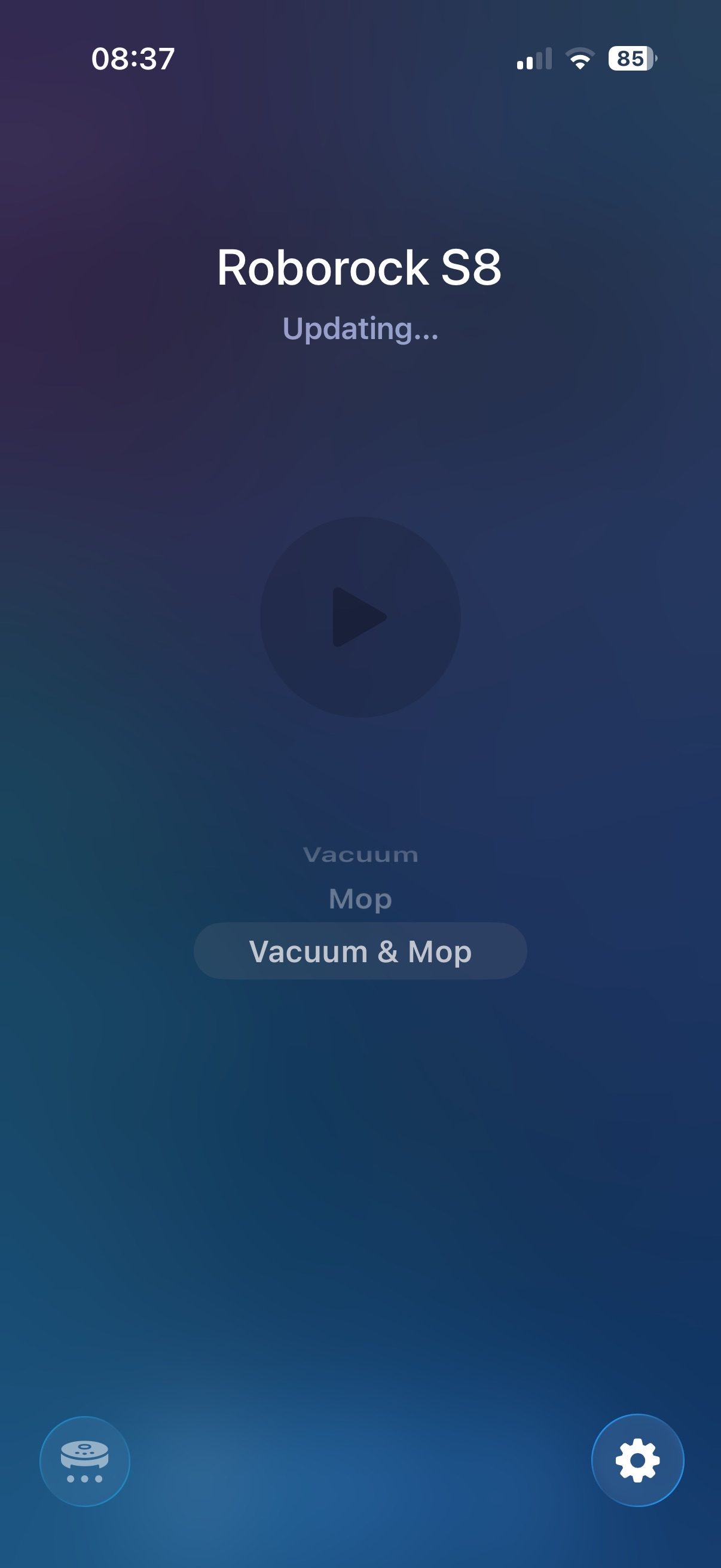
When opening the **Apple Home app**, the vacuum status shows:
> **"Updating…"**
And it stays there indefinitely, never becoming _Ready_.
---
## ⚠️ Important Note
- I **cannot reproduce this issue** on my setup.
- Since I can’t reproduce it, I cannot provide a guaranteed fix.
- However, I will document my full working configuration so others can compare.
---
# 🏗 My Setup
## Matterbridge Deployment
- Running via **Docker (Portainer)**
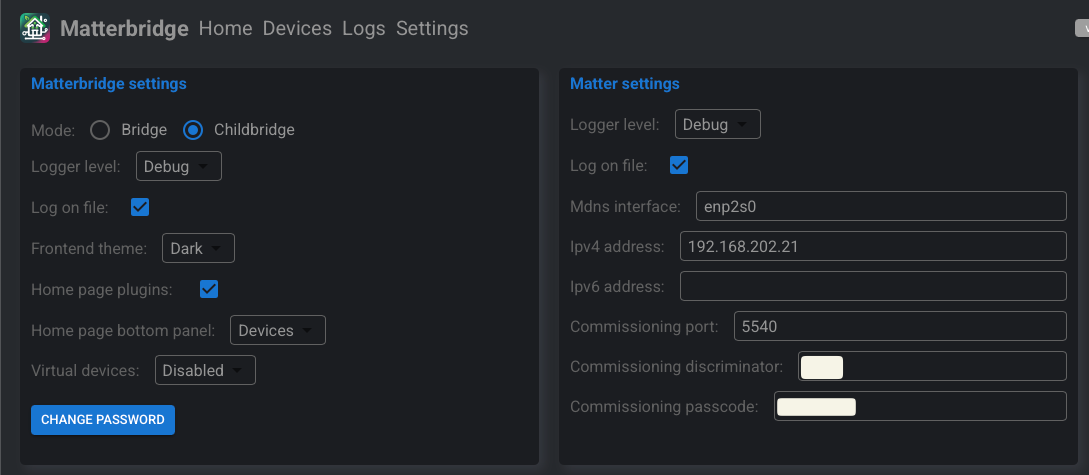
- Network mode: `host`
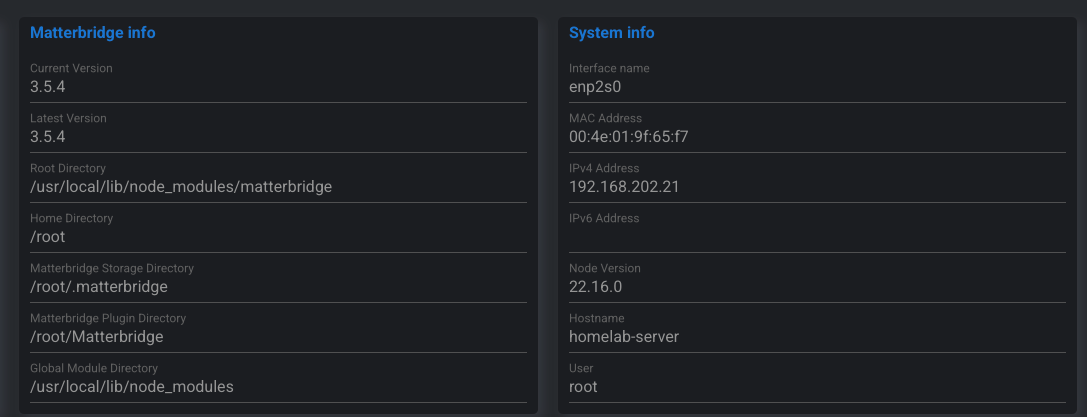
- Started from version **3.0.4**
- Frequently upgraded using built-in upgrade button
- Current version: **3.5.5**
### Docker Stack
```yaml
version: '3.7'
services:
matterbridge:
container_name: matterbridge
image: luligu/matterbridge:3.0.4
network_mode: host
restart: always
volumes:
- /home/rinnguyen/Data/matterbridge/Matterbridge:/root/Matterbridge
- /home/rinnguyen/Data/matterbridge/.matterbridge:/root/.matterbridge
```
### Notes
- `network_mode: host` is required for proper mDNS behavior.
- Matterbridge is running with:
- NodeJS 22.x
- IPv6 NOT enabled inside Matterbridge
- Host OS: Debian 12 (Bookworm)
---
# 🖥 Homelab Server
- Device: Dell OptiPlex 3050
- CPU: Intel i3-6100T
- RAM: 16GB
- OS: Debian GNU/Linux 12
- Kernel: 6.1.x
- Network: Single Ethernet interface (no WiFi)
IP Address:
```
192.168.202.21
```
---
# 🌐 Network Infrastructure
## Main Router
- TP-Link ER-605 v2
## Main Switch
- TP-Link TL-SG1024DE
## Sub Switch (Apple TV connected here)
- TP-Link TL-SG108E
## Access Point
- TP-Link Deco X60 (Access Point mode)
---
# 📺 Apple TV
- Apple TV 4K (Ethernet + WiFi version)
- Likely 3rd generation
- Connected via Ethernet
- IP: `192.168.202.32`
---
# 🌍 IPv6 Configuration
- IPv6 WAN: ❌ Disabled
- IPv6 LAN: ✅ Enabled (Link-local only)
- Prefix: `fe80::/64`
- Global IPv6: ❌ Not configured
You can verify inside container:
```bash
ip -6 addr
```
Expected:
- `fe80::` addresses present
- No global IPv6 address
---
# 📡 Multicast Status
Interface: `enp2s0`
Verified using:
```bash
ip maddr
```
Results:
- mDNS IPv4 → `224.0.0.251` ✅ joined
- mDNS IPv6 → `ff02::fb` ✅ joined
- SSDP → `239.255.255.250` ✅ joined
- Kernel multicast → Enabled
---
# 🔧 Switch Configuration
IGMP Snooping: **Enabled**
Report Message Suppression: **Disabled**
IGMP Filtering: **Not supported on this firmware**
---
# 🎯 Summary
My environment characteristics:
- Single subnet (192.168.202.x)
- No VLAN segmentation
- No Guest isolation
- Host network mode Docker
- IPv6 link-local enabled
- Multicast confirmed working
- No multicast filtering
- No WiFi isolation
- Apple TV wired
With this setup:
✅ No “Updating” stuck issue
✅ Stable Matter connection
✅ Immediate device status refresh
---
If you're experiencing the issue:
Compare:
- Multicast behavior
- VLAN segmentation
- WiFi isolation
- Docker network mode
- IGMP settings
- IPv6 link-local availability