# msc-ai-assistant
[](https://www.webcomponents.org/element/msc-ai-assistant) [](https://deepscan.io/dashboard#view=project&tid=16372&pid=28306&bid=911426)
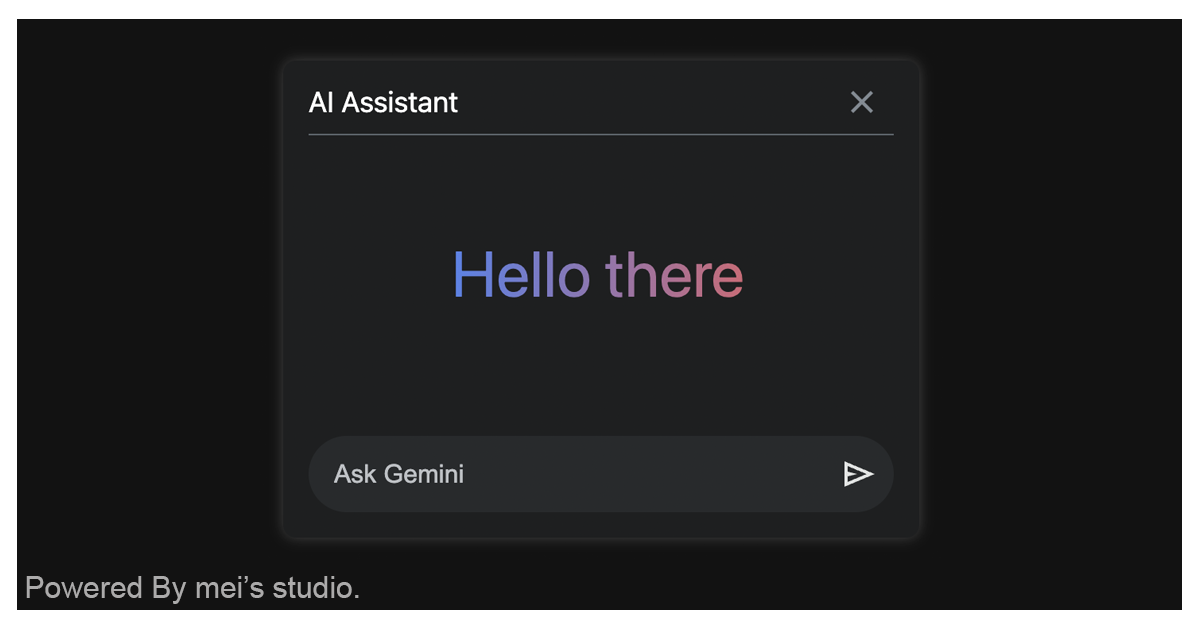
<msc-ai-assistant /> is a web component based on Chrome Built-in AI Prompt API. Web developers could use <msc-ai-assistant /> to help user consult anything they like to know.
## Basic Usage
<msc-ai-assistant /> is a web component. All we need to do is put the required script into your HTML document. Then follow <msc-ai-assistant />'s html structure and everything will be all set.
- Required Script
```html
```
- Structure
Put <msc-ai-assistant /> into HTML document. It will have different functions and looks with attribute mutation.
```html
```
Otherwise, developers could also choose remoteconfig to fetch config for <msc-ai-assistant />.
```html
...
```
## JavaScript Instantiation
<msc-ai-assistant /> could also use JavaScript to create DOM element. Here comes some examples.
```html
```
## Style Customization
Developers could apply styles to decorate <msc-ai-assistant />'s looking.
```html
```
## Attributes
<msc-ai-assistant /> supports some attributes to let it become more convenience & useful.
- **config**
Set [Prompt API](https://docs.google.com/document/d/1VG8HIyz361zGduWgNG7R_R8Xkv0OOJ8b5C9QKeCjU0c/edit?tab=t.0) create config.
`systemPrompt`:Set systemPrompt. Default is empty string.\
`temperature`:Set temperature. Default is `0.8`.\
`topK`:Set topK. Default is `3`.
```html
...
```
- **pip**
Turn <msc-ai-assistant /> into picture-in-picture mode or not. It is false by default (not set).
```html
...
```
- **l10n**
Set localization for title or form information.
`subject`:Set dialog subject.\
`placeholder`:Set placeholder for input field.\
`error`:Set messages when error occured.
```html
...
```
## Properties
| Property Name | Type | Description |
| ----------- | ----------- | ----------- |
| config | Object | Getter / Setter Prompt API create config. Developers could set `systemPrompt`、`temperature` and `topK` here. |
| pip | Boolean | Getter / Setter pip. Turn <msc-ai-assistant /> into picture-in-picture mode or not. It is `false` by default. |
| l10n | Object | Getter / Setter localization for title or or form information. Developers could set `subject`、`placeholder` and `error` here. |
| open | Boolean | Getter <msc-ai-assistant /> open or not. |
| available | String | Getter available. Web developers will get "`no`" if current browser doesn't support Build-in AI. |
## Mathods
| Mathod Signature | Description |
| ----------- | ----------- |
| show() | Display assistant window. (It will open in picture-in-picture window once pip set) |
| hide() | Hide assistant window. |
| toggle(force) | Toggle assistant window display or not. (`force` is optional, developers could set boolean to force display or not) |
## Event
| Event Signature | Description |
| ----------- | ----------- |
| msc-ai-assistant-error | Fired when prompt error occured. Developers could gather `message` information through event.detail. |
## Reference
- [AI on Chrome > Built-in AI](https://developer.chrome.com/docs/ai/built-in)
- [Join the early preview program](https://docs.google.com/forms/d/e/1FAIpQLSfZXeiwj9KO9jMctffHPym88ln12xNWCrVkMY_u06WfSTulQg/viewform)
- [Built-in AI > Prompt API](https://docs.google.com/document/d/1VG8HIyz361zGduWgNG7R_R8Xkv0OOJ8b5C9QKeCjU0c/edit?tab=t.0)
- [<msc-ai-assistant /> demo](https://blog.lalacube.com/mei/webComponent_msc-ai-assistant.html)
- [YouTube tutorial](https://youtu.be/Pn6tm3YSZ1U)
- [WEBCOMPONENTS.ORG](https://www.webcomponents.org/element/msc-ai-assistant)