# NativeScript Masked Text Field widget
[](https://travis-ci.org/PeterStaev/nativescript-masked-text-field)
[](https://www.npmjs.com/package/nativescript-masked-text-field)
[](https://www.npmjs.com/package/nativescript-masked-text-field)
[](https://www.npmjs.com/package/nativescript-masked-text-field)
A NativeScript Masked Text Field widget. The widget extends the default NativeScript TextField widget
and adds ability to define masks for the input.
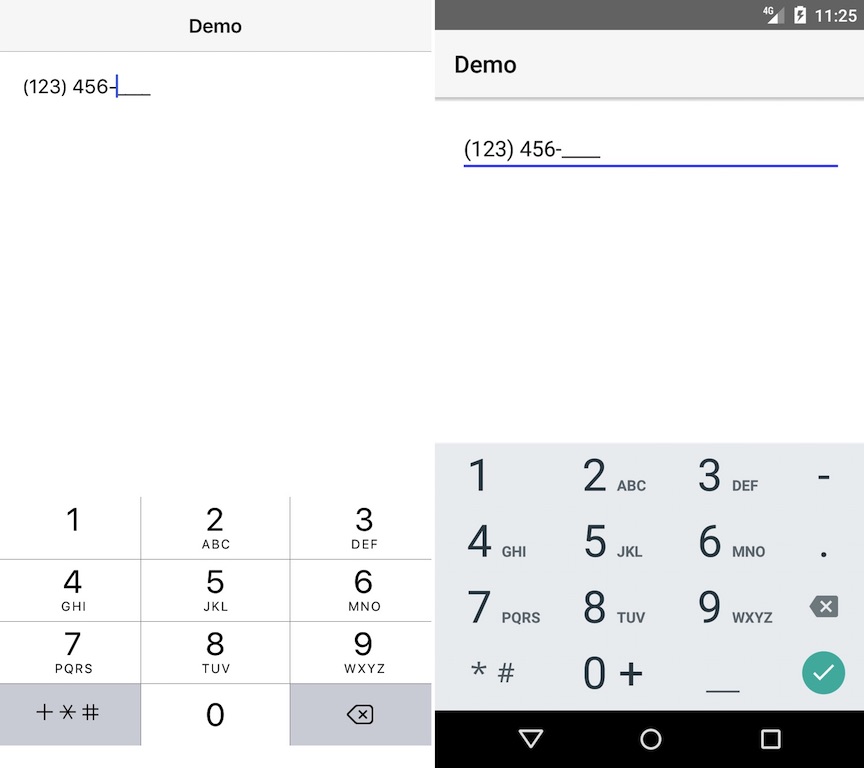
## Screenshot
## Installation
Run the following command from the root of your project:
`tns plugin add nativescript-masked-text-field`
This command automatically installs the necessary files, as well as stores nativescript-masked-text-field as a dependency in your project's `package.json` file.
## Configuration
There is no additional configuration needed!
## API
NOTE: Since the widget extends the default TextFeild NatvieScript widget it has all the properties/events/methods of the TextField widget. The below-mentioned properties are in addition to the TextField ones
### Instance Properties
* **mask** - *string*
Gets or sets the mask for the text field. Possible tokens in the mask:
* `0` - Digit
* `9` - Digit or space
* `#` - Digit or `+` or `-`
* `L` - ASCII Letter
* `?` - ASCII Letter or space
* `&` - Non-whitepsace character
* `C` - Any charcter
* `A` - ASCII Letter or digit
* `a` - ASCII Letter or digit or space
If you want to escape any token character you can use `\` (for example `\9`)
## Usage
You need to add `xmlns:mtf="nativescript-masked-text-field"` to your page tag, and then simply use `` in order to add the widget to your page.
```XML
```
## Usage in Angular
In order to be able to use the widget you just need to import `MaskedTextFieldModule` in `NgModule`:
```typescript
import { MaskedTextFieldModule } from "nativescript-masked-text-field/angular";
// ......
@NgModule({
// ......
imports: [
// ......
MaskedTextFieldModule,
// ......
],
// ......
})
```
##### Example Usage
```TypeScript
// main.ts
import { NgModule } from "@angular/core";
import { NativeScriptModule } from "nativescript-angular/nativescript.module";
import { platformNativeScriptDynamic } from "nativescript-angular/platform";
import { MaskedTextFieldModule } from "nativescript-masked-text-field/angular";
import { AppComponent } from "./app.component";
@NgModule({
declarations: [ AppComponent ],
bootstrap: [ AppComponent ],
imports: [
NativeScriptModule,
MaskedTextFieldModule,
],
})
class AppComponentModule {
}
platformNativeScriptDynamic().bootstrapModule(AppComponentModule);
```
```HTML
```
```TypeScript
// app.component.ts
import { Component } from "@angular/core";
@Component({
selector: "my-app",
templateUrl:"app.component.html",
})
export class AppComponent {
public value = "";
}
```
## Demos
This repository includes both Angular and plain NativeScript demos. In order to run those execute the following in your shell:
```shell
$ git clone https://github.com/peterstaev/nativescript-masked-text-field
$ cd nativescript-masked-text-field
$ npm install
$ npm run demo-ios
```
This will run the plain NativeScript demo project on iOS. If you want to run it on Android simply use the `-android` instead of the `-ios` sufix.
If you want to run the Angular demo simply use the `demo-ng-` prefix instead of `demo-`.
## Donate
[](https://bit.ly/2AS9QKB)
`bitcoin:14fjysmpwLvSsAskvLASw6ek5XfhTzskHC`