# NgAlertBox
`ng-alert-box-popup` is an Angular library that provides a customizable alert box component with support for different types of alerts using SweetAlert2.
This library was generated with [Angular CLI](https://github.com/angular/angular-cli) version 12.2.0.
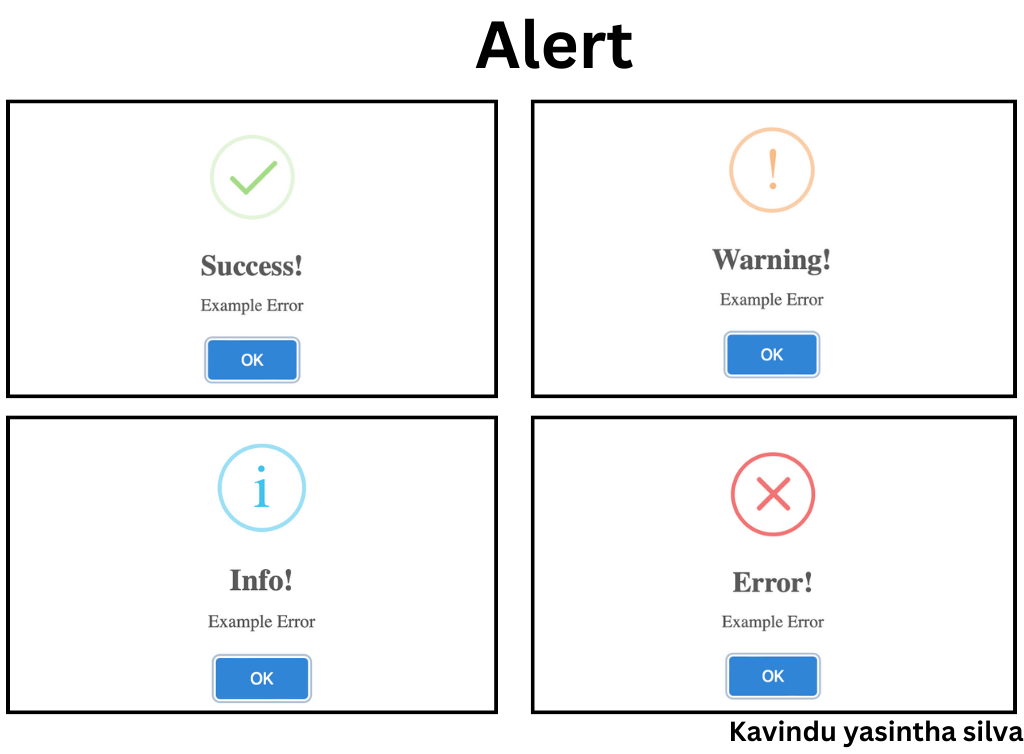
# ng-alert-box-popup
## Installation
To use `ng-alert-box-popup` in your Angular project, follow these steps:
1. Install the library using npm:
```bash
npm install ng-alert-box-popup
```
```bash
npm i sweetalert2@7.33.1
```
2.Import the NgAlertBoxModule into your application's Components:
```bash
import {NgAlertBoxComponent} from "ng-alert-box-popup";
```
## Usage
Once you've imported the NgAlertBoxModule into your application, you can use the NgAlertBoxComponent to display different types of alerts:
Import the NgAlertBoxService in your component:
```bash
import { Component } from '@angular/core';
import { NgAlertBoxService } from 'ng-alert-box-popup';
@Component({
selector: 'app-root',
template: `
`
})
export class AppComponent {
constructor(private alertBoxService: NgAlertBoxService) {}
showSuccessAlert() {
this.alerts.dialog('I','Example Error');
}
showErrorAlert() {
this.alerts.dialog('I','Example Error');
}
}
```
```bash
this.alerts.dialog('I','Example Error');
```
## License
This library is released under the MIT License. See LICENSE for details.
## Contributing
We welcome contributions from the community. Please read our Contribution Guidelines for more information.
If you encounter any issues or have questions, please feel free to open an issue in our GitHub repository.
Happy coding!
```bash
https://github.com/kavindyasinthasilva/ng-alert-box
```