# Angular circle countdown (NgCircleCountdown)
[](https://travis-ci.org/jlevot/ng-circle-countdown) [](https://badge.fury.io/js/ng-circle-countdown) [](https://www.npmjs.com/package/ng-circle-countdown)
An Angular package for displaying a circle countdown fully configurable.
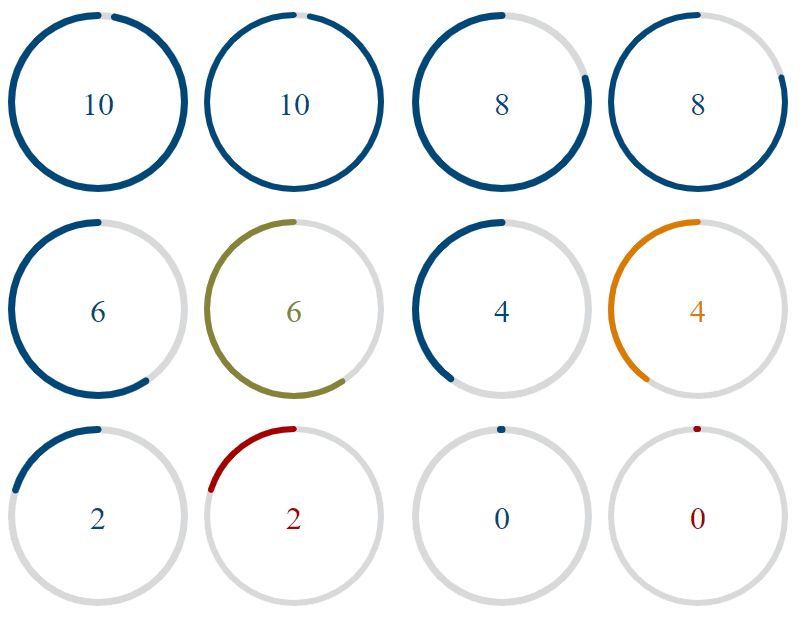
**Compatibility:**
| Angular | Angular |
|---------|---------|
| 16.x.x | 1.0.3 |
| 17.x.x | 2.0.0 |
| 18.x.x | 18.x.x |
| 19.x.x | 19.x.x |
## Installation
### Install This Library
`$ npm install ng-circle-countdown --save`
### Install This Library
To prevent timer from tab throttling, install the peer dependancy [worker-timers](https://github.com/chrisguttandin/worker-timers) :
`$ npm install worker-timers --save`
## Usage
### Import
Add `CircleCountdownModule` to your module file:
```javascript
imports: [CircleCountdownModule];
```
You can use it by this way:
```html
{{counter.value}}
```
To catch the onComplete countDown event, you have to import the `CountdownService` and use a `compute` on the `isCompleted` property:
```html
public isCompleted: Signal
= computed(() => this.countDown().isCompleted);
```
You can choose to use a formControl or just a formControlName. It depends on your needs.
## Options
| Options | Type | Default | Description |
|-------------|-----------------|-------------|-----------------------------------------------------------------------------------|
| duration | `number` | `0` | Countdown duration (in ms) |
| color | `string` | `#004777` | Primary color for the countdown displaying |
| colors | `[]` | `[]` | Colors (HEX format) for the countdown displaying if you want to insert a gradient |
| colorsTime | `number[]` | `[]` | Time interval(in s) to determine when the countdown should change color |
| strokeWidth | `number` | `6` | Line thickness countdown |
| size | `number` | `None` | Define the component size to match with your UI |
| rotation | `RotationType ` | `clockwise` | Direction of the countdown rotation |
You can choose to set only one color to the countdown, so you just have to set the color property.
If you want to generate a gradient color, then set the colors array with the colors you want to display.
You also have to set colorsTime array property to configure the color change moment.