# ngx-d3-tooltip
[](https://travis-ci.org/andyperlitch/ngx-d3-tooltip)
[](https://codecov.io/gh/andyperlitch/ngx-d3-tooltip)
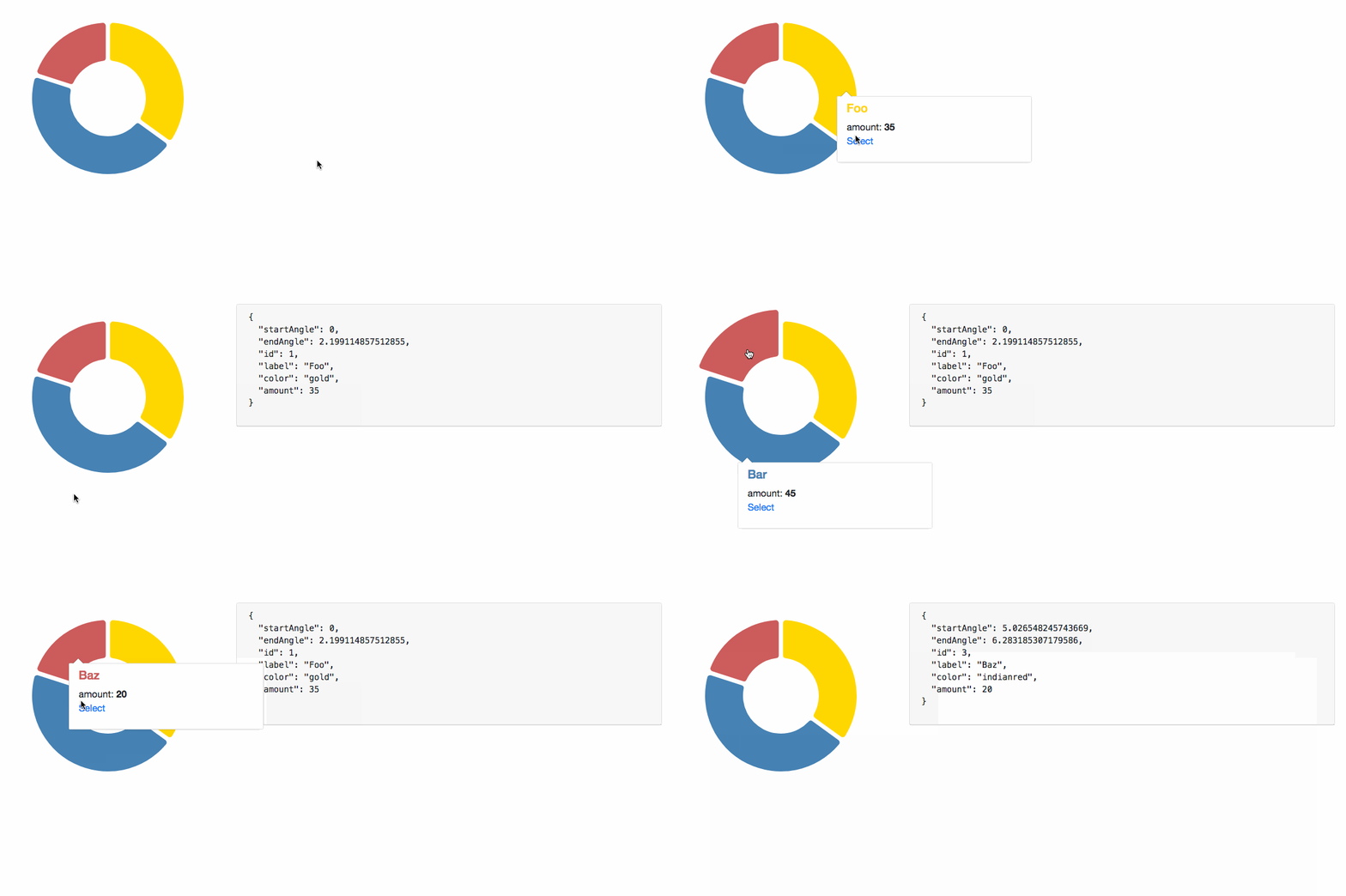
Add tooltips to your d3 visualizations using Angular Components.
## Why?
D3.js is a great visualization library, but building dynamic tooltips is a bit clunky. Angular is an app framework and has great html templating and data-binding, which are features that are ideal for more-than-trivial tooltips. This project aims to achieve the best of both worlds.
## Installation
1. Install `ngx-d3-tooltip` with `npm`
```bash
npm install ngx-d3-tooltip
```
1. Add `D3TooltipModule` to your app module's `imports`
```typescript
// ...
import { D3TooltipModule } from 'ngx-d3-tooltip';
// ...in @NgModule:
imports: [
D3TooltipModule
],
// ...
```
## Usage
The main idea is that the [`D3TooltipService.createFromComponent`](https://andyperlitch.github.io/ngx-d3-tooltip/injectables/D3TooltipService.html#createFromComponent) method returns a function which is then passed to your `d3.Selection.call` :
```typescript
let tooltip = d3TooltipService.createFromComponent(MyComponent, inputs, outputs, options);
svg.selectAll('rect.example')
.data(myData)
.enter()
.call(tooltip);
```
Here is a more in-depth example:
1. Create the component you want to use as a tooltip
```typescript
// my-tooltip.component.ts:
@Component({
selector: 'my-tooltip',
template: `
{{ myData.name }}
{{ myData.someText }}
`
})
export class MyTooltipComponent {
// Most commonly, you will be passing the d3 element datum
// to this component, exemplified here (assuming the data
// bound to the element with this the tooltip is of type
// IMyDatum)
@Input()
myDatum: IMyDatum;
// Outputs work as well!
@Output()
update: EventEmitter;
}
```
1. Add the component to your module's `entryComponents` array
```typescript
// app.module.ts:
// ...
import { MyTooltipComponent } from './components/d3-tooltip.component';
import { MyOtherTooltipComponent } from './components/d3-other-tooltip.component';
// ...in @NgModule:
entryComponents: [
MyTooltipComponent,
MyOtherTooltipComponent
],
// ...
```
1. In your d3 code, create the tooltip function and invoke it with `d3.Selection.call`
```typescript
// my-d3-chart.component.ts:
// Import the component tooltip
import { MyTooltipComponent } from './components/d3-tooltip.component';
@Component({ /* ... */ })
export class MyD3ChartComponent {
tooltip: (selection) => void;
constructor(private tipService: D3TooltipService) { // <-- inject the tooltip service
// create the tooltip function, to be passed to .call()
this.tooltip = tipService.createFromComponent(
// The component to insert into the tooltip
MyTooltipComponent,
// A function which takes the d3 datum of the current element and returns an object
// where the keys are @Input property names.
(d: IMyDatum) => {
return { myDatum: d }
},
// A function which returns an object where keys are @Output property names of the
// tooltip component and values are handlers passed to the output's subscribe()
() => {
return {
update: (d: IMyDatum) => {
// do something here...
}
}
},
{ /* other options available */}
);
}
render() {
// ...set up d3 elements...
// d3 render code:
let rect = svg.selectAll('rect.example')
.data(myData);
rect.enter()
.append('rect')
.classed('example', true)
.call(this.tooltip); // <-- Use on a selection like this
}
}
```
## Running the Demo
```bash
npm start
```
## Documentation
[Documentation](https://andyperlitch.github.io/ngx-d3-tooltip/modules/D3TooltipModule.html)
## TODOs:
- [ ] tests
- [ ] position: auto support
- [ ] raw template support
## License
MIT