# AngularTouchKeyboard
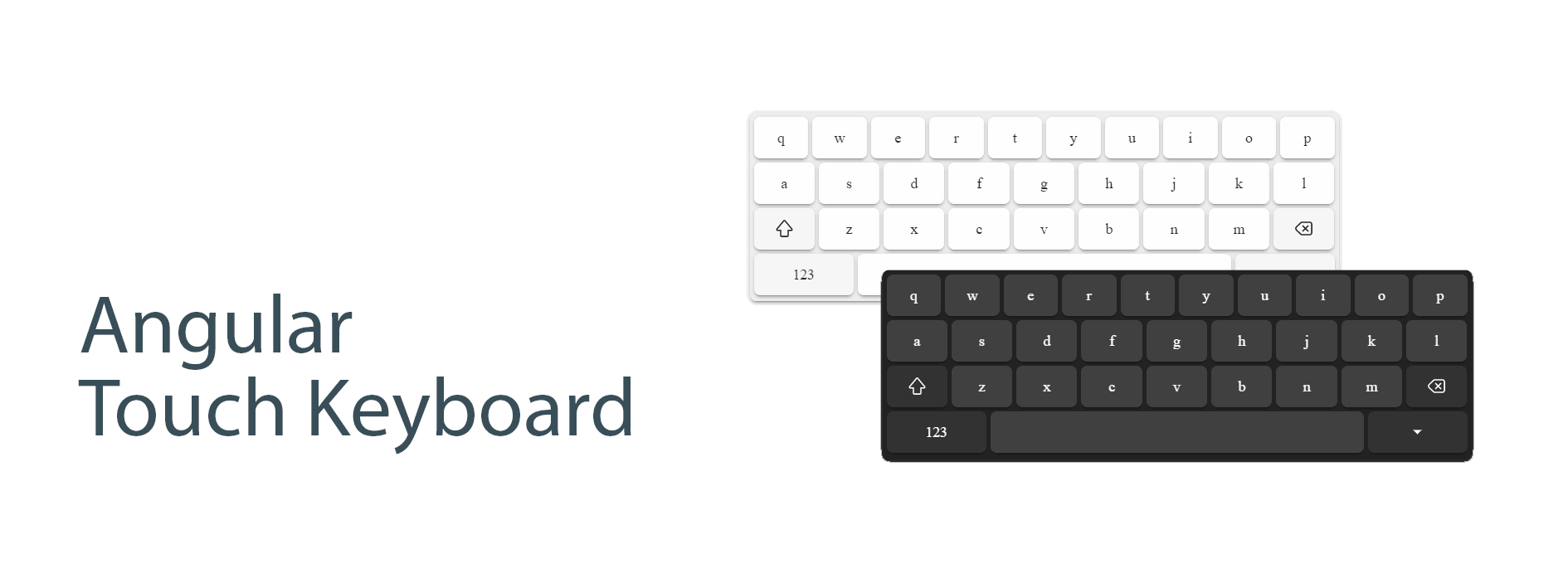
An Angular touch keyboard component that provides a customizable on-screen keyboard for input elements.
[](LICENSE) [](http://badge.fury.io/js/ngx-touch-keyboard) [](https://github.com/mohsen77sk/angular-touch-keyboard/actions)
## Features
- 📱 Responsive virtual keyboard
- 🌐 Multiple locale support
- 🎯 Flexible positioning
- 🖥️ Full-screen mode support
- 🎨 Customizable appearance
- 🔧 Material Design integration
## Demo
[https://mohsen77sk.github.io/angular-touch-keyboard/](https://mohsen77sk.github.io/angular-touch-keyboard/)
## Installation
```bash
npm install @angular/cdk ngx-touch-keyboard
```
## Compatibility
The version of this library is synchronized with the major version of Angular to ensure compatibility.
| Angular Version | Package Version |
| --------------- | --------------- |
| >= 18.0.0 | 4.x |
| >= 16.0.0 | 3.x |
| >= 14.0.0 | 2.x |
## Basic Usage
Import the `NgxTouchKeyboardModule` in your app.module.ts:
```typescript
import { NgxTouchKeyboardModule } from 'ngx-touch-keyboard';
@NgModule({
imports: [
NgxTouchKeyboardModule
],
})
export class AppModule { }
```
If you want to set the custom locale, provide `NGX_TOUCH_KEYBOARD_LOCALE` by custom locale
- default locale is `enUS`
```typescript
import { NGX_TOUCH_KEYBOARD_LOCALE, faIR } from 'ngx-touch-keyboard';
@NgModule({
providers: [
{ provide: NGX_TOUCH_KEYBOARD_LOCALE, useValue: faIR }
],
})
export class AppModule { }
```
Add the directive to your input elements:
```html
```
## API Reference
### Directives
#### NgxTouchKeyboard
```typescript
@Directive({
selector: 'input[ngxTouchKeyboard], textarea[ngxTouchKeyboard]'
})
```
### Inputs
| Name | Type | Default | Description |
| --------------------------------- | ------------------------ | ------- | ---------------------------------------------- |
| `ngxTouchKeyboardOpen` | `boolean` | `false` | Controls the visibility of the keyboard |
| `ngxTouchKeyboardLocale` | `Locale` | `enUS` | Sets the keyboard locale |
| `ngxTouchKeyboardFullScreen` | `boolean` | `false` | Enables full-screen mode |
| `ngxTouchKeyboardDebug` | `boolean` | `false` | Enables debug mode |
| `ngxConnectedTouchKeyboardOrigin` | `NgxTouchKeyboardOrigin` | `null` | Sets a custom origin for the keyboard position |
### Methods
- `openPanel()`: Opens the keyboard panel
- `closePanel()`: Closes the keyboard panel
- `togglePanel()`: Toggles the keyboard panel visibility
## Material Design Integration
The component automatically detects and integrates with Angular Material form fields, providing proper positioning and styling.
## Advanced Usage
### Custom locale
```html
```
### Full-Screen Mode
```html
```
### Custom Position Origin
```html
```
## Localization
AngularTouchKeyboard is localized in 8 keyboard-specific locales:
* `en-US` English (United States) (default)
* `en-UK` English (United Kingdom)
* `es-ES` Spanish (Spain)
* `fa-IR` Persian (Iran)
* `he-IL` Hebrew (Israel)
* `ka-GE` Georgian (Georgia)
* `ru-RU` Russian (Russia)
* `sv-SE` Swedish (Sweden)
## Themes
### Built-in themes
* `default`: white theme
* `dark`: dark theme
You must put the class `dark` in the body to use the `dark` theme.
### Create custom theme
To customize the theme, you need to use css variables.
| Name | Description |
| ------------------------------- | ------------------------------------- |
| `--tk-color-text` | color of text button |
| `--tk-background` | color of background panel |
| `--tk-background-button` | color of background basic button |
| `--tk-background-button-fn` | color of background functional button |
| `--tk-background-button-active` | color of background active button |
## Layouts
Depends on attribute inputmode, the keyboard layout is changed.
| inputmode | Screenshot |
| --------------------- | -------------------------------------------------------------------------------------------------------- |
| `inputmode='text'` | 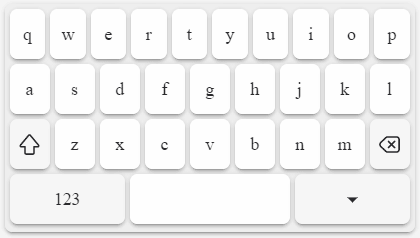 |
| `inputmode='search'` | 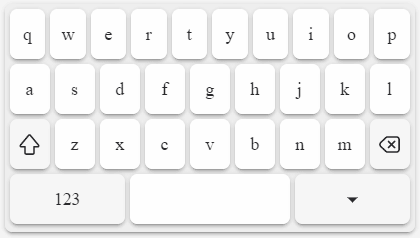 |
| `inputmode='email'` | 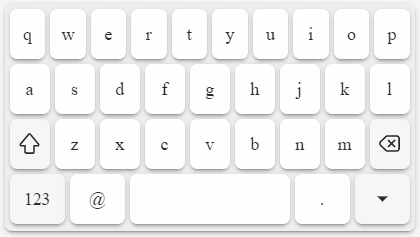 |
| `inputmode='url'` | 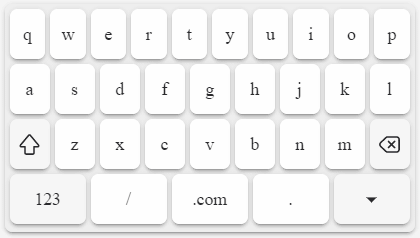 |
| `inputmode='numeric'` | 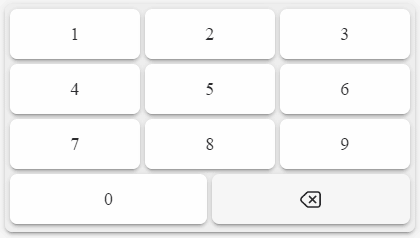 |
| `inputmode='decimal'` | 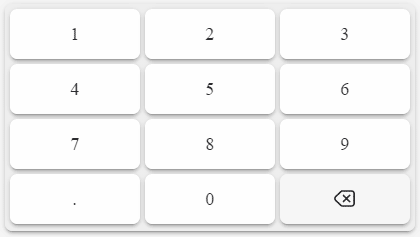 |
| `inputmode='tel'` | 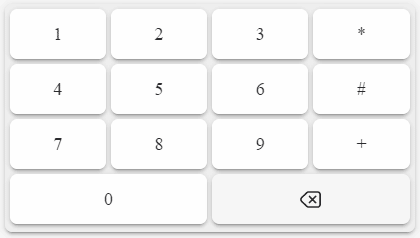 |
## Development
The most useful commands for development are:
* `npm run start` to start a development server
* `npm run build-demo` to build the demo locally (it will be published automatically by GitHub Actions)
## Contributing
Contributions are welcome! Please feel free to submit a Pull Request.
## License
[The MIT License (MIT)](LICENSE)