# node-red-contrib-curve
A function node for a mathematical expression f(x) for creating simulation data, characteristics, calibration data and other numerical output based on a numeric input.
- easy expression formula like x^2, sqrt(x), nthRoot(x), exp(x), sin(x), cos(x) etc. (see [function-plot](http://maurizzzio.github.io/function-plot/))
- define which property from `msg` to use for x value input
- use Mustache-Syntax to include variables from `msg` or `context`
- Use the modulo-operator (%) to create infinite ranged functions like [easings](http://easings.net/).
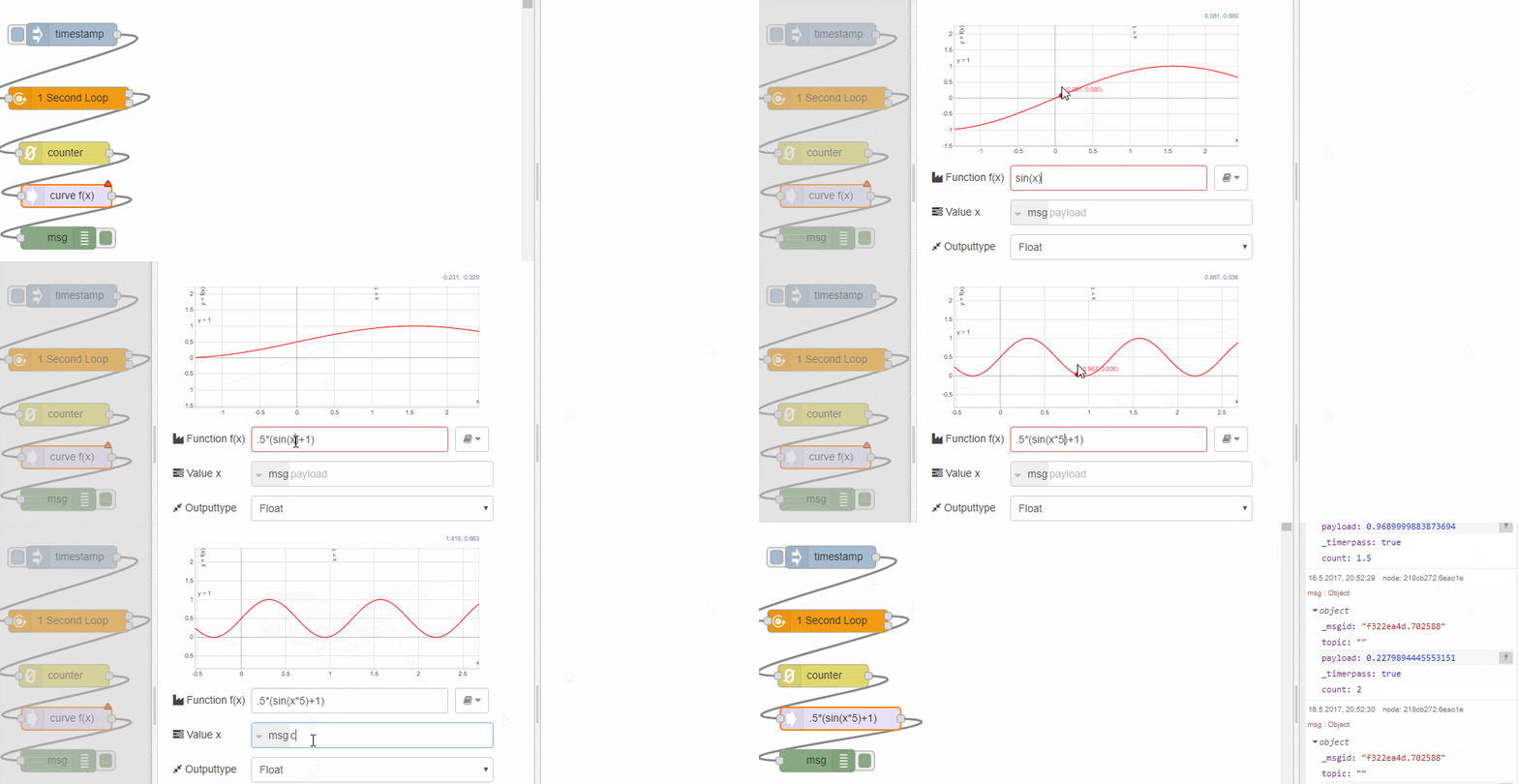
## Examples:
- easeOutElastic
- -0.5*exp(-6x)*(-2*exp(6x) + sin(12x) + 2cos(12x))
- easeOutQuad
- -{{change}}*(x/{{duration}})*(x-2)+{{start}}
- easeInOutQuad
- ((2*x/{{duration}})
<1)*({{change}}*0.5*x*x) + (2*x/{{duration}}>=1)*-0.5*{{change}}*((x-1)*(x-3)-1) + {{start}}
# Node Settings
## Value x
The property from msg to use for the value x for the function input
## Function
A function f(x) defined according to [built-in-math-eval](https://github.com/maurizzzio/built-in-math-eval) as a function expression. You can use Mustache-Syntax to include values from the `flow` or `global` context or `msg`. The function would then be reevaluated on each input.
The function can be overriden by a provided `msg.function` as input.
# Performance
The node is most performant when not using Mustache-Syntax or redefine function expression via msg.function as this leads to an recompilation of the function expression with each incoming `msg`. There is currently no function expression cache. This node will reuse the incoming `msg` for its output.
*Note: to gain more performance use a function-node for calculation. This is more a convenient node for easier setup of curves.*
# Details
When using Mustache-Syntax these values will be replaces bei "0" for the preview window, so function may not get plotted correctly. You can use the node-red-contrib-counter node to create a continous input stream of (0,1,2,4,5,6...).
This node uses the work of Mauricio Poppe for visualization and function expression parsing. This node-red node is just a wrapper around this library.
# Changes
See [Change Log](CHANGELOG.md) for details
[](https://nodei.co/npm/node-red-contrib-curve/)
# Installation
Follow the [node installation guide](https://nodered.org/docs/getting-started/adding-nodes) to the npm-package node-red-contrib-curve.
```bash
npm install node-red-contrib-curve
```
## Discussions and suggestions
Use the [Node-RED google group](https://groups.google.com/forum/#!forum/node-red) for general discussion about this node. Or use the
[GitHub issues log](https://github.com/sbarwe/node-red-contrib-curve/issues) for raising issues or contributing suggestions and enhancements.
## Contributing
If you would like to contribute to this node, you can contact the autor via GitHub or raise a request in the GitHub issues log.
## Developers/Contributors
- Based on [function-plot](http://maurizzzio.github.io/function-plot/) work of [Mauricio Poppe](https://github.com/maurizzzio)
- Node-RED node wrapper [Sebastian Barwe](https://github.com/sbarwe)
- Node template from [Julian Knight](https://github.com/TotallyInformation)