# npm-fzf
[](https://www.npmjs.com/package/npm-fzf)  [](https://david-dm.org) [](https://david-dm.org)
[](https://packagephobia.now.sh/result?p=npm-fzf) [](https://travis-ci.org/hankchanocd/npm-fzf) [](https://github.com/hankchanocd/npm-fzf/issues) [](https://snyk.io/test/github/hankchanocd/npm-fzf?targetFile=package.json) [](http://commitizen.github.io/cz-cli/)
> Fuzzy search npm modules with `fzf`

`npm-fzf`, short-named `npf`, provides fuzzy search for some most commonly used npm commands with [`fzf`](https://github.com/junegunn/fzf), i.e. `npm ls`, `npm search`, `npm run`, creating a more fulfilling develop experience with `npm`.
## Requirements
Must: `npf` requires Node 8 for runtime or above.
Highly Recommended: [`fzf`](https://github.com/junegunn/fzf) is used heavily by `npf`. If `fzf` is not installed, `npf` will default to a much less capable sibling, [`node-fzf`](https://github.com/talmobi/node-fzf) - `fzf`'s implementation in Node.
## CLI
```bash
$ npm install -g npm-fzf
```
## Usage
```
Usage: npf [options] [command]
Fuzzy search npm modules with fzf
Options:
-v, --version output the version number
-d, --details include details to each dependency, but disable the fuzzy mode
-P, --no-preview disable the default fzf preview mode
-F, --no-fuzzy disable the default fuzzy mode and resort to stdout
-h, --help output usage information
Commands:
list|ls [options] npm list with fzf
info [module] npm info with fzf
run npm run with fzf
search npm search with fzf
```
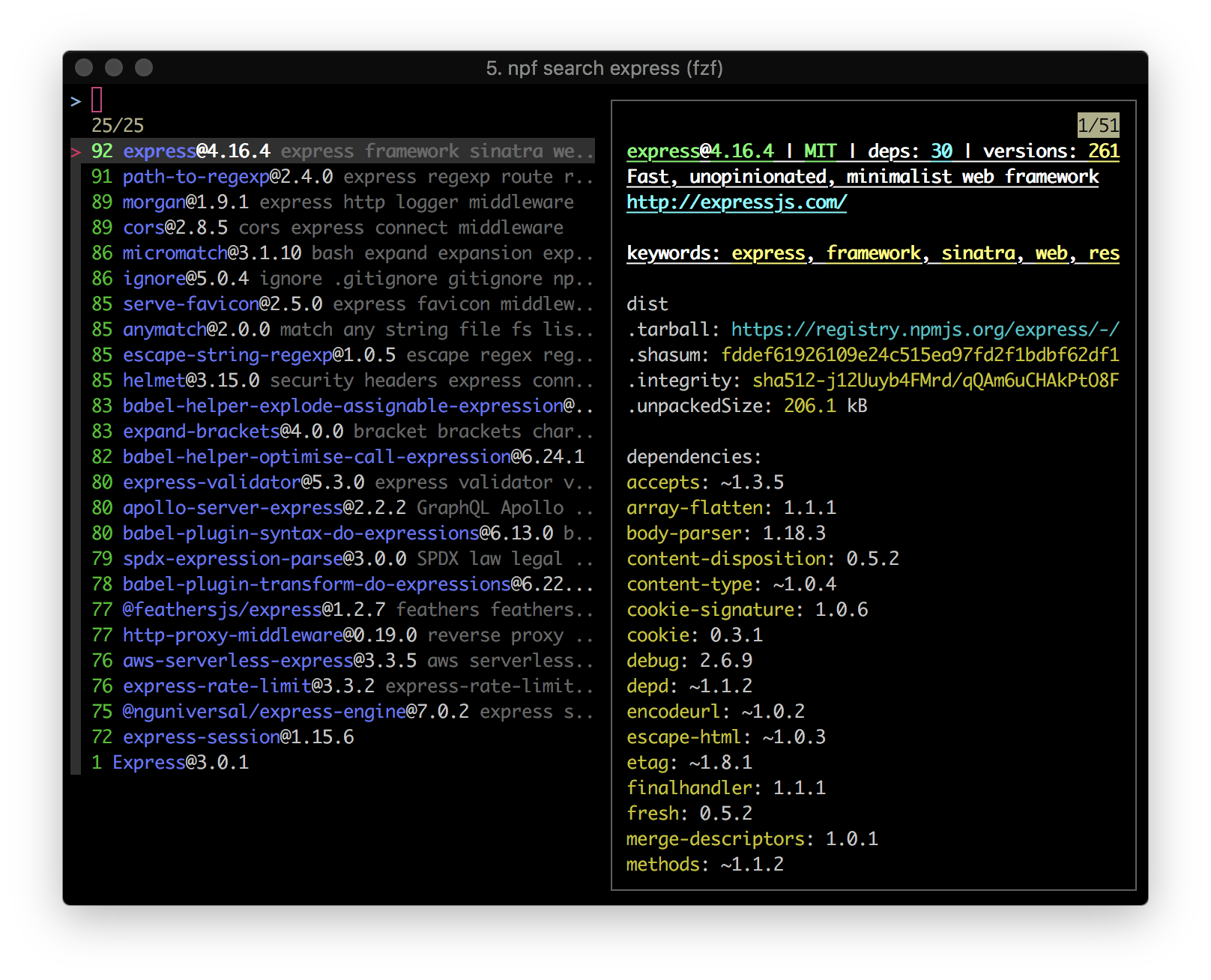
### `npf search`
```
Usage: search [options]
npm search with fzf
Options:
-h, --help output usage information
Examples:
npf search , fuzzy search for npm modules with preview
npf search --no-preview, fuzzy search for npm modules without preview
npf search --no-fuzzy, plain search for npm modules
```
```bash
$ npf search express
$ npf search express react
```
### `npf list`
```
Usage: list|ls [options]
npm list with fzf
Options:
-l, --local list local dependencies, which is also the default feature
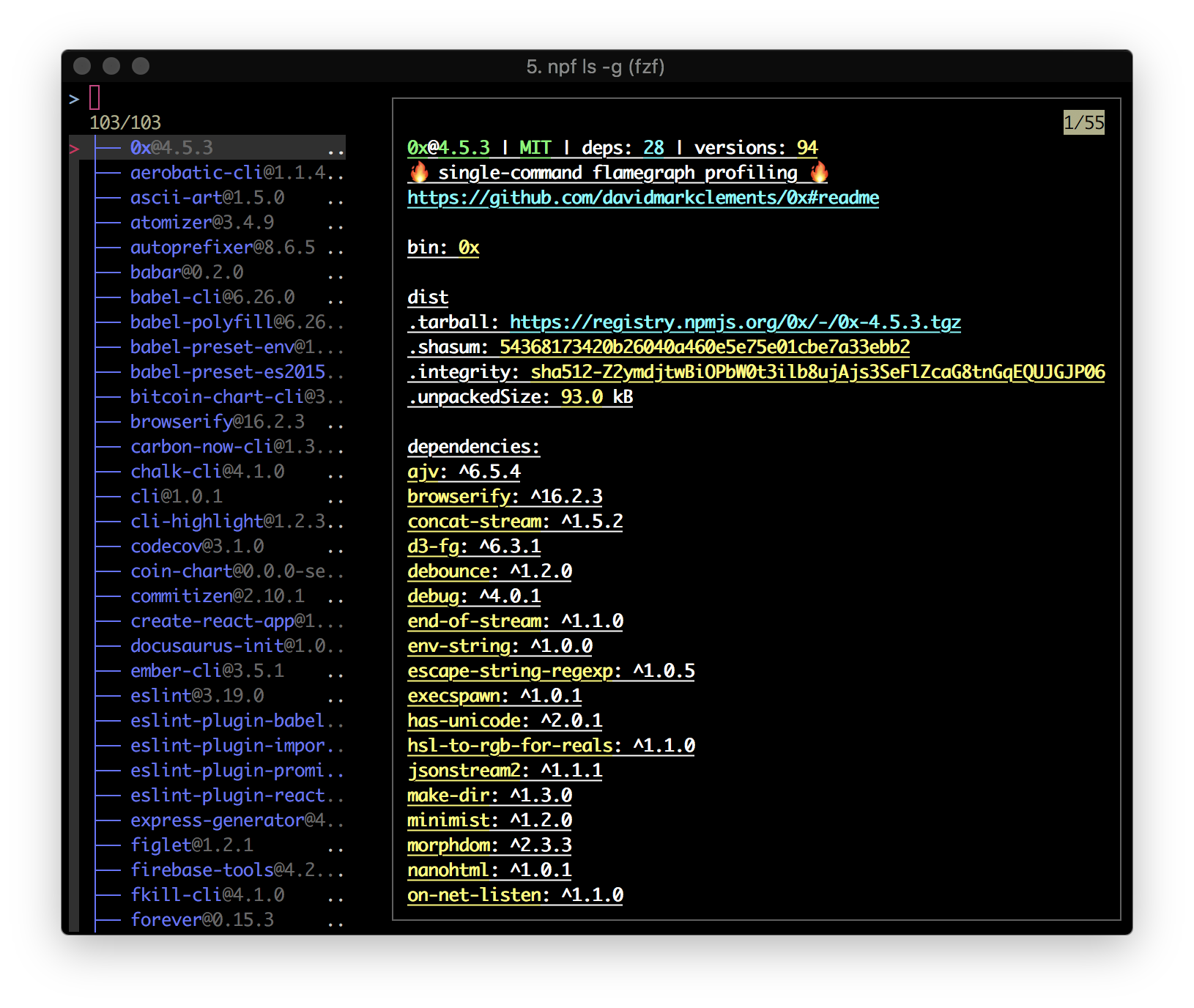
-g, --global list global modules
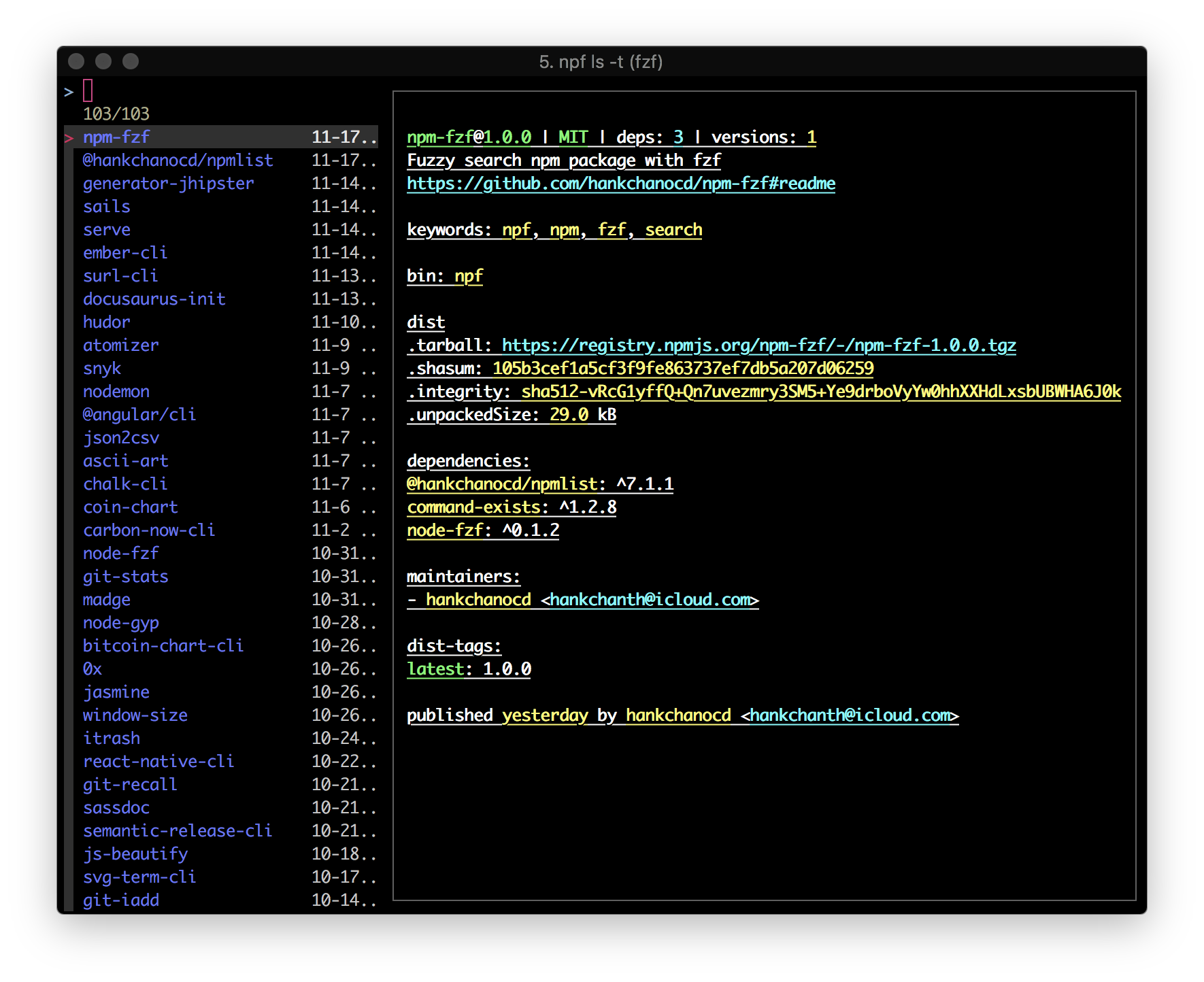
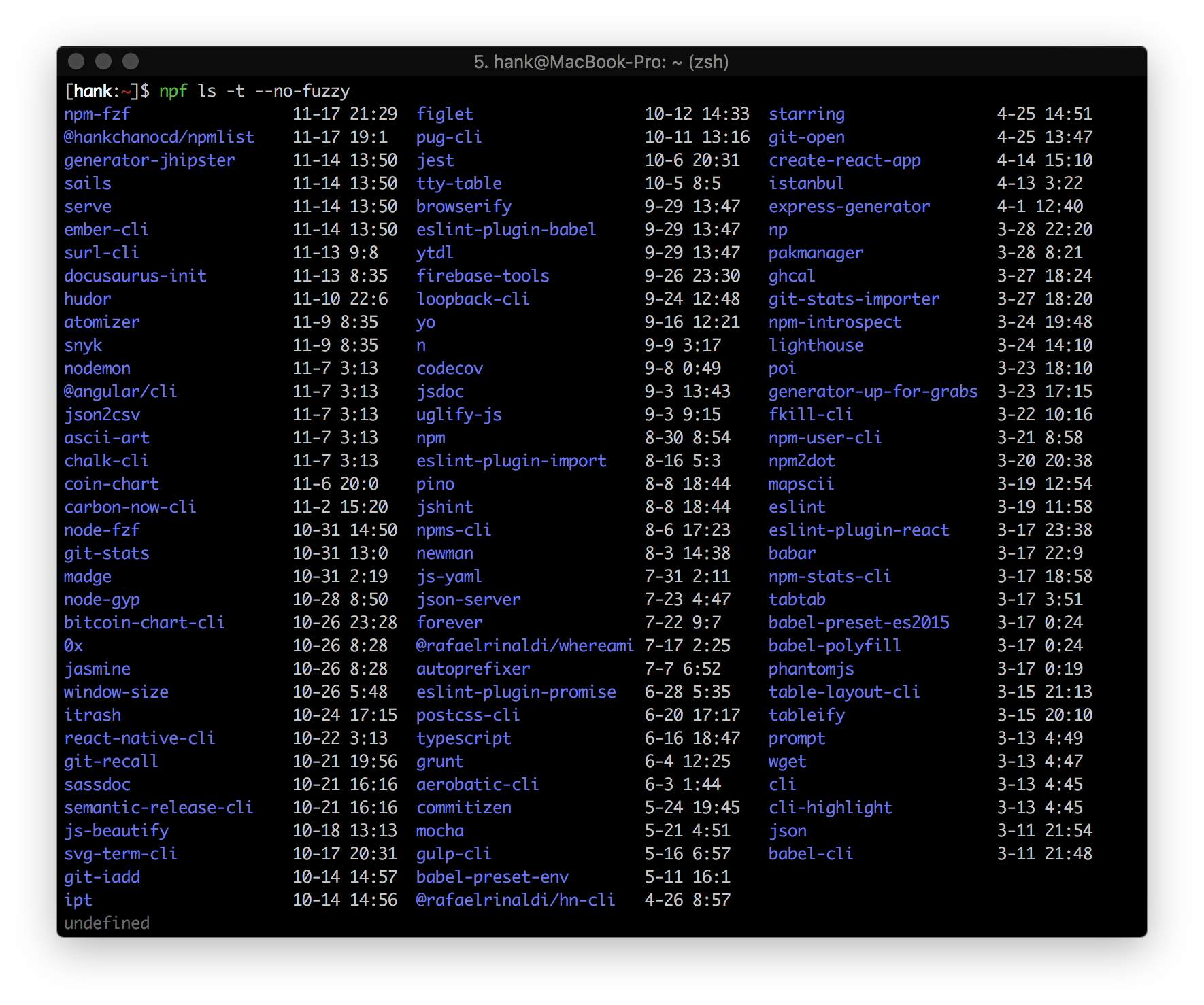
-t, --time show the latest global installs
-h, --help output usage information
Examples:
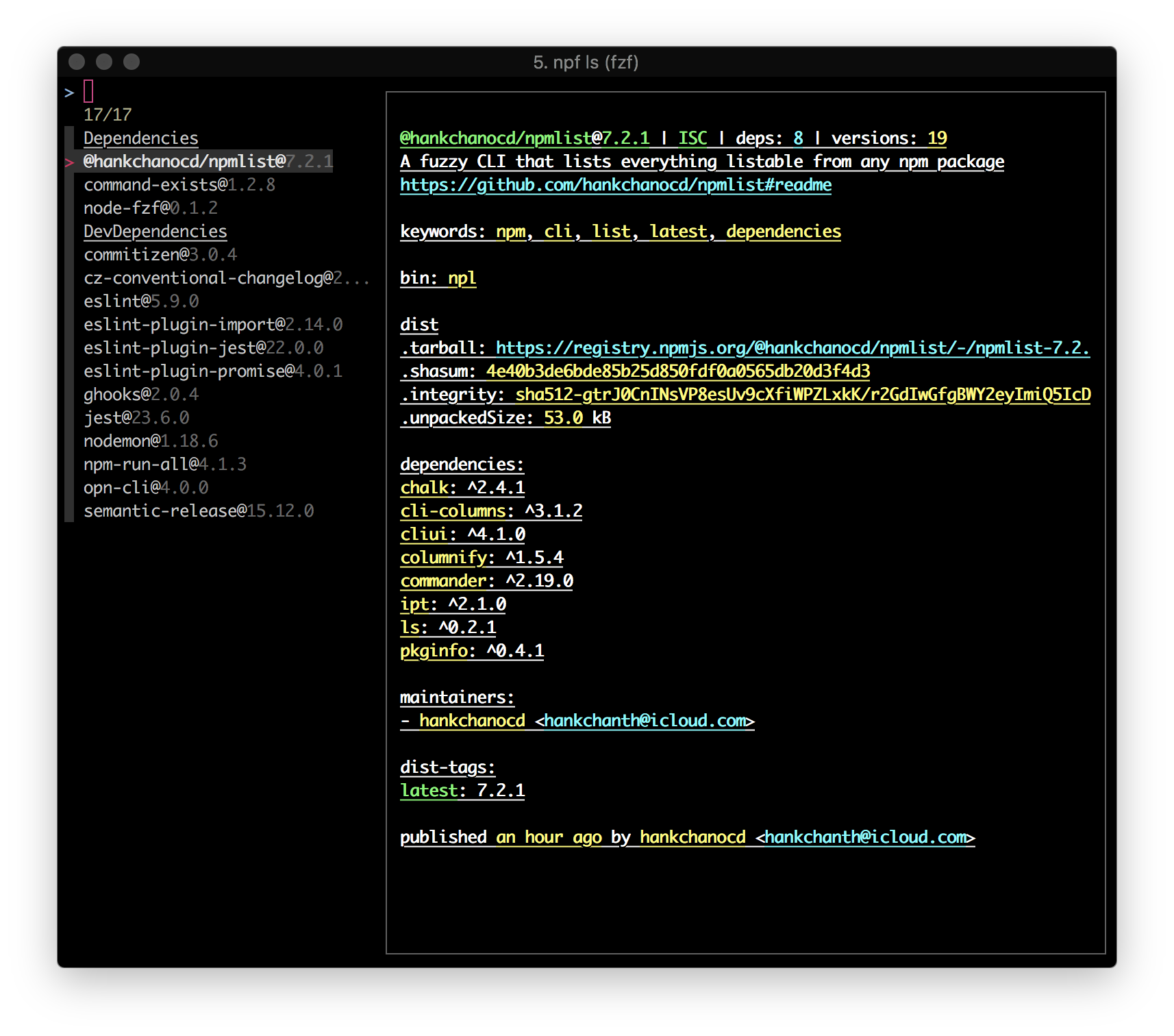
npf ls, a fzf list with preview of local dependencies
npf ls -t, a fzf list of latest global installs
npf ls -t --no-fuzzy, a normal list of latest global installs
npf ls -g --no-preview, a fuzzy list with no preview of global installs
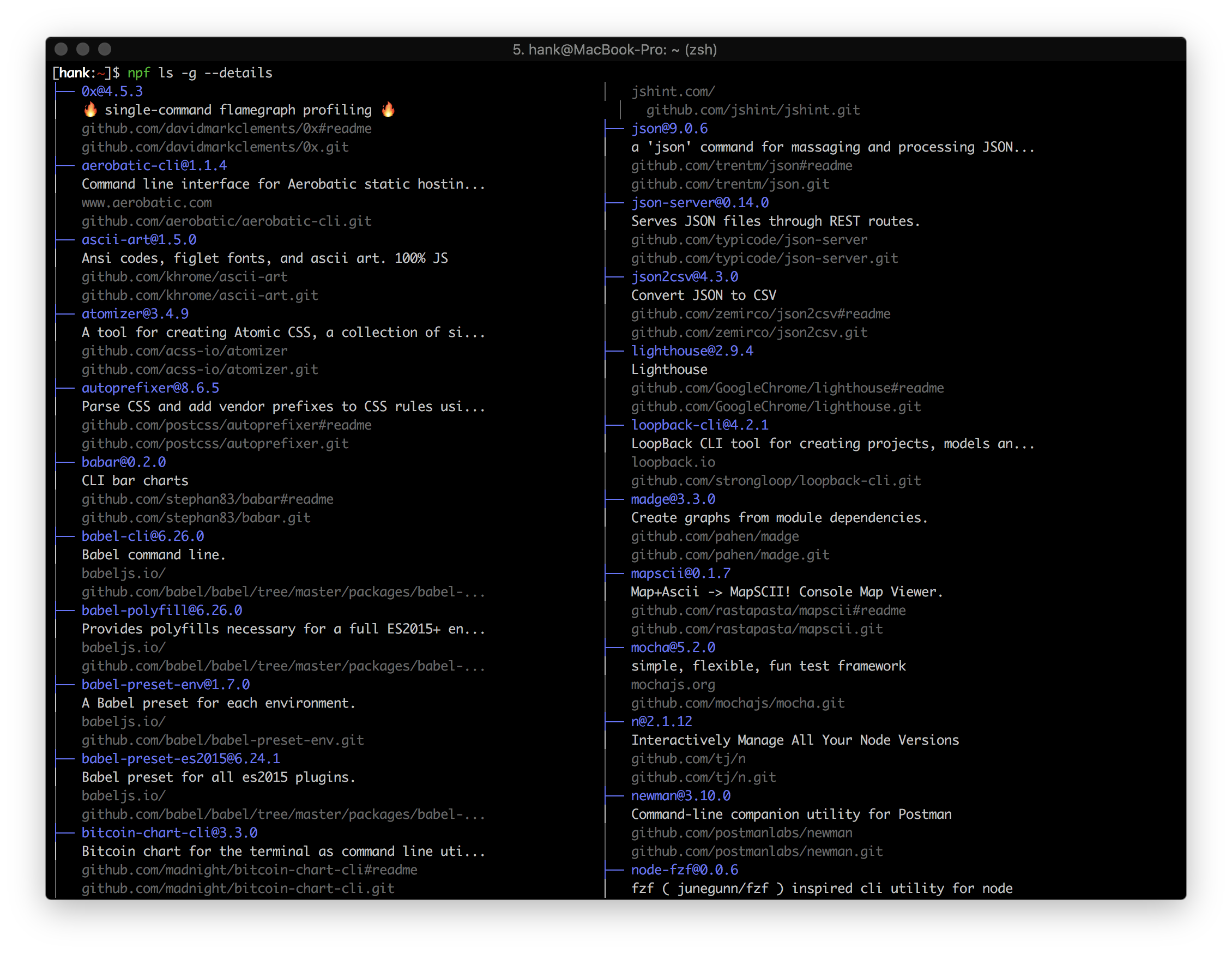
npf ls -g --details, a normal, detailed list of global installs
```
### Local dependencies
```bash
$ npf ls
```
### Global modules
```bash
$ npf ls -g
```
### Recent global installs
A quick refresher on what the heck it's installed/upgraded globally in the recent past
```bash
$ npf ls -t
```
### Turn off preview mode
Preview mode uses `fzf --preview` underneath and is turned on in most cases by default. You can also opt for `--no-preview` to turn off the default preview mode.
```bash
$ npf ls -t --no-preview
$ npf ls -g --no-preview
$ npf ls -l --no-preview
```

### Turn off fuzzy mode
Fuzzy mode is by default on. You can also opt for `--no-fuzzy` to turn it off.
```bash
$ npf ls -t --no-fuzzy
$ npf ls -g --no-fuzzy
```
### Details flag
Applied to both local dependencies and global installs
```
$ npf ls --details
$ npf ls -g --details
```
### `npf run`
```
Usage: run [options]
npm run with fzf
Options:
-h, --help output usage information
Examples:
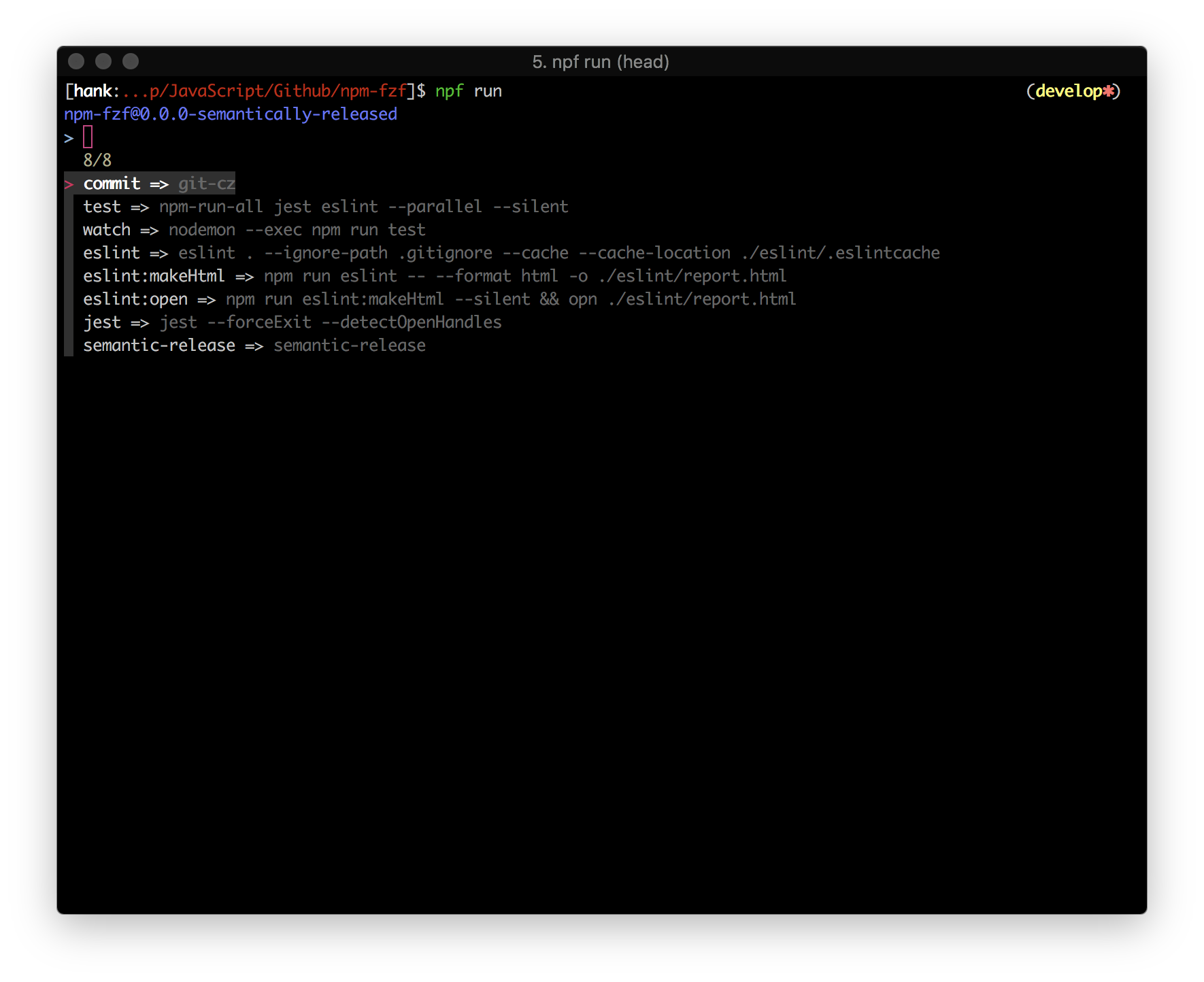
npf run, execute npm scripts with fzf
npf run --no-fuzzy, execute npm scripts without fzf
```
```bash
$ npf run
```
### `npf info`
```
Usage: info [options] [module]
npm info with fzf
Options:
-h, --help output usage information
Examples:
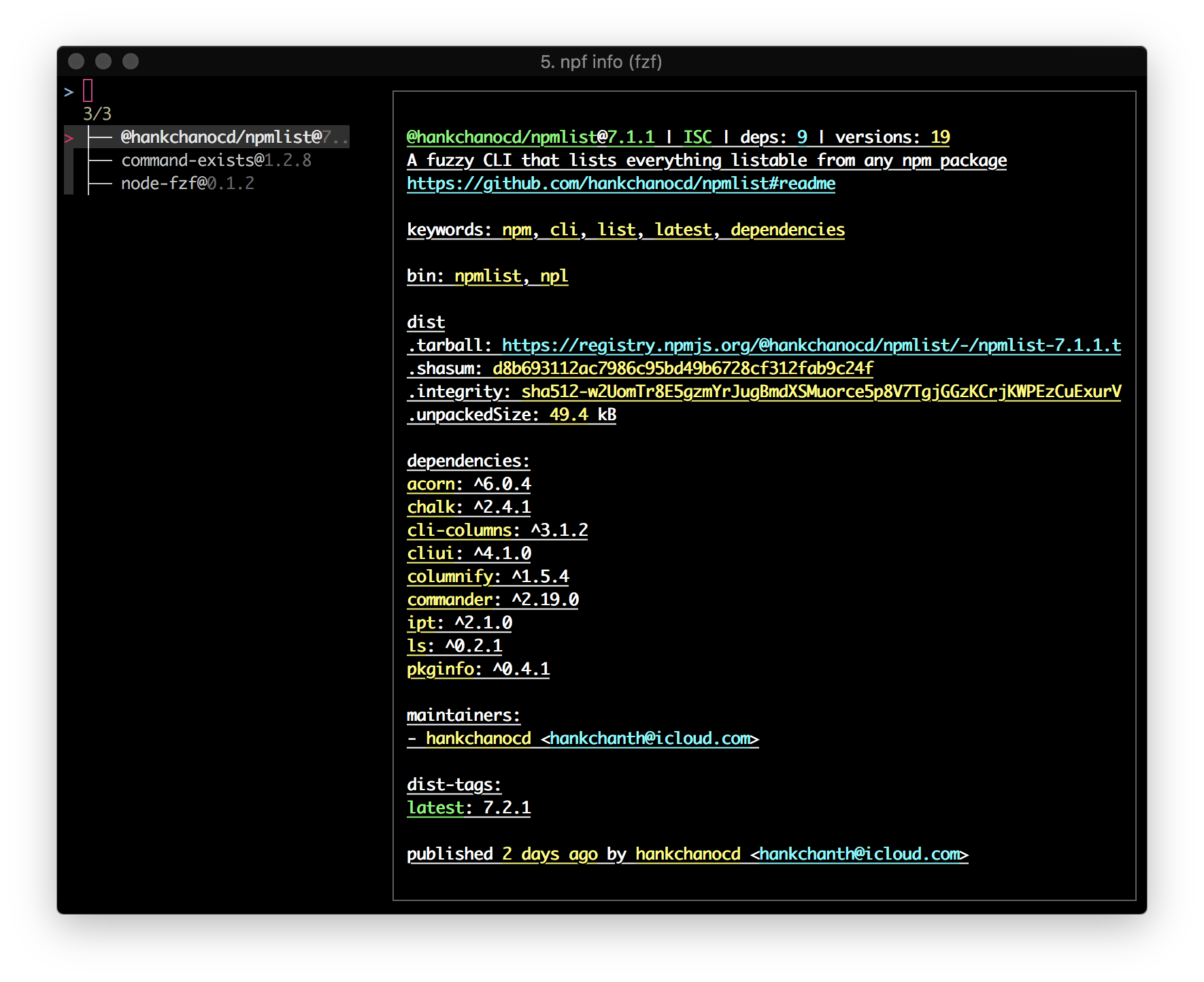
npf info [module], a fuzzy list with preview of a module's dependencies fetched from NPM registry
npf info [module] --no-preview, a fuzzy list of a module's dependencies fetched from NPM registry
npf info [module] --no-fuzzy, a list of a module's dependencies fetched from NPM registry
```
`npf info` fetches the module's latest version by default, unless a version is specified.
It defaults to the current folder if no argument provided.
```bash
$ npf info npm-fzf
```
## API
`npf` uses [`npmlist`](https://github.com/hankchanocd/npmlist)'s API for getting modules' dependencies. `npf` itself does not expose any API.
```bash
$ npm install @hankchanocd/npmlist
```
## Tests
To perform unit tests and integration tests, simply run `npm test`. (Need Help)
## Changelog
[CHANGELOG](./CHANGELOG.md)
## Contribution
If you have any suggestion, leave it on [Issues](https://github.com/hankchanocd/npm-fzf/issues) for discussion first. See [here](./CONTRIBUTING.md) on how to contribute.
[`fzf`](https://github.com/junegunn/fzf) empowers many features that would otherwise be hard to imagine. If you haven't heard of `fzf`, check out junegunn's [`fzf`](https://github.com/junegunn/fzf). Check out my [Dotfiles](https://gitlab.com/hankchanocd/dotfiles/tree/master) to see more use cases of `fzf`.
## License
[MIT](./LICENSE.md)