# Nuxt Content Narrator
A Nuxt layer that provides text-to-speech narration capabilities for Nuxt Content pages.
[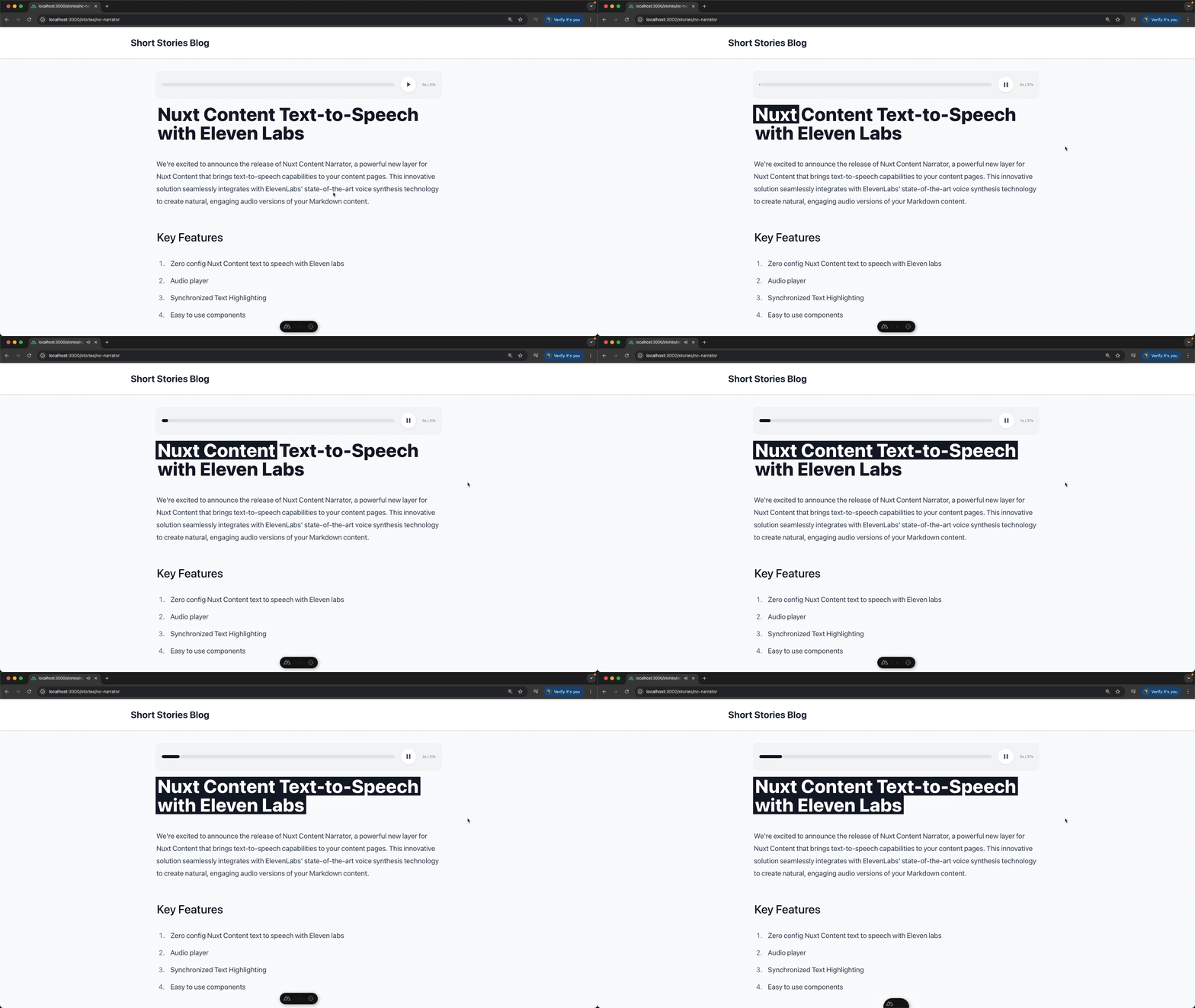](https://youtu.be/mnMiOrf9kz4)
[Watch the video with audio on YouTube](https://youtu.be/mnMiOrf9kz4)
## Quick Start
1. Install the layer and extend it
```bash
npm i nuxt-content-narrator
```
```typescript
// nuxt.config.ts
extends: ["nuxt-content-narrator"],
```
2. Get your [ElevanLabs](http://elevenlabs.io/) API key and set as an environment variable
```
NUXT_ELEVENLABS_API_KEY=sk_xxx
```
3. Add the NcNarrator components to your content pages
```html
```
## Components Overview
### 1. NcNarratorService
The core service component that manages the text-to-speech functionality and state.
**Props:**
- `collectionItem`: (Required) A Nuxt Content page collection item that includes the `rawbody` property ([read more about rawbody here](https://content.nuxt.com/docs/advanced/raw-content))
- `voiceId`: (Optional) The ID of the ElevenLabs voice to use for narration (Visit https://elevenlabs.io/app/voice-lab to browse all Elevan labs voices, click "View" button, and get the voiceId from the url )
**Features:**
- Manages audio playback state
- Handles audio generation through ElevenLabs API
### 2. NcNarratorPlayer
A customizable audio player component that provides playback controls.
**Props:**
- `progressClass`: (Optional) CSS class for the progress bar (default: "bg-slate-900")
**Features:**
- Play/pause controls
- Progress bar with current time and duration
- Slot-based API for custom player UI
**Customize with Default Slot**
```html
```
### 3. NcNarratorFollowAlongRenderer
An optional component that renders text with synchronized highlighting during audio playback. If you don't need synchronized highlighting, you can use the regular Nuxt Content component.
**Props:**
- `highlightClass`: (Optional) CSS class for the highlight background (default: "bg-slate-900")
- `highlightTextClass`: (Optional) CSS class for the highlighted text (default: "text-white")
**Features:**
- Word-by-word text highlighting synchronized with audio
- Handles complex HTML content
- Preserves original markup structure
- Smart handling of code blocks and special tags
### 4. NcNarratorDevTools
Development tools component for audio generation in development.
```html
```
## Usage
1. Wrap your content with the `NcNarratorService`:
```html
```
2. Add the player component:
```html
```
3. Use the follow-along renderer for synchronized text highlighting:
```html
```
## Requirements
- Nuxt Content module
- ElevenLabs API Key
## Styling
The components come with minimal default styling and can be customized using the following:
- Custom CSS classes through props
- Tailwind CSS
## Development
To help contribute to the project, you can clone the repo and install the layer by pointing your `extends` to the local path from another Nuxt project.
```typescript
// nuxt.config.ts
extends: ["../../nuxt-content-narrator"],
```
## Deploying to Production
Just like your content, the audio is stored in the github repo. It is generated with the button in the `NcNarratorDevTools` component and stored in the `audio` folder.