[](http://opensource.org/licenses/MIT)


# An interactive Javascript Plotting Boilerplate
For plotting visual 2D data with Javascript on HTML canvas (in 2d-context) or SVG nodes.

This is a simple collection of useful functions, methods, classes, algorithms and concepts which I
often use for the visualization of 2D geometries. Basic features are
- adding elements like
- vertices
([docs](https://plotboilerplate.io/docs_typedoc/classes/vertex.html "Vertex class"),
[example](https://plotboilerplate.io/repo/demos/basic-Vertex "Vertex example"))
- lines
([docs](https://plotboilerplate.io/docs_typedoc/classes/line.html "Line class"),
[example](https://plotboilerplate.io/repo/demos/basic-Line "Line example"))
- vectors [docs](https://plotboilerplate.io/docs_typedoc/classes/vector.html "Vector class"),
[example](https://plotboilerplate.io/repo/demos/basic-Vector "Vector example"))
- triangles
([docs](https://plotboilerplate.io/docs_typedoc/classes/triangle.html "Triangle class"),
[example](https://plotboilerplate.io/repo/demos/basic-Triangle "Triangle example"))
- curves
([docs](https://plotboilerplate.io/docs_typedoc/classes/cubicbeziercurve.html "CubicBezierCurve class"),
[example](https://plotboilerplate.io/repo/demos/basic-BezierPath "BezierPath example"))
- circles
([docs](https://plotboilerplate.io/docs_typedoc/classes/circle.html "Circle class"),
[example](https://plotboilerplate.io/repo/demos/basic-Circle "Circle example"))
- circle sectors
([docs](https://plotboilerplate.io/docs_typedoc/classes/circlesector.html "CircleSector class"),
[example](https://plotboilerplate.io/repo/demos/basic-CircleSector "CircleSector example"))
- polygons
([docs](https://plotboilerplate.io/docs_typedoc/classes/polygon.html "Polygon class"),
[example](https://plotboilerplate.io/repo/demos/basic-Polygon "Polygon example"))
- ellipses
([docs](https://plotboilerplate.io/docs_typedoc/classes/vellipse.html "VEllipse class"),
[example](https://plotboilerplate.io/repo/demos/basic-VEllipse "VEllipse example"))
- ellipse sectors
([docs](https://plotboilerplate.io/docs_typedoc/classes/vellipsesector.html "VEllipseSector class"),
[example](https://plotboilerplate.io/repo/demos/basic-VEllipseSector "VEllipseSector example"))
- images
([docs](https://plotboilerplate.io/docs_typedoc/classes/pbimage.html "PBImage class"),
[example](https://plotboilerplate.io/repo/demos/basic-PBImage "PBImage example"))
- text
([docs](https://plotboilerplate.io/docs_typedoc/classes/pbtext.html "PBText class"),
[example](https://plotboilerplate.io/repo/demos/basic-PBText "PBText example"))
- configuration of the canvas behavior
- fullsize and auto-resizing
- enable/disable mouse, touch or keyboard interaction
- draw rasters
- default colors and darkmode
- mouse and touch interaction
- zoom
- pan
- drag and select elements
- keyboard interaction customizable
The compressed library has 135kb.
## Install the package via npm
```sh
# Installs the package
$ npm i plotboilerplate
```
## The HTML file
For a full example see [main-dist.html](https://github.com/IkarosKappler/plotboilerplate/blob/master/main-dist.html "main-dist.html") :
```html
```
The element canvas will be used to draw on.
## The javascript
```javascript
var pb = new PlotBoilerplate({
canvas: document.getElementById("my-canvas"),
fullSize: true
});
```
### Alternative with SVG elements
Use SVG elements instead of canvas:
```html
```
And pass the SVG element:
```javascript
var pb = new PlotBoilerplate({
canvas: document.getElementById("my-svg"),
fullSize: true
});
```
## Add elements to your canvas
```javascript
// Create two points:
// The origin is at the visual center by default.
var pointA = new Vertex(-100, -100);
var pointB = new Vertex(100, 100);
pb.add(new Line(pointA, pointB));
// When point A is moved by the user
// then move point B in the opposite direction
pointA.listeners.addDragListener(function (e) {
pointB.sub(e.params.dragAmount);
pb.redraw();
});
// and when point B is moved
// then move point A
pointB.listeners.addDragListener(function (e) {
pointA.sub(e.params.dragAmount);
pb.redraw();
});
```
### Typescript
```typescript
// Usage with Typescript could look like this
import { PlotBoilerplate, Vertex, Line } from "plotboilerplate";
globalThis.addEventListener("load", () => {
const pointA: Vertex = new Vertex(100, -100);
const pointB: Vertex = new Vertex(-100, 100);
console.log(pointA, pointB);
const line: Line = new Line(pointA, pointB);
const pb: PlotBoilerplate = new PlotBoilerplate({
canvas: document.getElementById("my-canvas"),
fullSize: true
});
pb.add(line);
});
```
For a guide of how to [Getting Started click here](https://github.com/IkarosKappler/plotboilerplate/blob/master/Getting-Started.md "Getting Started click here.").
A full working demo repository about the [Usage with Typescript is here](https://github.com/IkarosKappler/plotboilerplate-typescript-example "usage with Typescript is here").
### Codepen Demos
[Basic Setup in a Codepen.io demo](https://codepen.io/ikaroskappler/pen/ZEjamVb)
### Screenshot
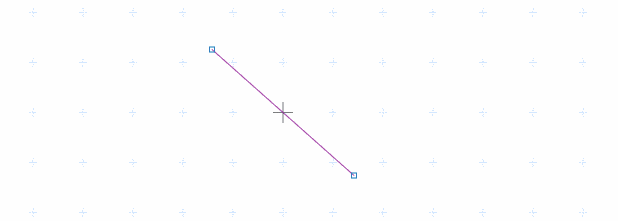
And the simple demo is here
#### API
See [API Documentation](https://plotboilerplate.io/docs.html "API Documentation") for details.
## Screenshot
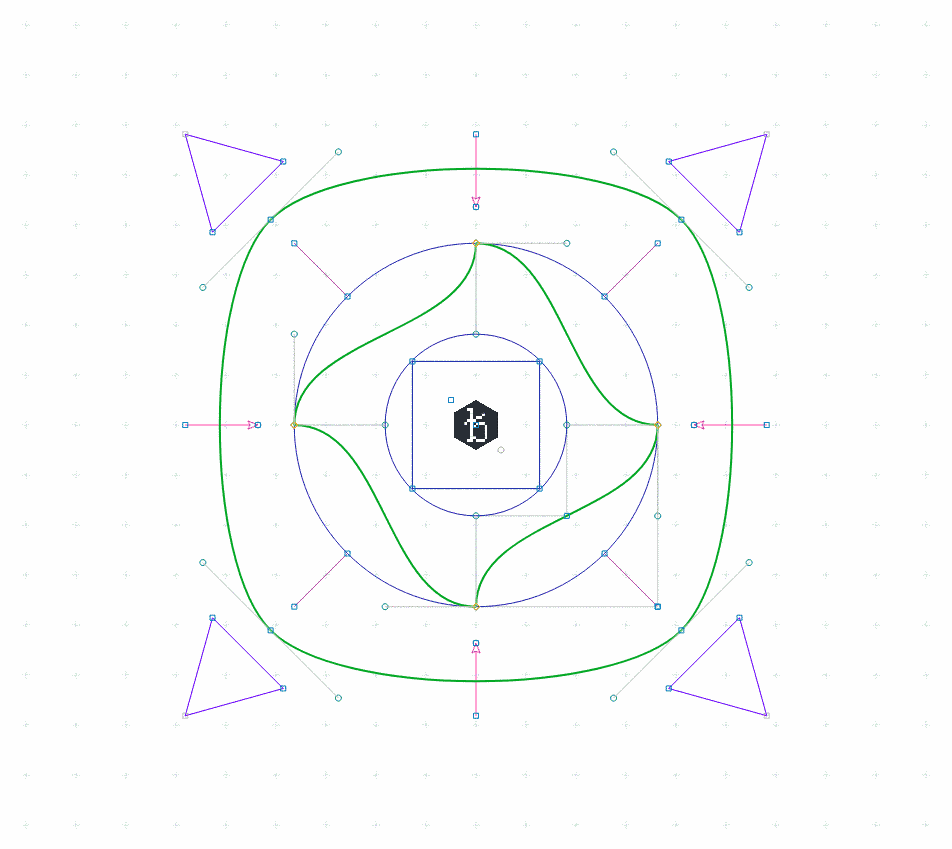
See the demo
## Examples and Demos
[Examples and Demos](https://github.com/IkarosKappler/plotboilerplate/blob/master/examples.md "Examples and Demos")
## Initialization parameters
| Name | Type | Default | Description |
| ------------------------ | ----------------------------------------------- | --------- | -------------------------------------------------------------------------------------------------------------------------------------------------------------------- |
| `canvas` | _HTMLCanvasElement_ \| _SVGElement_ \| _string_ | `null` | The canvas or its query selector string (required). |
| `fullsize` | _boolean_ | `true` | If `true`, then the canvas will always claim tha max available screen size. |
| `fitToParent` | _boolean_ | `true` | If `true`, then the canvas will alway claim the max available parent container size. |
| `scaleX` | _number_ | `1.0` | The initial horizontal zoom. Default is 1.0. |
| `scaleY` | _number_ | `1.0` | The initial vertical zoom. Default is 1.0. |
| `offsetX` | _number_ | `0.0` | The initial offset. Default is 0.0. Note that autoAdjustOffset=true overrides these values. |
| `offsetY` | _number_ | `0.0` | The initial offset. Default is 0.0. Note that autoAdjustOffset=true overrides these values. |
| `drawGrid` | _boolean_ | `true` | Specifies if the raster should be drawn. |
| `rasterScaleX` | _number_ | `1.0` | Define the default horizontal raster scale. |
| `rasterScaleY` | _number_ | `1.0` | Define the default vertical raster scale. |
| `rasterGrid` | _boolean_ | `true` | If set to true the background grid will be drawn rastered. |
| `rasterAdjustFactor` | _number_ | `2.0` | The exponential limit for wrapping down the grid. (2.0 means: halve the grid each 2.0\*n zoom step). |
| `drawOrigin` | _boolean_ | `false` | Draw a crosshair at (0,0). |
| `autoAdjustOffset` | _boolean_ | `true` | When set to true then the origin of the XY plane will be re-adjusted automatically (see the params offsetAdjust{X,Y}Percent for more). |
| `offsetAdjustXPercent` | _number_ | `50` | The x- and y- fallback position for the origin after resizing the canvas. |
| `offsetAdjustYPercent` | _number_ | `50` | The x- and y- fallback position for the origin after resizing the canvas. |
| `defaultCanvasWidth` | _number_ | `1024` | The canvas size fallback if no automatic resizing is switched on. |
| `defaultCanvasHeight` | _number_ | `768` | The canvas size fallback if no automatic resizing is switched on. |
| `canvasWidthFactor` | _number_ | `1.0` | Two scaling factors (width and height) upon the canvas size. In combination with cssScale{X,Y} this can be used to obtain sub pixel resolutions for retina displays. |
| `canvasHeightFactor` | _number_ | `1.0` | Two scaling factors (width and height) upon the canvas size. In combination with cssScale{X,Y} this can be used to obtain sub pixel resolutions for retina displays. |
| `cssScaleX` | _number_ | `1.0` | Visually resize the canvas using CSS transforms (scale x). |
| `cssScaleY` | _number_ | `1.0` | Visually resize the canvas using CSS transforms (scale y). |
| `cssUniformScale` | _boolean_ | `1.0` | If set to true only cssScaleX applies for both dimensions. |
| `autoDetectRetina` | _boolean_ | `true` | When set to true (default) the canvas will try to use the display's pixel ratio. |
| `backgroundColor` | _string_ | `#ffffff` | A background color (CSS string) for the canvas. |
| `redrawOnResize` | _boolean_ | `true` | Switch auto-redrawing on resize on/off (some applications might want to prevent automatic redrawing to avoid data loss from the drae buffer). |
| `drawBezierHandleLines` | _boolean_ | `true` | Indicates if Bézier curve handle points should be drawn. |
| `drawBezierHandlePoints` | _boolean_ | `true` | Indicates if Bézier curve handle points should be drawn. |
| `preClear` | _function_ | `null` | A callback function that will be triggered just before the draw function clears the canvas (before anything else was drawn). |
| `preDraw` | _function_ | `null` | A callback function that will be triggered just before the draw function starts. |
| `postDraw` | _function_ | `null` | A callback function that will be triggered right after the drawing process finished. |
| `enableMouse` | _boolean_ | `true` | Indicates if the application should handle touch events for you. |
| `enableTouch` | _boolean_ | `true` | Indicates if the application should handle touch events for you. |
| `enableKeys` | _boolean_ | `true` | Indicates if the application should handle key events for you. |
| `enableMouseWheel` | _boolean_ | `true` | Indicates if the application should handle mouse wheelevents for you. |
| `enableSVGExport` | _boolean_ | `true` | Indicates if the SVG export should be enabled (default is true). |
| `enableGL` | _boolean_ | `false` | [Experimental] Indicates if the application should use the experimental WebGL features. |
#### Example
```javascript
var pb = new PlotBoilerplate({
// HTMLCanvasElement | SVGElement | string
// Your canvas element in the DOM (required).
canvas: document.getElementById("my-canvas"),
// boolean
// If set to true the canvas will gain full window size.
fullSize: true,
// boolean
// If set to true the canvas will gain the size of its parent
// container.
// @overrides fullSize
fitToParent: true,
// float
// The initial zoom. Default is 1.0.
scaleX: 1.0,
scaleY: 1.0,
// float
// The initial offset. Default is 0.0. Note that autoAdjustOffset=true overrides these values.
offsetX: 0.0,
offsetY: 0.0,
// Specifies if the raster should be drawn.
drawGrid: true,
// If set to true the background grid will be drawn rastered.
rasterGrid: true,
// float
// The exponential limit for wrapping down the grid.
// (2.0 means: halve the grid each 2.0*n zoom step).
rasterAdjustFactor: 2.0,
// Draw a crosshair at (0,0).
drawOrigin: false,
// boolean
// When set to true then the origin of the XY plane will
// be re-adjusted automatically (see the params
// offsetAdjust{X,Y}Percent for more).
autoAdjustOffset: true,
// float
// The x- and y- fallback position for the origin after
// resizing the canvas.
offsetAdjustXPercent: 50,
offsetAdjustYPercent: 50,
// int
// The canvas size fallback if no automatic resizing
// is switched on.
defaultCanvasWidth: 1024,
defaultCanvasHeight: 768,
// float
// Two scaling factors (width and height) upon the canvas size.
// In combination with cssScale{X,Y} this can be used to obtain
// sub pixel resolutions for retina displays.
canvasWidthFactor: 1.0,
canvasHeightFactor: 1.0,
// float
// Visually resize the canvas using CSS transforms (scale).
cssScaleX: 1.0,
cssScaleY: 1.0,
// boolean
// If set to true only cssScaleX applies for both dimensions.
cssUniformScale: true,
// boolean
// When set to true (default) the canvas will try to use the display's pixel ratio.
autoDetectRetina: true,
// string
// A background color (CSS string) for the canvas.
backgroundColor: isDarkmode ? "#000000" : "#ffffff",
// boolean
// Switch auto-redrawing on resize on/off (some applications
// might want to prevent automatic redrawing to avoid data
// loss from the drae buffer).
redrawOnResize: true,
// boolean
// Indicates if Bézier curve handles should be drawn (used for
// editors, no required in pure visualizations).
drawBezierHandleLines: true,
// boolean
// Indicates if Bézier curve handle points should be drawn.
drawBezierHandlePoints: true,
// function
// A callback function that will be triggered just before the
// draw function clears the canvas (before anything else was drawn).
preClear: function () {
console.log("before clearing the canvas on redraw.");
},
// function
// A callback function that will be triggered just before the
// draw function starts.
preDraw: function (draw, fill) {
console.log("after clearing and before drawing.");
},
// function
// A callback function that will be triggered right after the
// drawing process finished.
postDraw: function (draw, fill) {
console.log("after drawing.");
},
// boolean
// Indicates if the application should handle mouse events for you.
enableMouse: true,
// boolean
// Indicates if the application should handle touch events for you.
enableTouch: true,
// boolean
// Indicates if the application should handle key events for you.
enableKeys: true,
// boolean
// Indicates if the application should handle mouse wheelevents for you.
enableMouseWheel: true,
// boolean (default true)
// Use this to disable panning completely.
enablePan: true,
// boolean (default true)
// Use this to disable zooming completely.
enableZoom: true,
// Indicates if the SVG export should be enabled (default is true).
enableSVGExport: true,
// boolean
// Indicates if the application should use the experimental WebGL features.
enableGL: false
});
```
## Events
The Vertex class has basic drag event support:
```javascript
var vert = new Vertex(100, 100);
vert.listeners.addDragListener(function (e) {
// e is of type Event.
// You are encouraged to use the values in the object e.params
console.log("vertex was dragged by: ", "x=" + e.params.dragAmount.x, "y=" + e.params.dragAmount.y);
});
```
### The e.params object
```javascript
{
// The canvas that fired the event.
element : [HTMLElement],
// The event name.
// Default: 'drag'
name : string,
// The current drag position.
pos : { x : number, y : number },
// A mouse button indicator (if mouse event).
// 0=left, 1=middle, 2=right
button : number,
// A flag indicating if event comes from left mouse button.
leftButton : boolean,
// A flag indicating if event comes from middle mouse button.
middleButton : boolean,
// A flag indicating if event comes from right mouse button.
rightButton : boolean,
// A mouse-down-position: position where the dragging
// started. This will not change during one drag process.
mouseDownPos : { x : number, y : number },
// The most recent drag position (position before
// current drag step).
draggedFrom : { x : number, y : number },
// True if this is a drag event (nothing else available the moment).
wasDragged : boolean,
// The x-y-amount of the current drag step.
// This is the difference between the recent drag step
// and the actual drag position.
dragAmount : { x : number, y : number }
}
```
| Name | Type | Example value | Description |
| -------------- | ------------------- | --------------------- | -------------------------------------------------------------------------------------------------------------------------- |
| `element` | _HTMLCanvasElement_ | `[HTMLCanvasElement]` | The canvas that fired the event. |
| `name` | _string_ | `drag` | The event name (default is 'drag'). |
| `pos` | _position_ | `{ x : 20, y : 50 }` | The current drag position. |
| `button` | _number_ | `0` | A mouse button indicator (if mouse event). 0=left, 1=middle, 2=right |
| `leftButton` | _boolean_ | `true` | A flag indicating if event comes from left mouse button. |
| `middleButton` | _boolean_ | `false` | A flag indicating if event comes from middle mouse button. |
| `rightButton` | _boolean_ | `false` | A flag indicating if event comes from right mouse button. |
| `mouseDownPos` | _position_ | `{ x : 0, y : 20 }` | A mouse-down-position: position where the dragging started. This will not change during one drag process. |
| `draggedFrom` | _position_ | `{ x : 10, y : -5 }` | The most recent drag position (position before current drag step). |
| `wasDragged` | _boolean_ | `true` | True if this is a drag event (nothing else available at the moment). |
| `dragAmount` | _position_ | `{ x : 100, y : 34 }` | The x-y-amount of the current drag step. This is the difference between the recent drag step and the actual drag position. |
## Mouse, Keyboard and Touch interaction
- [SHIFT] + [Click] : Select/Deselect vertex
- [Y] + [Click]: Toggle Bézier auto-adjustment for clicked bézier path point
- [ALT or SPACE] + [Mousedown] + [Drag] : Pan the area
- [Mousewheel-up] : Zoom in
- [Mousewheel-down] : Zoom out
- Touch & move (1 finger): Move item
- Touch & move (2 fingers): Pan the area
- Touch & pinch: Zoom in/out
## Custom keyboard events
```javascript
new KeyHandler({ trackAll: true })
.down("enter", function () {
console.log("ENTER was hit.");
})
.press("enter", function () {
console.log("ENTER was pressed.");
})
.up("enter", function () {
console.log("ENTER was released.");
})
.down("e", function () {
console.log("e was hit. shift is pressed?", keyHandler.isDown("shift"));
})
.up("spacebar", function () {
console.log("spacebar was released.");
});
```
For a list of all supported key codes see [Full list of supported key codes](https://github.com/IkarosKappler/plotboilerplate/blob/master/keycodes.md "Full list of supported key codes").
## Custom mouse event
```javascript
new MouseHandler(document.getElementById("mycanvas"))
.drag(function (e) {
console.log("Mouse dragged: " + JSON.stringify(e));
if (e.params.leftMouse);
else if (e.params.rightMouse);
})
.move(function (e) {
console.log("Mouse moved: " + JSON.stringify(e.params));
})
.up(function (e) {
console.log("Mouse up. Was dragged?", e.params.wasDragged);
})
.down(function (e) {
console.log("Mouse down.");
})
.click(function (e) {
console.log("Click.");
})
.wheel(function (e) {
console.log("Wheel. delta=" + e.deltaY);
});
```
## Build the package
[Compile and build howto](https://github.com/IkarosKappler/plotboilerplate/blob/master/build.md "Compile and build howto")
## Browsers support
| [](http://godban.github.io/browsers-support-badges/) IE / Edge | [](http://godban.github.io/browsers-support-badges/) Firefox | [](http://godban.github.io/browsers-support-badges/) Chrome | [](http://godban.github.io/browsers-support-badges/) iOS Safari |
| ---------------------------------------------------------------------------------------------------------------------------------------------------------------------------------------------------------- | ------------------------------------------------------------------------------------------------------------------------------------------------------------------------------------------------------------ | -------------------------------------------------------------------------------------------------------------------------------------------------------------------------------------------------------- | ------------------------------------------------------------------------------------------------------------------------------------------------------------------------------------------------------------------------ |
| IE11 & Edge | latest | latest | latest |
### Credits
- [dat.gui by dataarts](https://github.com/dataarts/dat.gui "dat.gui dataarts")
- [Neolitec's Color.js class](https://gist.github.com/neolitec/1344610 "Neolitec's Color.js class")
- [FileSaver.js](https://www.npmjs.com/package/file-saver "FileSaver.js")
- [AlloyFinger.js](https://github.com/AlloyTeam/AlloyFinger "AlloyFinger.js")
- [Ray Casting Algorithm](https://stackoverflow.com/questions/22521982/check-if-point-is-inside-a-polygon "Ray Casting Algorithm") by Aaron Digulla
- [Hobby Curves in Javascript](http://weitz.de/hobby/ "Hobby Curves in Javascript") by [Prof. Dr. Edmund Weitz](http://weitz.de)
- [hobby.pdf](https://ctan.mc1.root.project-creative.net/graphics/pgf/contrib/hobby/hobby.pdf "hobby.pdf")
- [jsHobby](https://github.com/loopspace/jsHobby "jsHobby")
- [Blake Bowen's Catmull-Rom demo](https://codepen.io/osublake/pen/BowJed "Blake Bowen's Catmull-Rom demo")
- [mbostock](https://github.com/mbostock "mbostok") for the great [convex-polygon-incircle implementation](https://observablehq.com/@mbostock/convex-polygon-incircle "convex-polygon-incircle implementation")
- and for [circle-tangent-to-three-lines](https://observablehq.com/@mbostock/circle-tangent-to-three-lines "circle-tangent-to-three-lines")
- [Circle Intersection in C++ by Robert King](https://stackoverflow.com/questions/3349125/circle-circle-intersection-points "Circle Intersection in C++ by Robert King")
- [The 'Circles and spheres' article by Paul Bourke](http://paulbourke.net/geometry/circlesphere/ "the 'Circles and spheres' article by Paul Bourke")
- [shamansir/draw_svg.js](https://gist.github.com/shamansir/6294f8cfdd555a9d1b9e182007dd0c2f "shamansir/draw_svg.js") for manipulating SVG path data strings
- [opsb's stackoverflow proposal](https://stackoverflow.com/questions/5736398/how-to-calculate-the-svg-path-for-an-arc-of-a-circle "opsb's stackoverflow proposal") for converting ellipses sectors to SVG arcs.
- [contrast-color-algorithm](https://gamedev.stackexchange.com/questions/38536/given-a-rgb-color-x-how-to-find-the-most-contrasting-color-y/38542#38542" "contrast-color-algorithm") by Martin Sojka's
- [Peter James Lu](https://www.peterlu.com/) and [Paul Steinhardt](https://paulsteinhardt.org/) for their work on [Girih patterns](https://physics.princeton.edu//~steinh/peterlu_SOM7_sm.pdf "Girih")
- Cronholm144 for the [Girih texture](https://commons.wikimedia.org/wiki/File:Girih_tiles.svg "Girih texture")
- [Mapbox's Earcut polygon algorithm](https://github.com/mapbox/earcut "Mapbox's Earcut polygon algorithm")
- [Rosetta-Code for the Sutherland-Hodgman convex polygon clipping algorithm](https://rosettacode.org/wiki/Sutherland-Hodgman_polygon_clipping#JavaScript "Rosetta-Code for the Sutherland-Hodgman convex polygon clipping algorithm")
- [Jos de Jong](https://github.com/josdejong) for the very useful [math.js library](https://github.com/josdejong/mathjs)
- Jack Franklin for the [howto-module-tutorial](https://blog.logrocket.com/publishing-node-modules-typescript-es-modules/)
- Narasinham for the very useful [vertex-on-ellipse equations](https://math.stackexchange.com/questions/22064/calculating-a-point-that-lies-on-an-ellipse-given-an-angle)
- [Tim Čas](https://stackoverflow.com/users/485088/tim-%c4%8cas "Tim Čas") for the [wrapMax/wrapMinMax functions](https://stackoverflow.com/questions/4633177/c-how-to-wrap-a-float-to-the-interval-pi-pi "wrapMax/wrapMinMax functions")
- Luc Maisonobe for the [Ellipse to cubic Bézier math](http://www.spaceroots.org/documents/ellipse/node22.html "Ellipse to cubic Bézier math")
- Dr. Martin von Gagern for the [equidistant points on ellipse math](https://math.stackexchange.com/questions/172766/calculating-equidistant-points-around-an-ellipse-arc "equidistant points on ellipse math")
- [Torben Jansen](https://twitter.com/torbenjansen_ "Torben Jansen") for the [SVG-Arc to elliptic-sector conversion](https://observablehq.com/@toja/ellipse-and-elliptical-arc-conversion "SVG-Arc to elliptic-sector conversion")
- [3daddict](https://github.com/3daddict) for the [js-stl-parser inspiration](https://github.com/3daddict/js-stl-parser/blob/master/index.js "js-stl-parser inspiration")
- [jburkardt](https://people.sc.fsu.edu/~jburkardt/data/obj/obj.html "jburkardt") for the obj test files.
- [@veltman](https://noahveltman.com/) for the awesome [geometric skeletonization article](https://observablehq.com/@veltman/centerline-labeling)
- [girih-tiles-spatial.jpg from Lund University, Architecture, Spatial Experiments, 2016.](https://spatialexperiments.wordpress.com/2016/09/19/islamic-geometry/girih-tiles-4/)
- [Josh Frank's regular expression for parsing SVG path data.](https://javascript.plainenglish.io/june-3-parsing-and-validating-svg-paths-with-regex-7bd0e245115)
- [Rick Moore for the useful javascript-synthesizer howto](https://medium.com/geekculture/building-a-modular-synth-with-web-audio-api-and-javascript-d38ccdeca9ea)
- [marked Markdown compiler](https://marked.js.org/) by Christopher Jeffrey.
- [Interactive Visualization of Molecular Surface Dynamics](https://www.computer.org/csdl/journal/tg/2009/06/ttg2009061391/13rRUwInvsI) for the illustration image which inspired the metaballs demo.
## Todos
[What needs to be done](https://github.com/IkarosKappler/plotboilerplate/blob/master/todos.md "Future To-Dos")
## Known bugs
- SVG resizing does not work in Firefox (aspect ratio is always kept, even if clip box changes). Please use PNGs until this is fixed.
- The BBTree.iterator() fails if the tree is empty! (Demos)
- The minifid BBTree and BBTreeCollection files do not export anything. The un-minified does. Why that?
- Arcs and ellipses break when non-uniform scaling (scalex!=scaley) is applied. Convert them to Bézier curves before drawing.
- Currently no more known. Please report bugs.
Oh look, a cat
ᓚᘏᗢ
 ](http://godban.github.io/browsers-support-badges/)
 ](http://godban.github.io/browsers-support-badges/)
 ](http://godban.github.io/browsers-support-badges/)
 ](http://godban.github.io/browsers-support-badges/)