





Explore the docs »
Features
·
Walkthroughs
·
Podcast
·
Articles
·
Contributors
·
Community
Available in: Python - JavaScript
If you like this project, please consider giving this repo a ⭐️ star. 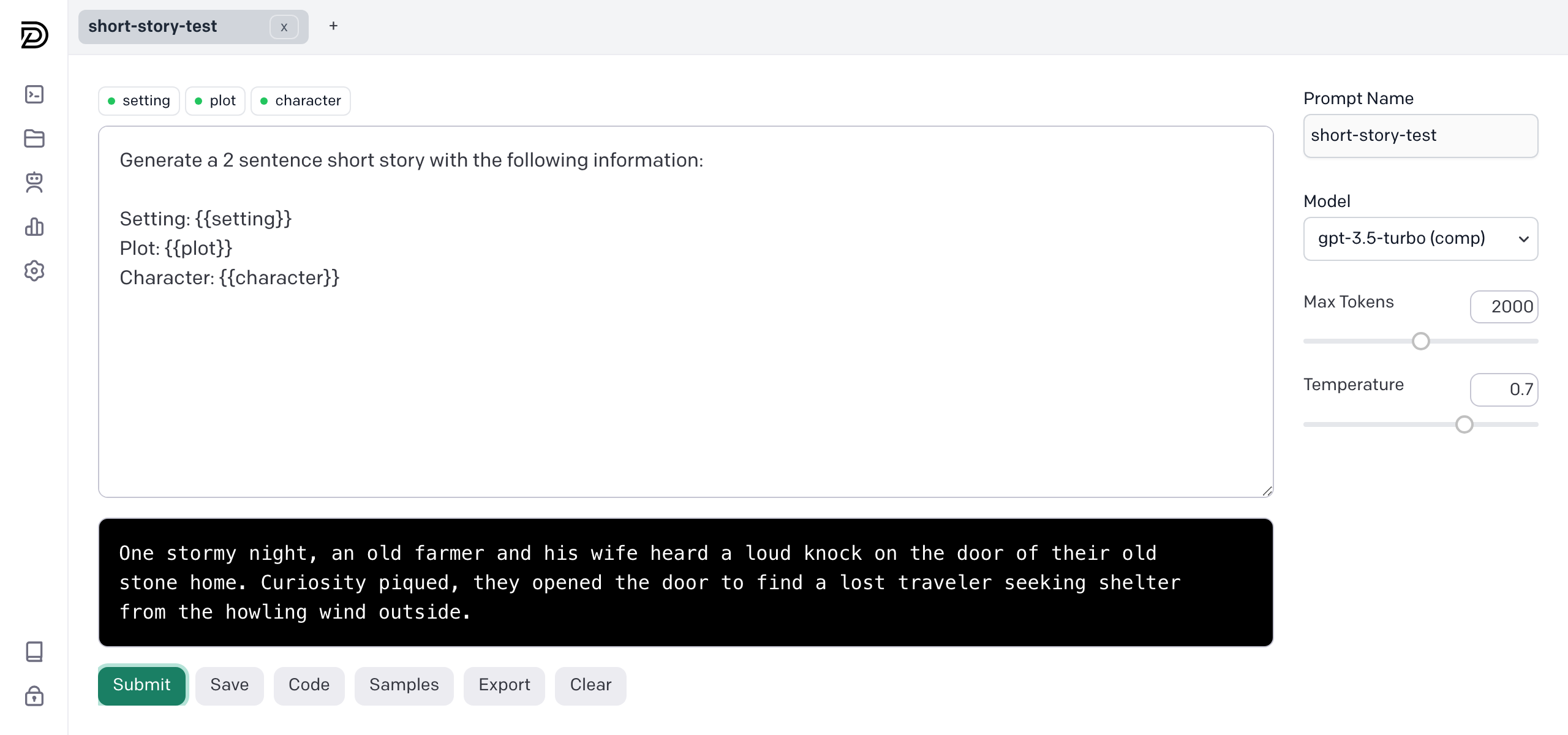 ## Features - 🤝 Cross-team Collaboration - 🔐 Data Privacy and Security - 🌐 Any model, any scale - 👨💻 Python and Javascript SDK - 🏠 Local or Proxied Calls - 📈 Comprehensive Logs - ♾️ Unlimited Models - 🚀 Easy to set up and integrate (5 minutes) ## 🚀 Getting Started We recommend starting with the [Quickstart guide](https://promptdesk.ai/docs/quickstart). You can also jump straight to [building prompts](https://promptdesk.ai/docs/building-prompts/) or start integrating prompts in [python](https://promptdesk.ai/docs/python-pip-package) or [javascript](https://promptdesk.ai/docs/javascript-npm-package). ### Quickstart Run the following commands to install PromptDesk OS in your CLI: ```shell wget https://raw.githubusercontent.com/promptdesk/promptdesk/main/quickstart/setup.sh chmod +x setup.sh && ./setup.sh ``` **Please ensure that port 80 and 443 (optional) is available on your system. If you have a web server running, you may need to stop it before running the setup script.** Open your web browser and navigate to [http://localhost](http://localhost), the IP address, or the domain name provided to access PromptDesk OS. Initial setup will require a valid OpenAI API key for installation testing purposes. More installation options are available in the [PromptDesk OS GitHub Repository](https://github.com/promptdesk/promptdesk/tree/main/quickstart). ## JavaScript SDK To install PromptDesk, use npm: ```shell npm install promptdesk ``` You can call the prompt you build in the application by using the generate method. ```js import { PromptDesk } from 'promptdesk'; //ES6 //const { PromptDesk } = require('promptdesk'); //CommonJS var pd = new PromptDesk({ apiKey: "YOUR_PROMPTDESK_API_KEY", //find in /settings serviceUrl: "http://localhost" }) const story = pd.generate("short-story-test", { "setting": "dark and stormy night", "character": "lonely farmer", "plot": "visited by a stranger" }) console.log(story) ``` ## 🔗 Important Links For more information about PromptDesk, please refer to the following resources: - [Documentation](https://promptdesk.ai/docs/) - [Application GitHub Repository](https://github.com/promptdesk/promptdesk) - [Python GitHub Repository](https://github.com/promptdesk/promptdesk-py) - [PyPI Package](https://pypi.org/project/promptdesk/) - [npm Package](https://www.npmjs.com/package/promptdesk) - [Docker Hub](https://hub.docker.com/r/promptdesk/promptdesk/) - [Official Website](https://promptdesk.ai/)