# What's new in v.3.1.5
- [What's new in v.3.1.5](#whats-new-in-v315)
- [`build-fonts` command](#build-fonts-command)
- [Organizing the fonts folder](#organizing-the-fonts-folder)
- [Icon Font Libraries](#icon-font-libraries)
- [CommonJS module](#commonjs-module)
- [Font Awesome v.6.0.0](#font-awesome-v600)
- [Fixed `package.json` when using the `--tailwind` option in `purgetss create`.](#fixed-packagejson-when-using-the---tailwind-option-in-purgetss-create)
- [Animation Module](#animation-module)
- [Animate the `complete` attributes.](#animate-the-complete-attributes)
- [Extra `delay` and `duration` values](#extra-delay-and-duration-values)
## `build-fonts` command
With the new `build-fonts` command in **Purge TSS**, you can create a `fonts.tss` file with all the class definitions and `fontFamily` selectors from any Serif, Sans-Serif, Cursive, Fantasy or Monospace font families.
**Just put all the `.ttf` or `.otf` files that you want to use in `./purgetss/fonts/`, and run the command**
```bash
> purgetss build-fonts
# alias:
> purgetss bf
```
1. It will create the `./purgetss/fonts.tss` file with all class definitions and `fontFamily` selectors
2. It will copy the font files into `./app/assets/fonts` folder
3. If necessary, **Purge TSS will rename the font files to their corresponding PostScript Name**
In this example we are using the [Bevan and Dancing Script](https://fonts.google.com/share?selection.family=Bevan:ital@0;1%7CDancing%20Script:wght@400;500;600;700) fonts from Google Fonts.
```bash
# Root of the project
purgetss
└─ fonts
├─ Bevan-Italic.ttf
├─ Bevan-Regular.ttf
├─ DancingScript-Bold.ttf
├─ DancingScript-Medium.ttf
├─ DancingScript-Regular.ttf
└─ DancingScript-SemiBold.ttf
```
```css
// Fonts TSS file generated with Purge TSS
// https://github.com/macCesar/purgeTSS
'.bevan-italic': { font: { fontFamily: 'Bevan-Italic' } }
'.bevan-regular': { font: { fontFamily: 'Bevan-Regular' } }
'.dancingscript-bold': { font: { fontFamily: 'DancingScript-Bold' } }
'.dancingscript-medium': { font: { fontFamily: 'DancingScript-Medium' } }
'.dancingscript-regular': { font: { fontFamily: 'DancingScript-Regular' } }
'.dancingscript-semibold': { font: { fontFamily: 'DancingScript-SemiBold' } }
```
**Now you can use any of those fonts in your project.**
### Organizing the fonts folder
For better organization, you can group each font family in sub-folders, for example:
```bash
# Root of the project
purgetss
└─ fonts
└─ bevan
├─ Bevan-Italic.ttf
├─ Bevan-Regular.ttf
└─ dancing-script
├─ DancingScript-Bold.ttf
├─ DancingScript-Medium.ttf
├─ DancingScript-Regular.ttf
└─ DancingScript-SemiBold.ttf
```
You will get the same `fonts.tss` file as the previous example, but with a much better organized fonts folder.
### Icon Font Libraries
You can add **any icon font library** that has either a `.ttf` or `.otf` font file and a `.css` file with unicode characters.
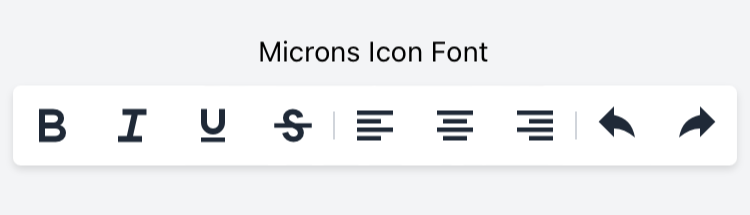
In this example we are using the [map-icons](http://map-icons.com) and the [microns](https://www.s-ings.com/projects/microns-icon-font/) icon font libraries.
```bash
# Root of the project
purgetss
└─ fonts
└─ bevan
└─ dancing-script
└─ mapicons
├─ map-icons.css
└─ map-icons.ttf
└─ microns
├─ microns.css
└─ microns.ttf
```
After running `purgetss build-fonts` you will have all the unicode characters in `fonts.tss`.
```css
// Fonts TSS file generated with Purge TSS
// https://github.com/macCesar/purgeTSS
'.map-icons': { font: { fontFamily: 'map-icons' } }
'.microns': { font: { fontFamily: 'microns' } }
// Unicode characters
// To use your Icon Fonts in Buttons AND Labels each class sets 'text' and 'title' properties
// map-icons.css
'.map-icon-abseiling': { text: '\ue800', title: '\ue800' }
'.map-icon-accounting': { text: '\ue801', title: '\ue801' }
'.map-icon-airport': { text: '\ue802', title: '\ue802' }
'.map-icon-amusement-park': { text: '\ue803', title: '\ue803' }
'.map-icon-aquarium': { text: '\ue804', title: '\ue804' }
// ...
// microns.css
'.mu-arrow-left': { text: '\ue700', title: '\ue700' }
'.mu-arrow-right': { text: '\ue701', title: '\ue701' }
'.mu-arrow-up': { text: '\ue702', title: '\ue702' }
'.mu-arrow-down': { text: '\ue703', title: '\ue703' }
'.mu-left': { text: '\ue704', title: '\ue704' }
// ...
```
### CommonJS module
You can use the `--modules` flag to generate a CommonJS module called `purgetss-fonts.js` in `./app/lib/`.
To avoid any conflicts with other icon libraries that you may use, **Purge TSS will keep each icon prefix**.
```bash
> purgetss build-fonts --modules
# alias:
> purgetss bf -m
```
```javascript
const icons = {
// foundation-icons.css
'.fiAddressBook': '\uf100',
'.fiAlert': '\uf101',
'.fiAlignCenter': '\uf102',
'.fiAlignJustify': '\uf103',
'.fiAlignLeft': '\uf104',
// ...
// map-icons.css
'.mapIconAbseiling': '\ue800',
'.mapIconAccounting': '\ue801',
'.mapIconAirport': '\ue802',
'.mapIconAmusementPark': '\ue803',
'.mapIconAquarium': '\ue804',
// ...
};
exports.icons = icons;
```
## Font Awesome v.6.0.0
The `fontawesome.tss` file has been updated to include [Font Awesome v.6.0.0](https://fontawesome.com/docs/changelog/).
We've also updated the scripts to generate your Pro or Beta version of `fontawesome.tss` file.
## Fixed `package.json` when using the `--tailwind` option in `purgetss create`.
When creating a new project with `purgetss create 'name of the project' --tailwind`, the `package.json` file was throwing an error if the name of the project contain spaces.
## Animation Module
### Animate the `complete` attributes.
The animation module will execute the properties defined with the `complete` attribute.
In this example the `open` animation will reduced the children of the `letters` view to a size of 1%, after completion, the `complete` attributes will be executed: Setting the background color to green and the scaling back to 100%.
```xml
```
```javascript
$.index.open();
function doAnimate() {
$.myAnimationOpen.play($.letters.children);
}
function doReset() {
$.myAnimationReset.apply($.letters.children);
}
```
### Extra `delay` and `duration` values
Added extra `delay` and `duration` values.
```css
// Component(s): Ti.UI.Animation
// Property(ies): delay
'.delay-0': { delay: 0 }
'.delay-25': { delay: 25 }
'.delay-50': { delay: 50 }
'.delay-75': { delay: 75 }
'.delay-100': { delay: 100 }
'.delay-150': { delay: 150 }
'.delay-200': { delay: 200 }
'.delay-250': { delay: 250 }
'.delay-300': { delay: 300 }
'.delay-350': { delay: 350 }
'.delay-400': { delay: 400 }
'.delay-450': { delay: 450 }
'.delay-500': { delay: 500 }
'.delay-600': { delay: 600 }
'.delay-700': { delay: 700 }
'.delay-800': { delay: 800 }
'.delay-900': { delay: 900 }
'.delay-1000': { delay: 1000 }
'.delay-2000': { delay: 2000 }
'.delay-3000': { delay: 3000 }
'.delay-4000': { delay: 4000 }
'.delay-5000': { delay: 5000 }
// Component(s): Ti.UI.Animation
// Property(ies): duration
'.duration-0': { duration: 0 }
'.duration-25': { duration: 25 }
'.duration-50': { duration: 50 }
'.duration-75': { duration: 75 }
'.duration-100': { duration: 100 }
'.duration-150': { duration: 150 }
'.duration-200': { duration: 200 }
'.duration-250': { duration: 250 }
'.duration-300': { duration: 300 }
'.duration-350': { duration: 350 }
'.duration-400': { duration: 400 }
'.duration-450': { duration: 450 }
'.duration-500': { duration: 500 }
'.duration-600': { duration: 600 }
'.duration-700': { duration: 700 }
'.duration-800': { duration: 800 }
'.duration-900': { duration: 900 }
'.duration-1000': { duration: 1000 }
'.duration-2000': { duration: 2000 }
'.duration-3000': { duration: 3000 }
'.duration-4000': { duration: 4000 }
'.duration-5000': { duration: 5000 }
'.duration': { duration: 150 }
```

 ### CommonJS module
You can use the `--modules` flag to generate a CommonJS module called `purgetss-fonts.js` in `./app/lib/`.
To avoid any conflicts with other icon libraries that you may use, **Purge TSS will keep each icon prefix**.
```bash
> purgetss build-fonts --modules
# alias:
> purgetss bf -m
```
```javascript
const icons = {
// foundation-icons.css
'.fiAddressBook': '\uf100',
'.fiAlert': '\uf101',
'.fiAlignCenter': '\uf102',
'.fiAlignJustify': '\uf103',
'.fiAlignLeft': '\uf104',
// ...
// map-icons.css
'.mapIconAbseiling': '\ue800',
'.mapIconAccounting': '\ue801',
'.mapIconAirport': '\ue802',
'.mapIconAmusementPark': '\ue803',
'.mapIconAquarium': '\ue804',
// ...
};
exports.icons = icons;
```
## Font Awesome v.6.0.0
The `fontawesome.tss` file has been updated to include [Font Awesome v.6.0.0](https://fontawesome.com/docs/changelog/).
We've also updated the scripts to generate your Pro or Beta version of `fontawesome.tss` file.
## Fixed `package.json` when using the `--tailwind` option in `purgetss create`.
When creating a new project with `purgetss create 'name of the project' --tailwind`, the `package.json` file was throwing an error if the name of the project contain spaces.
## Animation Module
### Animate the `complete` attributes.
The animation module will execute the properties defined with the `complete` attribute.
In this example the `open` animation will reduced the children of the `letters` view to a size of 1%, after completion, the `complete` attributes will be executed: Setting the background color to green and the scaling back to 100%.
```xml
### CommonJS module
You can use the `--modules` flag to generate a CommonJS module called `purgetss-fonts.js` in `./app/lib/`.
To avoid any conflicts with other icon libraries that you may use, **Purge TSS will keep each icon prefix**.
```bash
> purgetss build-fonts --modules
# alias:
> purgetss bf -m
```
```javascript
const icons = {
// foundation-icons.css
'.fiAddressBook': '\uf100',
'.fiAlert': '\uf101',
'.fiAlignCenter': '\uf102',
'.fiAlignJustify': '\uf103',
'.fiAlignLeft': '\uf104',
// ...
// map-icons.css
'.mapIconAbseiling': '\ue800',
'.mapIconAccounting': '\ue801',
'.mapIconAirport': '\ue802',
'.mapIconAmusementPark': '\ue803',
'.mapIconAquarium': '\ue804',
// ...
};
exports.icons = icons;
```
## Font Awesome v.6.0.0
The `fontawesome.tss` file has been updated to include [Font Awesome v.6.0.0](https://fontawesome.com/docs/changelog/).
We've also updated the scripts to generate your Pro or Beta version of `fontawesome.tss` file.
## Fixed `package.json` when using the `--tailwind` option in `purgetss create`.
When creating a new project with `purgetss create 'name of the project' --tailwind`, the `package.json` file was throwing an error if the name of the project contain spaces.
## Animation Module
### Animate the `complete` attributes.
The animation module will execute the properties defined with the `complete` attribute.
In this example the `open` animation will reduced the children of the `letters` view to a size of 1%, after completion, the `complete` attributes will be executed: Setting the background color to green and the scaling back to 100%.
```xml