[](https://stand-with-ukraine.pp.ua/)
# Purifier Card
[![npm version][npm-image]][npm-url]
[![hacs][hacs-image]][hacs-url]
[![GitHub Sponsors][gh-sponsors-image]][gh-sponsors-url]
[![Patreon][patreon-image]][patreon-url]
[![Buy Me A Coffee][buymeacoffee-image]][buymeacoffee-url]
[![Twitter][twitter-image]][twitter-url]
> Air Purifier card for [Home Assistant][home-assistant] Lovelace UI
By default, the Home Assistant does not provide any card for controlling air purifiers. This card displays the state and allows to control your air purifier.
![Preview of purifier-card][preview-image]
## Installing
**💡 Tip:** If you like this project ~~and want to get some stickers and postcards~~, consider giving me a tip for the time I spent building this project:
 ### HACS
This card is available in [HACS][hacs] (Home Assistant Community Store).
Just search for `Purifier Card` in the plugins tab.
### Manual
1. Download `purifier-card.js` file from the [latest-release].
2. Put `purifier-card.js` file into your `config/www` folder.
3. Add a reference to `purifier-card.js` in Lovelace. There's two way to do that:
1. **Using UI:** _Configuration_ → _Lovelace Dashboards_ → _Resources_ → Click Plus button → Set _Url_ as `/local/purifier-card.js` → Set _Resource type_ as `JavaScript Module`.
2. **Using YAML:** Add the following code to `lovelace` section.
```yaml
resources:
- url: /local/purifier-card.js
type: module
```
4. Add `custom:purifier-card` to Lovelace UI as any other card (using either editor or YAML configuration).
## Using the card
This card can be configured using Lovelace UI editor.
1. In Lovelace UI, click 3 dots in top left corner.
2. Click _Configure UI_.
3. Click Plus button to add a new card.
4. Find _Custom: Purifier Card_ in the list.
5. Choose `entity`.
6. Now you should see the preview of the card!
_Sorry, no support for `shortcuts` and `stats` in visual config yet._
Typical example of using this card in YAML config would look like this:
```yaml
type: 'custom:purifier-card'
entity: fan.purifier
stats:
- attribute: filter_life_remaining
unit: '%'
subtitle: Filter Remaining
- attribute: motor_speed
unit: RPM
subtitle: Motor Speed
- entity_id: sensor.purifier_filter_life
value_template: '{{ (value | float(0) / 3600) | round(1) }}'
unit: hours
subtitle: Filter Life
shortcuts:
- name: Silent
icon: 'mdi:weather-night'
preset_mode: Silent
- name: 25%
icon: 'mdi:circle-slice-2'
percentage: 25
- name: 50%
icon: 'mdi:circle-slice-4'
percentage: 50
- name: 75%
icon: 'mdi:circle-slice-6'
percentage: 75
- name: 100%
icon: 'mdi:circle-slice-8'
percentage: 100
- name: Auto
icon: 'mdi:brightness-auto'
preset_mode: Auto
show_name: true
show_state: true
show_toolbar: true
compact_view: false
```
Here is what every option means:
| Name | Type | Default | Description |
| ------------------ | :-------: | ------------ | ------------------------------------------------ |
| `type` | `string` | **Required** | `custom:purifier-card` |
| `entity` | `string` | **Required** | An entity_id within the `fan` domain. |
| `show_name` | `boolean` | `true` | Show friendly name of the purifier. |
| `show_state` | `boolean` | `true` | Show state of the purifier. |
| `show_preset_mode` | `boolean` | `true` | Show preset mode of the purifier in the header. |
| `show_toolbar` | `boolean` | `true` | Show toolbar with shortcuts. |
| `compact_view` | `boolean` | `false` | Compact view without image. |
| `aqi` | `object` | Optional | Custom entity or attribute for AQI value. |
| `stats` | `array` | Optional | Custom per state stats for your purifier cleaner |
| `shortcuts` | `object` | Optional | Custom shortcuts for your purifier cleaner. |
### `aqi` object
| Name | Type | Default | Description |
| ----------- | :------: | -------- | --------------------------------------------------- |
| `entity_id` | `string` | Optional | An entity_id with state, i.e. `sensor.current_aqi`. |
| `attribute` | `string` | Optional | An attribute which should be used to get AQI value. |
| `unit` | `string` | Optional | An unit of measurement to display. |
You can also combine `attribute` with `entity_id` to extract an attribute value of specific entity.
### `stats` object
You can use any attribute of purifier or even any entity by `entity_id` to display by stats section. Not only that, but you can also combine `attribute` with `entity_id` to extract an attribute value of specific entity:
| Name | Type | Default | Description |
| ---------------- | :------: | -------- | ---------------------------------------------------------------------------------------------------- |
| `entity_id` | `string` | Optional | An entity_id with state, i.e. `sensor.purifier_aqi`. |
| `attribute` | `string` | Optional | Attribute name of the stat, i.e. `filter_left`. |
| `value_template` | `string` | Optional | Jinja2 template returning a value. `value` variable represents the `entity_id` or `attribute` state. |
| `unit` | `string` | Optional | Unit of measure, i.e. `hours`. |
| `subtitle` | `string` | Optional | Friendly name of the stat, i.e. `Filter`. |
### `shortcuts` object
You can define [custom scripts][ha-scripts] for custom actions or add shortcuts for switching presets and percentages via `shortcuts` option.
| Name | Type | Default | Description |
| -------------- | :------: | -------- | ----------------------------------------------------------------------------------------------- |
| `name` | `string` | Optional | Friendly name of the shortcut, i.e. `Switch to Auto`. |
| `icon` | `string` | Optional | Any icon for shortcut button. |
| `service` | `string` | Optional | A service to call, i.e. `script.clean_air`. |
| `target` | `object` | Optional | A `HassServiceTarget`, to define a target for the current service call. |
| `service_data` | `object` | Optional | `service_data` for `service` call |
| `percentage` | `object` | Optional | A `percentage` to switch to, i.e. `27`, etc. See `entity`'s `percentage_step` for valid values. |
| `preset_mode` | `object` | Optional | A `speed` to switch to, i.e. `Auto`, etc |
The card will automatically try to figure out which one of shortcuts is currently active. The shortcut will be highlighted when:
1. It's a service.
2. `entity`'s `percentage` attribute is equal to `shortcut`'s `percentage`.
3. `entity`'s `preset_mode` attribute is equal to `shortcut`'s `preset_mode`.
## Theming
This card can be styled by changing the values of these CSS properties (globally or per-card via [`card-mod`][card-mod]):
| Variable | Default value | Description |
| --------------------------- | ---------------------------------------------------------------- | ------------------------------------ |
| `--pc-background` | `var(--ha-card-background, var(--card-background-color, white))` | Background of the card |
| `--pc-primary-text-color` | `var(--primary-text-color)` | Vacuum name, stats values, etc |
| `--pc-secondary-text-color` | `var(--secondary-text-color)` | Status, stats units and titles, etc |
| `--pc-icon-color` | `var(--secondary-text-color)` | Colors of icons |
| `--pc-slider-path-color` | `var(--round-slider-path-color)` | Color of the slider path |
| `--pc-slider-bar-color` | `var(--round-slider-bar-color)` | Color of the slider bar |
| `--pc-toolbar-background` | `var(--vc-background)` | Background of the toolbar |
| `--pc-toolbar-text-color` | `var(--secondary-text-color)` | Color of the toolbar texts |
| `--pc-toolbar-icon-color` | `var(--secondary-text-color)` | Color of the toolbar icons |
| `--pc-divider-color` | `var(--entities-divider-color, var(--divider-color))` | Color of dividers |
| `--pc-spacing` | `10px` | Paddings and margins inside the card |
### Styling via theme
Here is an example of customization via theme. Read more in the [Frontend documentation](https://www.home-assistant.io/integrations/frontend/).
```yaml
my-custom-theme:
pc-background: '#17A8F4'
pc-spacing: 5px
```
### Styling via card-mod
You can use [`card-mod`][card-mod] to customize the card on per-card basis, like this:
```yaml
type: 'custom:purifier-card'
style: |
ha-card {
--pc-background: #17A8F4;
--pc-spacing: 5px;
}
...
```
## Animations
I've added an animation for this card to make it alive:
### HACS
This card is available in [HACS][hacs] (Home Assistant Community Store).
Just search for `Purifier Card` in the plugins tab.
### Manual
1. Download `purifier-card.js` file from the [latest-release].
2. Put `purifier-card.js` file into your `config/www` folder.
3. Add a reference to `purifier-card.js` in Lovelace. There's two way to do that:
1. **Using UI:** _Configuration_ → _Lovelace Dashboards_ → _Resources_ → Click Plus button → Set _Url_ as `/local/purifier-card.js` → Set _Resource type_ as `JavaScript Module`.
2. **Using YAML:** Add the following code to `lovelace` section.
```yaml
resources:
- url: /local/purifier-card.js
type: module
```
4. Add `custom:purifier-card` to Lovelace UI as any other card (using either editor or YAML configuration).
## Using the card
This card can be configured using Lovelace UI editor.
1. In Lovelace UI, click 3 dots in top left corner.
2. Click _Configure UI_.
3. Click Plus button to add a new card.
4. Find _Custom: Purifier Card_ in the list.
5. Choose `entity`.
6. Now you should see the preview of the card!
_Sorry, no support for `shortcuts` and `stats` in visual config yet._
Typical example of using this card in YAML config would look like this:
```yaml
type: 'custom:purifier-card'
entity: fan.purifier
stats:
- attribute: filter_life_remaining
unit: '%'
subtitle: Filter Remaining
- attribute: motor_speed
unit: RPM
subtitle: Motor Speed
- entity_id: sensor.purifier_filter_life
value_template: '{{ (value | float(0) / 3600) | round(1) }}'
unit: hours
subtitle: Filter Life
shortcuts:
- name: Silent
icon: 'mdi:weather-night'
preset_mode: Silent
- name: 25%
icon: 'mdi:circle-slice-2'
percentage: 25
- name: 50%
icon: 'mdi:circle-slice-4'
percentage: 50
- name: 75%
icon: 'mdi:circle-slice-6'
percentage: 75
- name: 100%
icon: 'mdi:circle-slice-8'
percentage: 100
- name: Auto
icon: 'mdi:brightness-auto'
preset_mode: Auto
show_name: true
show_state: true
show_toolbar: true
compact_view: false
```
Here is what every option means:
| Name | Type | Default | Description |
| ------------------ | :-------: | ------------ | ------------------------------------------------ |
| `type` | `string` | **Required** | `custom:purifier-card` |
| `entity` | `string` | **Required** | An entity_id within the `fan` domain. |
| `show_name` | `boolean` | `true` | Show friendly name of the purifier. |
| `show_state` | `boolean` | `true` | Show state of the purifier. |
| `show_preset_mode` | `boolean` | `true` | Show preset mode of the purifier in the header. |
| `show_toolbar` | `boolean` | `true` | Show toolbar with shortcuts. |
| `compact_view` | `boolean` | `false` | Compact view without image. |
| `aqi` | `object` | Optional | Custom entity or attribute for AQI value. |
| `stats` | `array` | Optional | Custom per state stats for your purifier cleaner |
| `shortcuts` | `object` | Optional | Custom shortcuts for your purifier cleaner. |
### `aqi` object
| Name | Type | Default | Description |
| ----------- | :------: | -------- | --------------------------------------------------- |
| `entity_id` | `string` | Optional | An entity_id with state, i.e. `sensor.current_aqi`. |
| `attribute` | `string` | Optional | An attribute which should be used to get AQI value. |
| `unit` | `string` | Optional | An unit of measurement to display. |
You can also combine `attribute` with `entity_id` to extract an attribute value of specific entity.
### `stats` object
You can use any attribute of purifier or even any entity by `entity_id` to display by stats section. Not only that, but you can also combine `attribute` with `entity_id` to extract an attribute value of specific entity:
| Name | Type | Default | Description |
| ---------------- | :------: | -------- | ---------------------------------------------------------------------------------------------------- |
| `entity_id` | `string` | Optional | An entity_id with state, i.e. `sensor.purifier_aqi`. |
| `attribute` | `string` | Optional | Attribute name of the stat, i.e. `filter_left`. |
| `value_template` | `string` | Optional | Jinja2 template returning a value. `value` variable represents the `entity_id` or `attribute` state. |
| `unit` | `string` | Optional | Unit of measure, i.e. `hours`. |
| `subtitle` | `string` | Optional | Friendly name of the stat, i.e. `Filter`. |
### `shortcuts` object
You can define [custom scripts][ha-scripts] for custom actions or add shortcuts for switching presets and percentages via `shortcuts` option.
| Name | Type | Default | Description |
| -------------- | :------: | -------- | ----------------------------------------------------------------------------------------------- |
| `name` | `string` | Optional | Friendly name of the shortcut, i.e. `Switch to Auto`. |
| `icon` | `string` | Optional | Any icon for shortcut button. |
| `service` | `string` | Optional | A service to call, i.e. `script.clean_air`. |
| `target` | `object` | Optional | A `HassServiceTarget`, to define a target for the current service call. |
| `service_data` | `object` | Optional | `service_data` for `service` call |
| `percentage` | `object` | Optional | A `percentage` to switch to, i.e. `27`, etc. See `entity`'s `percentage_step` for valid values. |
| `preset_mode` | `object` | Optional | A `speed` to switch to, i.e. `Auto`, etc |
The card will automatically try to figure out which one of shortcuts is currently active. The shortcut will be highlighted when:
1. It's a service.
2. `entity`'s `percentage` attribute is equal to `shortcut`'s `percentage`.
3. `entity`'s `preset_mode` attribute is equal to `shortcut`'s `preset_mode`.
## Theming
This card can be styled by changing the values of these CSS properties (globally or per-card via [`card-mod`][card-mod]):
| Variable | Default value | Description |
| --------------------------- | ---------------------------------------------------------------- | ------------------------------------ |
| `--pc-background` | `var(--ha-card-background, var(--card-background-color, white))` | Background of the card |
| `--pc-primary-text-color` | `var(--primary-text-color)` | Vacuum name, stats values, etc |
| `--pc-secondary-text-color` | `var(--secondary-text-color)` | Status, stats units and titles, etc |
| `--pc-icon-color` | `var(--secondary-text-color)` | Colors of icons |
| `--pc-slider-path-color` | `var(--round-slider-path-color)` | Color of the slider path |
| `--pc-slider-bar-color` | `var(--round-slider-bar-color)` | Color of the slider bar |
| `--pc-toolbar-background` | `var(--vc-background)` | Background of the toolbar |
| `--pc-toolbar-text-color` | `var(--secondary-text-color)` | Color of the toolbar texts |
| `--pc-toolbar-icon-color` | `var(--secondary-text-color)` | Color of the toolbar icons |
| `--pc-divider-color` | `var(--entities-divider-color, var(--divider-color))` | Color of dividers |
| `--pc-spacing` | `10px` | Paddings and margins inside the card |
### Styling via theme
Here is an example of customization via theme. Read more in the [Frontend documentation](https://www.home-assistant.io/integrations/frontend/).
```yaml
my-custom-theme:
pc-background: '#17A8F4'
pc-spacing: 5px
```
### Styling via card-mod
You can use [`card-mod`][card-mod] to customize the card on per-card basis, like this:
```yaml
type: 'custom:purifier-card'
style: |
ha-card {
--pc-background: #17A8F4;
--pc-spacing: 5px;
}
...
```
## Animations
I've added an animation for this card to make it alive:
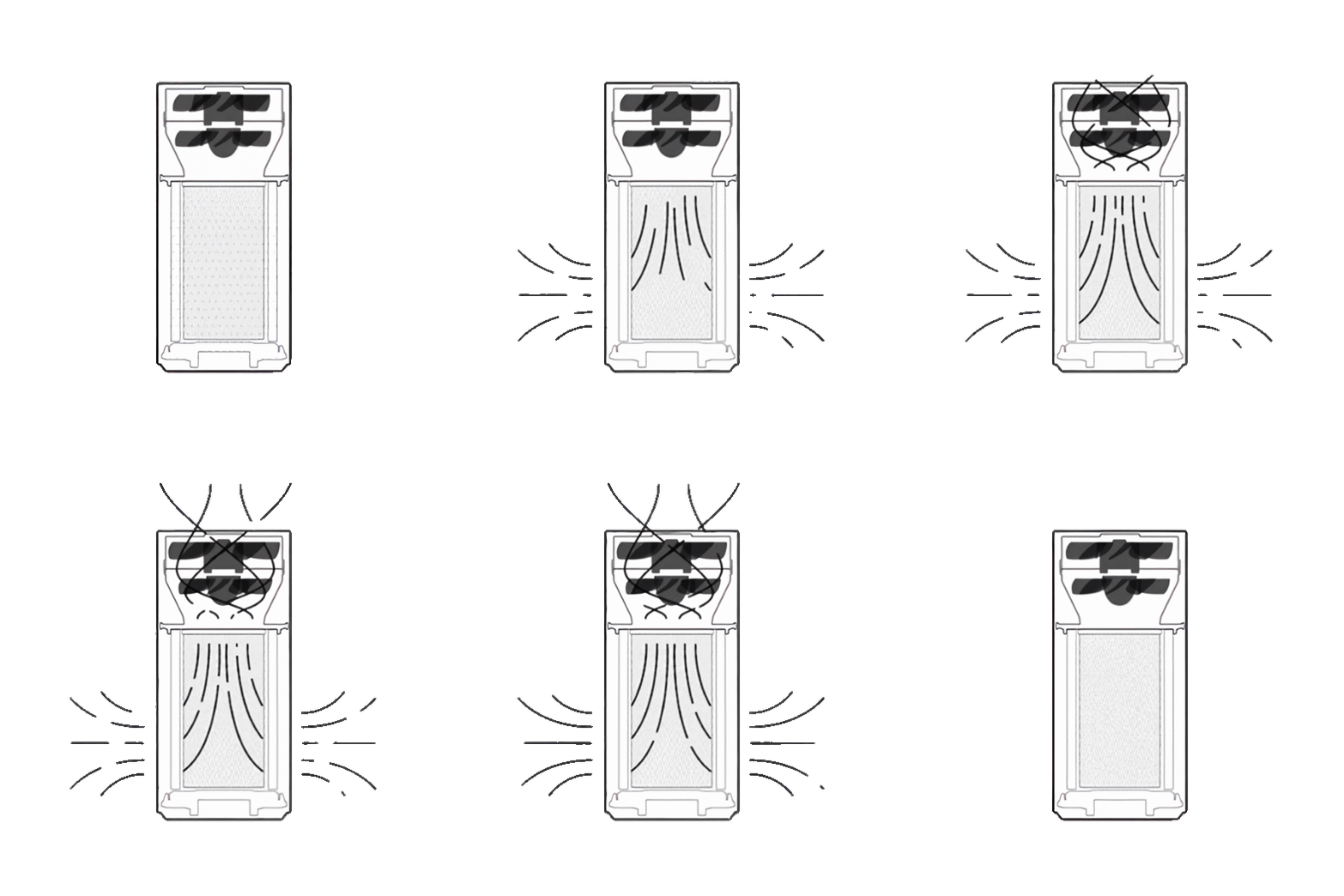 How did I make this animation? It's a long story…
1. I took original gif file from [here][original-gif].
2. Then I tweaked image levels to make the background black and purifier white.
3. Then I inverted colors on the gif.
4. Then I've split the gif by frame.
5. Then I removed the background of the image frame by frame using remove.bg.
6. Then I upscaled each of those images using icons8.com/upscaler.
7. Then I put up all of those images back in a single gif.
8. Profit!
Archive with images from all of these steps [can be found here](https://t.me/denysandtech/185).
## Supported languages
This card supports translations. Please, help to add more translations and improve existing ones. Here's a list of supported languages:
- English
- Українська (Ukrainian)
- Türkçe (Turkish)
- Français (French)
- Norsk (Norwegian)
- Polski (Polish)
- Български (Bulgarian)
- 简体中文 (Simplified Chinese)
- Deutsch (German)
- Català (Catalan)
- Русский (Russian)
- Italiano (Italian)
- 繁體中文 (Traditional Chinese)
- Čeština (Czech)
- Dutch (Netherlands)
- Español (Spanish)
- Slovenčina (Slovak)
- Português (Portuguese)
- [_Your language?_][add-translation]
## Supported models
This card relies on basic fan services, like `toggle`, `turn_on`, `turn_off`, etc. It should work with any air purifier, however I can physically test it only with my own purifier.
If this card works with your air purifier, please open a PR and your model to the list (in alphabetical order).
- Air Purifier 4 Pro
- Air Purifier 3/3H
- Air Purifier 2/2H/2S
- Air Purifier Pro
- Blueair Classic 480i/680i
- Coway Airmega 300S/400S ([using IoCare custom component](https://github.com/RobertD502/home-assistant-iocare))
- Dyson Pure Cool/Cool Link/Cool Desk/Cool Link Desk ([using Dyson custom integration](https://github.com/libdyson-wg/ha-dyson))
- Dyson Pure Humidify+Cool ([using Dyson custom integration](https://github.com/libdyson-wg/ha-dyson))
- Dyson Purifier Hot+Cool HP2 De-NOx ([using Dyson custom integration](https://github.com/libdyson-wg/ha-dyson))
- Honeywell H-Cat Air Purifier ([using Local Tuya integration](https://github.com/xZetsubou/hass-localtuya))
- Ikea Starkvind
- Levoit Air Purifier (Core 200S) (partially)
- Levoit Air Purifier (Core 400S)
- Philips AirPurifier AC3858/50 (partially)
- Philips AirPurifier AC4221/11 ([using philips-airpurifier-coap cutom component](https://github.com/kongo09/philips-airpurifier-coap))
- SmartMI Air Purifier
- Winix AM90 Wi-Fi Air Purifier
- [_Your purifier?_][edit-readme]
## Development
Want to contribute to the project?
First of all, thanks! Check [contributing guideline](./CONTRIBUTING.md) for more information.
## Inspiration
This project is heavily inspired by:
- [MacBury Smart House][macbury-smart-house] — basically, this project is a refinement of MacBury's custom card.
Huge thanks for their ideas and efforts 👍
## License
MIT © [Denys Dovhan][denysdovhan]
[npm-url]: https://npmjs.org/package/purifier-card
[npm-image]: https://img.shields.io/npm/v/purifier-card.svg?style=flat-square
[hacs-url]: https://github.com/hacs/integration
[hacs-image]: https://img.shields.io/badge/hacs-default-orange.svg?style=flat-square
[gh-sponsors-url]: https://github.com/sponsors/denysdovhan
[gh-sponsors-image]: https://img.shields.io/github/sponsors/denysdovhan?style=flat-square
[patreon-url]: https://patreon.com/denysdovhan
[patreon-image]: https://img.shields.io/badge/support-patreon-F96854.svg?style=flat-square
[buymeacoffee-url]: https://patreon.com/denysdovhan
[buymeacoffee-image]: https://img.shields.io/badge/support-buymeacoffee-222222.svg?style=flat-square
[twitter-url]: https://twitter.com/denysdovhan
[twitter-image]: https://img.shields.io/badge/twitter-%40denysdovhan-00ACEE.svg?style=flat-square
[home-assistant]: https://www.home-assistant.io/
[hacs]: https://hacs.xyz
[preview-image]: https://user-images.githubusercontent.com/3459374/164275676-504d92aa-2c61-4451-ae9b-23dad113ce14.png
[latest-release]: https://github.com/denysdovhan/purifier-card/releases/latest
[ha-scripts]: https://www.home-assistant.io/docs/scripts/
[xiaomi-miio-favorite-levels]: https://www.home-assistant.io/integrations/xiaomi_miio/#service-xiaomi_miiofan_set_favorite_level-air-purifiers-only
[original-gif]: https://github.com/macbury/SmartHouse/blob/master/home-assistant/www/custom-lovelace/air-purifier/standby.gif
[edit-readme]: https://github.com/denysdovhan/purifier-card/edit/master/README.md
[add-translation]: https://github.com/denysdovhan/purifier-card/blob/master/CONTRIBUTING.md#how-to-add-translation
[macbury-smart-house]: https://macbury.github.io/SmartHouse/HomeAssistant/Lovelace/#air-purifier
[denysdovhan]: https://denysdovhan.com
How did I make this animation? It's a long story…
1. I took original gif file from [here][original-gif].
2. Then I tweaked image levels to make the background black and purifier white.
3. Then I inverted colors on the gif.
4. Then I've split the gif by frame.
5. Then I removed the background of the image frame by frame using remove.bg.
6. Then I upscaled each of those images using icons8.com/upscaler.
7. Then I put up all of those images back in a single gif.
8. Profit!
Archive with images from all of these steps [can be found here](https://t.me/denysandtech/185).
## Supported languages
This card supports translations. Please, help to add more translations and improve existing ones. Here's a list of supported languages:
- English
- Українська (Ukrainian)
- Türkçe (Turkish)
- Français (French)
- Norsk (Norwegian)
- Polski (Polish)
- Български (Bulgarian)
- 简体中文 (Simplified Chinese)
- Deutsch (German)
- Català (Catalan)
- Русский (Russian)
- Italiano (Italian)
- 繁體中文 (Traditional Chinese)
- Čeština (Czech)
- Dutch (Netherlands)
- Español (Spanish)
- Slovenčina (Slovak)
- Português (Portuguese)
- [_Your language?_][add-translation]
## Supported models
This card relies on basic fan services, like `toggle`, `turn_on`, `turn_off`, etc. It should work with any air purifier, however I can physically test it only with my own purifier.
If this card works with your air purifier, please open a PR and your model to the list (in alphabetical order).
- Air Purifier 4 Pro
- Air Purifier 3/3H
- Air Purifier 2/2H/2S
- Air Purifier Pro
- Blueair Classic 480i/680i
- Coway Airmega 300S/400S ([using IoCare custom component](https://github.com/RobertD502/home-assistant-iocare))
- Dyson Pure Cool/Cool Link/Cool Desk/Cool Link Desk ([using Dyson custom integration](https://github.com/libdyson-wg/ha-dyson))
- Dyson Pure Humidify+Cool ([using Dyson custom integration](https://github.com/libdyson-wg/ha-dyson))
- Dyson Purifier Hot+Cool HP2 De-NOx ([using Dyson custom integration](https://github.com/libdyson-wg/ha-dyson))
- Honeywell H-Cat Air Purifier ([using Local Tuya integration](https://github.com/xZetsubou/hass-localtuya))
- Ikea Starkvind
- Levoit Air Purifier (Core 200S) (partially)
- Levoit Air Purifier (Core 400S)
- Philips AirPurifier AC3858/50 (partially)
- Philips AirPurifier AC4221/11 ([using philips-airpurifier-coap cutom component](https://github.com/kongo09/philips-airpurifier-coap))
- SmartMI Air Purifier
- Winix AM90 Wi-Fi Air Purifier
- [_Your purifier?_][edit-readme]
## Development
Want to contribute to the project?
First of all, thanks! Check [contributing guideline](./CONTRIBUTING.md) for more information.
## Inspiration
This project is heavily inspired by:
- [MacBury Smart House][macbury-smart-house] — basically, this project is a refinement of MacBury's custom card.
Huge thanks for their ideas and efforts 👍
## License
MIT © [Denys Dovhan][denysdovhan]
[npm-url]: https://npmjs.org/package/purifier-card
[npm-image]: https://img.shields.io/npm/v/purifier-card.svg?style=flat-square
[hacs-url]: https://github.com/hacs/integration
[hacs-image]: https://img.shields.io/badge/hacs-default-orange.svg?style=flat-square
[gh-sponsors-url]: https://github.com/sponsors/denysdovhan
[gh-sponsors-image]: https://img.shields.io/github/sponsors/denysdovhan?style=flat-square
[patreon-url]: https://patreon.com/denysdovhan
[patreon-image]: https://img.shields.io/badge/support-patreon-F96854.svg?style=flat-square
[buymeacoffee-url]: https://patreon.com/denysdovhan
[buymeacoffee-image]: https://img.shields.io/badge/support-buymeacoffee-222222.svg?style=flat-square
[twitter-url]: https://twitter.com/denysdovhan
[twitter-image]: https://img.shields.io/badge/twitter-%40denysdovhan-00ACEE.svg?style=flat-square
[home-assistant]: https://www.home-assistant.io/
[hacs]: https://hacs.xyz
[preview-image]: https://user-images.githubusercontent.com/3459374/164275676-504d92aa-2c61-4451-ae9b-23dad113ce14.png
[latest-release]: https://github.com/denysdovhan/purifier-card/releases/latest
[ha-scripts]: https://www.home-assistant.io/docs/scripts/
[xiaomi-miio-favorite-levels]: https://www.home-assistant.io/integrations/xiaomi_miio/#service-xiaomi_miiofan_set_favorite_level-air-purifiers-only
[original-gif]: https://github.com/macbury/SmartHouse/blob/master/home-assistant/www/custom-lovelace/air-purifier/standby.gif
[edit-readme]: https://github.com/denysdovhan/purifier-card/edit/master/README.md
[add-translation]: https://github.com/denysdovhan/purifier-card/blob/master/CONTRIBUTING.md#how-to-add-translation
[macbury-smart-house]: https://macbury.github.io/SmartHouse/HomeAssistant/Lovelace/#air-purifier
[denysdovhan]: https://denysdovhan.com