# qui-flow

> 一个简易流程图组件

## 预览
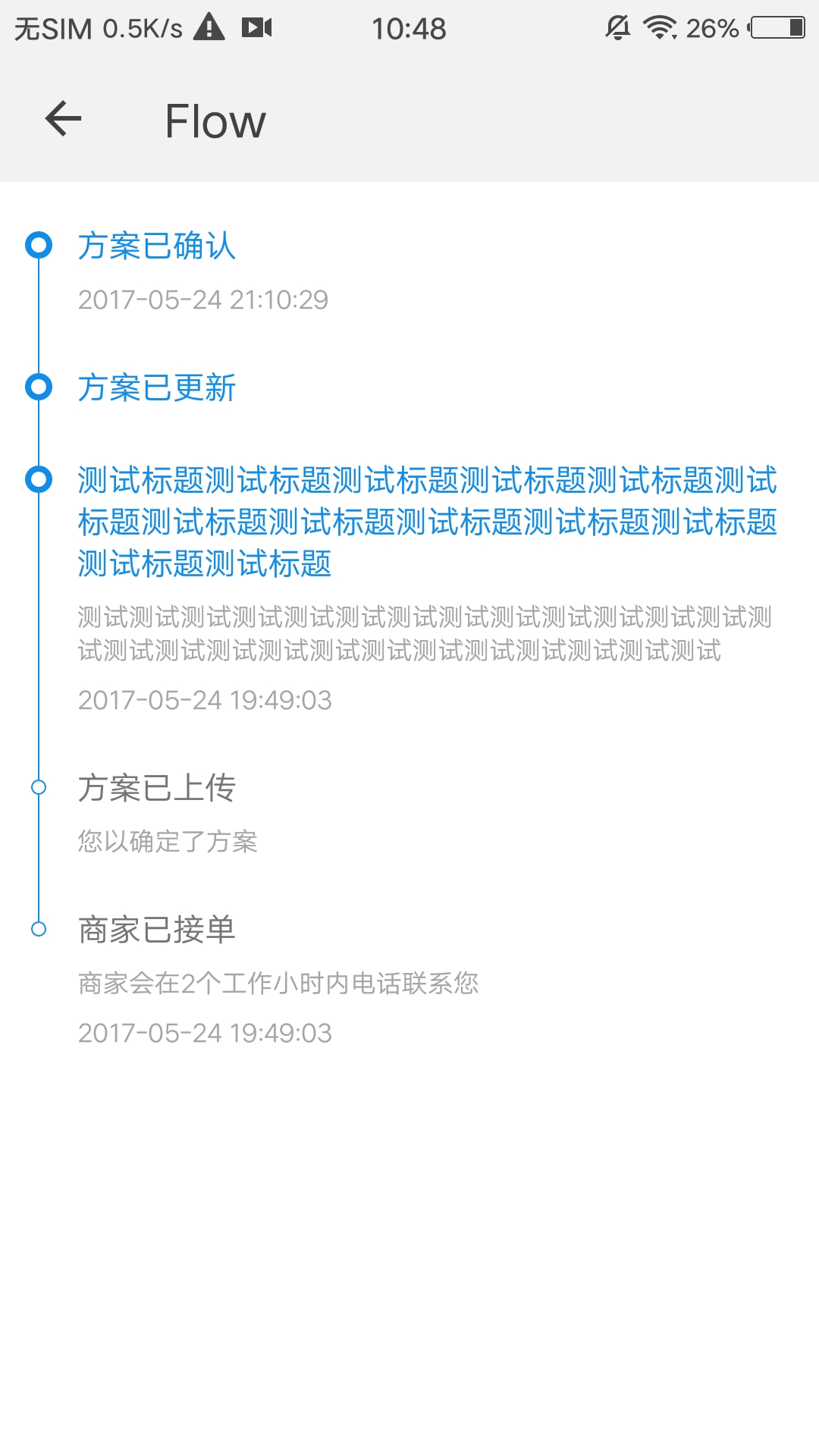
<img src="https://qapp-ui.github.io/qapp-ui/docs/assets/qui-flow.jpg" width="300"/>

## 依赖接口

无依赖

## 使用方法

```ux
<import name="qui-flow" src="@qapp-ui/qui-flow/index"></import>

<template>
 <div class="page">
    <qui-flow line='#0F8DE8' background='#ffffff' border='#0F8DE8' highlight-title='#0F8DE8' 
    highlight-background='#ffffff' highlight-border='#0F8DE8' options="{{list}}"></qui-flow>
  </div>
</template>

<script>
  export default {
    private: {
      list: [{
        'time': '2017-05-24 21:10:29',
        'desc': '',
        'highlight': true,
        'title': '方案已确认'
      }, {
        'highlight': true,
        'title': '方案已更新'
      }, {
        'highlight': true,
        'time': '2017-05-24 19:49:03',
        'desc': '测试测试测试测试测试测试测试测试测试测试测试测试测试测试测试测试测试测试测试测试测试测试测试测试测试测试',
        'title': '测试标题测试标题测试标题测试标题测试标题测试标题测试标题测试标题测试标题测试标题测试标题测试标题测试标题'
      }, {
        'desc': '您以确定了方案',
        'title': '方案已上传'
      }, {
        'time': '2017-05-24 19:49:03',
        'desc': '商家会在2个工作小时内电话联系您',
        'title': '商家已接单'
      }]
    }
  }
</script>

```

更详细代码可以参考[qui-flow demo](https://github.com/qapp-ui/qapp-ui/blob/master/src/Flow/index.ux)

## 参数


| 名称 | 类型 | 必填 | 默认值 | 描述 |
|----------|-----------|--------|-------|-----|
| list | `Array` | `Y` | `-` |流程图数据(注1，数组中对象的详细内容见下表) |
| line | `String` | `N` | `#ffc300` | 线条颜色 |
| background | `String` | `N` | `#fff0bd` | 流程节点的背景色 |
| border | `String` | `N` | `#ee9900` | 流程节点的边框颜色 |
| highlightTitle | `String` | `N` | `#ee9900` | 高亮流程节点的标题颜色 |
| highlightBackground | `String` | `N` | `#ee9900` | 高亮流程节点的背景色 |
| highlightBorder| `String` | `N` | `#fff0bd` | 高亮流程节点的边框颜色 |


#### list中Object (注1)

| 名称 | 类型 | 必填 | 默认值 | 描述 |
|-------------|------------|--------|-----|-----|
| title | `String` | `Y` | `-` | 标题 |
| desc | `String` | `N` | `-` |描述 |
| time | `String` | `N` | `-` | 时间 |
| highlight | `Boolean` | `N` | `false` | 是否显示高亮流程节点的标题颜色和背景色 |