# QR Border Plugin
The `qr-border-plugin` is an extension for the [QR Code Styling](https://github.com/kozakdenys/qr-code-styling) library that adds customizable borders and decorations (such as text or images) to your QR codes.
You can install it and use in development without license.
But you need to [buy license key](https://www.lefe.dev/marketplace/qr-border-plugin) to use it in production, otherwise you will see watermark.
## Examples
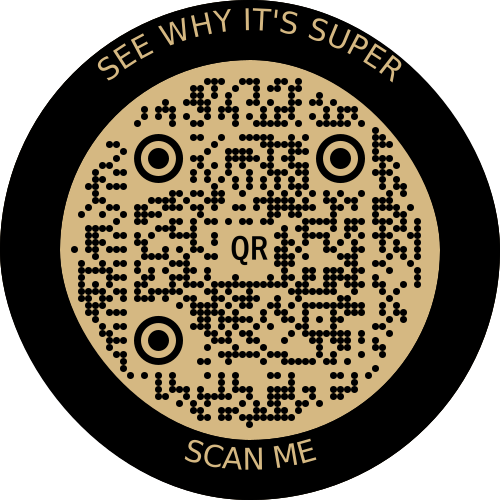
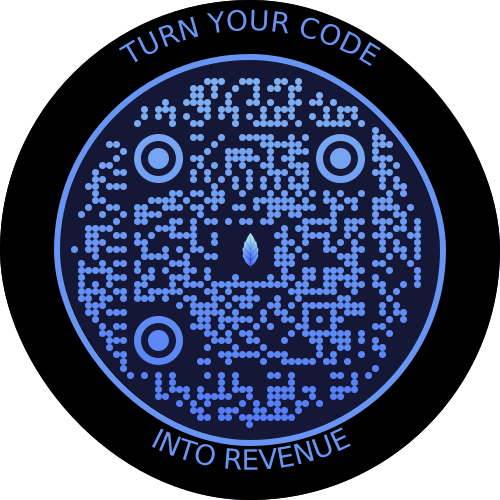
## Features
- Customizable inner and outer borders thickness, color, and roundness.
- Add decorations (text or images) to any side of the QR code.
- Supports custom fonts, styles, and images for decorations.
## Installation
You can use the `qr-border-plugin` directly via CDN:
```html
```
Or, via npm registry
```bash
npm install qr-border-plugin
```
## Usage
Here's an example of how to integrate the `qr-border-plugin` into your `qr-code-styling`:
```html
QR Code Styling
```
### Extension Options
The `extensionOptions` object allows you to customize the border and decorations of the QR code. Here's a breakdown of the properties:
#### `round`
- **Type**: `number`
- **Description**: Roundness of the QR code's borders. Accepts values between 0 and 1.
- **Example**: `round: 1`
#### `thickness`
- **Type**: `number`
- **Description**: The thickness of the QR code's border.
- **Example**: `thickness: 60`
#### `color`
- **Type**: `string`
- **Description**: Color of the QR code's border.
- **Example**: `color: "#000000"`
#### `dasharray`
- **Type**: `string`
- **Description**: Optional dasharray for a dashed border.
- **Example**: `dasharray: "4 1"`
#### `decorations`
- **Type**: `object`
- **Description**: Allows adding text or image decorations to any side of the QR code.
- **Properties**: `top`, `bottom`, `left`, `right`
- **Type**: `object`
- **Property** `type`
- **Type**: `string`
- **Description**: Type of decoration. Can be `text` or `image`.
- **Property** `value`
- **Type**: `string`
- **Description**: The text or image URL.
- **Property** `style`
- **Type**: `string`
- **Description**: Custom CSS for the decoration.
- **Example**:
```javascript
decorations: {
top: {
type: "text",
value: "SEE WHY IT'S SUPER",
style: "font: 30px sans-serif; fill: #D5B882;",
}
}
```
#### `borderInner`
- **Type**: `object`
- **Description**: Customizable inner border of the QR code.
- **Properties**: `thickness`, `color`, `dasharray`
#### `borderOuter`
- **Type**: `object`
- **Description**: Customizable outer border of the QR code.
- **Properties**: `thickness`, `color`, `dasharray`
### License Verification
The `qr-border-plugin` includes license verification using the [Lefe License](https://www.npmjs.com/package/@lefe-dev/lefe-verify-license). To use the plugin without watermarking, you need to set a valid license key using:
```javascript
QRBorderPlugin.setKey("your_license_key");
```
### Watermark
If no valid license is provided, a watermark will be added to the generated QR code. This watermark is removed when a valid key is used.
## Contributing
Feel free to open an issue if you have any improvements or suggestions for `qr-border-plugin`.
## License
This project is under [Commercial License](./LICENSE). You need to [buy license key](https://www.lefe.dev/marketplace/qr-border-plugin) to use it in production.