# QR Code Styling
[](https://www.npmjs.org/package/qr-code-styling)
JavaScript library for generating QR codes with a logo and styling.
Try it here https://qr-code-styling.com
If you have issues / suggestions / notes / questions, please open an issue or contact me. Let's create a cool library together.
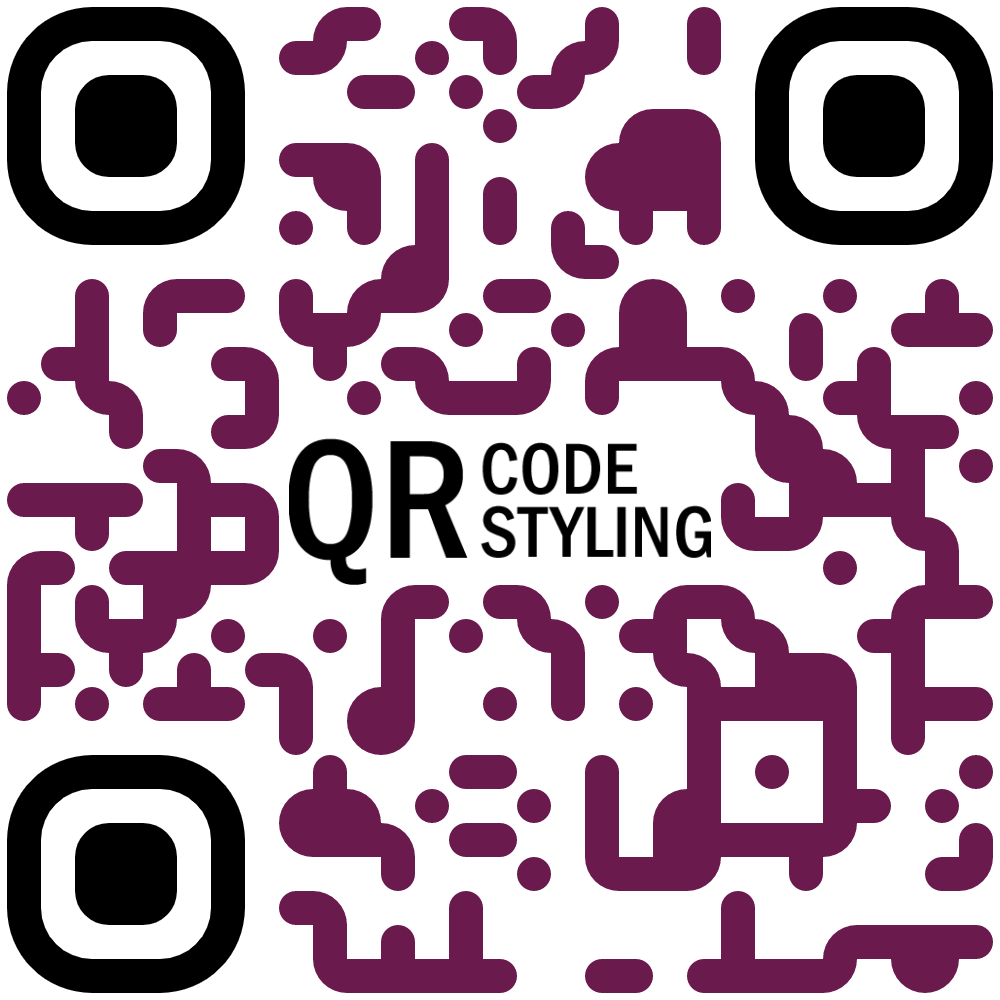
### Examples


### Extensions
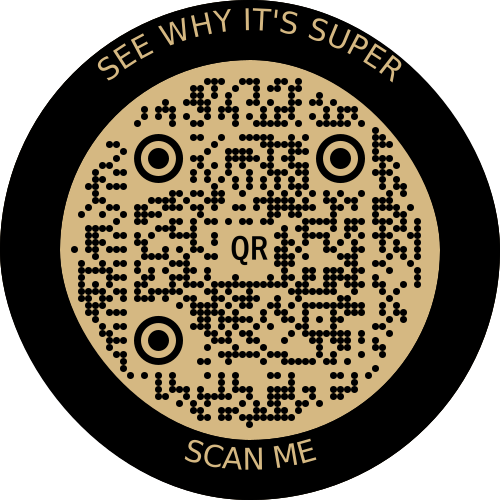
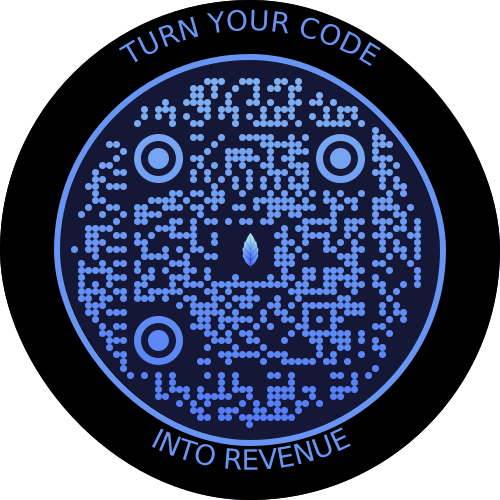
If you would like to use additional stiles, you can connect extensions.
#### [qr-border-plugin](https://www.npmjs.com/package/qr-border-plugin)
### Installation
```
npm install qr-code-styling
```
### Usage
```HTML
QR Code Styling
```
---
[**React example (Codesandbox)**](https://codesandbox.io/s/qr-code-styling-react-example-l8rwl?file=/src/App.js)
[**Angular example (Codesandbox)**](https://codesandbox.io/s/agitated-panini-tpgb2?file=/src/app/app.component.ts)
---
[**React example (source)**](https://github.com/kozakdenys/qr-code-styling-examples/tree/master/examples/react)
[**Angular example (source)**](https://github.com/kozakdenys/qr-code-styling-examples/tree/master/examples/angular)
[**Vue example (source)**](https://github.com/kozakdenys/qr-code-styling-examples/tree/master/examples/vue)
[**Node.js example (source)**](https://github.com/kozakdenys/qr-code-styling-examples/tree/master/examples/nodejs)
[**Next.js example (source)**](https://github.com/kozakdenys/qr-code-styling-examples/tree/master/examples/nextjs)
---
### API Documentation
#### QRCodeStyling instance
`new QRCodeStyling(options) => QRCodeStyling`
Param |Type |Description
-------|------|------------
options|object|Init object
`options` structure
Property | Type |Default Value|Description
-----------------------|----------------------------|---------|-----------------------------------------------------
width | number |`300` |Size of canvas
height | number |`300` |Size of canvas
type | string (`'canvas' 'svg'`) |`canvas` |The type of the element that will be rendered
shape | string (`'square' 'circle')|`square` |The shape of the qr-code, circle shape adds rundom extra dots arround
data | string | |The data will be encoded to the QR code
image | string | |The image will be copied to the center of the QR code
margin | number |`0` |Margin around canvas
qrOptions | object | |Options will be passed to `qrcode-generator` lib
imageOptions | object | |Specific image options, details see below
dotsOptions | object | |Dots styling options
cornersSquareOptions | object | |Square in the corners styling options
cornersDotOptions | object | |Dots in the corners styling options
backgroundOptions | object | |QR background styling options
nodeCanvas | node-canvas | |Only specify when running on a node server for canvas type, please refer to node section below
jsDom | jsdom | |Only specify when running on a node server for svg type, please refer to node section below
`options.qrOptions` structure
Property |Type |Default Value
--------------------|--------------------------------------------------|-------------
typeNumber |number (`0 - 40`) |`0`
mode |string (`'Numeric' 'Alphanumeric' 'Byte' 'Kanji'`)|
errorCorrectionLevel|string (`'L' 'M' 'Q' 'H'`) |`'Q'`
`options.imageOptions` structure
Property |Type | Default Value |Description
------------------|---------------------------------------|---------------|------------------------------------------------------------------------------
hideBackgroundDots|boolean | `true` |Hide all dots covered by the image
imageSize |number | `0.4` |Coefficient of the image size. Not recommended to use ove 0.5. Lower is better
margin |number | `0` |Margin of the image in px
crossOrigin |string(`'anonymous' 'use-credentials'`)| |Set "anonymous" if you want to download QR code from other origins.
saveAsBlob |boolean | `true` |Saves image as base64 blob in svg type, see bellow
When QR type is svg, the image may not load in certain applications as it is saved as a url, and some svg applications will not render url images for security reasons. Setting `saveAsBlob` to true will instead save the image as a blob, allowing it to render correctly in more places, but will also increase the file size.
`options.dotsOptions` structure
Property | Type | Default Value |Description
-------- |--------------------------------------------------------------------------------|---------------|-------------------
color | string | `'#000'` |Color of QR dots
gradient | object | |Gradient of QR dots
type | string (`'rounded' 'dots' 'classy' 'classy-rounded' 'square' 'extra-rounded'`) | `'square'` |Style of QR dots
roundSize| boolean | true |Whether to round dots size to integer. `true` value might create extra margin around qr code. If `false`, [shape-rendering="crispEdges"](https://developer.mozilla.org/en-US/docs/Web/SVG/Attribute/shape-rendering#crispedges) will be applied to SVG element.
`options.backgroundOptions` structure
Property|Type |Default Value
--------|--------------------------------------------------|-------------
color |string (`'#fff' 'rgb(255,255,255)' 'transparent'`)|`'#fff'`
gradient|object |
`options.cornersSquareOptions` structure
Property| Type |Default Value|Description
--------|--------------------------------------------|-------------|-----------------
color | string | |Color of Corners Square
gradient| object | |Gradient of Corners Square
type | string (`'dot' 'square' 'extra-rounded' 'rounded' 'dots' 'classy' 'classy-rounded'`) | |Style of Corners Square
`options.cornersDotOptions` structure
Property| Type |Default Value|Description
--------|----------------------------|-------------|-----------------
color | string | |Color of Corners Dot
gradient| object | |Gradient of Corners Dot
type | string (`'dot' 'square' 'rounded' 'dots' 'classy' 'classy-rounded' 'extra-rounded'`) | |Style of Corners Dot
Gradient structure
`options.dotsOptions.gradient`
`options.backgroundOptions.gradient`
`options.cornersSquareOptions.gradient`
`options.cornersDotOptions.gradient`
Property |Type |Default Value|Description
----------|----------------------------|-------------|---------------------------------------------------------
type |string (`'linear' 'radial'`)|"linear" |Type of gradient spread
rotation |number |0 |Rotation of gradient in radians (Math.PI === 180 degrees)
colorStops|array of objects | |Gradient colors. Example `[{ offset: 0, color: 'blue' }, { offset: 1, color: 'red' }]`
Gradient colorStops structure
`options.dotsOptions.gradient.colorStops[]`
`options.backgroundOptions.gradient.colorStops[]`
`options.cornersSquareOptions.gradient.colorStops[]`
`options.cornersDotOptions.gradient.colorStops[]`
Property|Type |Default Value|Description
--------|----------------|-------------|-----------------------------------
offset |number (`0 - 1`)| |Position of color in gradient range
color |string | |Color of stop in gradient range
#### QRCodeStyling methods
`QRCodeStyling.append(container) => void`
Param |Type |Description
---------|-----------|-----------
container|DOM element|This container will be used for appending of the QR code
`QRCodeStyling.getRawData(extension) => Promise`
Param |Type |Default Value|Description
---------|------------------------------------|-------------|------------
extension|string (`'png' 'jpeg' 'webp' 'svg'`)|`'png'` |Blob type on browser, Buffer type on Node
`QRCodeStyling.update(options) => void`
Param |Type |Description
-------|------|--------------------------------------
options|object|The same options as for initialization
`QRCodeStyling.applyExtension(extension) => void`
Param |Type |Description
---------|----------------------|------------------------------------------------------------------------------------------
extension|(svg, options) => void|Extension is a function that takes svg and previously applied options and modifies an svg
`applyExtension` example
```JS
const extension = (svg, options) => {
const { width, height } = options;
const size = Math.min(width, height);
const border = document.createElementNS("http://www.w3.org/2000/svg", "rect");
const borderAttributes = {
"fill": "none",
"x": (width - size + 40) / 2,
"y": (height - size + 40) / 2,
"width": size - 40,
"height": size - 40,
"stroke": 'black',
"stroke-width": 40,
"rx": 100,
};
Object.keys(borderAttributes).forEach(attribute => {
border.setAttribute(attribute, borderAttributes[attribute]);
});
svg.appendChild(border);
};
```
`QRCodeStyling.deleteExtension() => void`
`QRCodeStyling.download(downloadOptions) => Promise`
Param |Type |Description
---------------|------|------------
downloadOptions|object|Options with extension and name of file (not required)
Promise returned will resolve into the data URI of the QR code image.
`downloadOptions` structure
Property |Type |Default Value|Description
---------|------------------------------------|-------------|-----------------------------------------------------
name |string |`'qr'` |Name of the downloaded file
extension|string (`'png' 'jpeg' 'webp' 'svg'`)|`'png'` |File extension
### Building this repo
If you get an error running `npm install` referring to `node-pre-gyp`, this is caused by an attempt to compile the [`canvas` dependency](https://github.com/Automattic/node-canvas#compiling). See Compiling instructions in the README. For example on MacOS you need to install dependencies: `brew install pkg-config cairo pango libpng jpeg giflib librsvg pixman`.
### Node Support
You can use this on a node server by passing through the node-canvas or jsdom object depending if your creating a non-svg or svg respectively. You must pass both if using `imageOptions.saveAsBlob`.
Calling `getRawData` in node will return a Buffer instead of a Blob.
```js
const { QRCodeStyling } = require("qr-code-styling/lib/qr-code-styling.common.js");
const nodeCanvas = require("canvas");
const { JSDOM } = require("jsdom");
const fs = require("fs");
const options = {
width: 300,
height: 300,
data: "https://www.facebook.com/",
image: "https://upload.wikimedia.org/wikipedia/commons/5/51/Facebook_f_logo_%282019%29.svg",
dotsOptions: {
color: "#4267b2",
type: "rounded"
},
backgroundOptions: {
color: "#e9ebee",
},
imageOptions: {
crossOrigin: "anonymous",
margin: 20
}
}
// For canvas type
const qrCodeImage = new QRCodeStyling({
jsdom: JSDOM, // this is required
nodeCanvas, // this is required,
...options,
imageOptions: {
saveAsBlob: true,
crossOrigin: "anonymous",
margin: 20
},
});
qrCodeImage.getRawData("png").then((buffer) => {
fs.writeFileSync("test.png", buffer);
});
// For svg type
const qrCodeSvg = new QRCodeStyling({
jsdom: JSDOM, // this is required
type: "svg",
...options
});
qrCodeSvg.getRawData("svg").then((buffer) => {
fs.writeFileSync("test.svg", buffer);
});
// For svg type with the inner-image saved as a blob
// (inner-image will render in more places but file will be larger)
const qrCodeSvgWithBlobImage = new QRCodeStyling({
jsdom: JSDOM, // this is required
nodeCanvas, // this is required
type: "svg",
...options,
imageOptions: {
saveAsBlob: true,
crossOrigin: "anonymous",
margin: 20
}
});
qrCodeSvgWithBlobImage.getRawData("svg").then((buffer) => {
fs.writeFileSync("test_blob.svg", buffer);
});
```
### License
[MIT License](https://raw.githubusercontent.com/kozakdenys/qr-code-styling/master/LICENSE). Copyright (c) 2021 Denys Kozak