SQL Editor Toolkit.

# Install

```shell
yarn add queryflow
```

# Query Editor

The "Query Box" only component with the autocomplete. For typing SQL only.

From a local repo:

```shell
yarn webpack-npm
```

Then:

```xml
<!DOCTYPE html>
<html>

<head>
  <title>Query Editor</title>
  <script type="text/javascript" src="https://unpkg.com/queryflow/lib/components/ComposeEditorWebComponent.js"></script>
</head>

<body>
<div style="position: absolute; height: 100%; width: 100%">
  <sql-scratchpad dialect="dbsql" />
  </div>
</body>

</html>
```

# SQL Scratchpad

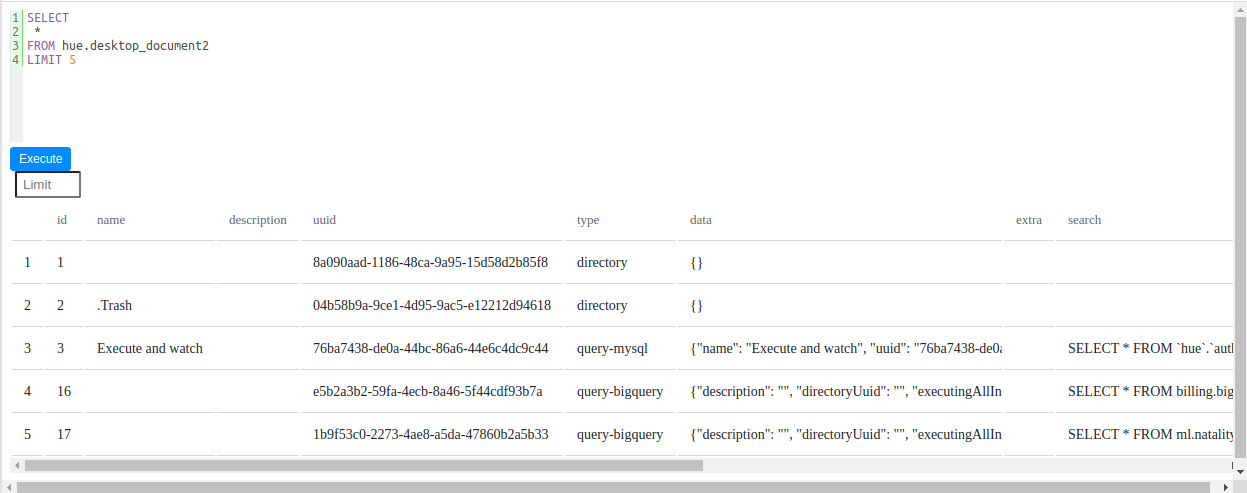
The complete (execute a query and see results) SQL Editor also called "SQL Scratchpad" comes as its own `<sql-scratchpad />` Web component. Play with a live demo and read more in its [documentation](https://docs.gethue.com/developer/components/scratchpad/).

```xml
<!DOCTYPE html>
<html>

<head>
  <title>SQL Scratchpad</title>
  <script type="text/javascript" src="./node_modules/gethue/lib/components/SqlScratchpadWebComponent.js"></script>
</head>

<body>
  <div style="position: absolute; height: 100%; width: 100%">
<sql-scratchpad api-url="https://demo.gethue.com" username="demo" password="demo" dialect="mysql" />
  </div>
</body>

</html>
```

!["SQL Scratchpad"](https://cdn.gethue.com/uploads/2021/05/sql-scratchpad-v0.5.png)

# SQL Parsers

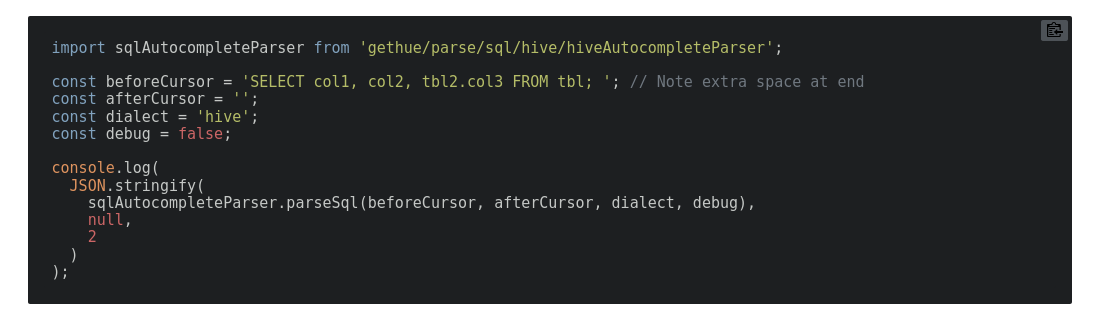
The engine powering advanced autocompletes and other [SQL functionalities](https://docs.gethue.com/user/querying/#autocomplete).

Play with a live demo and read more in their [documentation](https://docs.gethue.com/developer/components/parsers/).
!["Parser Component"](https://cdn.gethue.com/uploads/2020/07/parser_component.png)