# Quip-Export
Comprehensive full automated export (backup) tool for [Quip](https://quip.com/).
Quip-Export uses official [Quip Automation API](https://quip.com/dev/automation/documentation) and exports all documents and folders from an Quip-Account.
Features:
* Export in HTML format with original Quip styling
* Export in MS Office format: .docx for documents, .xlsx for spresdsheets _(--docx)_
* Embedded CSS for HTML-export _(--embedded-styles)_
* Embedded images for HTML-export _(--embedded-images)_
* Export of comments and conversations for HTML-export _(--comments)_
* Export of specific folders only _(--folders)_
* Export of referenced files in documents
* Resolving of references between folders and documents to relative paths
Slides are not supported (due to poor quality of generated PDFs). Export in PDF are not supported (due to poor quality of generated PDFs).
Despite Quip-Export is designed as a standalone tool for Node.js environment, it could be also used as Quip export library for any kind of JavaScript applications. In that case, the Quip-Export project is a good usage example.
Quip-Export perfectly works on Windows, Mac OS and Linux/Unix in Node.js or in pure browser environment.

## Online web app and demo
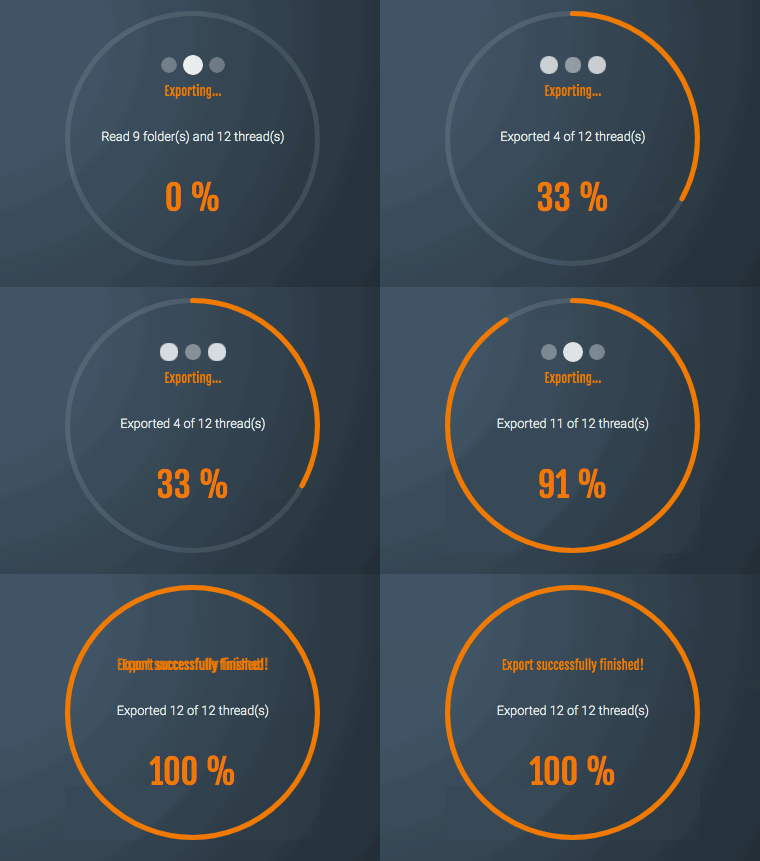
Full featured web app using Quip-Export npm package with demo mode is available on [www.quip-export.com](https://www.quip-export.com)
## Install and usage
As mentioned before, Quip-Export tool needs Node.js (version 10.16 or higher) environment.
Node.js version check:
```
node -v
```
If Node.js is not installed or the version is lower than 10.16, please follow install/update instructions on [Node.js website](https://nodejs.org/en/).
### Use without installing locally
```
npx quip-export [options]
```
Advantage: you always run the latest version.
### Install and usage as global npm package
Install:
```
npm install -g quip-export
```
Usage example:
```
quip-export [options]
```
### Install and usage as a GitHUb project
Install:
```
git clone https://github.com/sonnenkern/quip-export.git
```
Install project dependencies:
```
cd quip-export
npm install
```
Usage example from project folder:
```
node quip-export [options]
```
### Install as an npm dependency in a project
Install:
```
npm install quip-export
```
## Options
```
-h, --help Usage guide.
-v, --version Print version info
-t, --token "string" Quip Access Token.
-d, --destination "string" Destination folder for export files
-z, --zip Zip export files
--embedded-styles Embedded in each document stylesheet
--embedded-images Embedded images
--docx Exports documents in MS-Office format (*.docx , *.xlsx)
--comments Includes comments (messages) for the documents
--folders "string" Comma-separated folder's IDs to export
--debug Extended logging
```
To generate a personal access token, visit the page: [https://quip.com/dev/token](https://quip.com/dev/token)
Be aware, the options --comments, --embedded-images, --embedded-styles don't work together with export in MS-Office format (--docx) and will be ignored.
The easiest way to get to know ID of Quip fodler is just to open the folder in Quip web application in browser and look at adress line. For example the adress "https://quip.com/bGG333444111" points to the folder with ID "bGG333444111".
## Usage examples
Export to folder c:\temp
```
quip-export -t "JHHHK222333444LLL1=" -d c:\temp
```
Export to current folder as destination
```
quip-export -t "JHHHK222333444LLL1="
```
Export in Zip-file with current folder as destination
```
quip-export -t "JHHHK222333444LLL1=" -z
```
## Logging
The export errors are written to file export.log in the destination folder.
## Troubleshooting
Quip-Export is strongly depending on the public [Quip Automation API](https://quip.com/dev/automation/documentation).
It is possible that some problems will occur if Quip Automation API is changed. Then Quip-Export adjustment is necessary.
In this case or other questions, please feel free to contact [info@quip-export.com](info@quip-export.com).