# react-dynamic-font [](https://travis-ci.org/foisonocean/react-dynamic-font)
### This is a react component which made your text does not wrap and dynamically adjust the font size
Sometimes we want some text to have a fixed width, and it will automatically reducing the font size when the number of characters is too large, so that the text is always in one line without wrapping. This is why I created this component.
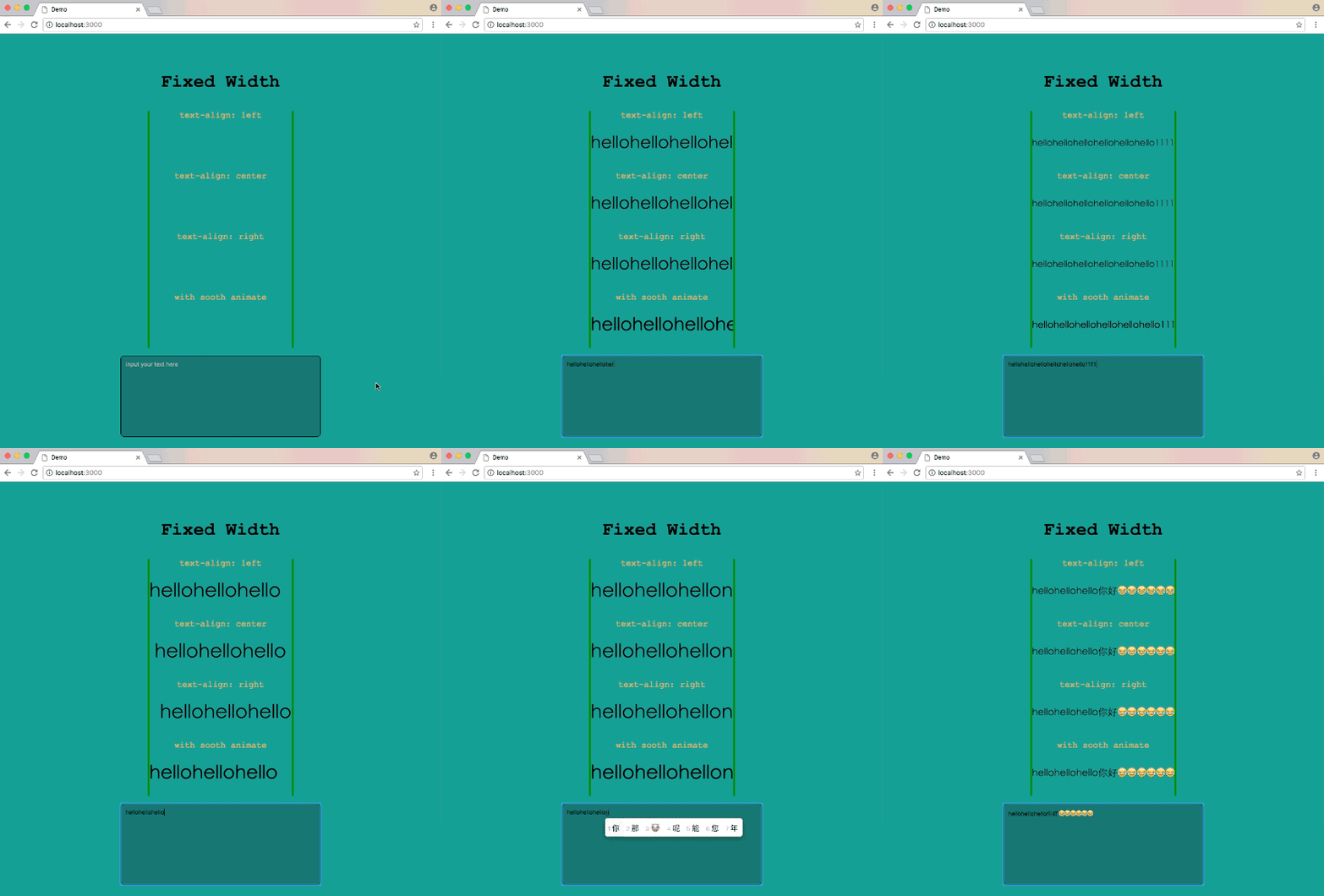
### [A simple live demo](https://codepen.io/hronro/full/wrVvKK/)
## Installation
```
npm install react-dynamic-font --save
```
or
```
yarn add react-dynamic-font
```
_This package require react v16.3 or higher, if you want to use at lower react version(v15.x - v16.2.x), try `yarn add react-dynamic-font@^1.0.0`, for React v0.14 and below, try `yarn add react-dynamic-font@^0.0.6`_
## Usage
`ReactDynamicFont` use the width of its parent element as the fixed width, and remember to add the css style `overflow: hidden` to its parent element.
```jsx
import React, { Component } from 'react';
import DynamicFont from 'react-dynamic-font';
class Demo extends Component {
render() {
const style = {
width: 400,
fontSize: 30,
lineHeight: 30,
overflow: 'hidden',
};
return (
);
}
}
```
If you want to add smooth animation while font size changing, add the `smooth` props.
```jsx
```
### Have fun!