# React Currency Hooks
> This libraries propose to introduce two pseudo hooks, one capable of format currencies and another capable to simulate a cash register.
## Live Demo
[On Code Sandbox](https://codesandbox.io/s/react-hook-currency-222l2)
## Install
```bash
npm install react-hook-currency # or yarn add react-hook-currency
```
## Browser compatibility (Tested)
| Chrome | Edge | Firefox | Safari | IE 11 |
| :----------------- | :----------------- | :----------------- | :----------------- | :----------------- |
| :heavy_check_mark: | :heavy_check_mark: | :heavy_check_mark: | :heavy_check_mark: | :heavy_check_mark: |
## How to use
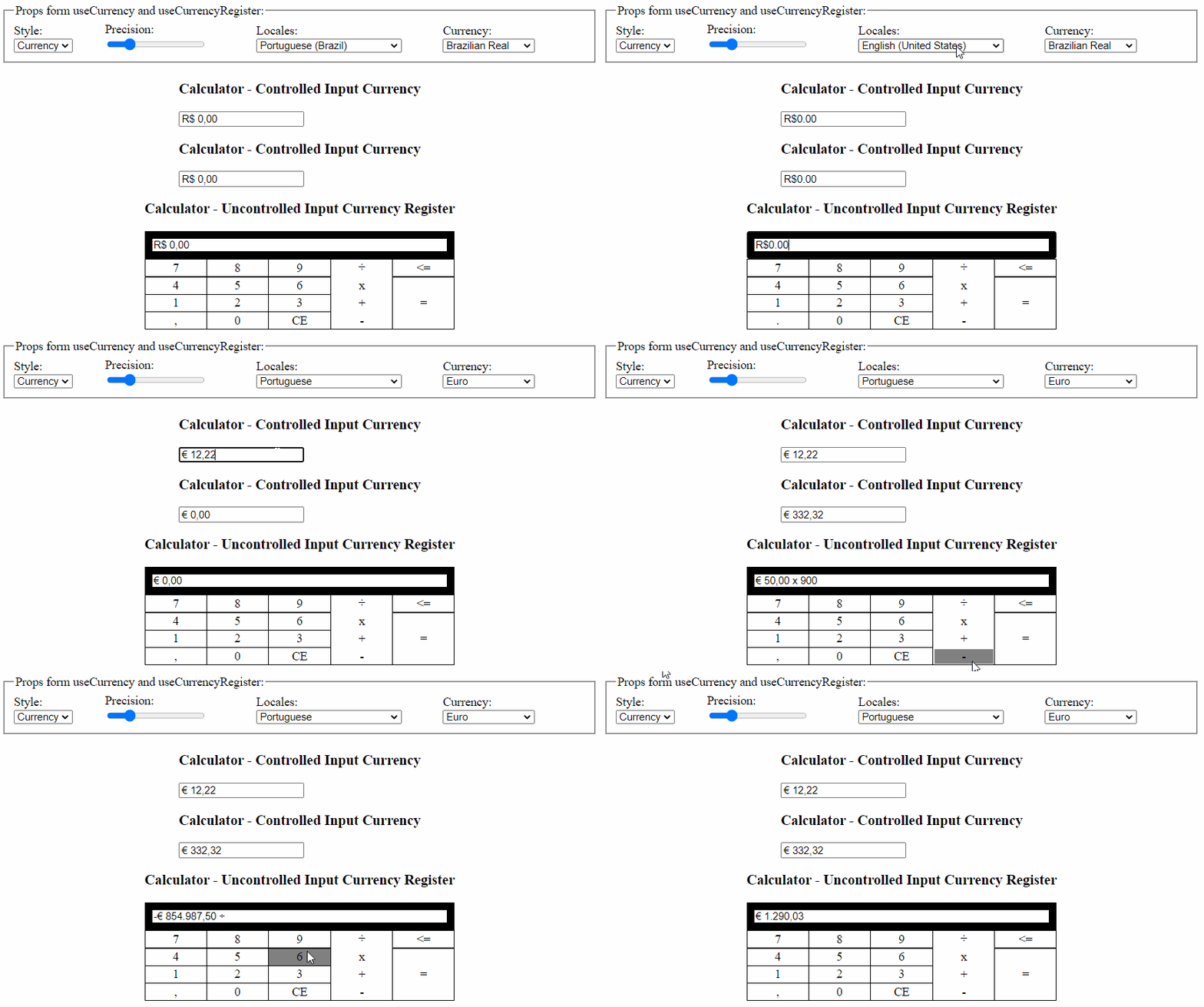 ### Currency formatter
#### Controlled Input
```tsx
import React from 'react';
import { useCurrency } from 'react-hook-currency';
const ControlledInputCurrency = () => {
const { onClick, onChange, onKeyDown, format, toNumber } = React.useMemo(
() => useCurrency(),
[]
);
const [value, setValue] = React.useState(format('000'));
return (
{
onChange(e);
console.log(toNumber(e.target.value)); // Number
setValue(e.target.value);
}}
onKeyDown={onKeyDown}
onClick={onClick}
value={value}
/>
);
};
```
#### Uncontrolled Input
```tsx
const UncontrolledInputCurrency = () => {
const { onClick, onChange, onKeyDown, format } = React.useMemo(
() => useCurrency(),
[]
);
const ref = React.useRef(null);
return (
);
};
```
### Cash Register
#### Uncontrolled Input
```tsx
import React from 'react';
import { useCurrencyRegister } from 'react-hook-currency';
const UncontrolledInputCashRegister = () => {
const { onClick, onChange, onKeyDown, format } = useCurrencyRegister();
const ref = React.useRef(null);
return (
);
};
```
## Options
### Options hooks
| Props | Default Value | Description |
| ----------- | ------------- | ------------------------------------------- |
| precision | 2 | Fraction Digits |
| style | currency | currency or decimal(**Remove symbol**) |
| locale | pt-BR | Country Code Reference(**Currency symbol**) |
| currency | BRL | String i18n(**Format Type**) |
| negative \* | allow | allow, always, never |
**Note:** \*not present in useCurrencyRegister
### Return hooks
| Return | Type |
| ---------------- | ------------------ |
| onClick | Function => void |
| onChange | Function => void |
| onKeyDown | Function => void |
| format | Function => void |
| decimalSeparator | string |
| toNumber | Function => number |
| triggerChange \* | Function => void |
**Note:** \*not present in useCurrency
## Contributing
Fell free to contribute. Create a branch, add commits, and open a pull request.
### Currency formatter
#### Controlled Input
```tsx
import React from 'react';
import { useCurrency } from 'react-hook-currency';
const ControlledInputCurrency = () => {
const { onClick, onChange, onKeyDown, format, toNumber } = React.useMemo(
() => useCurrency(),
[]
);
const [value, setValue] = React.useState(format('000'));
return (
{
onChange(e);
console.log(toNumber(e.target.value)); // Number
setValue(e.target.value);
}}
onKeyDown={onKeyDown}
onClick={onClick}
value={value}
/>
);
};
```
#### Uncontrolled Input
```tsx
const UncontrolledInputCurrency = () => {
const { onClick, onChange, onKeyDown, format } = React.useMemo(
() => useCurrency(),
[]
);
const ref = React.useRef(null);
return (
);
};
```
### Cash Register
#### Uncontrolled Input
```tsx
import React from 'react';
import { useCurrencyRegister } from 'react-hook-currency';
const UncontrolledInputCashRegister = () => {
const { onClick, onChange, onKeyDown, format } = useCurrencyRegister();
const ref = React.useRef(null);
return (
);
};
```
## Options
### Options hooks
| Props | Default Value | Description |
| ----------- | ------------- | ------------------------------------------- |
| precision | 2 | Fraction Digits |
| style | currency | currency or decimal(**Remove symbol**) |
| locale | pt-BR | Country Code Reference(**Currency symbol**) |
| currency | BRL | String i18n(**Format Type**) |
| negative \* | allow | allow, always, never |
**Note:** \*not present in useCurrencyRegister
### Return hooks
| Return | Type |
| ---------------- | ------------------ |
| onClick | Function => void |
| onChange | Function => void |
| onKeyDown | Function => void |
| format | Function => void |
| decimalSeparator | string |
| toNumber | Function => number |
| triggerChange \* | Function => void |
**Note:** \*not present in useCurrency
## Contributing
Fell free to contribute. Create a branch, add commits, and open a pull request.