# react-journey
[](https://codecov.io/gh/nickheal/react-journey/)

## Purpose
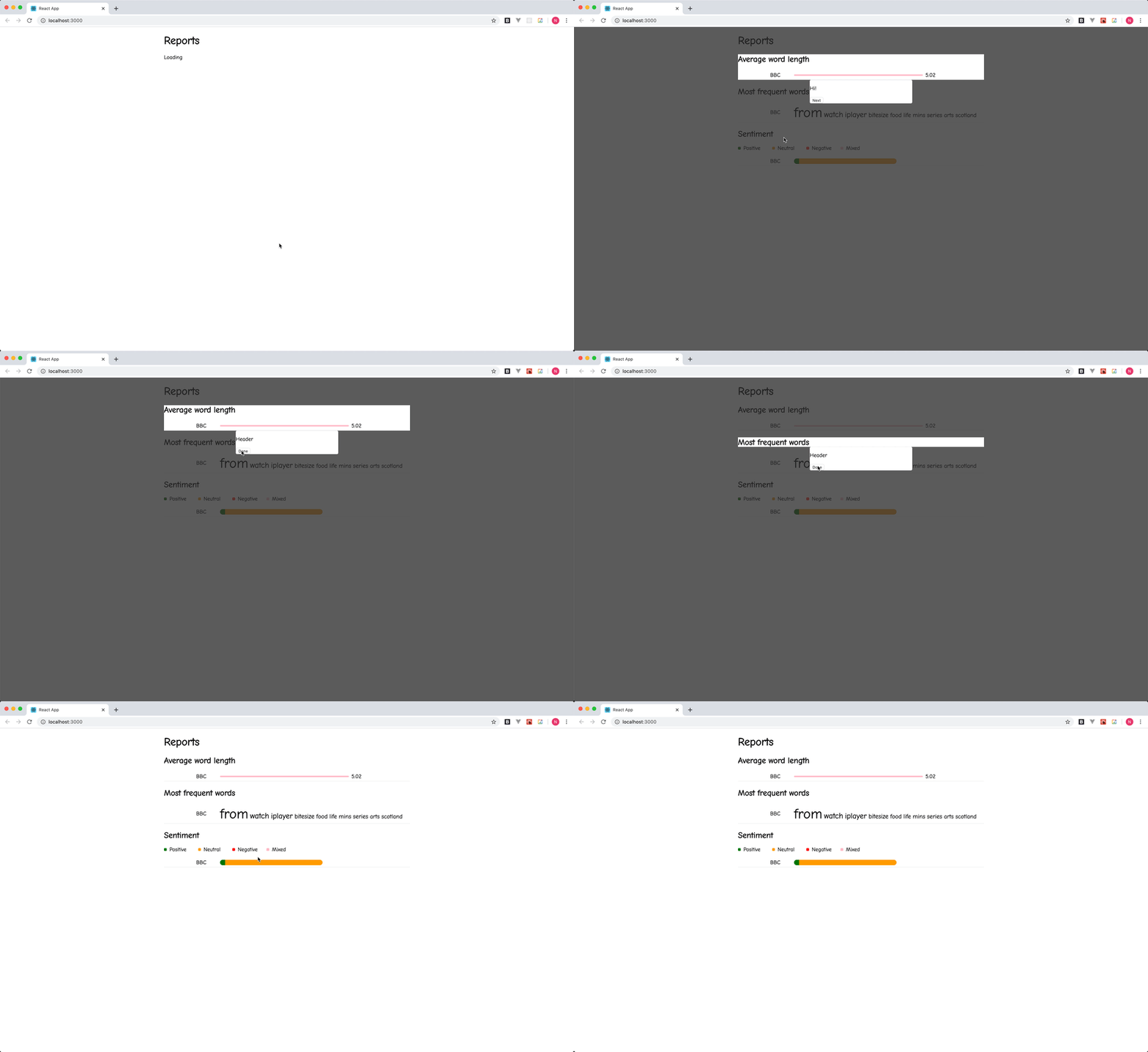
React components to create a delightful interactive journey.
## Table of Contents
1. [Installation](#installation)
2. [How to use](#how-to-use)
3. [Advanced use](#advanced-use)
4. [Issues](#issues)
5. [Contributions 😁](#contributions-😁)
## Installation
Add to your project using `npm i -S react-journey`
## How to use
1. Wrap your application in the `JourneyProvider`. react-journey provides a `JourneyComponent` out of the box, but it is unstyled. You will most likely want to provide your own styled component in place of this.
```javascript
import React from 'react';
import { JourneyComponent, JourneyProvider } from 'react-journey';
ReactDOM.render(
,
document.getElementById('root')
);
```
2. Wrap any HTML that you want to include in the journey in a `JourneyStep`. You should provide a message prop for the step to show.
```javascript
import React from 'react';
import { JourneyStep } from 'react-journey';
const MyApp = () => (
A step in the journey!
);
```
3. Call run on the journey to get it started, and stop if you want to stop it.
```javascript
import React from 'react';
import { useJourney } from 'react-journey';
function App() {
const { run, stop } = useJourney();
useEffect(() => {
run();
return stop;
});
return (
My app
);
}
```
## Advanced use
You can use the `useStep` hook if you don't want to use the `JourneyStep` component. If you don't want to alter your HTML structure for example.
```javascript
import React, { useEffect, useRef } from 'react';
import { useJourney } from 'react-journey';
function App() {
const { useStep } = useJourney();
const el = useRef(null);
useStep(el, 'This is the message for this element');
return (
My app
);
}
```
You can manually register—and unregister—elements from the tour if you don't want to use the `JourneyStep` component or the `useStep` hook. If you don't want to alter your HTML structure for example.
```javascript
import React, { useEffect, useRef } from 'react';
import { useJourney } from 'react-journey';
function App() {
const { register, unRegister } = useJourney();
const el = useRef(null);
useEffect(() => {
const { current } = el;
register(current, 'This is the message for this element');
return () => unRegister(current);
}, [register, unRegister]);
return (
My app
);
}
```
## Issues
Please raise any issues on the [GitHub repo](https://github.com/nickheal/react-journey/issues).
## Contributions 😁
See [CONTRIBUTING.md](./CONTRIBUTING.md).