## Declarative Canvas Grid with React Konva
Canvas table grid to render large set of tabular data. Uses virtualization similar to `react-window`.
[Demo](https://rmdort.github.io/konva-grid) | [Wiki](https://github.com/rmdort/konva-grid/wiki/Extending-Konva-Grid-using-hooks)
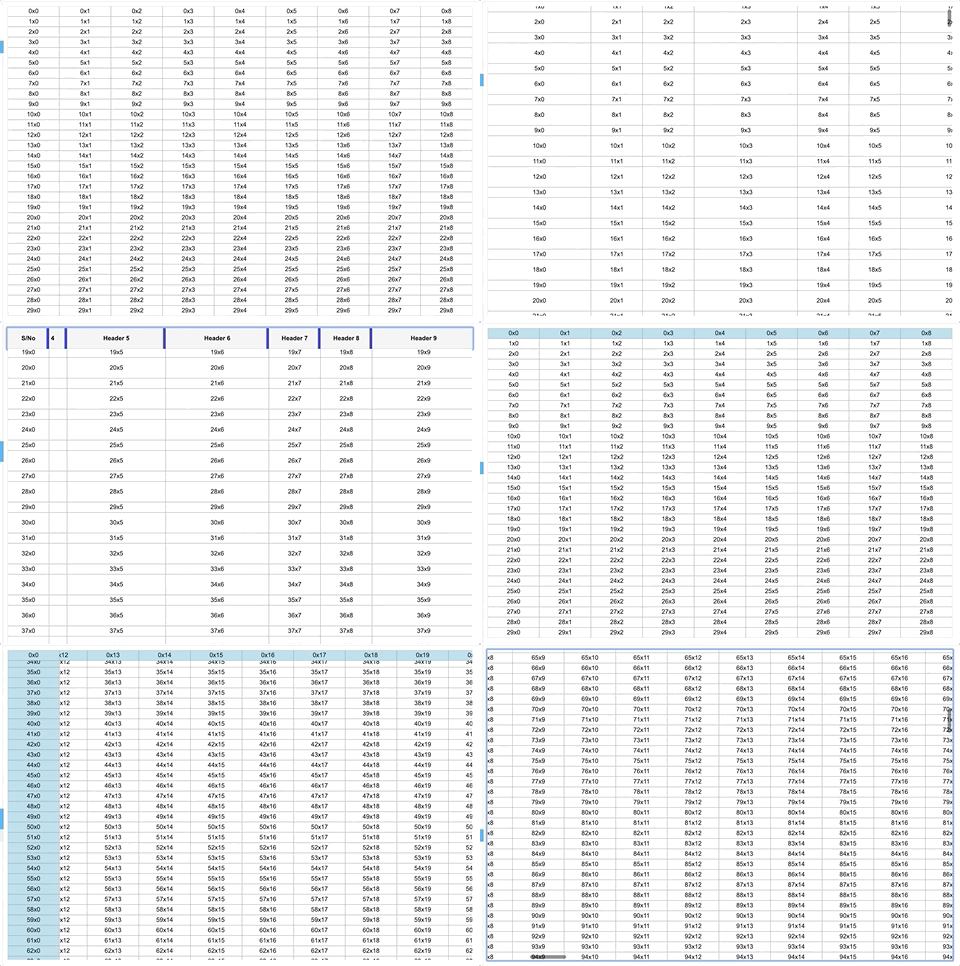
## Features
- :electron: React powered declarative library
- :100: Virtualized: Only visible cells are rendered
- :bulb: Peformant: Canvas implementation with no DOM nodes
- :scroll: Supports scrolling using native scrollbars
- :computer: Supports both Fixed and Variable sized grids
- :fire: Freeze rows and columns
- :white_square_button: Merge rows and columns
- :hand: Resizable headers
- :hammer_and_wrench: Fully typed API written in TypeScript
- :muscle: Highly customizable using [react-konva](https://github.com/konvajs/react-konva/)
### Why another canvas grid library
Born out of frustration, having to deal with complicated imperative canvas libraries, I wanted to create something easy to understand and declarative in nature. This Grid primitive is built on top of [React Konva](https://github.com/konvajs/react-konva/) making it easy to customize and extend. Take a look at the storybook to learn more.
## Installation
#### npm
```
yarn add react-konva-grid
```
#### yarn
```
npm install react-konva-grid --save
```
## Compatiblity
Konva grid will work in any browser that supports [react](https://github.com/facebook/react/), [konva](https://konvajs.org/) and canvas element.
## Usage
```js
import { Grid } from 'react-konva-grid'
import { Group, Text, Rect } from 'react-konva'
const App = () => {
const Cell = ({ rowIndex, columnIndex, x, y, width, height}) => {
return (
)
}
return (
20}
columnWidth={(columnIndex) => 100}
itemRenderer={Cell}
/>
)
}
```
## Props
This is the list of props that are meant to be used to customise the `konva-grid` behavior.
| Name | Required | Type | Description | Default |
|------|----------|------|-------------|---------|
| width | true | number | Width of the grid container | 800 |
| height| true | number | Height of the grid container | 800 |
| columnCount | true | number | No of columns in the grid | 200 |
| rowCount | true | number | No of rows in the grid | 200 |
| rowHeight | true | function | Function that returns height of the row based on rowIndex | (rowIndex) => 20 |
| columnWidth | true | function | Function that returns width of the column based on columnIndex | (columnIndex) => 100 |
| itemRenderer | true | Function | React component to render the cell | null |
| scrollbarSize | false | number | Size of the scrollbar | 17 |
| showScrollbar | false | boolean | Always show scrollbar | true |
| selectionBackgroundColor | false | string | Background color of selected cells | rgba(66, 133, 244, 0.3) |
| selectionBorderColor | false | string | Border color of bounding box of selected cells | rgba(66, 133, 244, 1) |
| selections | false | Array | Array of selected cell areas | []|
| mergedCells | false | Array | Array of merged cell areas | []|
| frozenRows | false | number | No of frozen rows | 0 |
| frozenColumns | false | number | No of frozen columns | 0 |
## Methods
#### `scrollTo({ scrollLeft, scrollTop }`
Scrolls the grid to a specified `x,y` position relative to the container
#### `resetAfterIndices({ rowIndex, columnIndex })`
Imperatively trigger re-render of the grid after specified `rowIndex` or `columnIndex`
#### `getScrollPosition()`
Get the current scroll position of the grid.
````
const gridRef = useRef()
const { scrollLeft, scrollTop } = gridRef.current.getScrollPosition()
````
#### `isMergedCell({ rowIndex, columnIndex })`
Check if a cell at a coordinate is a merged cell
#### `getCellBounds({ rowIndex, columnIndex })`
Returns a selection `IArea` for a particular cell. Useful to get selection area of a merged cell
#### `getCellCoordsFromOffsets(x , y)`
Returns exact `rowIndex` and `columnIndex` from a `x` and `y` cordinate. Useful if you want to get cell coords based on mouse position
#### `getCellOffsetFromCoords({ rowIndex, columnIndex })`
Returns offset position `{ x, y, width, height }` of a cell
#### `stage`
Access Konva `stage` instance
```js
const gridRef = useRef()
const stage = gridRef.current.stage
````
## Storybook
Examples can be found as stories in `Grid.stories.tsx`. To run storybook, enter the following commands
```bash
yarn
yarn run storybook
```
### Contribution
Feel free to fork and submit pull requests
````
git clone https://github.com/rmdort/konva-grid.git
cd konva-grid
yarn
// Run storybook
yarn storybook
````