# react-map-gl-geocoder
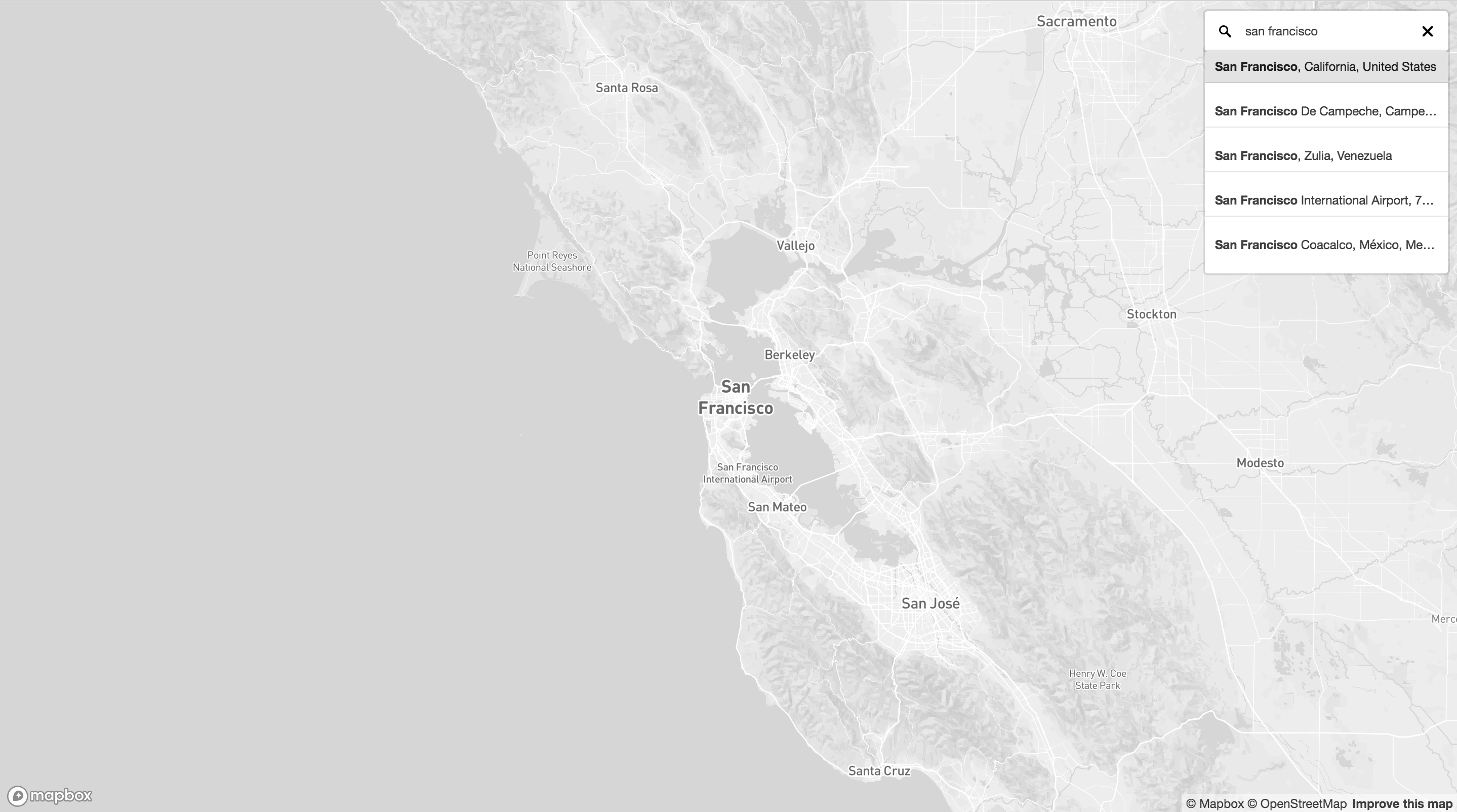
React wrapper for mapbox-gl-geocoder for use with react-map-gl.
[](https://www.npmjs.com/package/react-map-gl-geocoder)
## Demo
https://codesandbox.io/s/l7p179qr6m
## Installation
NPM
```
$ npm install react-map-gl-geocoder
```
or
Yarn
```
$ yarn add react-map-gl-geocoder
```
## Styling
Import:
```js
import 'react-map-gl-geocoder/dist/mapbox-gl-geocoder.css'
```
or
Link tag in header:
```html
```
## Props
Only `mapRef` and `mapboxApiAccessToken` are required.
| Name | Type | Default | Description |
|--- | --- | --- | --- |
| mapRef | Object | | Ref for react-map-gl map component.
| containerRef | Object | | This can be used to place the geocoder outside of the map. The `position` prop is ignored if this is passed in. Example: https://codesandbox.io/s/v0m14q5rly
| onViewportChange | Function | () => {} | Is passed updated viewport values after executing a query.
| mapboxApiAccessToken | String | | https://www.mapbox.com/
| inputValue | String | | Sets the search input value
| origin | String | "https://api.mapbox.com" | Use to set a custom API origin.
| zoom | Number | 16 | On geocoded result what zoom level should the map animate to when a `bbox` isn't found in the response. If a `bbox` is found the map will fit to the `bbox`.
| placeholder | String | "Search" | Override the default placeholder attribute value.
| proximity | Object | | A proximity argument: this is a geographical point given as an object with latitude and longitude properties. Search results closer to this point will be given higher priority.
| trackProximity | Boolean | false | If true, the geocoder proximity will automatically update based on the map view.
| collapsed | Boolean | false | If true, the geocoder control will collapse until hovered or in focus.
| clearAndBlurOnEsc | Boolean | false | If true, the geocoder control will clear it's contents and blur when user presses the escape key.
| clearOnBlur | Boolean | false | If true, the geocoder control will clear its value when the input blurs.
| bbox | Array | | A bounding box argument: this is a bounding box given as an array in the format [minX, minY, maxX, maxY]. Search results will be limited to the bounding box.
| types | String | | A comma seperated list of types that filter results to match those specified. See for available types.
| countries | String | | A comma separated list of country codes to limit results to specified country or countries.
| minLength | Number | 2 | Minimum number of characters to enter before results are shown.
| limit | Number | 5 | Maximum number of results to show.
| language | String | | Specify the language to use for response text and query result weighting. Options are IETF language tags comprised of a mandatory ISO 639-1 language code and optionally one or more IETF subtags for country or script. More than one value can also be specified, separated by commas.
| filter | Function | | A function which accepts a Feature in the [Carmen GeoJSON](https://github.com/mapbox/carmen/blob/master/carmen-geojson.md) format to filter out results from the Geocoding API response before they are included in the suggestions list. Return `true` to keep the item, `false` otherwise.
| localGeocoder | Function | | A function accepting the query string which performs local geocoding to supplement results from the Mapbox Geocoding API. Expected to return an Array of GeoJSON Features in the [Carmen GeoJSON](https://github.com/mapbox/carmen/blob/master/carmen-geojson.md) format.
| reverseGeocode | Boolean | false | Enable reverse geocoding. Defaults to false. Expects coordinates to be lat, lon.
| enableEventLogging | Boolean | true | Allow Mapbox to collect anonymous usage statistics from the plugin.
| render | Function | | A function that specifies how the results should be rendered in the dropdown menu. Accepts a single Carmen GeoJSON object as input and return a string. Any html in the returned string will be rendered. Uses mapbox-gl-geocoder's default rendering if no function provided.
| position | String | "top-right" | Position on the map to which the geocoder control will be added. Valid values are `"top-left"`, `"top-right"`, `"bottom-left"`, and `"bottom-right"`.
| onInit | Function | () => {} | Is passed Mapbox geocoder instance as param and is executed after Mapbox geocoder is initialized.
| onClear | Function | () => {} | Executed when the input is cleared.
| onLoading | Function | () => {} | Is passed `{ query }` as a param and is executed when the geocoder is looking up a query.
| onResults | Function | () => {} | Is passed `{ results }` as a param and is executed when the geocoder returns a response.
| onResult | Function | () => {} | Is passed `{ result }` as a param and is executed when the geocoder input is set.
| onError | Function | () => {} | Is passed `{ error }` as a param and is executed when an error occurs with the geocoder.
## Example
```js
import 'mapbox-gl/dist/mapbox-gl.css'
import 'react-map-gl-geocoder/dist/mapbox-gl-geocoder.css'
import React, { Component } from 'react'
import MapGL from 'react-map-gl'
import Geocoder from 'react-map-gl-geocoder'
function getAccessToken() {
var accessToken = null;
if (typeof window !== 'undefined' && window.location) {
var match = window.location.search.match(/access_token=([^&\/]*)/);
accessToken = match && match[1];
}
if (!accessToken && typeof process !== 'undefined') {
// Note: This depends on bundler plugins (e.g. webpack) inmporting environment correctly
accessToken = accessToken || process.env.MapboxAccessToken; // eslint-disable-line
}
return accessToken || null;
}
// Ways to set Mapbox token: https://uber.github.io/react-map-gl/#/Documentation/getting-started/about-mapbox-tokens
const MAPBOX_TOKEN = getAccessToken()
class Example extends Component {
state = {
viewport: {
latitude: 37.7577,
longitude: -122.4376,
zoom: 8
}
}
mapRef = React.createRef()
handleViewportChange = (viewport) => {
this.setState({
viewport: { ...this.state.viewport, ...viewport }
})
}
// if you are happy with Geocoder default settings, you can just use handleViewportChange directly
handleGeocoderViewportChange = (viewport) => {
const geocoderDefaultOverrides = { transitionDuration: 1000 }
return this.handleViewportChange({
...viewport,
...geocoderDefaultOverrides
})
}
render() {
return (
)
}
}
export default Example
```