# React Native Animated Input
Do you need a beautiful, lightweight and customizable Animated Floating Input? Here it is!
A cross-platform Animated Floating Input component with style options and smooth animation.
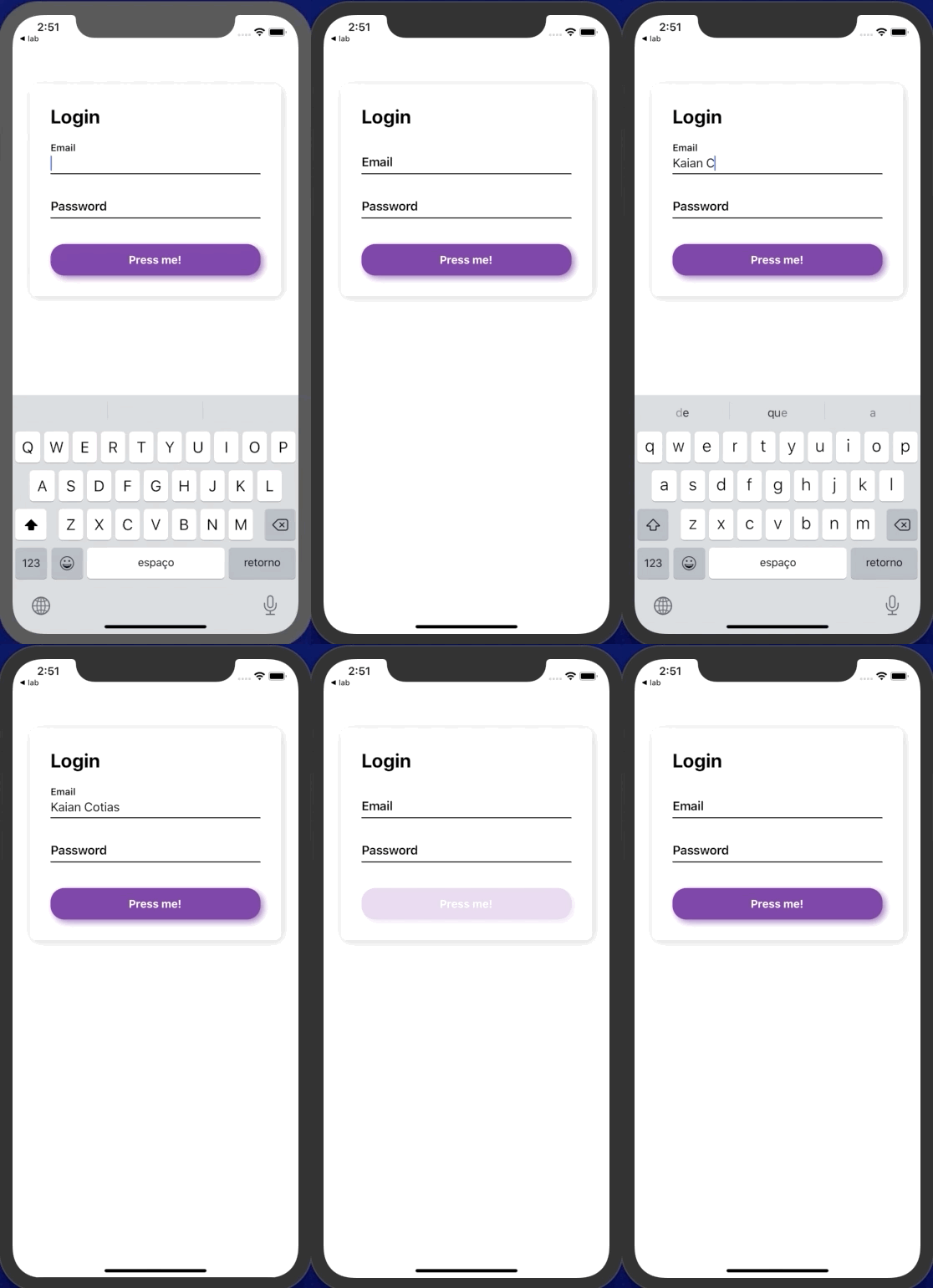
- Checkout the [example/](https://github.com/kcotias/react-native-animated-input/tree/master/examples) folder for use example.
## Features
- OnFocus and OnDismiss animations
- Custom style for every little bit of it
- Smooth animations
- Very lightweight
## Installation
Open a Terminal in the project root and run:
```sh
npm install react-native-animated-input
```
## Quick Start
```js
import React from "react";
import { View } from "react-native";
import AnimatedInput from "react-native-animated-input";
const App = () => {
return (
);
};
export default App;
```
### Props
##### `valid` - boolean (`Default - true`)
Shows or hides the error text and color.
##### `errorText` - string (`Default - none`)
Sets the error text to be displayed.
##### `errorColor` - string (`Default - red`)
Sets the color of the error highlight.
##### `placeholder` - string (`Default - none`) REQUIRED
Defines the placeholder text to be shown and animated when onFocus.
##### `disabled` - boolean (`Default - false`)
Lock or unlock text input.
##### `value` - string (`Default - none`) - Works exactly as [TextInput/](https://facebook.github.io/react-native/docs/textinput) component
Defines the value of the input.
##### `onChangeText` - function (`Default - none`) Works exactly as [TextInput/](https://facebook.github.io/react-native/docs/textinput) component
Callback function that will handle the text input.
##### `prefix` - component (`Default - none`)
Renders the component on the beginning of the input. i.e R\$ -> `R$` 200,00.
##### `sufix` - component (`Default - none`)
Renders the component on the end of the input. i.e Kg -> 200`Kg`.
##### `others` - props (`Default - none`)
Any other prop of the [TextInput/](https://facebook.github.io/react-native/docs/textinput) component can be used and will work properly.
### Style Props
##### `styleContent` - obj {}
Customizes the component main View.
##### `styleInput` - obj {}
Customizes the TextInput component.
##### `styleError` - obj {}
Customizes the error to be shown.
##### `styleLabel` - obj {}
Customizes the label/placeholder of the input.
##### `styleBodyContent` - obj {}
Customizes the view that manage the component composition - sufix, prefix, animated. Be careful.
##### `labelInitialSize` - obj {}
Defines the fontSize of the label on it's initial State (inactive)
##### `labelFinalSize` - obj {}
Defines the fontSize of the label on it's Final State (active)
##### `textInputFontSize` - obj {}
Defines the fontSize of the text input (active)
#### A huge thanks to my friend Laurent Lorena who made this possible! <3