# react-native-apk
[](https://badge.fury.io/js/react-native-apk)
[](https://app.fossa.io/projects/git%2Bgithub.com%2FSkyzohKey%2Freact-native-apk?ref=badge_shield)
A react-native library to get various informations about an Android app.
## Getting started
```sh
$ yarn add react-native-apk
```
### Mostly automatic installation
```sh
$ react-native link react-native-apk
```
### Manual installation
#### Android
1. Open up `android/app/src/main/java/[...]/MainActivity.java`
* Add `import be.skyzohlabs.rnapk.ReactNativeAPKPackage;` to the imports at the top of the file
* Add `new ReactNativeAPKPackage()` to the list returned by the `getPackages()` method
2. Append the following lines to `android/settings.gradle`:
```
include ':react-native-apk'
project(':react-native-apk').projectDir = new File(rootProject.projectDir, '../node_modules/react-native-apk/android')
```
3. Insert the following lines inside the dependencies block in `android/app/build.gradle`:
```
compile project(':react-native-apk')
```
#### SDK 24 and higher
As of SDK version 24 (7.0) Android requires you to set up a Fileprovider for installing apks. To do so add the following to your AndroidManifest.xml file:
```
...
```
In android/app/src/main/res/xml folder (create it if it does not exist) add a file named filepaths.xml and paste the following contents:
```
```
In the above make sure your path is set correctly according to where your apk is on the device.
The example above shows a fileprovider for an app local cache directory i.e something like:
```
/data/user/0/com.your.packagename/cache
```
For more info read the android documentation: (https://developer.android.com/reference/kotlin/androidx/core/content/FileProvider)
If the file you are trying to install is on external storage you will need the read and write external storage permissions in your AndroidManifest.xml:
```
```
For Android SDK version 26 (8.0.0) and higher you may also be required to add the install packages permission:
```
```
## Usage
```javascript
import ReactNativeAPK from "react-native-apk";
// Install an app:
ReactNativeAPK.installApp("path/to/apk-release.apk");
// Uninstall an app:
ReactNativeAPK.uninstallApp("org.package.name");
// Fetch if an app is installed on the device:
ReactNativeAPK.isAppInstalled("org.mozilla.klar", installed => {
console.log("Is app installed?", installed);
});
// Get version of an installed app:
ReactNativeAPK.getAppVersion("org.mozilla.klar", version => {
console.log("App version", version);
});
// Get ALL the apps installed on the device:
ReactNativeAPK.getApps(apps => {
console.log(apps);
});
// Get apps the user has EXPLICITLY installed on the device:
ReactNativeAPK.getNonSystemApps(apps => {
console.log(apps);
});
// Run an application:
ReactNativeAPK.runApp("org.mozilla.klar");
```
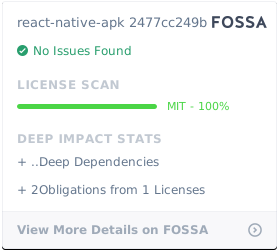
## License
[](https://app.fossa.io/projects/git%2Bgithub.com%2FSkyzohKey%2Freact-native-apk?ref=badge_large)