**注意:该项目已暂停维护**
# react-native-baidumap-sdk [![npm version][version-badge]][npm] [![build status][build-badge]][build]
React Native BaiduMap SDK for Android + iOS.
你可以下载安装 [example.apk](https://github.com/qiuxiang/react-native-baidumap-sdk/releases/download/v0.5.0/example.apk) 看看实际中的效果。
## 安装
- [安装说明](docs/installation.md)
- [项目示例运行说明](docs/setup.md)
## 用法
### 基本用法
```javascript
import { MapView } from 'react-native-baidumap-sdk'
render() {
return
}
```
### 显示卫星图
```javascript
```
 ### 监听地图事件
```javascript
import { MapView } from 'react-native-baidumap-sdk'
render() {
return (
console.log('onLoad')}
onClick={point => console.log(point)}
onStatusChange={status => console.log(status)}
/>
)
}
```
### 监听地图事件
```javascript
import { MapView } from 'react-native-baidumap-sdk'
render() {
return (
console.log('onLoad')}
onClick={point => console.log(point)}
onStatusChange={status => console.log(status)}
/>
)
}
```
 ### 定位并关联定位图层
```javascript
import { MapView, Location } from 'react-native-baidumap-sdk'
await Location.init()
Location.addLocationListener(location => this.setState({ location }))
Location.start()
state = { location: null }
render() {
return
}
```
### 定位并关联定位图层
```javascript
import { MapView, Location } from 'react-native-baidumap-sdk'
await Location.init()
Location.addLocationListener(location => this.setState({ location }))
Location.start()
state = { location: null }
render() {
return
}
```
 ### 添加标记
```javascript
```
### 添加标记
```javascript
```
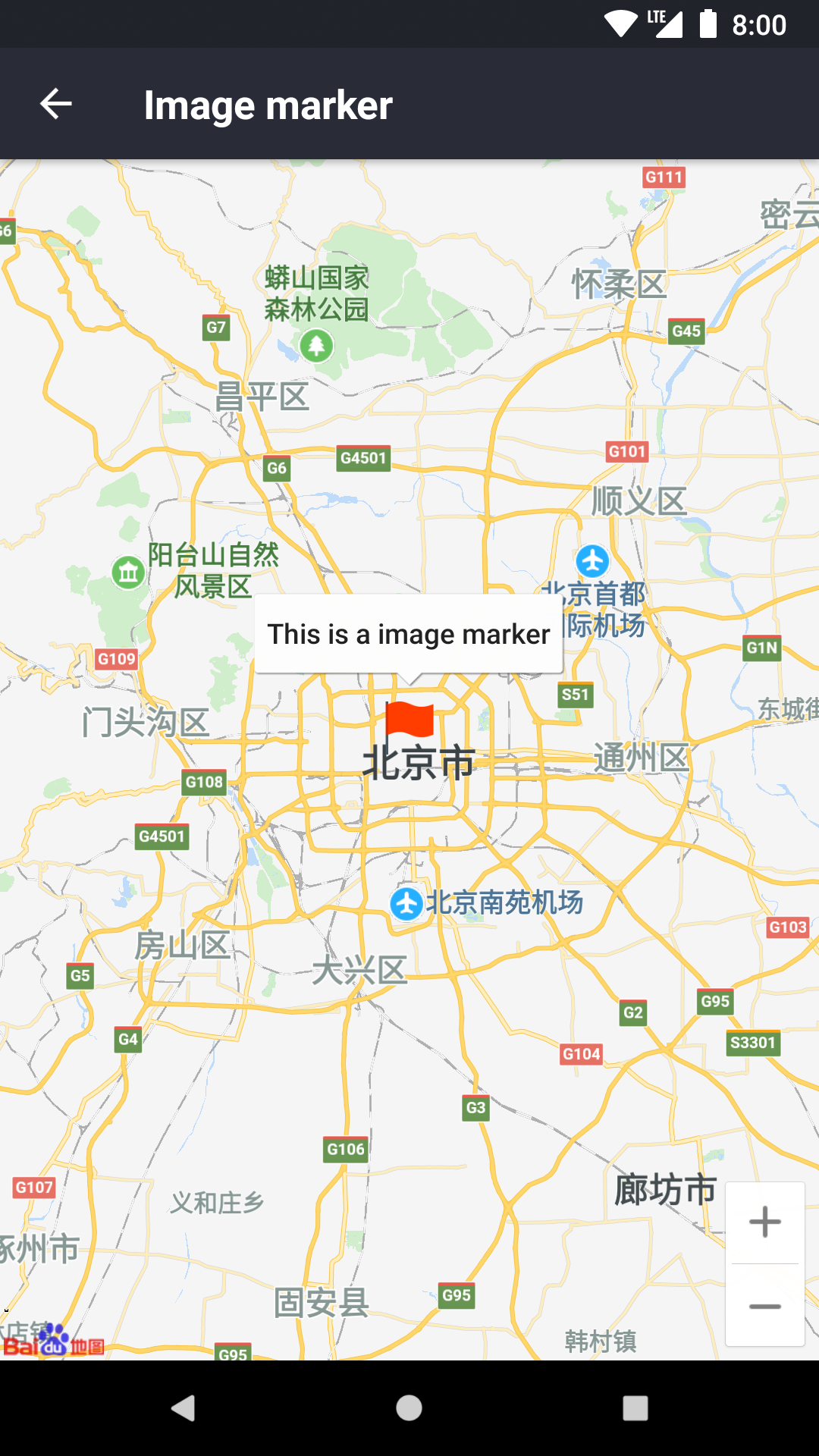
 ### 添加自定义图片标记
```javascript
```
### 添加自定义图片标记
```javascript
```
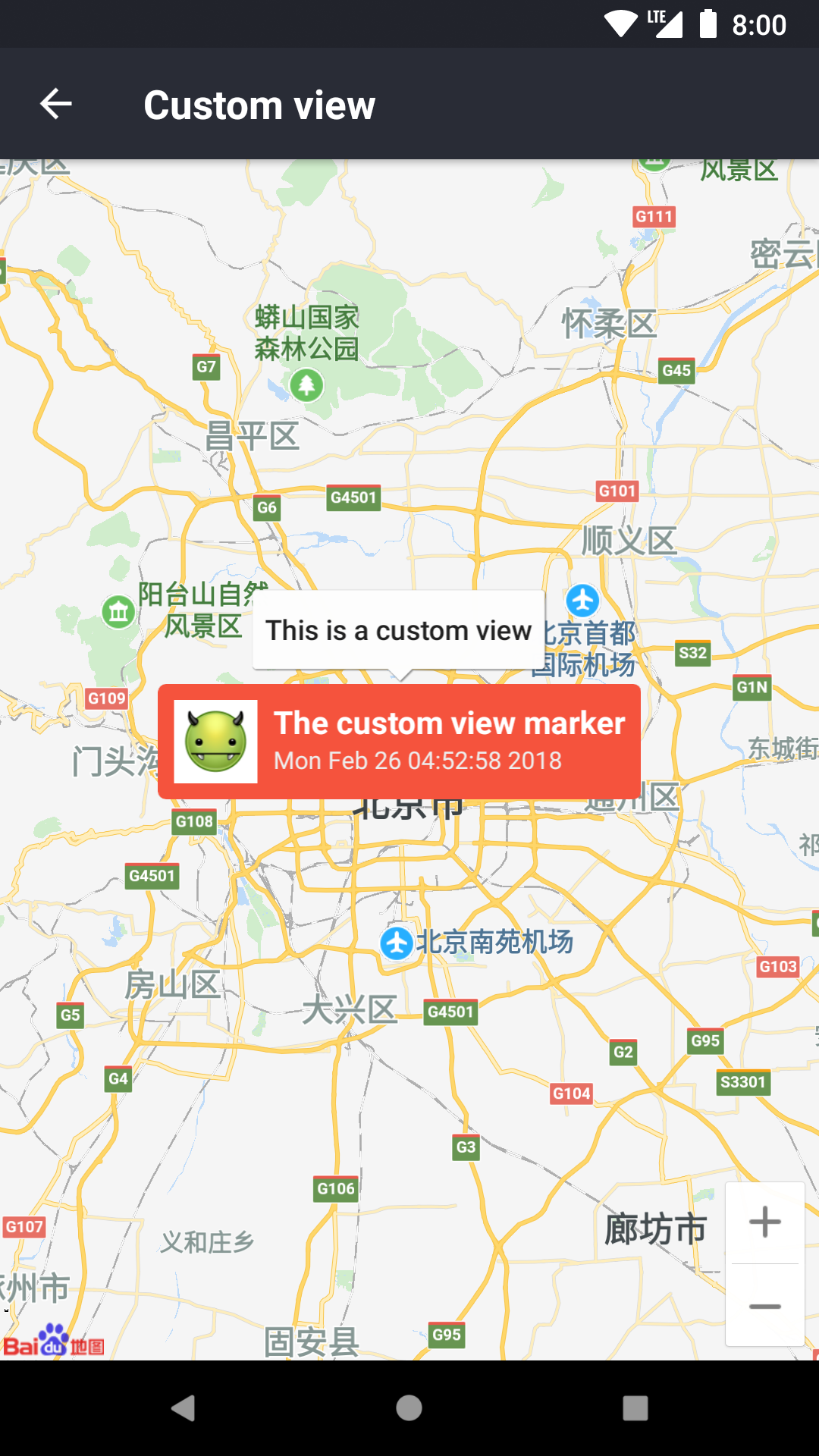
 ### 添加自定义 View 标记
```javascript
(
This is a custom marker
)}
/>
```
### 添加自定义 View 标记
```javascript
(
This is a custom marker
)}
/>
```
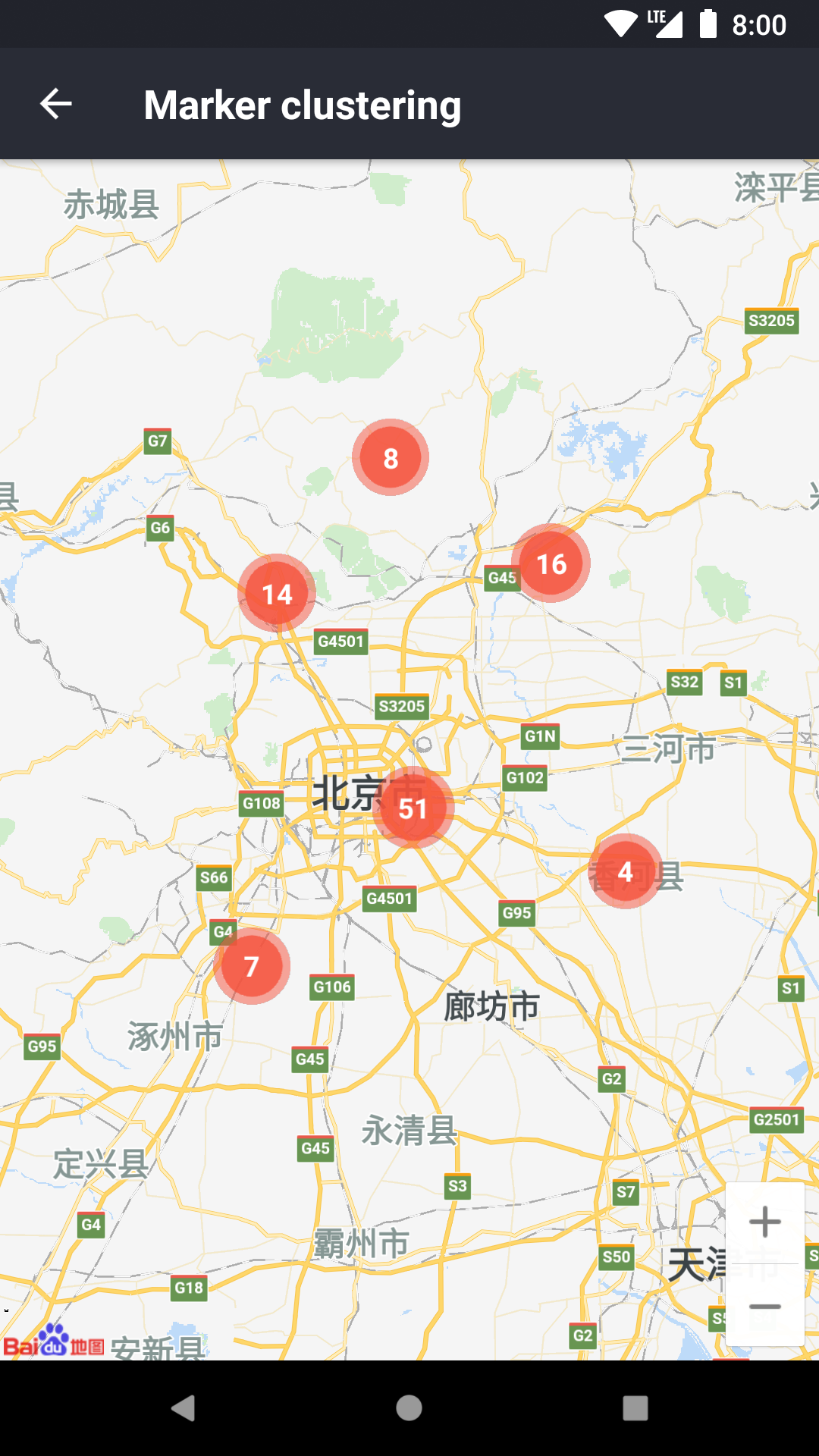
 ### 点聚合
```javascript
onStatusChange = status => this.cluster.update(status)
renderMarker = item => (
)
render() {
return (
this.cluster = ref}
markers={this.markers}
renderMarker={this.renderMarker}
/>
)
}
```
### 点聚合
```javascript
onStatusChange = status => this.cluster.update(status)
renderMarker = item => (
)
render() {
return (
this.cluster = ref}
markers={this.markers}
renderMarker={this.renderMarker}
/>
)
}
```
 ### 显示热力图
```javascript
points = [
{
latitude: 39,
longitude: 113,
intensity: 16,
},
...
]
```
### 显示热力图
```javascript
points = [
{
latitude: 39,
longitude: 113,
intensity: 16,
},
...
]
```
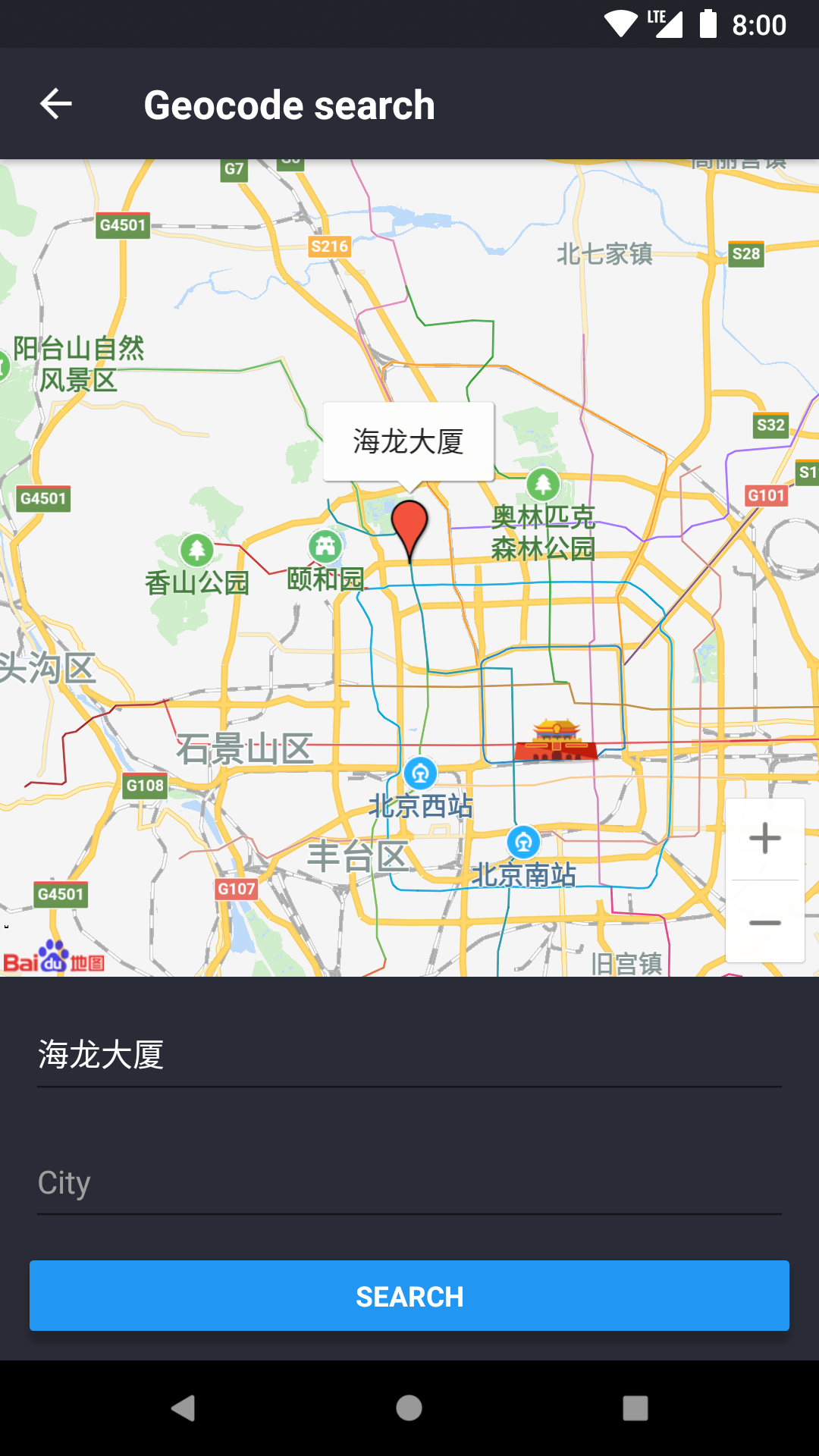
 ### 地理编码/逆地理编码
```javascript
import { Geocode } from 'react-native-baidumap-sdk'
const searchResult = await Geocode.search('海龙大厦')
const reverseResult = await Geocode.reverse({ latitude: 39, longitude: 113 })
```
### 地理编码/逆地理编码
```javascript
import { Geocode } from 'react-native-baidumap-sdk'
const searchResult = await Geocode.search('海龙大厦')
const reverseResult = await Geocode.reverse({ latitude: 39, longitude: 113 })
```
 需要注意,以上例子简写了一些属性,并不能直接使用,更多实际的例子请参考:[example](https://github.com/qiuxiang/react-native-baidumap-sdk/tree/master/example)。
## 接口文档
- [MapView](docs/map-view.md)
- [Marker](docs/marker.md)
- [Polyline](docs/polyline.md)
- [Polygon](docs/polygon.md)
- [Circle](docs/circle.md)
- [HeatMap](docs/heat-map.md)
- [Cluster](docs/cluster.md)
- [Location](docs/location.md)
- [Geocode](docs/geocode.md)
[npm]: https://www.npmjs.com/package/react-native-baidumap-sdk
[version-badge]: https://badge.fury.io/js/react-native-baidumap-sdk.svg
[build-badge]: https://travis-ci.org/qiuxiang/react-native-baidumap-sdk.svg?branch=master
[build]: https://travis-ci.org/qiuxiang/react-native-baidumap-sdk
需要注意,以上例子简写了一些属性,并不能直接使用,更多实际的例子请参考:[example](https://github.com/qiuxiang/react-native-baidumap-sdk/tree/master/example)。
## 接口文档
- [MapView](docs/map-view.md)
- [Marker](docs/marker.md)
- [Polyline](docs/polyline.md)
- [Polygon](docs/polygon.md)
- [Circle](docs/circle.md)
- [HeatMap](docs/heat-map.md)
- [Cluster](docs/cluster.md)
- [Location](docs/location.md)
- [Geocode](docs/geocode.md)
[npm]: https://www.npmjs.com/package/react-native-baidumap-sdk
[version-badge]: https://badge.fury.io/js/react-native-baidumap-sdk.svg
[build-badge]: https://travis-ci.org/qiuxiang/react-native-baidumap-sdk.svg?branch=master
[build]: https://travis-ci.org/qiuxiang/react-native-baidumap-sdk