# ➖ react-native-bars
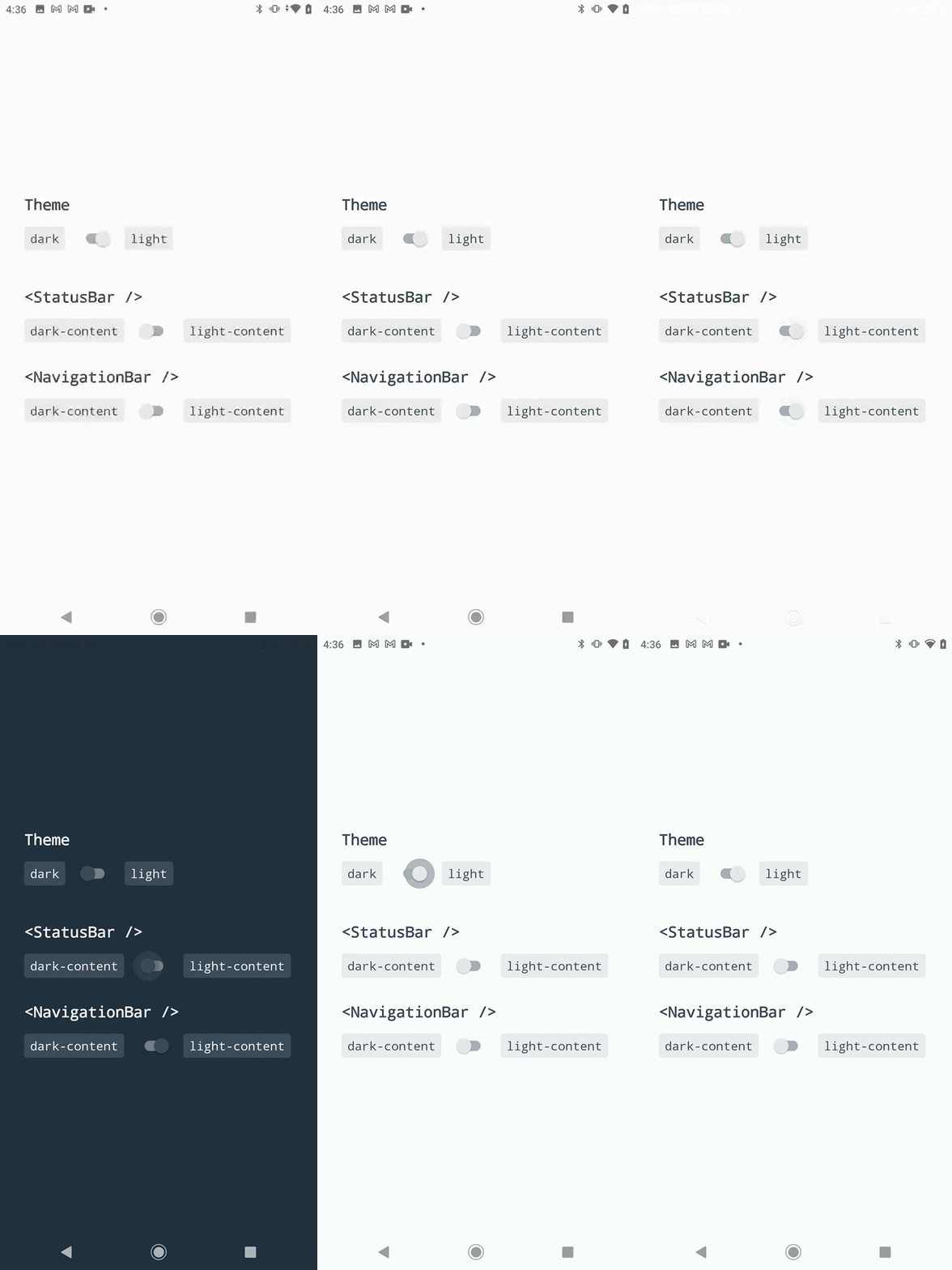
 Components to control your app status and navigation bars.
Heavily inspired by the built-in `StatusBar` module and [react-native-transparent-status-and-navigation-bar](https://github.com/MoOx/react-native-transparent-status-and-navigation-bar) by [@MoOx](https://github.com/MoOx) (Thanks to them 💖).
[](https://www.npmjs.org/package/react-native-bars)
[](https://www.npmjs.org/package/react-native-bars)
[](https://opensource.org/licenses/MIT)
Components to control your app status and navigation bars.
Heavily inspired by the built-in `StatusBar` module and [react-native-transparent-status-and-navigation-bar](https://github.com/MoOx/react-native-transparent-status-and-navigation-bar) by [@MoOx](https://github.com/MoOx) (Thanks to them 💖).
[](https://www.npmjs.org/package/react-native-bars)
[](https://www.npmjs.org/package/react-native-bars)
[](https://opensource.org/licenses/MIT)
[](https://www.android.com)
[](https://developer.apple.com/ios)
## Recommendations
This module will works best with:
- [react-native-safe-area-context](https://github.com/th3rdwave/react-native-safe-area-context): A library to handle safe area insets and avoid drawing below status and navigation bars.
- [react-native-bootsplash](https://github.com/zoontek/react-native-bootsplash): A splash screen library to wait until your app finished loading.
## Support
| version | RN version | Android version | iOS version |
| ------- | ---------- | --------------- | ----------- |
| 1.0.0+ | 0.65.0+ | 6.0+ | 11.0+ |
## Installation
```bash
$ npm install --save react-native-bars
# --- or ---
$ yarn add react-native-bars
```
## 🆘 Manual linking
Because this package targets React Native 0.65.0+, you will probably don't need to link it manually. Otherwise if it's not the case, follow this additional instructions:
👀 See manual linking instructions
### Android
1. Add the following lines to `android/settings.gradle`:
```gradle
include ':react-native-bars'
project(':react-native-bars').projectDir = new File(rootProject.projectDir, '../node_modules/react-native-bars/android')
```
2. Add the implementation line to the dependencies in `android/app/build.gradle`:
```gradle
dependencies {
// ...
implementation project(':react-native-bars')
}
```
3. Add the import and link the package in `MainApplication.java`:
```java
import com.zoontek.rnbars.RNBarsPackage; // <- add the RNBarsPackage import
public class MainApplication extends Application implements ReactApplication {
// …
@Override
protected List getPackages() {
@SuppressWarnings("UnnecessaryLocalVariable")
List packages = new PackageList(this).getPackages();
// …
packages.add(new RNBarsPackage());
return packages;
}
// …
}
```
## Setup
### Android
1. As this library only support Android 6+, you probably have to edit your `android/build.gradle` file:
```gradle
buildscript {
ext {
buildToolsVersion = "30.0.2"
minSdkVersion = 23 // <- set at least 23
compileSdkVersion = 31 // <- set at least 31
targetSdkVersion = 31 // <- set at least 31
// …
```
2. To setup initial bar styles on Android < 8.1, edit your `android/app/src/main/res/values/styles.xml` file:
_👉 Dont forget to edit `android:windowLightStatusBar` to match your initial styles._
```xml
```
3. Then for Android >= 8.1, create (or edit) your `android/app/src/main/res/values-v27/styles.xml` file:
_👉 Dont forget to edit `android:{windowLightStatusBar,windowLightNavigationBar}` to match your initial styles._
```xml
```
4. Finally edit your `android/app/src/main/java/com/yourprojectname/MainActivity.java` file:
```java
import com.facebook.react.ReactActivity;
import com.facebook.react.ReactActivityDelegate; // <- add this necessary import
import com.zoontek.rnbars.RNBars; // <- add this necessary import
public class MainActivity extends ReactActivity {
// …
@Override
protected ReactActivityDelegate createReactActivityDelegate() {
return new ReactActivityDelegate(this, getMainComponentName()) {
@Override
protected void loadApp(String appKey) {
super.loadApp(appKey);
RNBars.init(MainActivity.this, "dark-content"); // <- initialize with initial bars styles (could be light-content)
}
};
}
}
```
### iOS
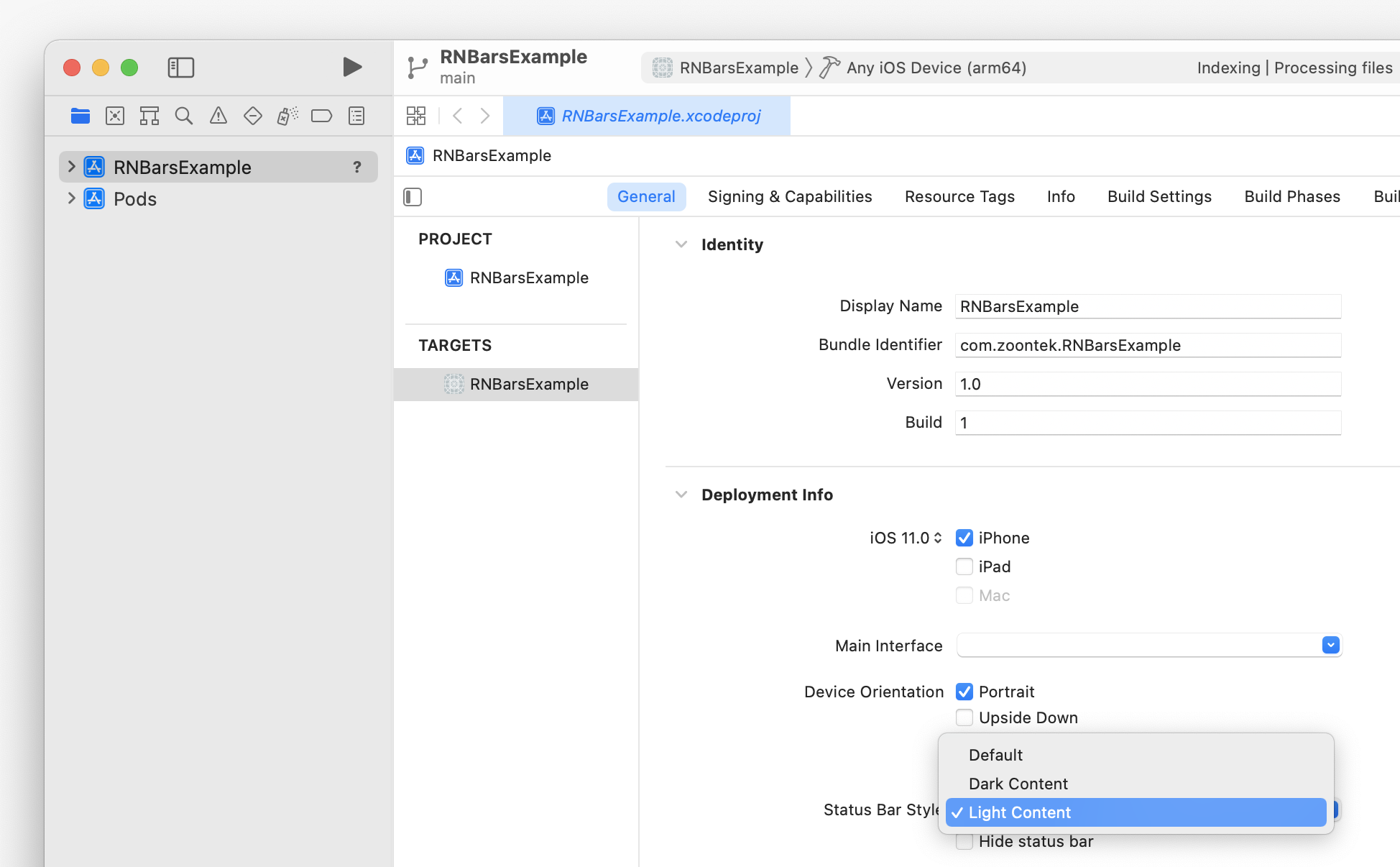
You can setup your initial status bar style in **Xcode > General > Deployment Info**:
## Usage
```js
import * as React from "react";
import { StatusBar, NavigationBar, SystemBars } from "react-native-bars";
const App = () => {
return (
<>
{/* Or, to update both with one component: */}
);
};
```
## API
### ``
A component to control your app status bar.
```tsx
import { StatusBar } from "react-native-bars";
type StatusBarProps = {
// Should transition between status bar property changes be animated? (has no effect on Android)
animated?: boolean;
// Sets the color of the status bar content
barStyle: "light-content" | "dark-content";
};
const App = () => (
<>
{/* … */}
);
```
#### StatusBar.currentHeight
The height of the status bar, which includes the top notch height, if present.
```ts
const height: number = StatusBar.currentHeight;
```
#### StatusBar.pushStackEntry
```ts
const entry: StatusBarProps = StatusBar.pushStackEntry(
props /*: StatusBarProps*/,
);
```
#### StatusBar.popStackEntry
```ts
StatusBar.popStackEntry(entry/*: StatusBarProps*/): void;
```
#### StatusBar.replaceStackEntry
```ts
const entry: StatusBarProps = StatusBar.replaceStackEntry(
entry /*: StatusBarProps*/,
props /*: StatusBarProps*/,
);
```
---
### ``
A component to control your app navigation bar. It has no effect on iOS and Android < 8.1.
```tsx
import { NavigationBar } from "react-native-bars";
type NavigationBarProps = {
// Sets the color of the navigation bar content
barStyle: "light-content" | "dark-content";
};
const App = () => (
<>
{/* … */}
);
```
#### NavigationBar.currentHeight
The height of the navigation bar, which includes the bottom notch height, if present.
```ts
const height: number = NavigationBar.currentHeight;
```
#### NavigationBar.pushStackEntry
```ts
const entry: NavigationBarProps = NavigationBar.pushStackEntry(
props /*: NavigationBarProps*/,
);
```
#### NavigationBar.popStackEntry
```ts
NavigationBar.popStackEntry(entry/*: NavigationBarProps*/): void;
```
#### NavigationBar.replaceStackEntry
```ts
const entry: NavigationBarProps = NavigationBar.replaceStackEntry(
entry /*: NavigationBarProps*/,
props /*: NavigationBarProps*/,
);
```
---
### ``
A component to control both your app status and navigation bars.
```tsx
import { NavigationBar } from "react-native-bars";
type SystemBarsProps = {
// Should transition between bars property changes be animated? (has no effect on Android)
animated?: boolean;
// Sets the color of the bars content
barStyle: "light-content" | "dark-content";
};
const App = () => (
<>
{/* … */}
);
```