# ➖ react-native-bars
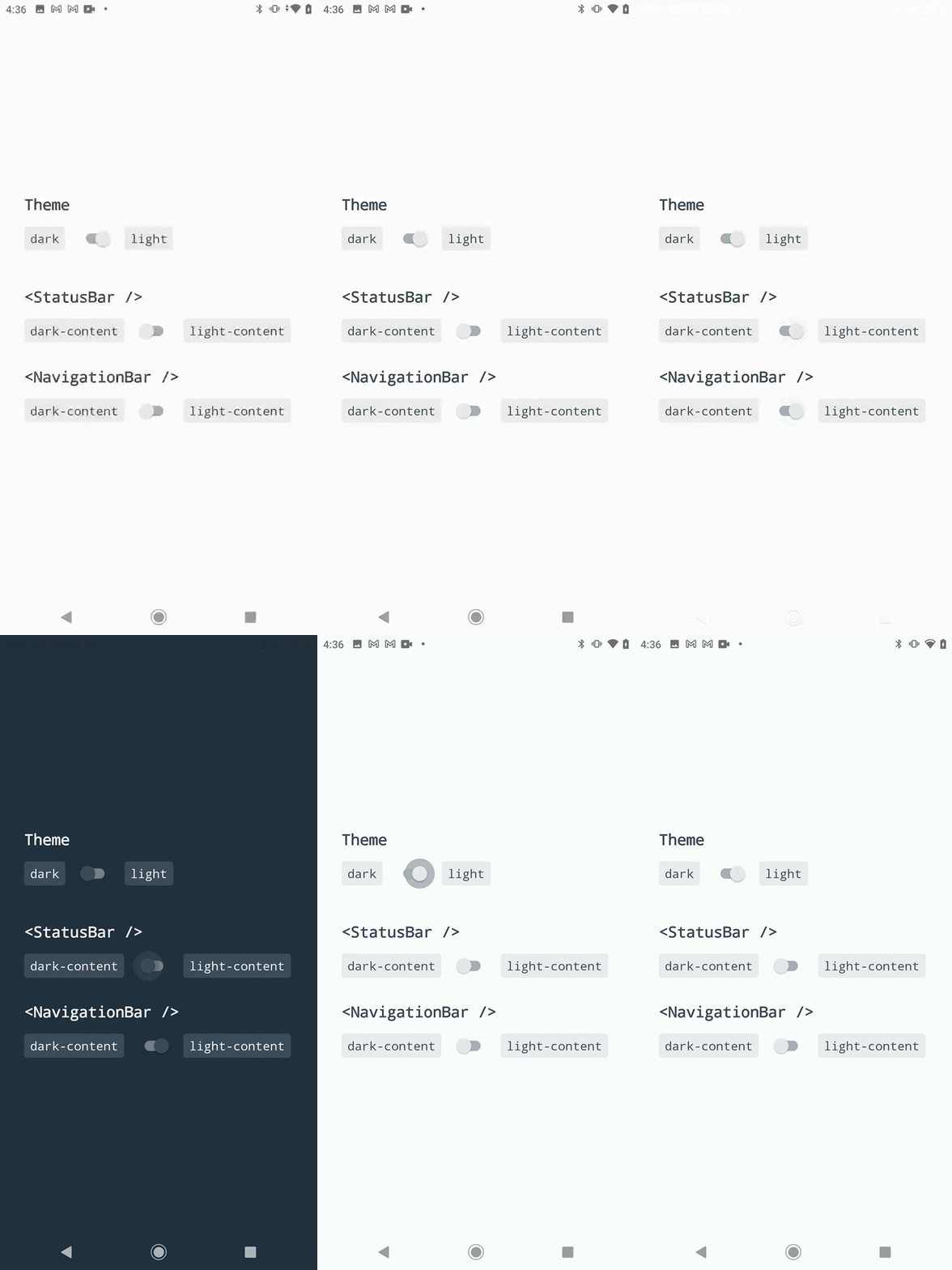
Components to control your app status and navigation bars.
Inspired by the built-in `StatusBar` module and [react-native-transparent-status-and-navigation-bar](https://github.com/MoOx/react-native-transparent-status-and-navigation-bar) by [@MoOx](https://github.com/MoOx) (Thanks to them 💖).
[](https://github.com/zoontek/react-native-bars/blob/main/LICENSE)
[](https://www.npmjs.org/package/react-native-bars)
[](https://www.npmjs.org/package/react-native-bars)
[](https://www.android.com)
[](https://developer.apple.com/ios)
## Support
This library follows the React Native [releases support policy](https://github.com/reactwg/react-native-releases#releases-support-policy).
It is supporting the **latest version**, and the **two previous minor series**.
## Installation
```bash
$ npm install --save react-native-bars
# --- or ---
$ yarn add react-native-bars
```
## Recommendations
This module will works best with:
- [react-native-safe-area-context](https://github.com/th3rdwave/react-native-safe-area-context): A library to handle safe area insets and avoid drawing below status and navigation bars.
## Setup
ℹ️ For `react-native` < `0.70` setup, use latest v1 and follow [this README](https://github.com/zoontek/react-native-bars/blob/1.1.2/README.md).
### Android
1. Edit your `android/app/src/main/java/com/yourprojectname/MainActivity.{java,kt}` file:
_📍 If you want to disable keyboard handling, use `RNBars.init(this, false)` + an external keyboard handling library like [`react-native-keyboard-controller`](https://github.com/kirillzyusko/react-native-keyboard-controller) or [`react-native-avoid-softinput`](https://github.com/mateusz1913/react-native-avoid-softinput)._
```java
// Java (react-native < 0.73)
// …
// Add these required imports:
import android.os.Bundle;
import com.zoontek.rnbars.RNBars;
public class MainActivity extends ReactActivity {
// …
@Override
protected void onCreate(Bundle savedInstanceState) {
super.onCreate(savedInstanceState); // super.onCreate(null) with react-native-screens
RNBars.init(this); // initialize react-native-bars
}
}
```
```kotlin
// Kotlin (react-native >= 0.73)
// …
// Add these required imports:
import android.os.Bundle
import com.zoontek.rnbars.RNBars
class MainActivity : ReactActivity() { {
// …
override fun onCreate(savedInstanceState: Bundle?) {
super.onCreate(savedInstanceState) // super.onCreate(null) with react-native-screens
RNBars.init(this) // initialize react-native-bars
}
}
```
2. Edit your `android/app/src/main/res/values/styles.xml` file:
```xml
```
## iOS
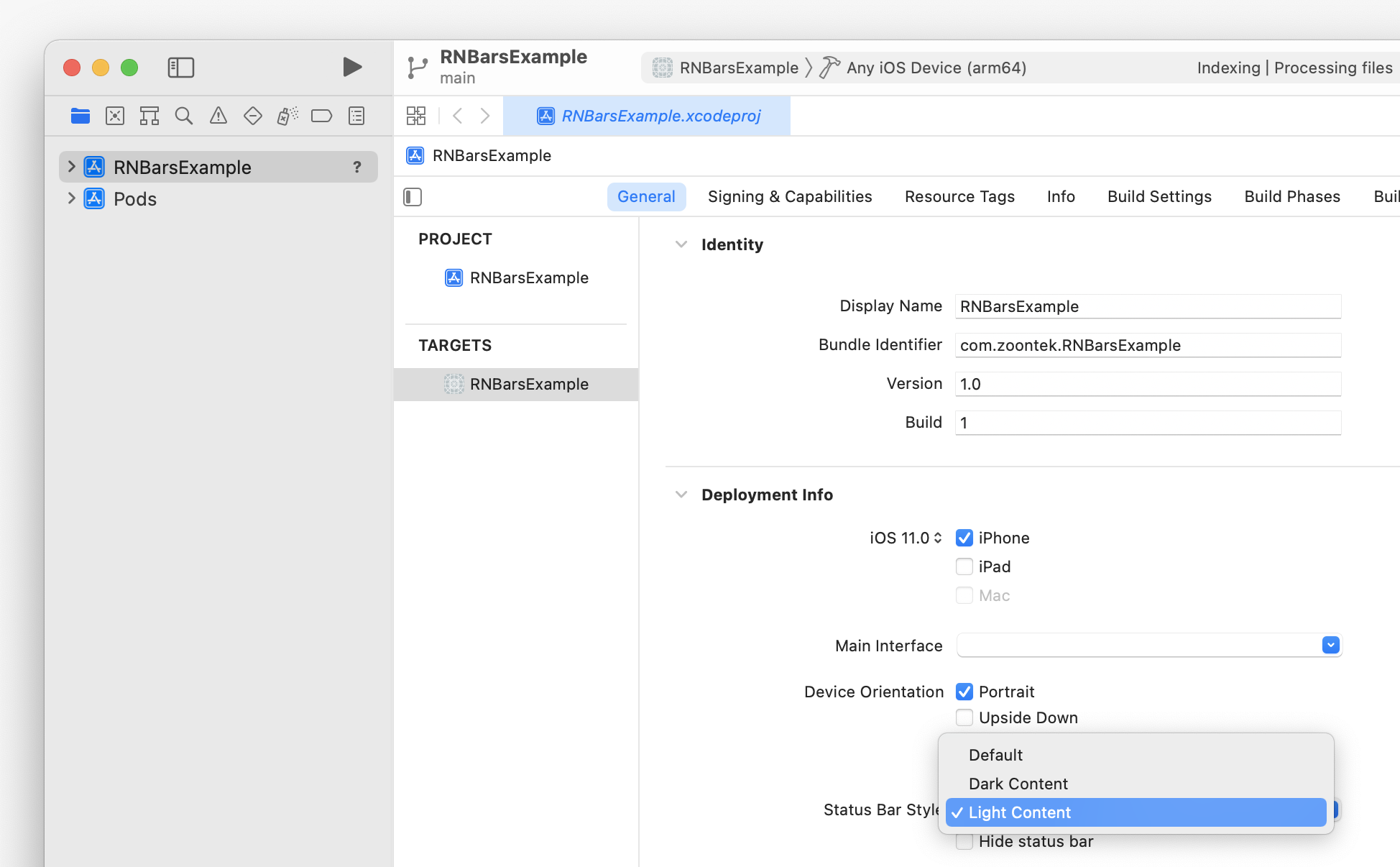
To set the initial status bar style, go to **Xcode > General > Deployment Info**:
## Usage
```tsx
import { NavigationBar, StatusBar, SystemBars } from "react-native-bars";
const App = () => {
return (
<>
{/* Or, to update both with one component: */}
);
};
```
## API
### ``
A component to control your app status bar.
```tsx
import { StatusBar } from "react-native-bars";
type StatusBarProps = {
// Should transition between status bar property changes be animated? (has no effect on Android)
animated?: boolean;
// Sets the color of the status bar content
barStyle: "light-content" | "dark-content";
};
const App = () => (
<>
{/* … */}
);
```
#### StatusBar.pushStackEntry
```ts
const entry: StatusBarProps = StatusBar.pushStackEntry(
props /*: StatusBarProps*/,
);
```
#### StatusBar.popStackEntry
```ts
StatusBar.popStackEntry(entry/*: StatusBarProps*/): void;
```
#### StatusBar.replaceStackEntry
```ts
const entry: StatusBarProps = StatusBar.replaceStackEntry(
entry /*: StatusBarProps*/,
props /*: StatusBarProps*/,
);
```
---
### ``
A component to control your app navigation bar. It has no effect on iOS and Android < 8.1.
```tsx
import { NavigationBar } from "react-native-bars";
type NavigationBarProps = {
// Sets the color of the navigation bar content
barStyle: "light-content" | "dark-content";
};
const App = () => (
<>
{/* … */}
);
```
#### NavigationBar.pushStackEntry
```ts
const entry: NavigationBarProps = NavigationBar.pushStackEntry(
props /*: NavigationBarProps*/,
);
```
#### NavigationBar.popStackEntry
```ts
NavigationBar.popStackEntry(entry/*: NavigationBarProps*/): void;
```
#### NavigationBar.replaceStackEntry
```ts
const entry: NavigationBarProps = NavigationBar.replaceStackEntry(
entry /*: NavigationBarProps*/,
props /*: NavigationBarProps*/,
);
```
---
### ``
A component to control both your app status and navigation bars.
```tsx
import { SystemBars } from "react-native-bars";
type SystemBarsProps = {
// Should transition between bars property changes be animated? (has no effect on Android)
animated?: boolean;
// Sets the color of the bars content
barStyle: "light-content" | "dark-content";
};
const App = () => (
<>
{/* … */}
);
```
## Sponsors
This module is provided **as is**, I work on it in my free time.
If you or your company uses it in a production app, consider sponsoring this project 💰. You also can contact me for **premium** enterprise support: help with issues, prioritize bugfixes, feature requests, etc.