# react-native-custom-radio-group
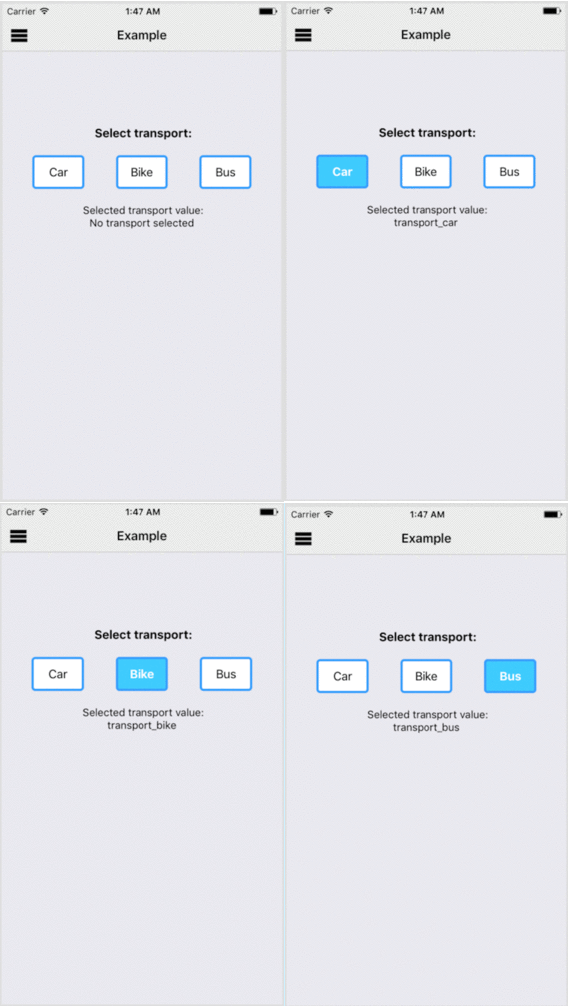
A react native radio group component with custom radio button. The component enables single select radio button behaviour with default select option and customization of the button styles.
Example:
Example uses default styles by RadioGroup
Installation:
```javascript
npm install react-native-custom-radio-group --save
```
Props:
* radioGroupList (Required) : An array of object; object => {label: '', value: ''}
* onChange: CallBack with the value of selected radio button
* initialValue: Value of the option to be initially selected
* containerStyle: Style of the radio group container
* buttonContainerStyle: Base style of the custom button container,
* buttonTextStyle: Base style of the custom button label text,
* buttonContainerActiveStyle: Added style of the custom button container when active,
* buttonContainerInactiveStyle: Added style of the custom button container when inactive,
* buttonTextActiveStyle: Added style of the custom button text when active,
* buttonTextInactiveStyle: Added style of the custom button text when inactive
Usage:
```javascript
import React, {Component} from 'react';
import {View, Text} from 'react-native';
import RadioGroup from 'react-native-custom-radio-group';
import {radioGroupList} from './radioGroupList.js'
export default class MyComponent extends Component {
render () {
return (
SELECT:
);
}
}
```
```javascript
//radioGroupList.js
export const radioGroupList = [{
label: 'Car',
value: 'transport_car'
}, {
label: 'Bike',
value: 'transport_bike'
}, {
label: 'Bus',
value: 'transport_bus'
}];
```