# react-native-dropdownmenus
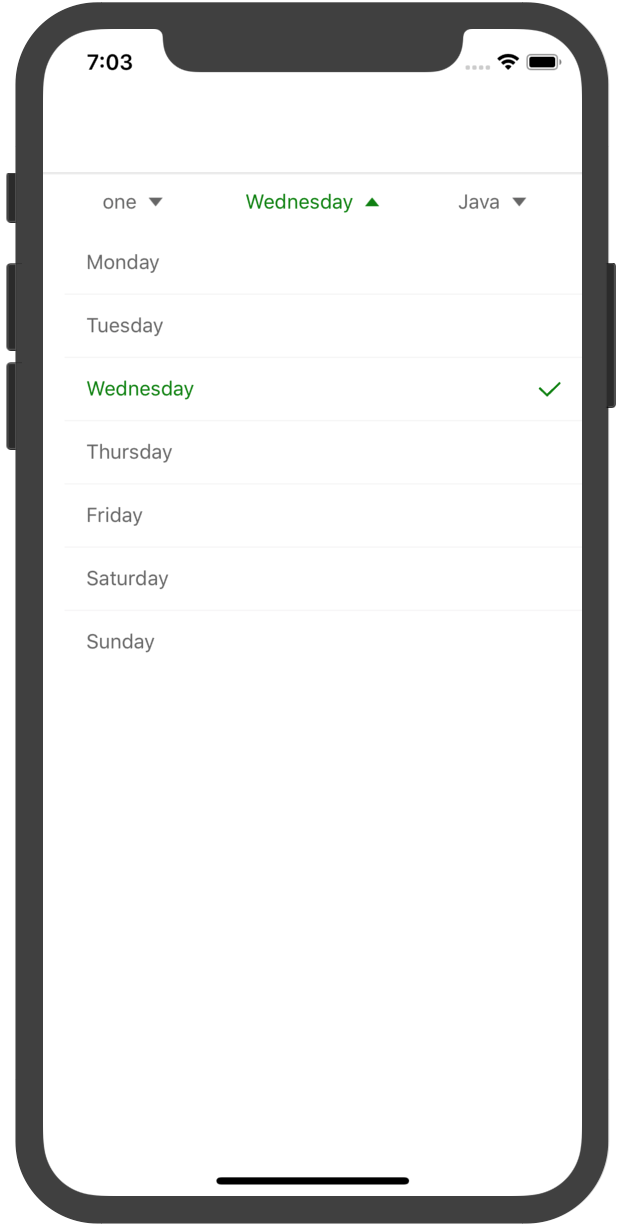 ## Getting started
`$ npm install react-native-dropdownmenus --save`
### Mostly automatic installation
`$ react-native link react-native-dropdownmenus`
## Usage
```javascript
import Dropdownmenu from 'react-native-dropdownmenus';
let conditionData = [["one", "tow", "three"], ["Monday", "Tuesday", "Wednesday", "Thursday", "Friday", "Saturday", "Sunday"],
["Java", "PHP", "C#", "JS", "C++", "Python"]];
// this.setState({text: data[selection][row]})
this._conditionChange(selection,row)
}
data={conditionData}
selectIndex={[0,2,0]}>
```
### Param
| Parameter | Type | Default | Description
| ------ | ------ | ------ | ------ |
| bgColor | string | | backgroud color
| tintColor | string | | normal text color
| activityTintColor | string | | active text color
| maxHeight | number | | max Height
| hanlder | func | | selected item onclickListener
| data | Array | | show Data
| selectIndex | string | | default selected index
## Getting started
`$ npm install react-native-dropdownmenus --save`
### Mostly automatic installation
`$ react-native link react-native-dropdownmenus`
## Usage
```javascript
import Dropdownmenu from 'react-native-dropdownmenus';
let conditionData = [["one", "tow", "three"], ["Monday", "Tuesday", "Wednesday", "Thursday", "Friday", "Saturday", "Sunday"],
["Java", "PHP", "C#", "JS", "C++", "Python"]];
// this.setState({text: data[selection][row]})
this._conditionChange(selection,row)
}
data={conditionData}
selectIndex={[0,2,0]}>
```
### Param
| Parameter | Type | Default | Description
| ------ | ------ | ------ | ------ |
| bgColor | string | | backgroud color
| tintColor | string | | normal text color
| activityTintColor | string | | active text color
| maxHeight | number | | max Height
| hanlder | func | | selected item onclickListener
| data | Array | | show Data
| selectIndex | string | | default selected index