# react-native-image-filter-kit
[](https://badge.fury.io/js/react-native-image-filter-kit)
[](https://github.com/standard/standard)
[](https://david-dm.org/iyegoroff/react-native-image-filter-kit)
[](https://david-dm.org/iyegoroff/react-native-image-filter-kit?type=dev)
[](https://www.npmjs.com/package/react-native-image-filter-kit)
Various image filters for iOS & Android.
## Status
- iOS & Android:
- filter components work as combinable wrappers for standard `Image` and `ImageBackground` components
- resulting images are being cached in memory
- Minimum Android SDK version - 17
- React-Native:
- with rn >= 0.57.1 use latest version
## Getting started
`$ npm install react-native-image-filter-kit --save`
### Mostly automatic installation
`$ react-native link react-native-image-filter-kit`
### Manual installation
[link](docs/manual_installation.md)
### Final step
Open `android/build.gradle` and change `minSdkVersion` to 17.
## Scope
The purpose of this module is to support most of the native image filters on each platform and to provide a common interface for these filters. If the filter exists only on one platform, then its counterpart will be implemented using `renderscript` on Android and `cikernel` on iOS. If you need only [color matrix](docs/color_matrix_filters.md) filters - better use a [lightweight predecessor](https://github.com/iyegoroff/react-native-color-matrix-image-filters) of this module.
## Example
```javascript
import { Image } from 'react-native';
import {
SoftLightBlend,
Emboss,
Earlybird,
Invert,
RadialGradientGenerator
} from 'react-native-image-filter-kit';
const result = (
}
/>
}
srcAnchor={{ x: 0.5, y: 1 }}
srcPosition={{ x: 0.5, y: 1 }}
srcImage={
}
/>
}
/>
}
/>
)
```
| original image |
result |
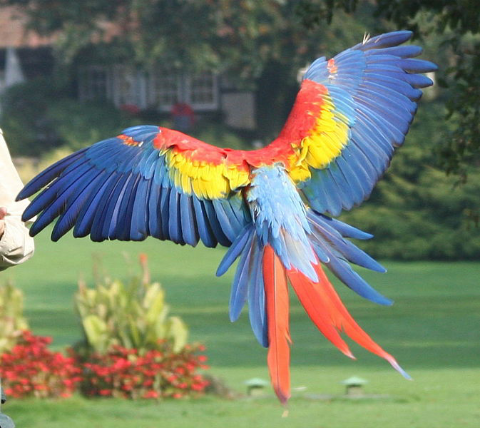 |
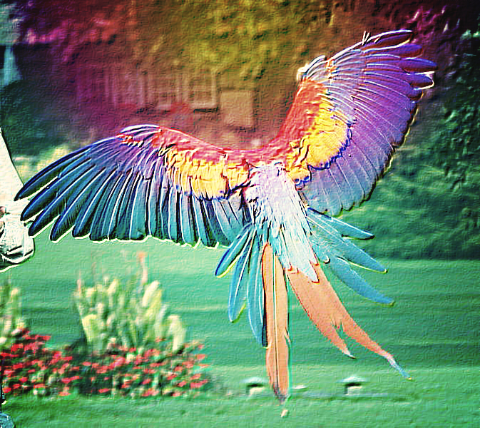 |
filter steps
| original image |
|---|
|
|---|
|
| Emboss |
|---|
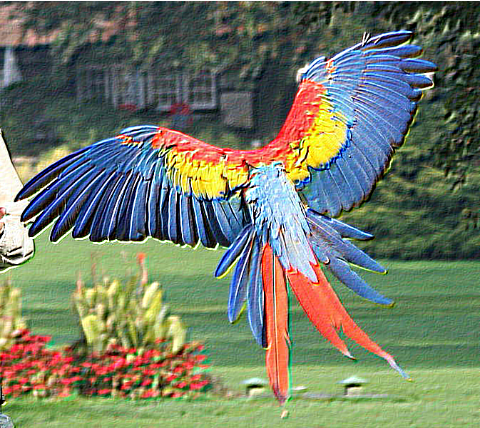 |
|---|
|
| SoftLightBlend |
|---|
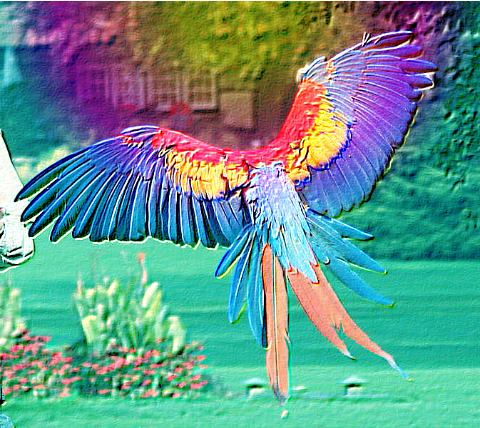 |
|---|
|
| Earlybird |
|---|
|
|---|
|
| RadialGradient |
|---|
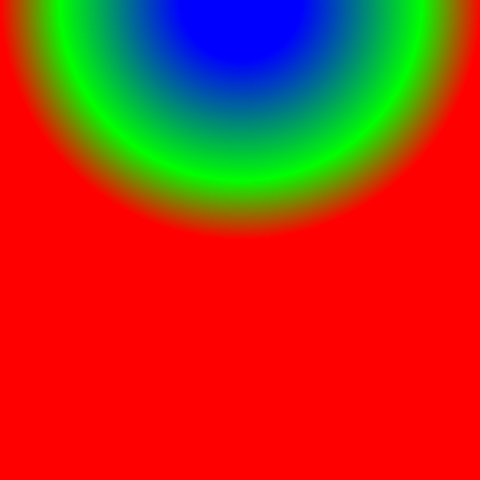 |
|---|
|
| Invert |
|---|
 |
|---|
|
## Reference
- [Types](docs/types.md)
- [Functions](docs/functions.md)
- [Color matrix filters](docs/color_matrix_filters.md)
- [Blur filters](docs/blur_filters.md)
- [Convolve matrix filters](docs/convolve_matrix_filters.md)
- [Generators](docs/generators.md)
- [Composition filters](docs/composition_filters.md)
- [Blend filters](docs/blend_filters.md)
- [CSSGram filters](docs/cssgram_filters.md)
- [Android-only filters](docs/android_only_filters.md)
- [iOS-only filters](docs/ios_only_filters.md)
## Caveats
- `blurRadius` Image prop will not work in conjunction with this library, instead of it just use [BoxBlur](docs/blur_filters.md#BoxBlur) filter
- When running on pre-Lollipop (SDK < 21) Android devices you may experience [TooManyBitmapsException](https://frescolib.org/javadoc/reference/com/facebook/imagepipeline/common/TooManyBitmapsException.html), which results in image is not being rendered (this can be logged with [onFilteringError](docs/types.md#ImageFilter) prop). It looks like this is a relatively rare case which arises on low-end devices when filtering wallpaper-sized images (like 1920 × 1080 pixels). The common workarounds are:
- using smaller images
- using [ColorMatrix](docs/color_matrix_filters.md#ColorMatrix) filter with [concatColorMatrices](docs/functions.md#concatColorMatrices) instead of wrapping the image with multiple color matrix based filters
- adding `android:largeHeap="true"` to `android/app/src/main/AndroidManifest.xml`
- replacing standard `MainReactPackage` with [alternative](android/src/main/java/iyegoroff/imagefilterkit/MainReactPackageWithFrescoCache.java
) one provided by this module:
```diff
...
- import com.facebook.react.shell.MainReactPackage;
+ import iyegoroff.imagefilterkit.MainReactPackageWithFrescoCache;
import com.facebook.soloader.SoLoader;
import java.util.Arrays;
import java.util.List;
public class MainApplication extends Application implements ReactApplication {
+ private class MainReactPackage extends MainReactPackageWithFrescoCache {}
...
```
After this change `ImageFilter` will not throw `TooManyBitmapsException` immediately and will clear Fresco image caches, trim bitmap pool memory and try to filter the image again several times until succeed or reach the limit of retries, specified by [clearCachesMaxRetries](docs/types.md#ImageFilter) prop.
## Credits
- CSSGram filters are taken from [cssgram](https://github.com/una/cssgram) project by @una
- `EdgeDetection`, `Emboss` and `FuzzyGlass` filters are taken from [android-graphics-demo](https://github.com/chiuki/android-graphics-demo) project by @chiuki
- parrot [image](https://commons.wikimedia.org/wiki/File:Ara_macao_-flying_away-8a.jpg) by
[Robert01](https://de.wikipedia.org/wiki/Benutzer:Robert01)