# React Native Instagram Reels

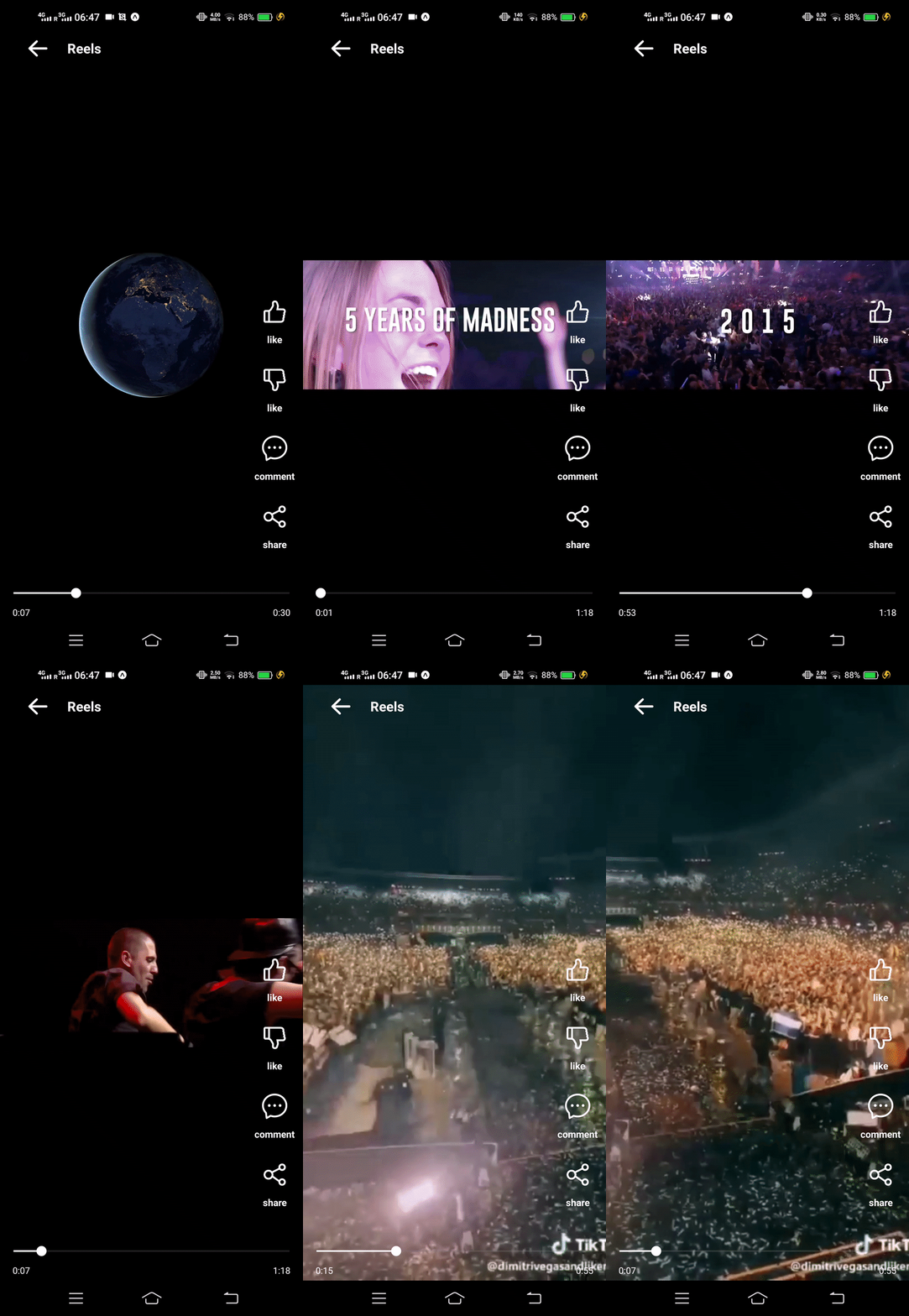
It provides a component that allows you to display a list of reels similar to the Instagram app.
## Features
- List of videos
- Seekable videos
- Play/Pause option
- Fully customizable
## ✨ App Preview

## Video Preview
## Installation
Just run the below command in your project folder
Note:- This runs only in React Native CLI project. For Expo, you can use [this package](https://github.com/kartikeyvaish/expo-instagram-reels)
To install,
npm i react-native-instagram-reels --save
## Usage
```javascript
import Reels from 'react-native-instagram-reels';
...
// Pass the array of objects with _id and uri as props
```
## Parameters
### Required Parameters
| Parameter | required | Default | Description |
| --------- | -------- | ------- | ------------------------ |
| videos | YES | `[]` | List of videos for reels |
### Container Parameters
| Parameter | required | Default | Description |
| --------------- | -------- | ------- | --------------------------------------- |
| backgroundColor | NO | `black` | Background color of the whole container |
### Header Parameters
| Parameter | required | Default | Description |
| ----------------- | -------- | ------------ | --------------------------------------------------------------------- |
| headerTitle | NO | `"Reels"` | Title to be shown on the top header bar |
| headerIconName | NO | `arrowright` | iconName from `AntDesign` family |
| headerIconColor | NO | `white` | icon color for the header bar |
| headerIconSize | NO | `24` | icon size for the header bar |
| headerIcon | NO | null | Custom icon component to display |
| headerComponent | NO | null | custom component to show instead of header bar |
| onHeaderIconPress | NO | null | function to execute when user presses the back icon in the header Bar |
### Button Options Parameters
| Parameter | required | Default | Description |
| ------------------ | -------- | ------- | -------------------------------------------------------------------------------- |
| optionsComponent | NO | null | A custom component to show instead of default options such as like, comment etc. |
| pauseOnOptionsShow | NO | true | Whether to pause the playback when user touches the scren or not |
| onSharePress | NO | null | Function to execute when user presses the share button. Gives `_id` in props |
| onCommentPress | NO | null | Function to execute when user presses the comment button. Gives `_id` in props |
| onLikePress | NO | null | Function to execute when user presses the like button. Gives `_id` in props |
| onDislikePress | NO | null | Function to execute when user presses the dislike button. Gives `_id` in props |
### Video Player Parameters
| Parameter | required | Default | Description |
| --------------- | -------- | ------- | ----------------------------------------- |
| onFinishPlaying | NO | null | Function to execute on every video finish |
### Slider component Parameters
| Parameter | required | Default | Description |
| --------------------- | -------- | ------- | -------------------------------------------------------- |
| minimumTrackTintColor | NO | null | The color used for the track to the left of the button. |
| maximumTrackTintColor | NO | null | The color used for the track to the right of the button. |
| thumbTintColor | NO | null | Color of the foreground switch grip. |
### Time display Parameters
| Parameter | required | Default | Description |
| ---------------- | -------- | -------- | --------------------------------------------------------------------------------------------------- |
| timeElapsedColor | NO | `"grey"` | Color of the timestamp which shows total time that has been elapsed since the video started playing |
| totalTimeColor | NO | `"grey"` | Color of the timestamp which shows total duration of the clip |